

Appearance
Cancelling and the 30 Day Window
Cancelling a subscription and closing a workspace both follow one rule, stated the same way in the terms, the privacy policy and the emails you receive: the workspace stays open and read-only for 30 days so you can export your data or restart, and after those 30 days every record is permanently deleted, except records the law requires us to keep. A failed payment never starts that clock.
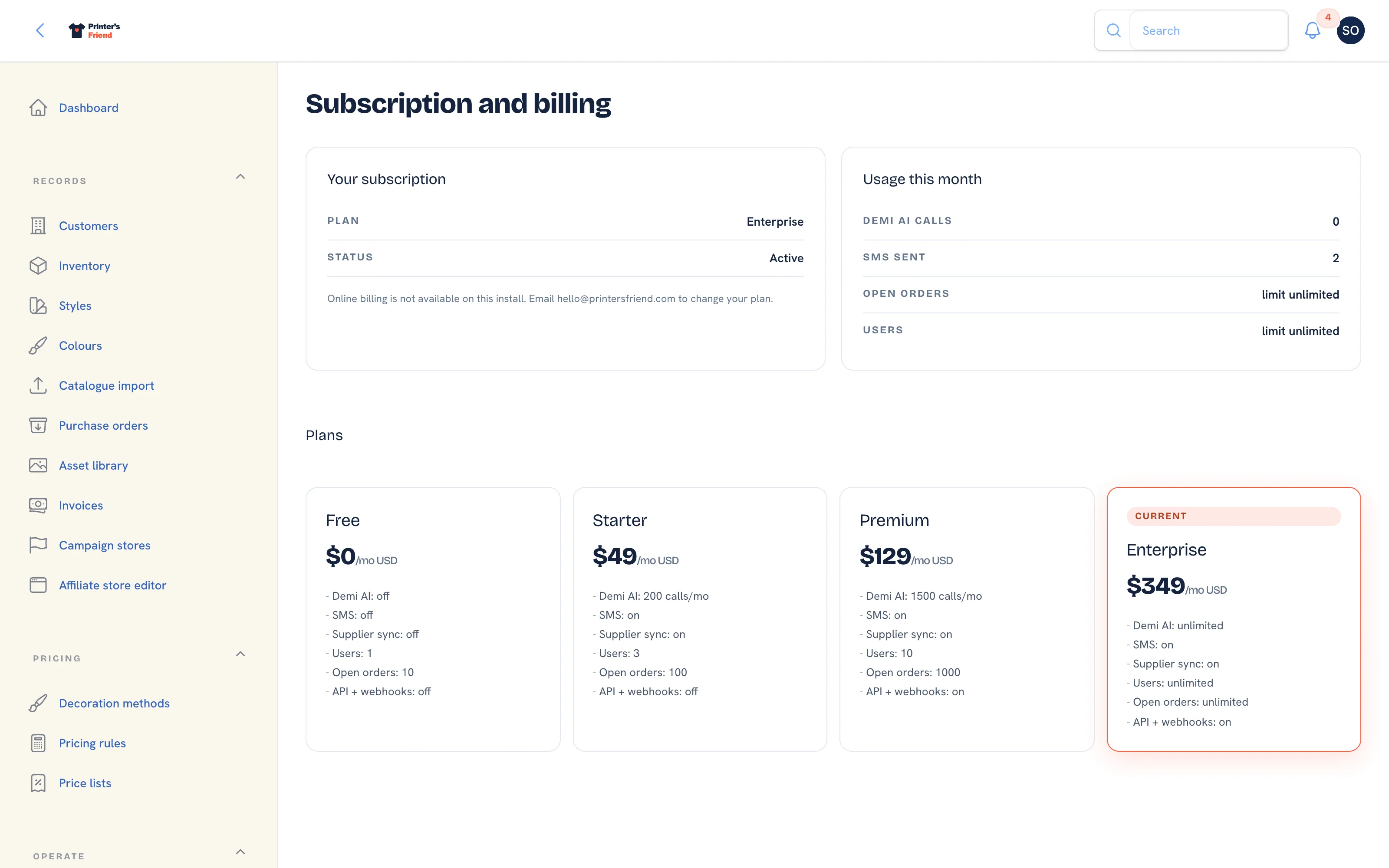 Cancellation starts from Manage card and invoices. Close this workspace appears only on a workspace with no subscription.
Where It Lives
| Action | Where | Who |
|---|---|---|
| Cancel a subscription | Insight, then Billing, then Manage card and invoices, then cancel in Stripe's portal | Owners and managers |
| Close a workspace that has no subscription | Insight, then Billing, then Close this workspace in the page header | Owners only |
| Restart during the window | Insight, then Billing, then Start subscription | Owners and managers |
| Delete sooner than 30 days | Email hello@printersfriend.com | The owner |
Cancelling a Subscription
- Export anything you want to keep while the workspace is fully open: customer activity as CSV with Export activity (CSV) on each customer record, your invoice PDFs from Invoices, and any reports. A full export is available on request from hello@printersfriend.com. See Data, privacy and GDPR.
- Tell customers who use the portal or a team store that their links will stop working.
- Open Insight, then Billing and click Manage card and invoices. Stripe's hosted portal opens.
- Cancel the subscription in the portal. It ends at the end of the current paid period; partial months are not refunded unless your local consumer law requires it.
- When the subscription ends, Stripe tells Printer's Friend and the 30 day window begins.
Cancelling inside the trial ends the trial with no charge, and the same window applies from that moment.
The 30 Day Window
From the cancellation:
- The banner across the workspace reads "This workspace is read-only until 9 Nov 2026, after which every record is permanently deleted" and asks you to export customer activity and invoice PDFs now, or restart your subscription to keep everything.
- The billing contact receives "Your Printer's Friend workspace Your Shop is read-only until 9 Nov 2026", which lists the exports and the date.
- Billing stays writable so you can restart. Start subscription on the Billing page reopens the workspace with everything intact and stops the clock. The Billing page then confirms "Your plan is active again and every record is exactly as you left it."
- You can ask hello@printersfriend.com to delete sooner at any point in the window.
After the 30 days the workspace closes, sign-in ends, and every record is permanently deleted on the next daily run, apart from the tax records the law requires us to keep for 7 years. Nothing can be restored after that date. A deleted workspace drops out of the backups as they age through their schedule.
Closing a Workspace with No Subscription
A workspace on the Free tier with no subscription, for example after a trial that never converted, can be closed by its owner:
- Open Insight, then Billing. Close this workspace appears in the page header for owners when no subscription is active and the workspace is not already closing.
- Click it. The dialog "Close this workspace?" explains that the workspace becomes read-only for 30 days and is then permanently deleted.
- Type the workspace address, for example
yourshop, into the confirmation field and click Close the workspace. - The notification "Workspace closing" shows the read-only date. The same 30 day window and emails apply.
A Failed Payment Is Different
A failed payment never deletes anything. Stripe retries the card, you have a 7 day grace period, and if no payment has succeeded by the end of it the workspace drops to the Free tier with every record intact: customers, orders, invoices, artwork and history all stay. Updating your card, or Start subscription, restores your plan. The deletion clock starts only when you cancel in Stripe's portal or an owner closes the workspace.
Export before the date on the banner
During the window the workspace is on the Free tier and read-only, and Billing is the one page that still accepts changes. Download what you need, or restart the subscription, before the date on the banner. After it, nothing can be restored.
Related Pages
- Subscription and Plan Changes: changing plan, and what a failed payment does
- Data, Privacy and GDPR: deletion requests, anonymisation, marketing consent and exports
- Subscription and Billing: your plan, card, usage and the plan grid
- FAQ: Billing: short answers on paying, plans and cancelling