

Appearance
10. Email and SMS Templates
Insight, then Email & SMS templates. Every message your shop sends a customer comes from a template here, and every one is seeded with a plain default, so this step is editing. Emails leave with your shop name as the sender name, your contact email as the reply address and your logo in the header when you have set one. Once you connect your own Postmark or Resend account under Integrations, they leave from your own sending address.
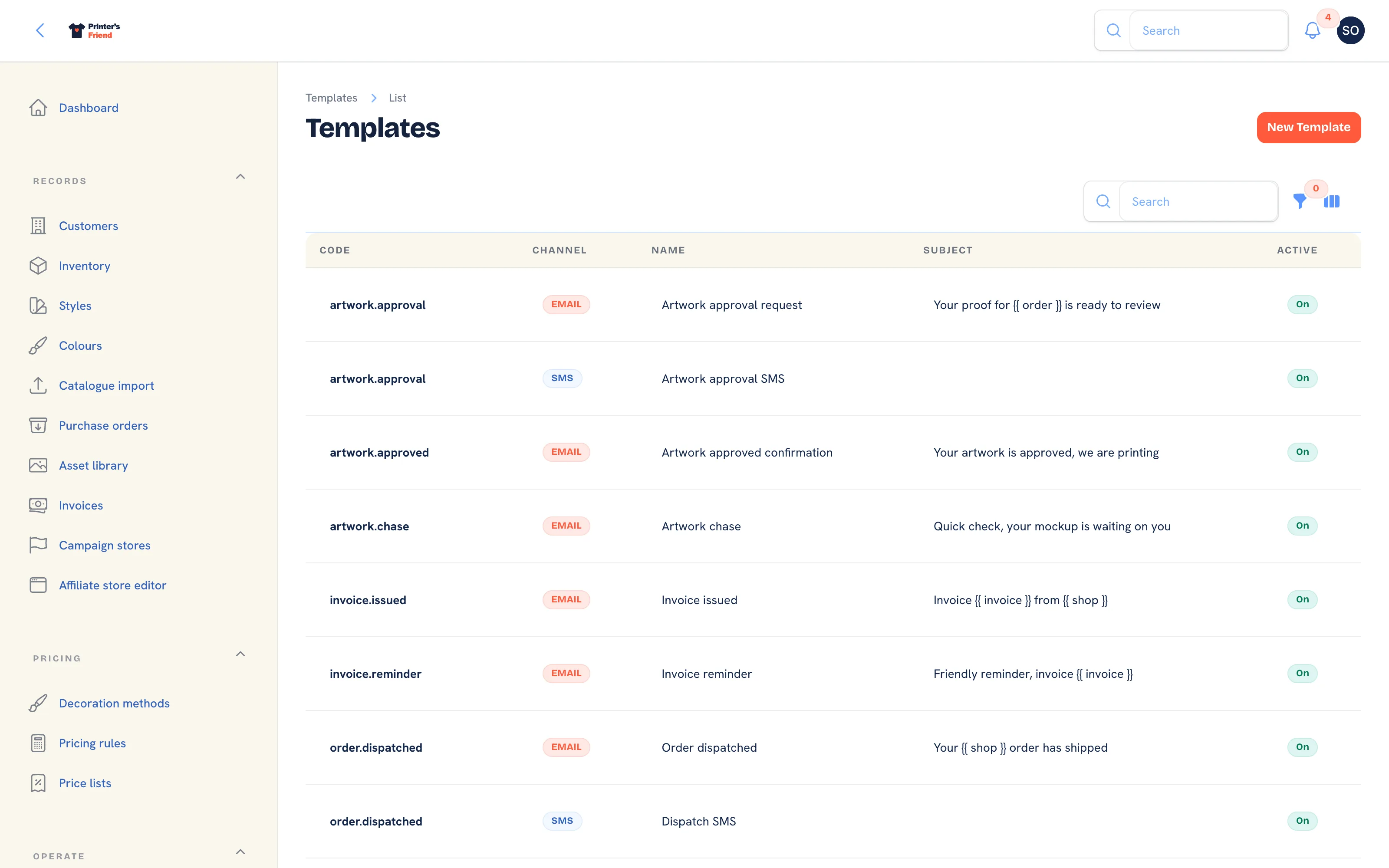 The templates list. Each code and channel pair is one message.
Where It Lives
| Page | What it's for |
|---|---|
| Insight, then Email & SMS templates | The list, filtered by channel |
| Edit on a row | The subject and body, with Preview and Send test in the header |
| New template | A template for a new code. The shipped codes already exist |
What Ships and When It Sends
| Template | Channel | Sends when |
|---|---|---|
| Order thank you | An order is created from a quote | |
| Quote sent | You press Mark sent on a quote. Carries the accept and request changes links | |
| Quote follow up | A sent quote goes quiet | |
| Artwork approval request | You press Send for approval. Carries the signed approval link | |
| Artwork approval SMS | SMS | The same moment, when the contact has a phone and the shop can text |
| Artwork approved confirmation | The customer approves | |
| Artwork chase | A proof has waited 3 days, and again 3 days later, then it stops | |
| Order ready by reminder | Seeded, but nothing sends it today | |
| Print queue SMS | SMS | The order first enters the print queue |
| Order dispatched | The order reaches Dispatched | |
| Dispatch SMS | SMS | The order reaches Dispatched |
| Kiosk order confirmation SMS | SMS | A walk-in order is placed on the kiosk |
| Invoice issued | An invoice is issued, with the pay line when there is a link | |
| Invoice reminder | Three days before due, on the due day, and seven and fourteen days after | |
| Purchase order to supplier | You press Send to supplier on a purchase order |
Invoice reminders go out at 09:00, quote follow-ups at 09:30 and artwork chasers at 10:00 in your shop's time zone, so nobody is emailed in the middle of their night.
Editing a Template
- Press Edit on the row.
- Leave Code and Channel alone on a shipped template; the dispatcher looks them up by code.
- Change the Name, the Subject (email only) and the Body.
- Press Preview to see the message rendered with sample values, and Send test to email it to yourself.
- Press Save changes. Switch Is active off to stop that message sending at all.
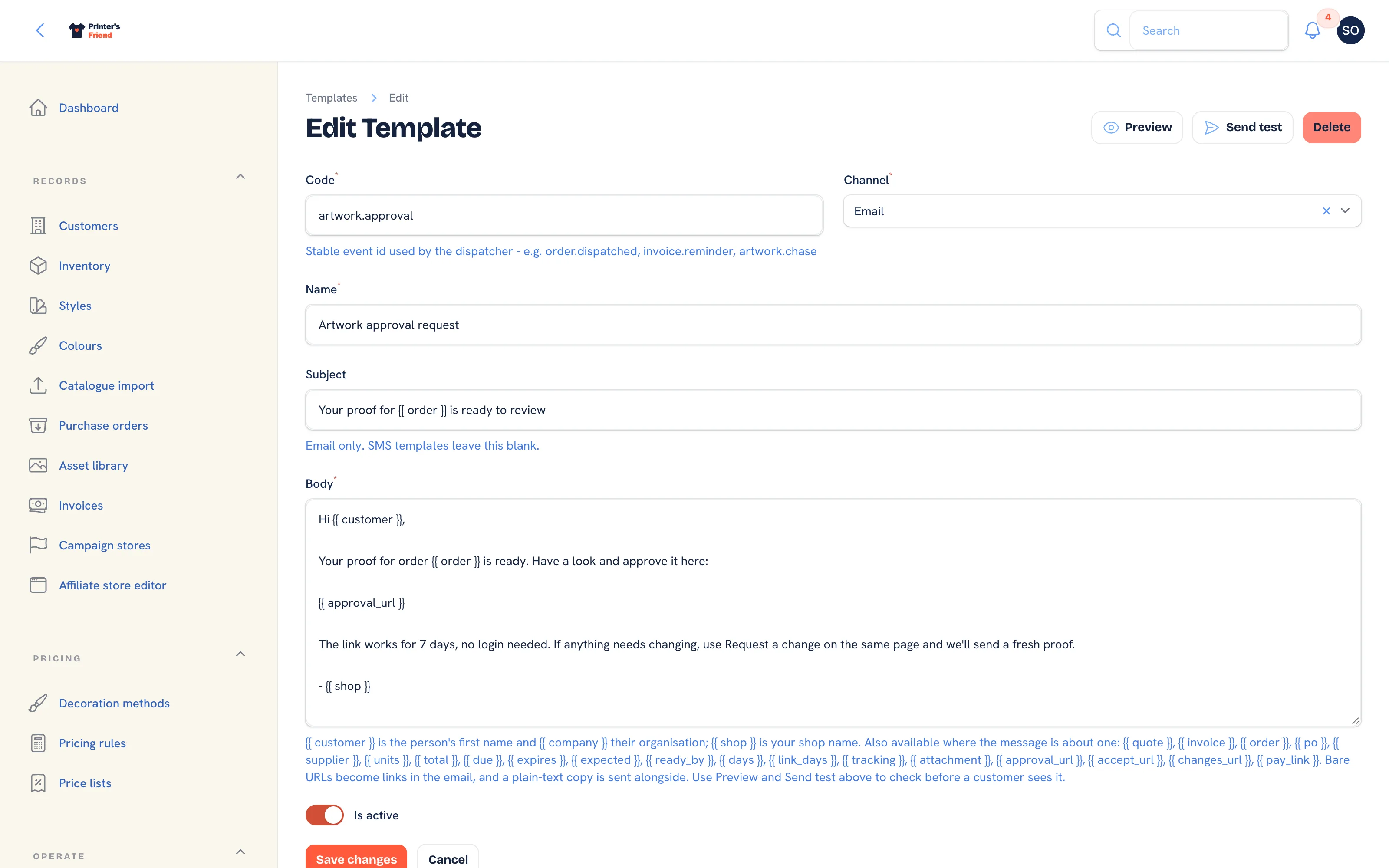 Editing a template. Preview and Send test sit in the header.
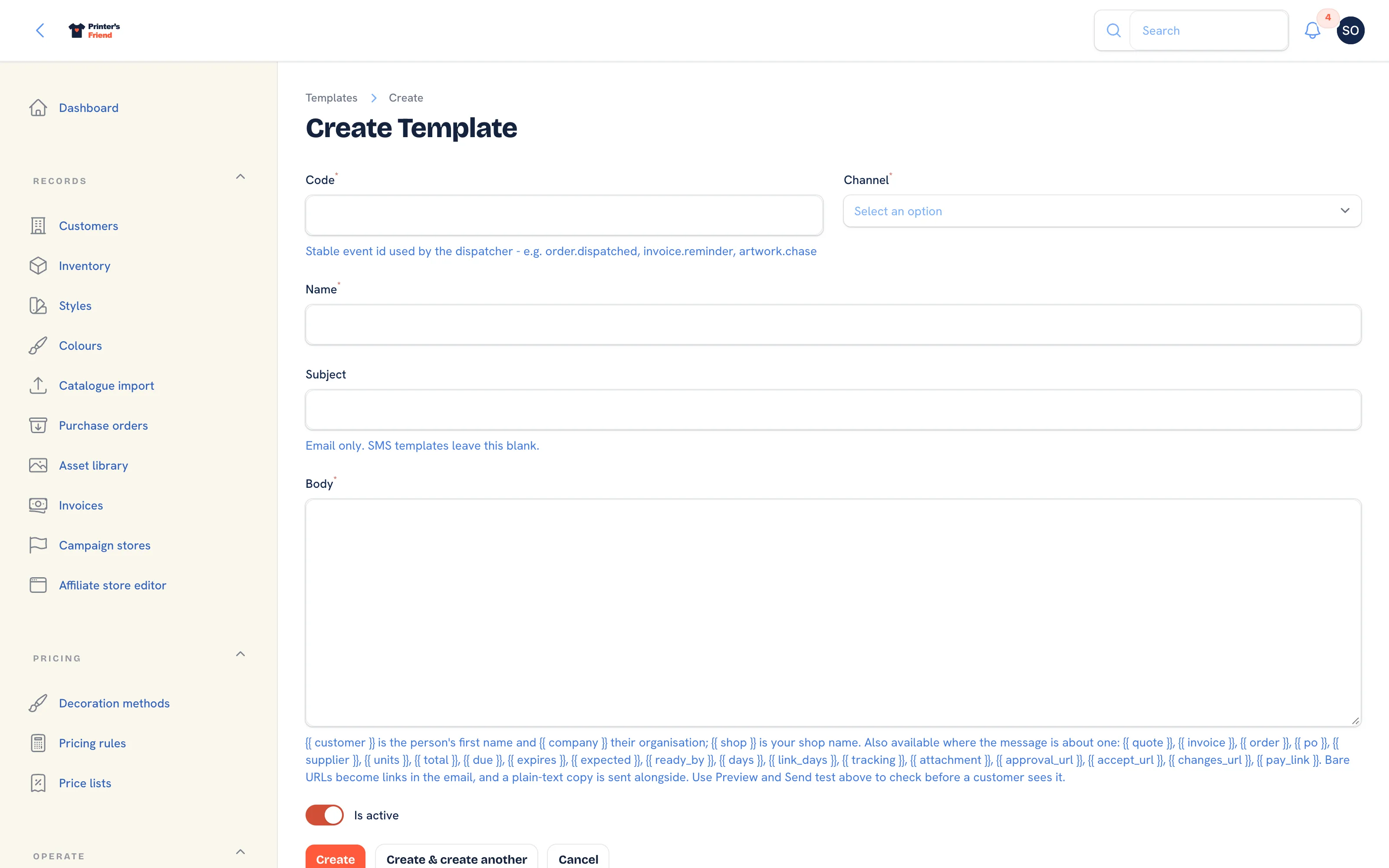 Adding a template for a new code.
Bare URLs in the body become links in the email, and a plain-text copy is sent alongside the HTML.
Placeholders
Write a placeholder in double braces and it is filled in at send time.
| Placeholder | Fills in |
|---|---|
| The contact's first name |
| The contact's organisation |
| Your shop name from Brand and portal |
| The document number |
| The formatted total in your currency |
| The invoice due date |
| The promised ready date |
| The tracking number |
| The signed one-click approval link, valid 7 days |
| The signed quote links and how many days they last |
| "is attached as a PDF" only when a PDF really is attached |
| "Pay online:" and the link when there is one, nothing otherwise |
| Days a proof has been waiting |
| Quote expiry date |
| Purchase order fields |
Use only the placeholders that belong to the message you are editing. A in the quote email has nothing to fill it.
Keep the links in the approval and quote templates
in the artwork templates and in the quote templates are the signed links that need no login. They are what gets a proof approved and a quote accepted the same day. Rewrite the words around them, but keep the placeholders.
SMS
Plan requirement
SMS is included on Starter, Premium and Enterprise, and needs your own Twilio account connected under Integrations. See Twilio SMS.
SMS templates have no subject. A text goes out only when the contact has a phone number, the plan includes SMS and Twilio is connected; otherwise the email alone is sent and the kiosk confirmation screen says no text is coming. A customer who replies STOP is excluded from further texts without you doing anything, and START opts them back in.
Test Before Go-live
Send one of each to yourself: create a test customer with your own email and mobile, quote, send, accept, send a proof, approve it, dispatch, and read every message for the sender name, the reply address, links that work and placeholders that filled in.