

Appearance
Your Free Trial
A new workspace starts with a 14 day trial on the plan you chose at signup. Your card is collected at Stripe Checkout and first charged when the trial ends. Cancel before then and nothing is charged.
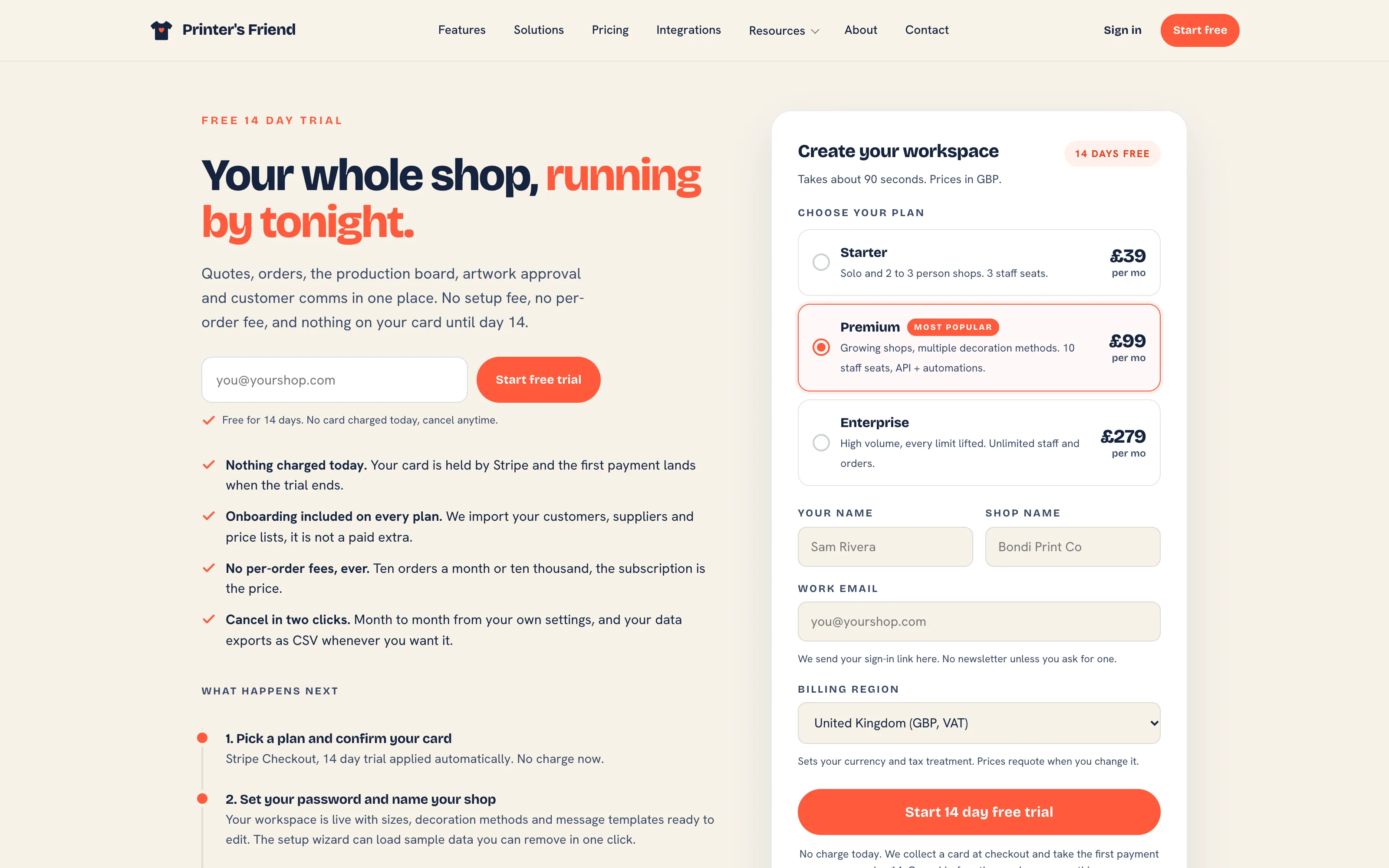 Create your account. The plan you pick here is the plan the trial runs on.
Where It Lives
| Page | What it's for |
|---|---|
| printersfriend.com/signup | Choose a plan and currency, name the shop, continue to Stripe Checkout |
| Your email | The welcome email with the link that sets your password |
| Insight, then Billing | The trial end date and days left under Your subscription |
| The banner across the workspace | Days left in the trial |
What Happens at Signup
- On the signup form pick a plan and the currency you want to be billed in, enter your shop name, your name and your email, and click Start 14 day free trial. The form says "By starting your trial you agree to the Terms of Service and Privacy Policy", and the version of the terms you accepted is recorded on your workspace.
- Stripe Checkout opens with the 14 day trial applied. Enter your card and billing address. Checkout shows no charge today.
- Stripe returns you to a page headed "Payment confirmed. Check your email." Within a minute the welcome email arrives with your workspace address,
yourshop.printersfriend.com, and a Set your password button. - Click Set your password. The link works for 7 days; after that, use Forgot password on your workspace sign-in page.
- Your workspace opens on the setup wizard. The welcome email and the wizard both offer sample data you can remove in one click.
An email already in use
An email address signs in to one workspace. If yours already runs an active workspace, the signup form refuses it and names that workspace's sign-in page. If your only workspace has lapsed or been cancelled, the form sends you to reactivate it. A person who runs two shops uses two email addresses.
During the Trial
The banner across the top of the workspace reads "Trial: N days left. Your card will be charged automatically when the trial ends." The Billing page shows Trial ends with the date and the days left under Your subscription, and the status Trialing.
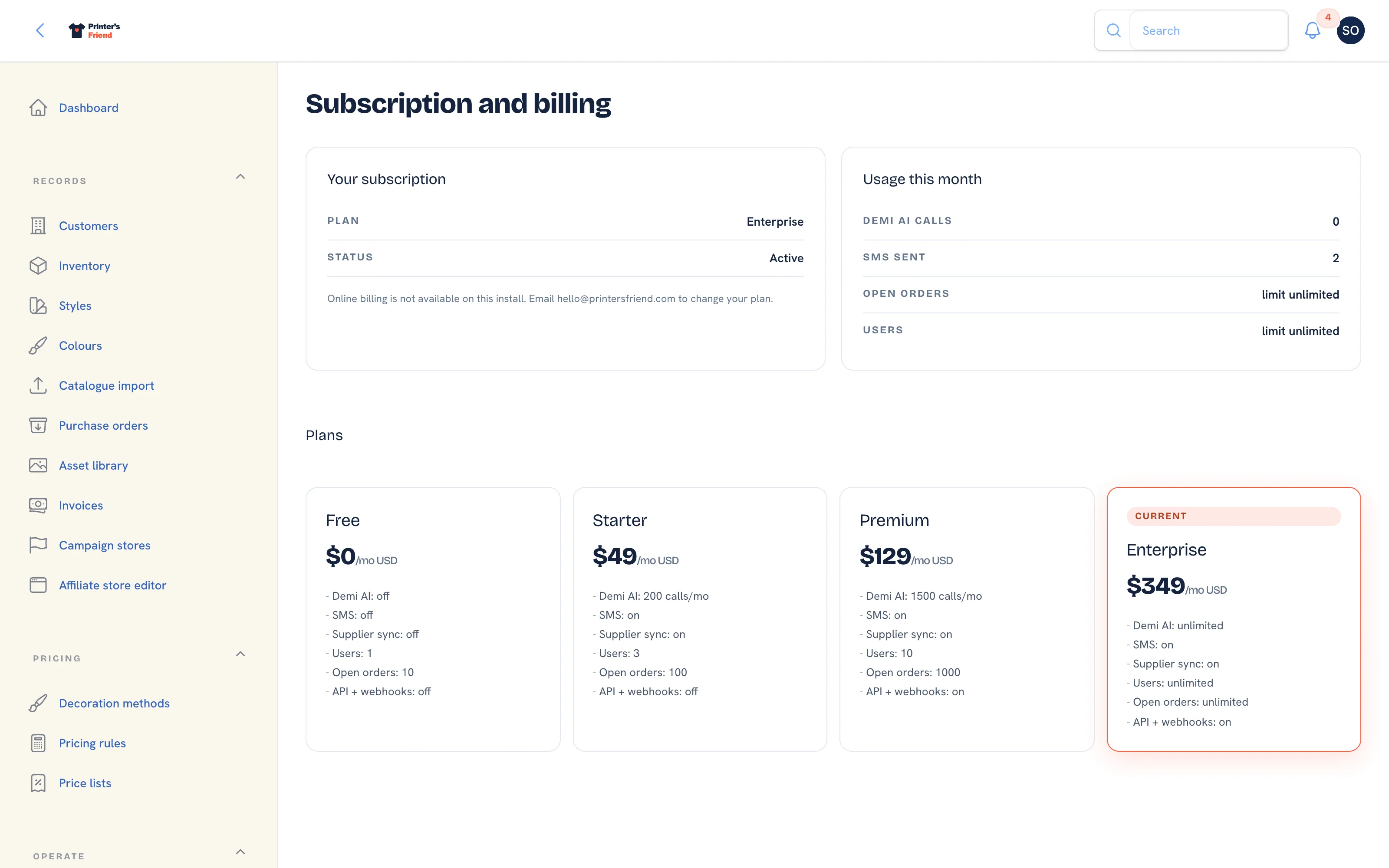 Subscription and billing. During a trial the card shows Trial ends and the days remaining.
Your workspace has the full entitlements of the plan you chose for the whole trial. Three days before the trial ends, the billing contact receives "Your Printer's Friend trial ends in 3 days" with the amount that will be charged and the date.
When the Trial Ends
On the last day Stripe charges the card for the first month and the status becomes Active. You receive a receipt by email, and Renews on the Billing page shows the next billing date. Nothing else changes.
If you would rather not continue, cancel before the trial ends from Manage card and invoices on the Billing page, which opens Stripe's hosted portal. Nothing is charged, and the workspace is handled as described in Cancelling and the 30 day window.
A Trial with No Subscription Behind It
A workspace can reach the end of its trial without a subscription, for example when a card was never confirmed at Checkout. In that case the workspace drops to the Free tier with every record intact, the billing contact receives "Your trial for Your Shop has ended", and the banner offers Start subscription. Nothing is deleted: only cancelling a subscription starts the deletion window.
To continue, open Insight, then Billing and click Start subscription, pick a plan and continue to Checkout. The plan applies as soon as the payment goes through, with every record exactly as you left it.
Related Pages
- Plans and Prices: what each plan costs and includes
- Create Your Account: create your workspace
- Subscription and Plan Changes: changing plan, and what a failed payment does
- Cancelling and the 30 Day Window: cancelling, the 30 day read-only window and deletion