

Appearance
5. Pricing Rules
Pricing, then Pricing rules. Rules are how your shop's commercial logic gets written down: volume breaks, negotiated discounts, setup waivers for repeat work. They compose in a fixed order, and every rule that fires is recorded on the quote so you can see why a number came out the way it did.
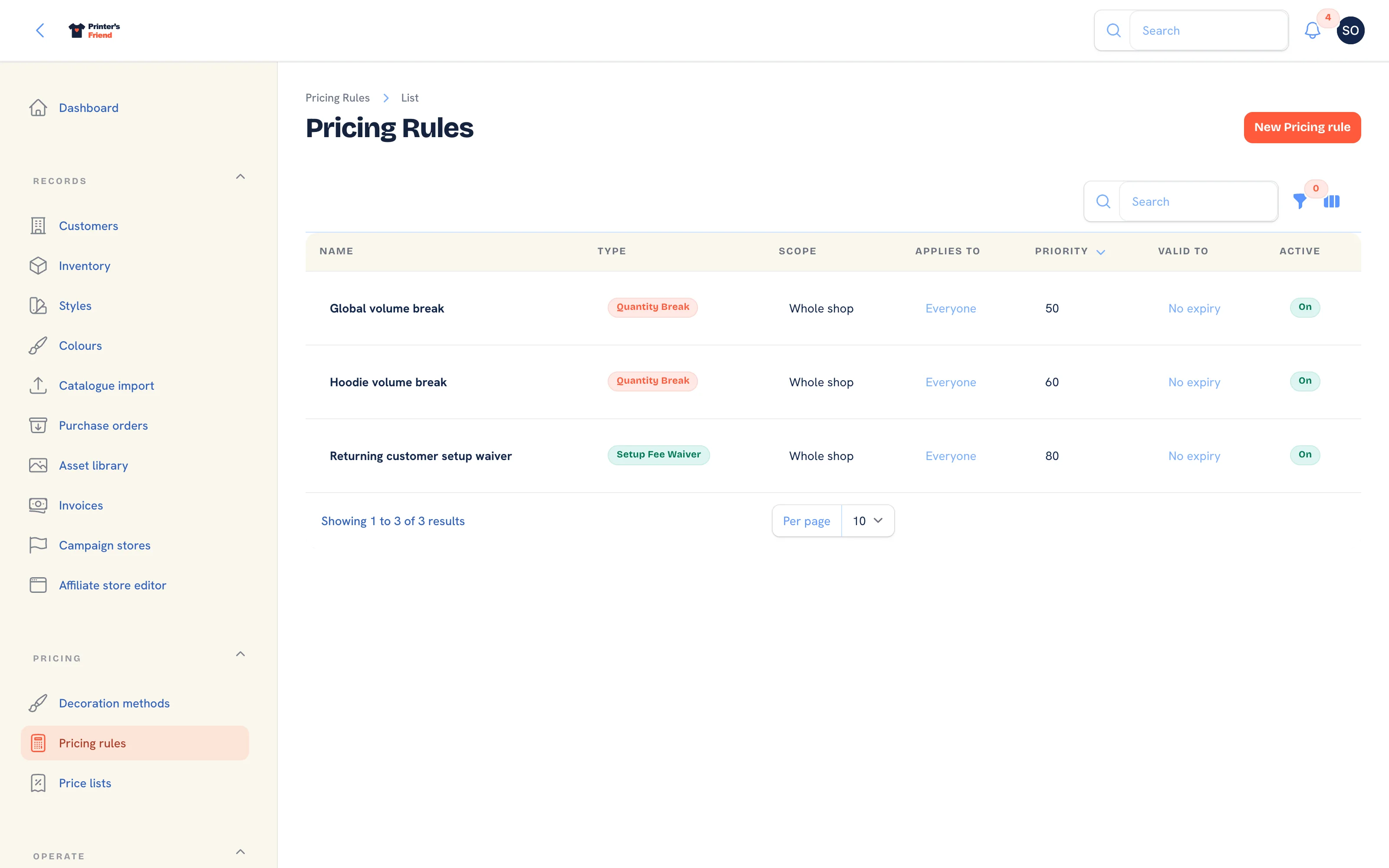 The pricing rules list. A volume break rule is seeded for every new workspace.
Where It Lives
| Page | What it's for |
|---|---|
| Pricing, then Pricing rules | The list, filtered by type and active state |
| New pricing rule | Add a rule |
| Edit on a row | Change its parameters, scope, priority or dates |
The Pipeline
Every quote, portal cart, store checkout and kiosk order runs through the same steps, per line:
- List price times quantity.
- The customer's price list discount, then any customer discount rules in scope.
- The first quantity break tier the line reaches.
- Decoration cost and setup fee, from the decoration method.
- Setup fee waivers.
- A coupon and any active promotions, as a document-level discount.
- Tax, from your tax scheme.
Two consequences:
- Discounts reduce the garment price, not the decoration price. To discount decoration, change the matrix on the method or use a quantity break.
- Tax is last, on everything that remains.
Every fired rule is written to the quote with its name, amount and a plain description such as Volume break: 100+ triggers 0.40 unit reduction. The trail stays on the quote even if you later change or delete the rule.
The Three Rule Types
Customer Discount
A percentage off the list price of every line, on top of the price list discount.
| Field | Value |
|---|---|
| Type | Customer discount |
| Discount percent | For example 12 |
| Scope | Whole shop, One customer or A price list |
Use it scoped to One customer for a negotiated deal that does not belong to a band. For a band, put the percentage on the price list itself and do not add a matching rule: both would apply.
Quantity Break
A per-unit reduction once a line reaches a quantity.
| Field | Value |
|---|---|
| Type | Quantity break |
| Quantity tiers | Rows of Min quantity and Unit reduction (cents), added with Add tier |
The first tier the line quantity reaches wins, so order the rows from the largest minimum quantity down. The seeded Global volume break is the template:
| Min quantity | Unit reduction |
|---|---|
| 100 | 40 cents |
| 50 | 25 cents |
| 25 | 15 cents |
A 60-unit line reads down the list, skips the 100 row, hits the 50 row, takes 25 cents off each unit and stops.
Order tiers from the largest minimum down
If the rows were entered ascending, a 60-unit line would hit the 25 row first and stop at 15 cents.
Setup Fee Waiver
Removes the setup fee the decoration method added.
| Field | Value |
|---|---|
| Type | Setup fee waiver |
| Returning customer window (days) | For example 90. Blank waives for everyone the rule covers |
With 90 days, a customer with an order inside the last 90 days pays no setup again. Leave the window blank with a Valid to date for a "no setup fees this month" promotion.
Scope, Priority and Dates
| Field | What it does |
|---|---|
| Scope | Whole shop, One customer or A price list |
| Customer or Price list | Which one, when scoped |
| Priority | Lower numbers run first within their step. Default 100 |
| Valid from | Blank starts immediately |
| Valid to | Blank never expires |
| Is active | Off disables the rule without deleting it |
Two customer discounts in scope both apply, and they compound in priority order: 10% then 5% is 14.5%, not 15%. If you meant one or the other, scope them so they cannot both match.
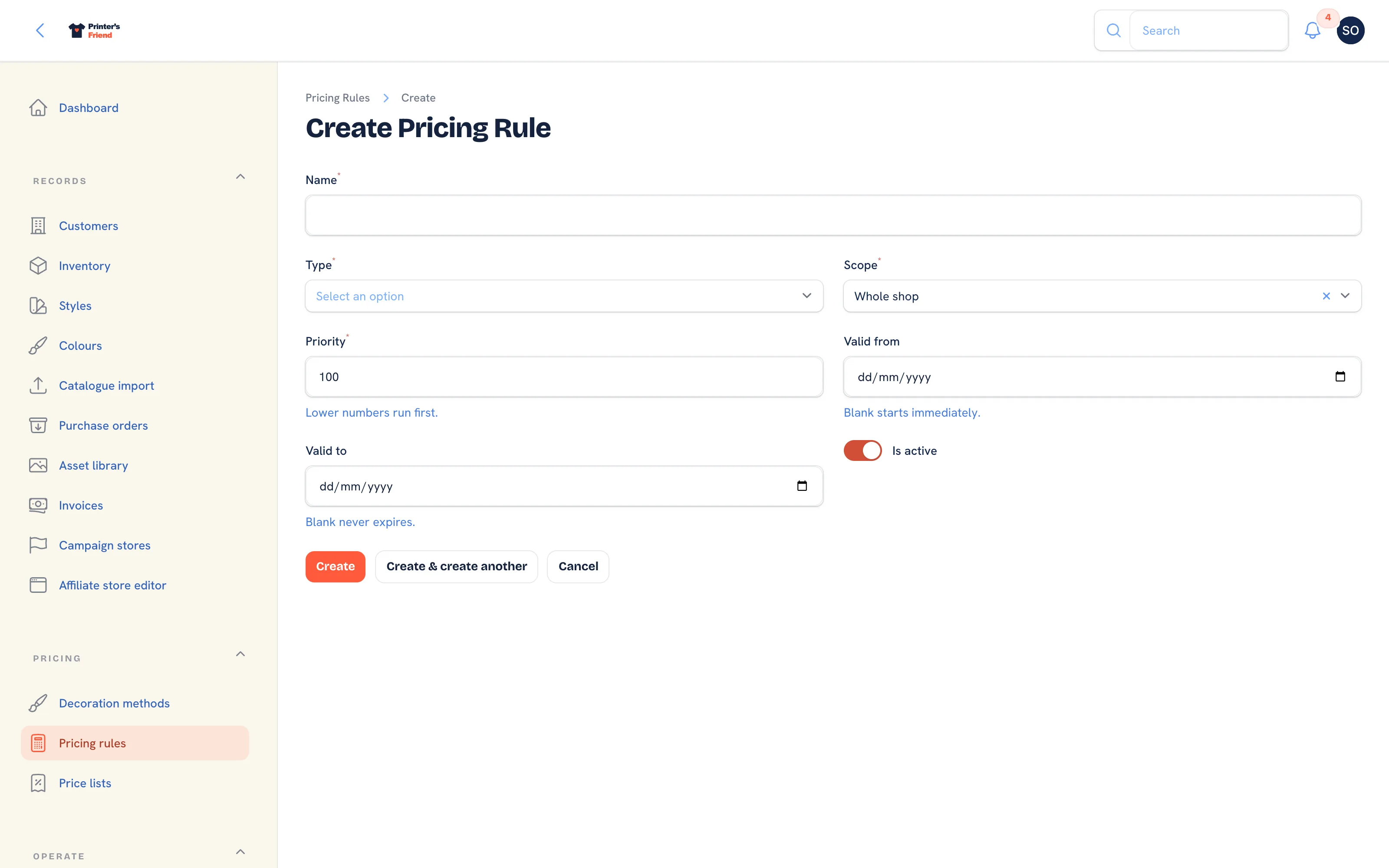 Adding a rule. The parameter fields change with the type.
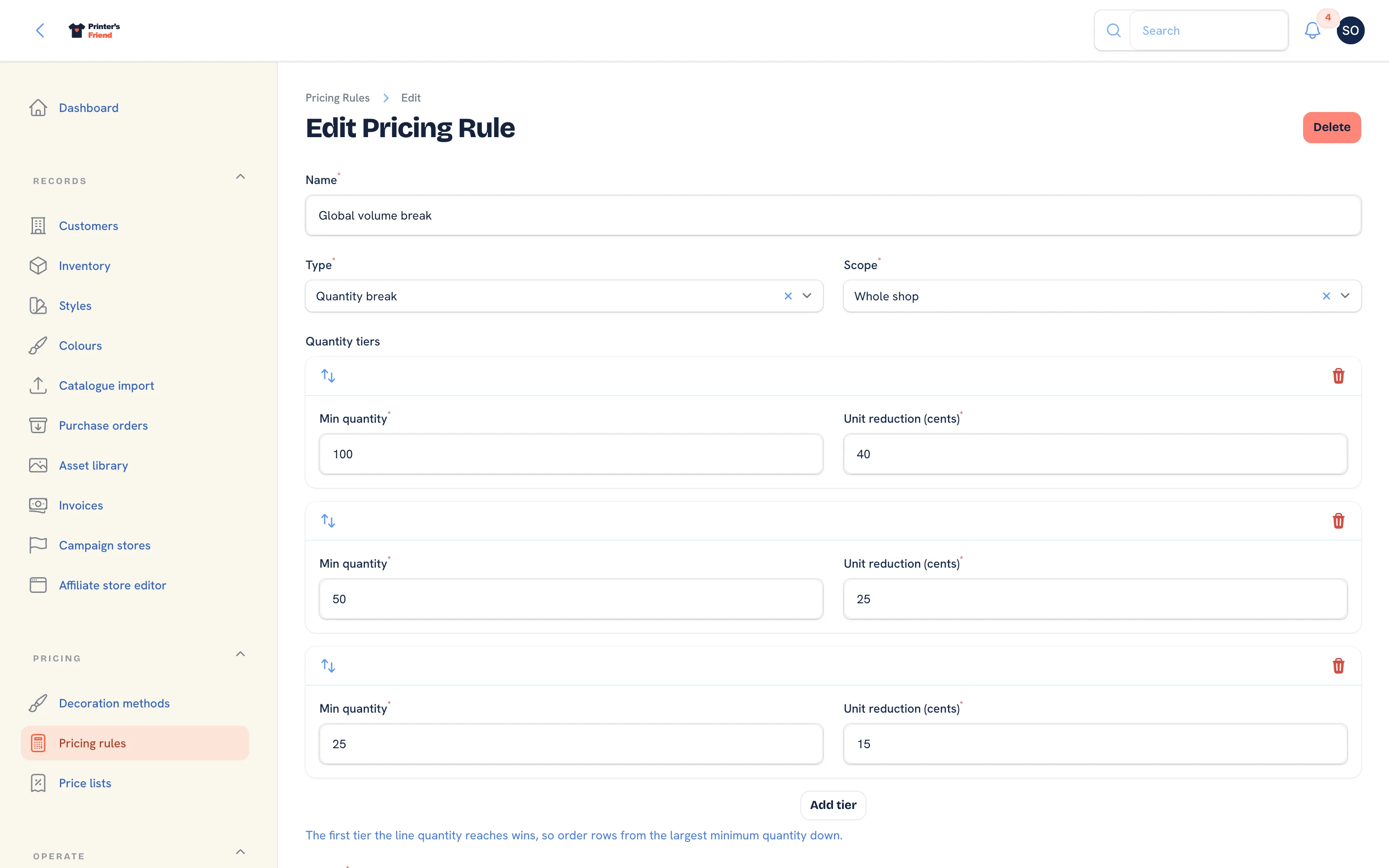 Editing the seeded volume break rule.
Worked Example: A Club Rate
Northside Football Club sits on a Club price list with a 12% discount. Standard volume breaks apply, and repeat work pays no setup.
| Rule | Type | Scope | Parameters | Priority |
|---|---|---|---|---|
| Global volume break | Quantity break | Whole shop | 100 / 40c, 50 / 25c, 25 / 15c | 50 |
| Returning customer setup waiver | Setup fee waiver | Whole shop | 90 days | 80 |
A 120-unit two colour screen print on a 14.00 blank, with the seeded screen print matrix:
| Step | Effect | Unit |
|---|---|---|
| List price | 14.00 | |
| Club price list, 12% | -1.68 | 12.32 |
| Volume break 100+ | -0.40 | 11.92 |
| Decoration, 2 colours at 100+ | +3.20 | 15.12 |
| Setup fee | 35.00 once, waived if they ordered inside 90 days | |
| Tax | On the total, at your rate |
Testing Your Rules
- Create a quote for the customer in question and add the lines you sold on a real job.
- Compare the total, then read the rules trail on the quote to see which rules fired and by how much.
- If a rule you expected did not fire, check in this order: is it active, is it in scope, is it inside its dates, and does the line quantity reach the tier.