

Appearance
Email Broadcasts
A broadcast is a marketing message, by email or SMS, to one contact per customer organisation. It reaches only contacts whose marketing consent has a recorded source and who have not opted out, and every email carries a one-click unsubscribe. Messages about a job (proofs, invoices, dispatch) are separate and are covered under Email and SMS templates.
Where It Lives
| Page | What it's for |
|---|---|
| Insight, then Email broadcasts | The list of broadcasts with audience, status and how many were sent to |
| Insight, then Email broadcasts, then New broadcast | Write a broadcast |
| Insight, then Email broadcasts, then a row | Edit a draft and Send now |
| Records, then Customers, then a customer, then its Contacts | Where consent is recorded per contact |
Broadcasts are available to owners, managers and the sales role; the viewer role can read them.
Plan requirement
Email broadcasts are included on every plan. An SMS broadcast needs Starter, Premium or Enterprise and your own Twilio account connected under Integrations. On Free an SMS broadcast is refused, with the reason recorded on the broadcast.
Who Receives a Broadcast
For each organisation in the audience, the broadcast goes to one contact: the primary contact when they qualify, otherwise the first contact who does. A contact qualifies when all of these hold:
- A Marketing consent source is recorded on the contact, with the date it was given.
- The contact has not opted out: Opted out of marketing is off and they have not used an unsubscribe link.
- For email, the contact has an email address. For SMS, the contact has a phone number and has not replied STOP.
Consent is recorded in one of three ways:
| Source | How it is recorded |
|---|---|
| Ticked the box in the portal | The customer ticks the marketing checkbox on their portal account page. Unticking it withdraws consent |
| Marketing consent column on an import | A marketing_consent column on the customer import |
| Given to staff | Record marketing consent on the customer record, or the Marketing consent field on a contact, with a note saying where and when they agreed |
A contact with no recorded source is not marketable, however many orders they place.
Writing a Broadcast
- Go to Insight, then Email broadcasts and click New broadcast.
- Type a Name for your own reference.
- Pick the Channel: Email or SMS.
- For email, write the Subject. Then write the Body.
becomes the contact's first name andthe organisation's name. - Pick the Audience: All customers, Active in the last 90 days (organisations with an order in that time) or On a specific price list, which adds a Price list select.
- Leave Scheduled for blank and click Create. The broadcast is saved as a draft.
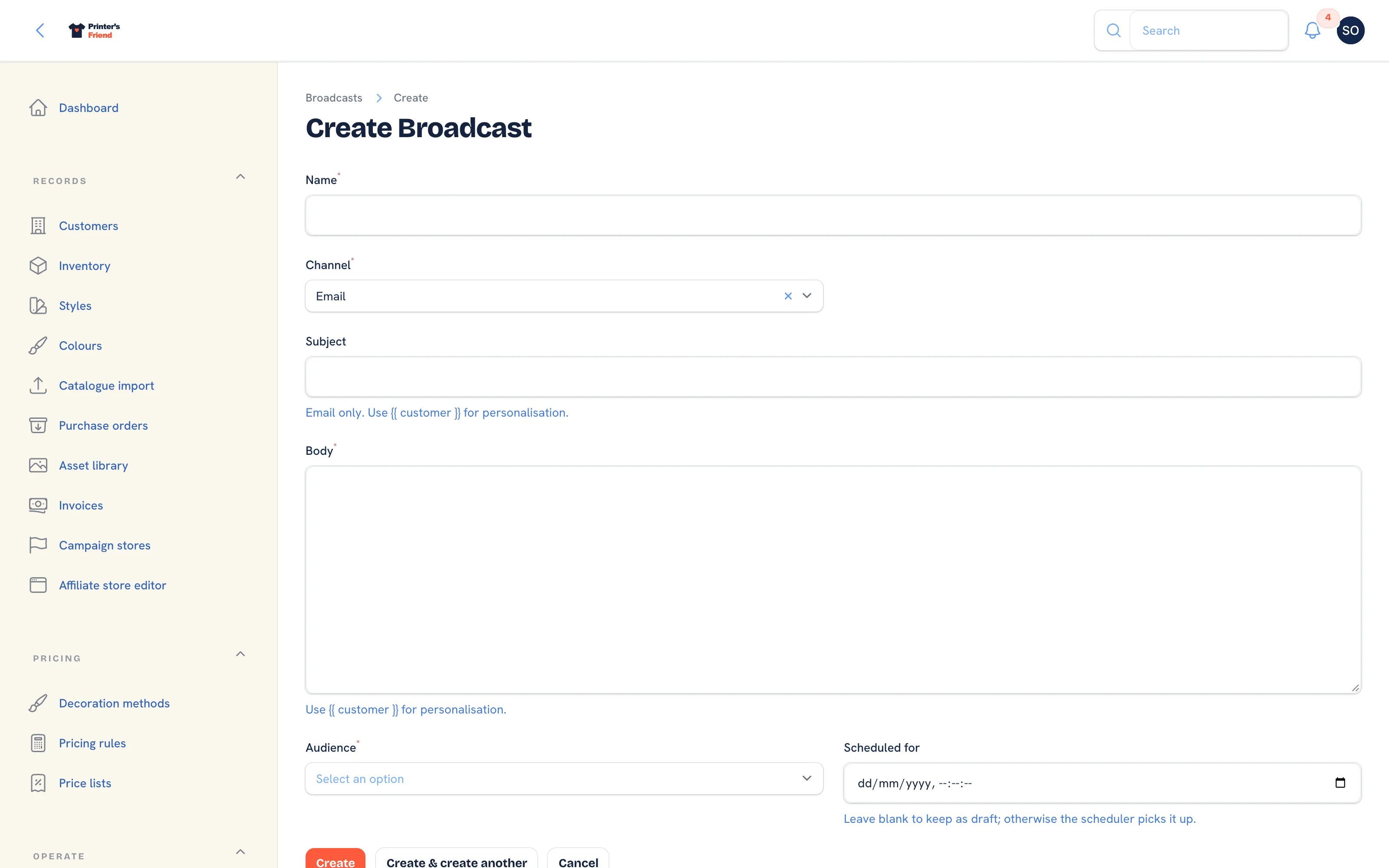 The new broadcast form.
Scheduled for does not send the broadcast
The Scheduled for date is saved and shown in the list, but in this release nothing sends a broadcast at that time. Send a broadcast with Send now on its edit page.
Sending It
- Open the broadcast from the list.
- Click Send now at the top of the page and confirm.
- The page shows "Broadcast sent", with Status set to Sent, the Sent at time and Sent to, the number of contacts who received it. If the send was refused, the page shows "Broadcast not sent" or SMS broadcast refused with the reason, and the status reads Failed.
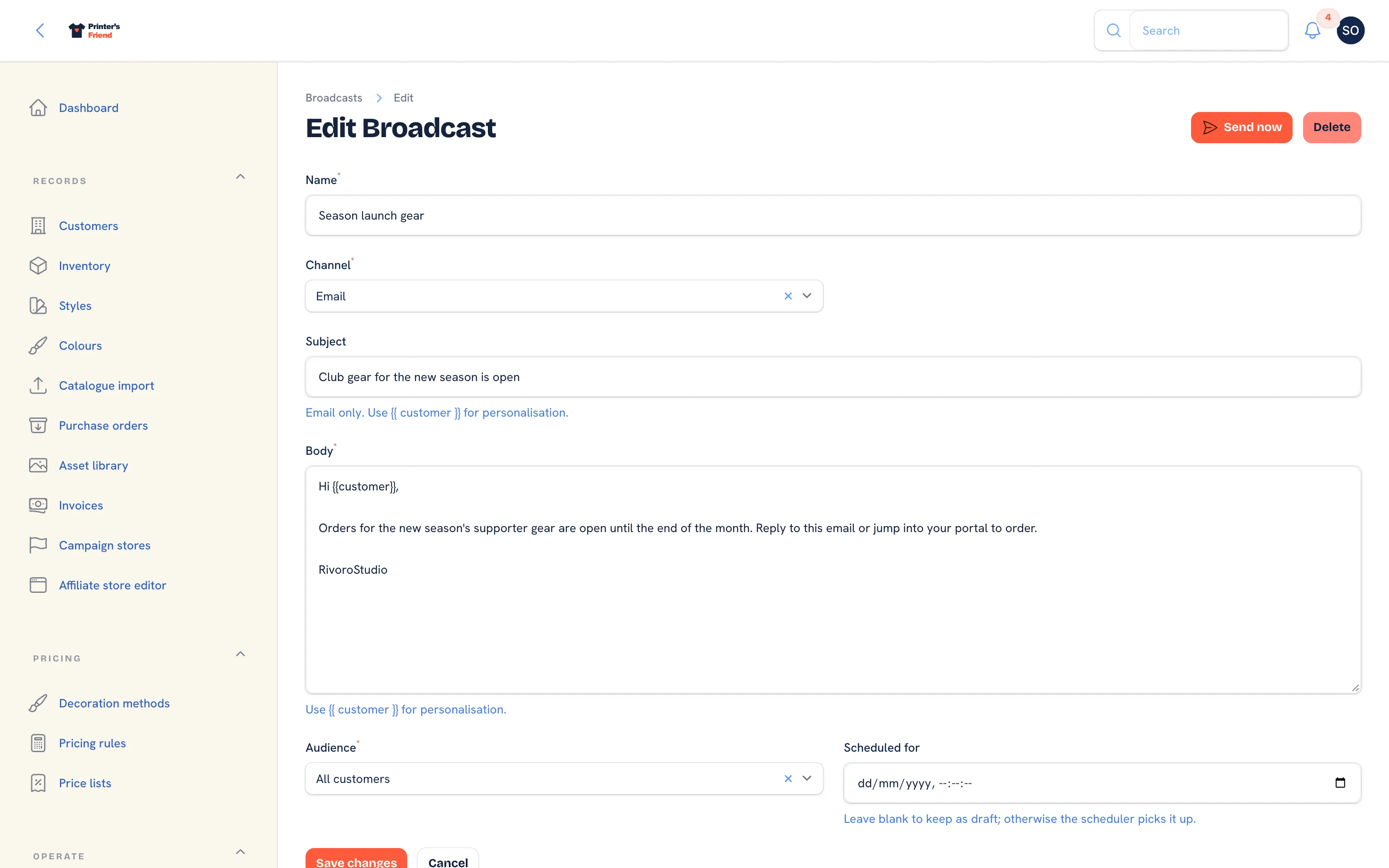 A draft broadcast ready to send.
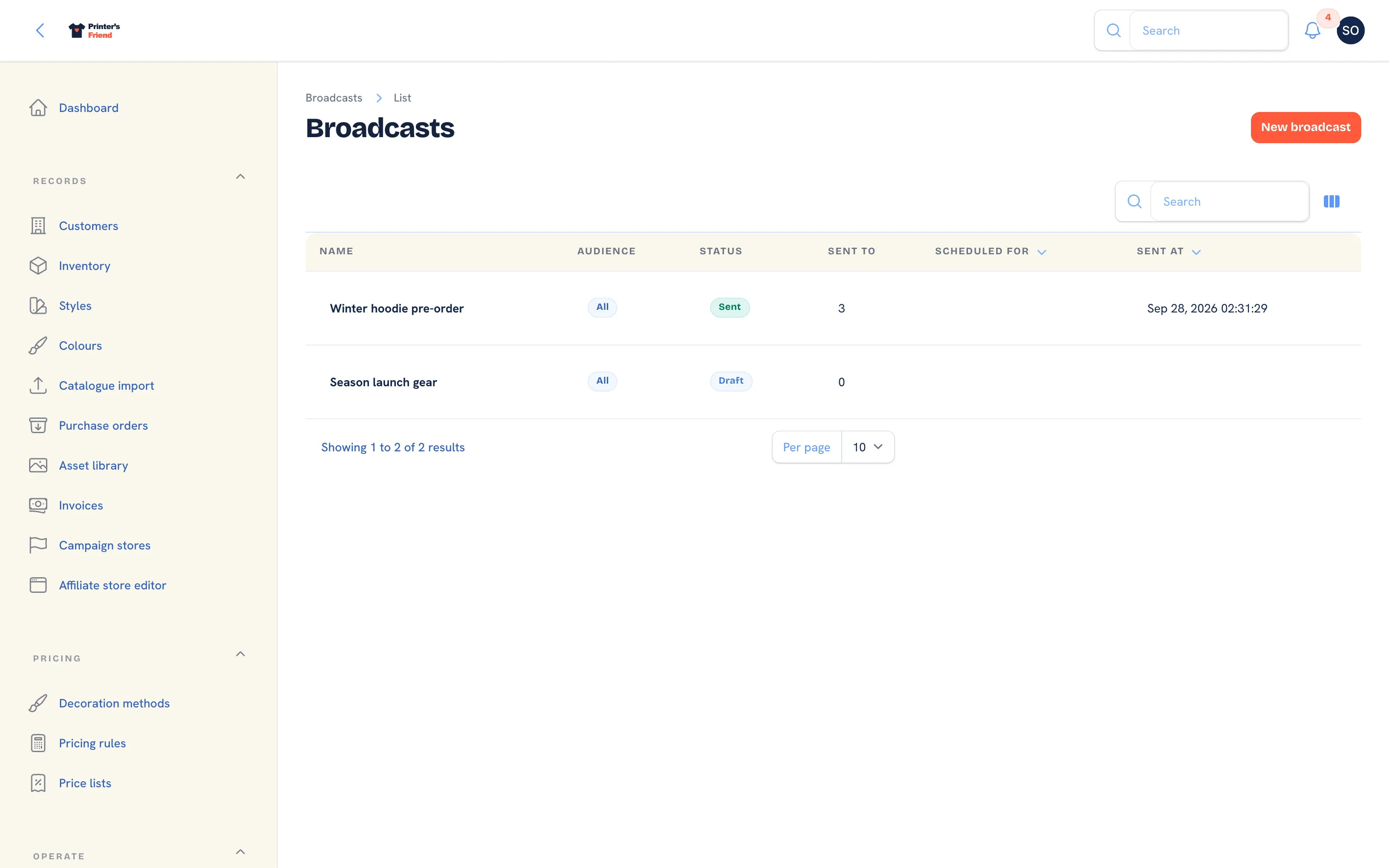 The broadcasts list.
Send now disappears once a broadcast is sent. Each contact's message is recorded as a message dispatch, sent or failed, with the reason for any failure.
What the Email Carries
- The From name is your shop name and the reply address is your contact email from Brand and portal settings, or the sender you connected under Transactional email.
- A footer line asking whether the reader still wants marketing emails from your shop, with a signed unsubscribe link. The link works from the inbox without a sign in and only ever unsubscribes the contact it was issued for.
List-UnsubscribeandList-Unsubscribe-Postheaders, so mail apps that support one-click unsubscribe show their own unsubscribe button. That button posts to the same signed address.
An unsubscribed contact is marked Opted out of marketing on the customer record and excluded from every later broadcast. Recording consent again clears the opt-out, because the person has said yes again.
SMS Broadcasts
- The plan rule is checked before anything is sent. On a plan without SMS the broadcast is marked Failed with the plan's own message.
- Texts go out through your own Twilio number. With no Twilio connected, every recipient's dispatch is recorded as failed with that reason and nothing is sent.
- A contact who replied STOP is skipped. START puts them back.
- Each text sent is metered under SMS sent on your Billing page.
Before You Send to Everyone
Send to an audience of one first. Create a test customer with your own address as its contact, record consent on it, give it a price list of its own and pick On a specific price list. Check the from name, the reply address, that became a name, that the unsubscribe link opens the confirmation page, and that the text reads well on a phone.
Related Pages
- Data, Privacy and GDPR: deletion requests, anonymisation, marketing consent and exports
- Email and SMS Templates: the email and SMS templates and their variables
- Transactional Email: send from your own Postmark or Resend account
- Twilio SMS: connect Twilio for approval, dispatch and marketing texts
- Customers: the customer record, contacts, portal logins and addresses