

Appearance
Coupon Codes
A coupon code is a code a customer types in the portal cart for a percent or a fixed amount off. A code can be limited to one customer, a date window, a minimum order and a number of redemptions, and switched off without deleting it.
Where It Lives
| Page | What it's for |
|---|---|
| Insight, then Coupon codes | The list, with how many times each code has been used |
| Insight, then Coupon codes, then New coupon code | Create a code |
| Insight, then Coupon codes, then a row | Edit or delete a code |
| The portal cart | Where the customer types the code |
Coupon codes are available to owners, managers and the sales role; the viewer role can read them.
Creating a Code
- Go to Insight, then Coupon codes and click New coupon code.
- Type the Code the customer will enter, up to 32 characters, and a Name for your own reference.
- Pick the Type: Percent off or Fixed amount off.
- For a percent code, set Value percent. For a fixed amount, set Value cents, the amount off in cents: 2500 is 25.00 in your currency.
- Set Min order cents, the pre-tax subtotal the cart must reach before the code applies, in cents. It starts at 0.
- Set Max redemptions, or leave it blank for unlimited.
- Pick an Organisation to limit the code to one customer, or leave it blank for anyone.
- Set Valid from and Valid to if the code has a window.
- Leave Is active on and click Create.
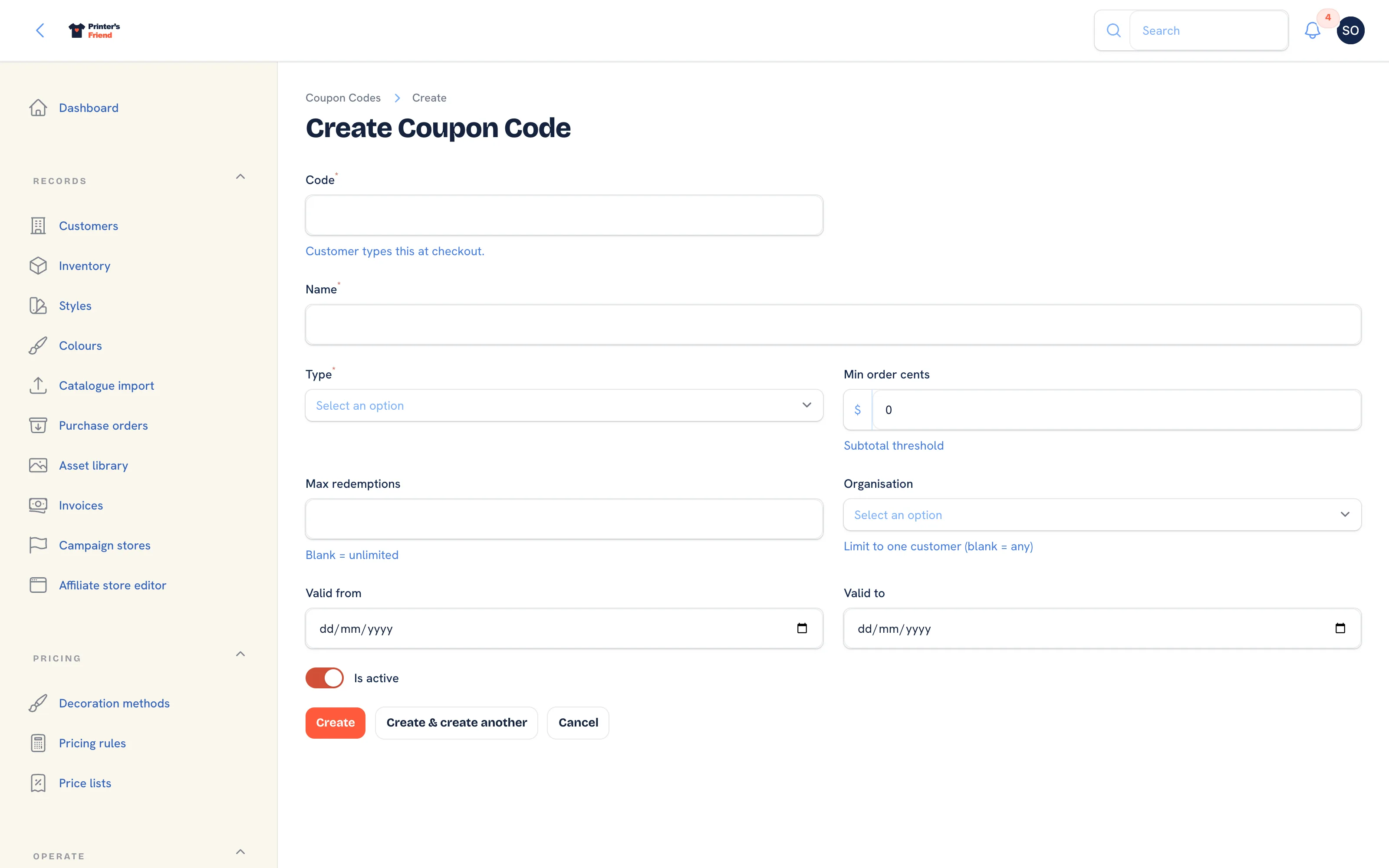 The new coupon code form.
The list shows Code (click to copy), Name, Type, Value, Used as a count against the cap, Customer, Valid to and Active. The Active filter hides codes that are switched off.
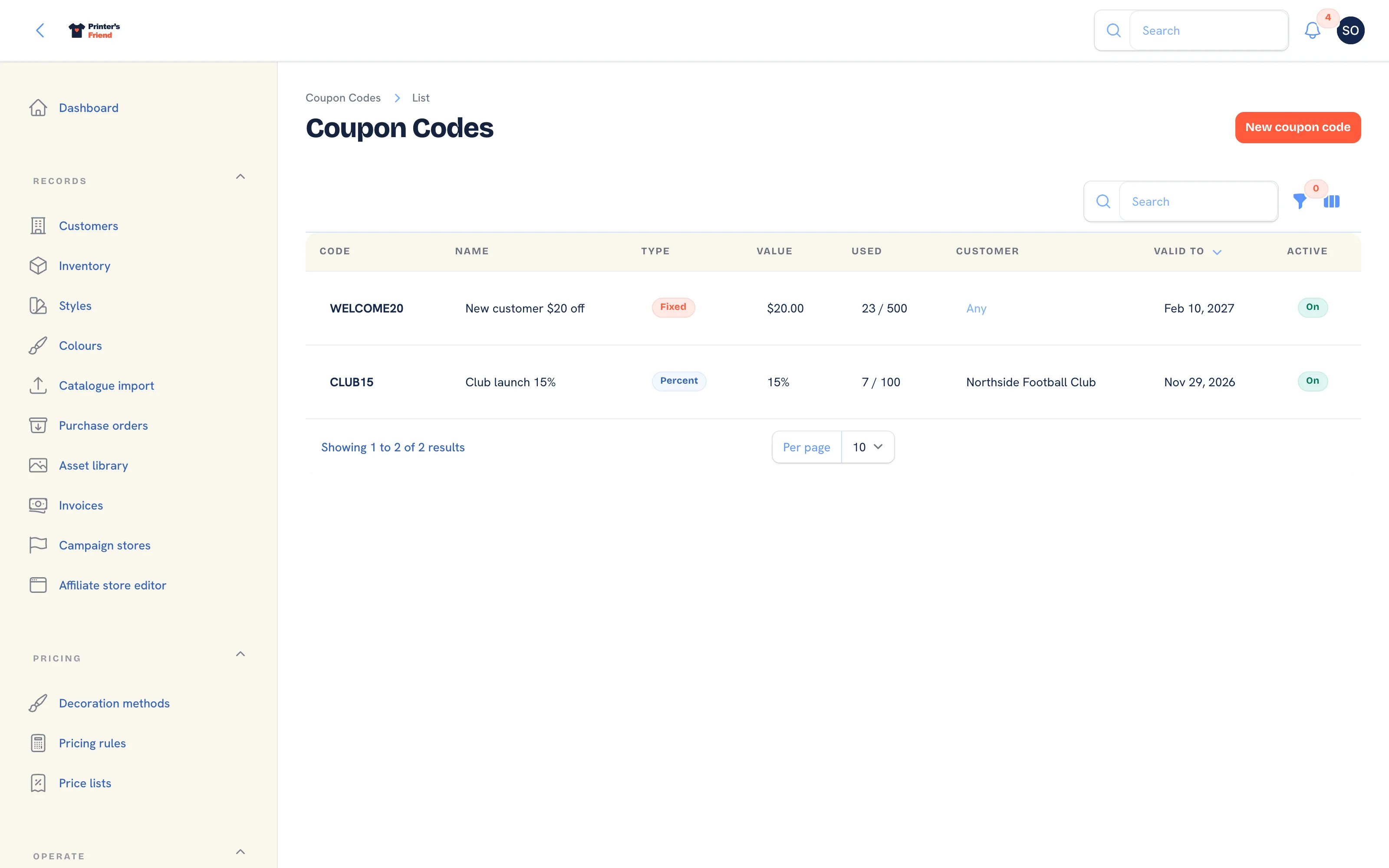 The coupon codes list.
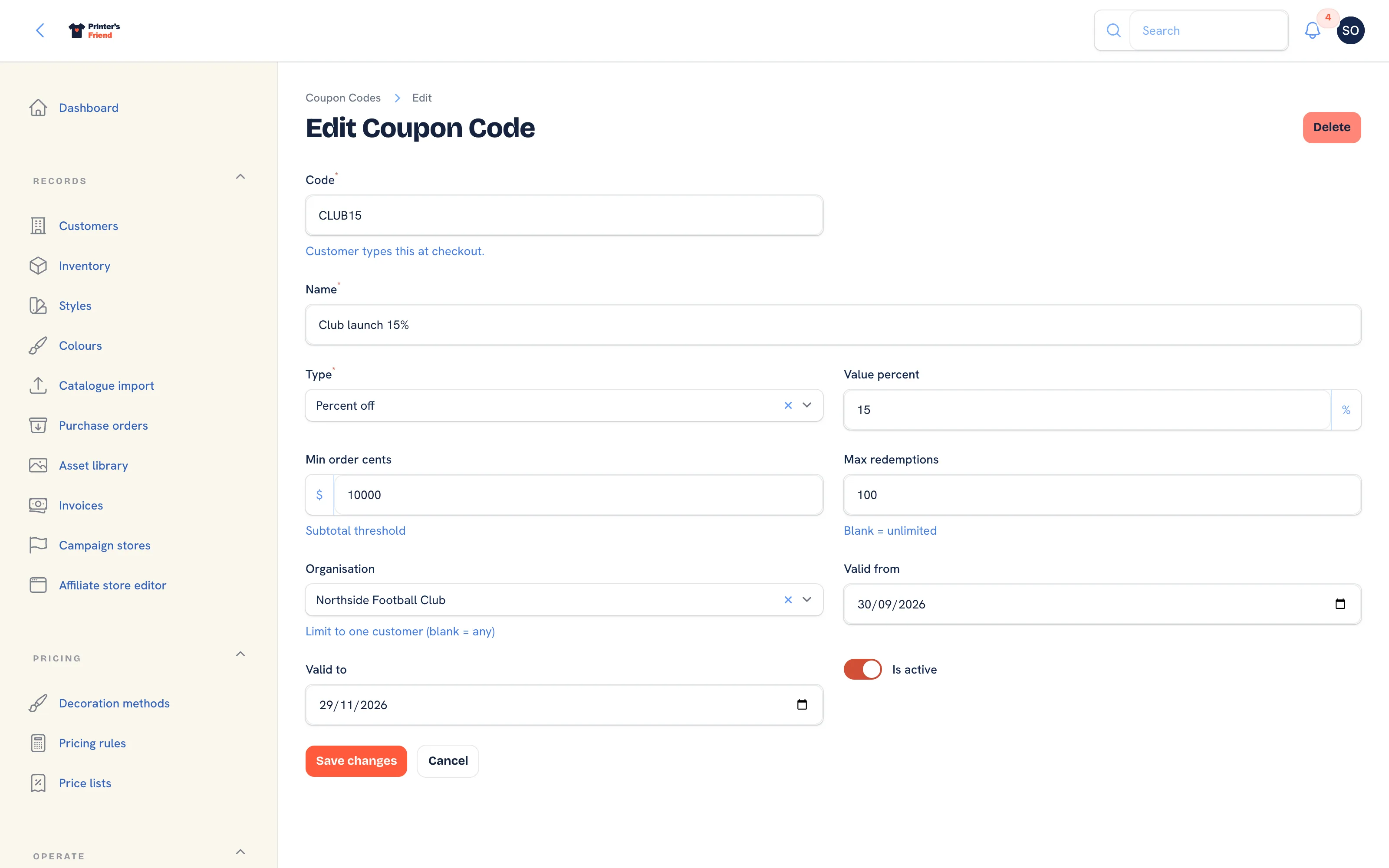 Editing a code.
The two amount fields are in cents
Value cents and Min order cents are stored as whole cents and applied as cents, whatever the helper text under the field says. Check the Value column in the list after saving: it shows the amount the way the customer will see it.
Where a Customer Uses a Code
A signed-in portal customer types the code in the coupon field of their cart. A usable code answers "Coupon CODE applied"; anything else answers "That coupon code is not valid". The discount comes off the pre-tax subtotal, after the customer's price list and your pricing rules and before tax. At checkout the redemption is recorded against the quote and Used goes up by one. Staff who later edit that quote see the coupon kept on it, listed as Coupon CODE in the pricing trail.
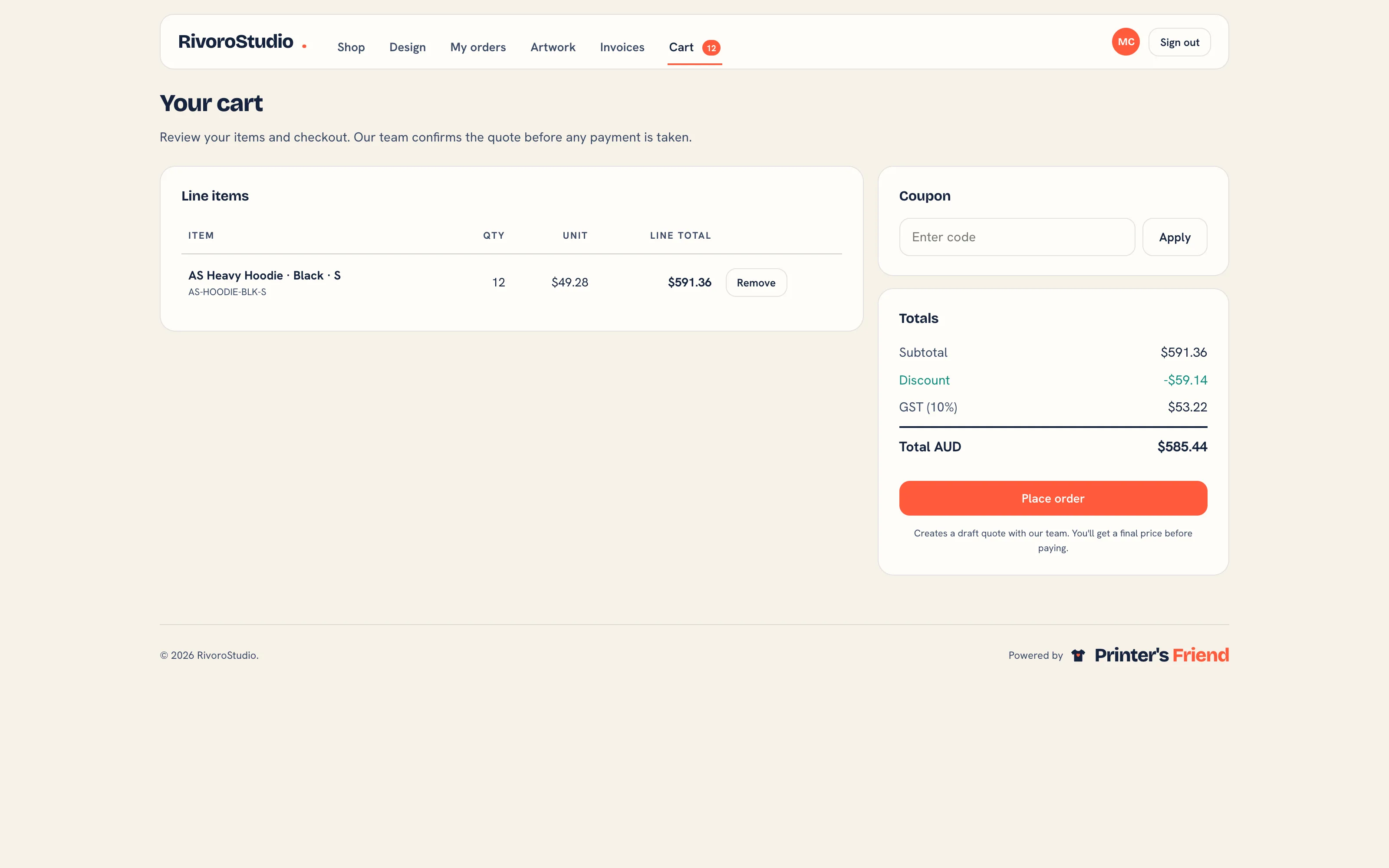 The portal cart, where a code is entered.
Store and campaign checkouts and the kiosk have no coupon field, and there is no coupon field on a quote written by staff.
How a Code Is Checked
A code applies when all of these hold: Is active is on, today is inside Valid from and Valid to, Used is below Max redemptions, the code is not limited to a different customer, and the pre-tax subtotal is at or above Min order cents. A percent code takes that percentage off the subtotal; a fixed code takes the amount off, capped at the subtotal.
Coupons, Promotions and Pricing Rules
| Mechanism | Applied | Use it for |
|---|---|---|
| Pricing rules | Automatically, by customer, price list or quantity | Standing terms: club rates, volume breaks |
| Promotions | Automatically, on portal cart orders that meet the condition | Offers everyone who qualifies should get |
| Coupon codes | Only when the customer types the code | Marketing you want to attribute and cap |
If every customer ends up with the same code, make it a pricing rule.
Related Pages
- Promotions: automatic offers applied to portal cart orders
- Pricing Rules: customer discounts, quantity breaks and setup waivers
- The Customer Portal: configure the portal, invite contacts and manage their logins
- Quotes: build, price, send, chase and convert quotes