

Appearance
Demi, the Assistant
Demi answers plain English questions about your shop from six live lookups of your own data: late orders, low stock, an order by number, overdue invoices, a quote by number and top customers. Demi is read only, sees only your workspace, and is included up to your plan's monthly cap once it has been enabled on your workspace.
Where It Lives
| Page | What it's for |
|---|---|
| Insight, then Demi (AI) | A conversation page that keeps the thread, so follow-up questions work |
| Dashboard, the Demi, your shop assistant panel | One question at a time, with six suggested prompts |
| Insight, then Billing, under Usage this month | Demi AI calls against your cap |
Demi is open to every active staff member, whatever their role.
Plan requirement
Demi is included on Starter (200 questions a month), Premium (1,500 a month) and Enterprise (unlimited). On Free, Demi answers that it is included on Starter and above and points to Billing. Demi also has to be enabled on your workspace by Printer's Friend; until then every question is answered with "Demi is not enabled on this workspace yet."
Asking a Question
- Go to Insight, then Demi (AI).
- Type a question in Ask the assistant and click Send. Your question appears in the thread, followed by Demi's answer.
- Ask a follow-up. The page passes the earlier turns along, so "and which of those are overdue?" refers to the previous answer. The thread is kept while the page is open.
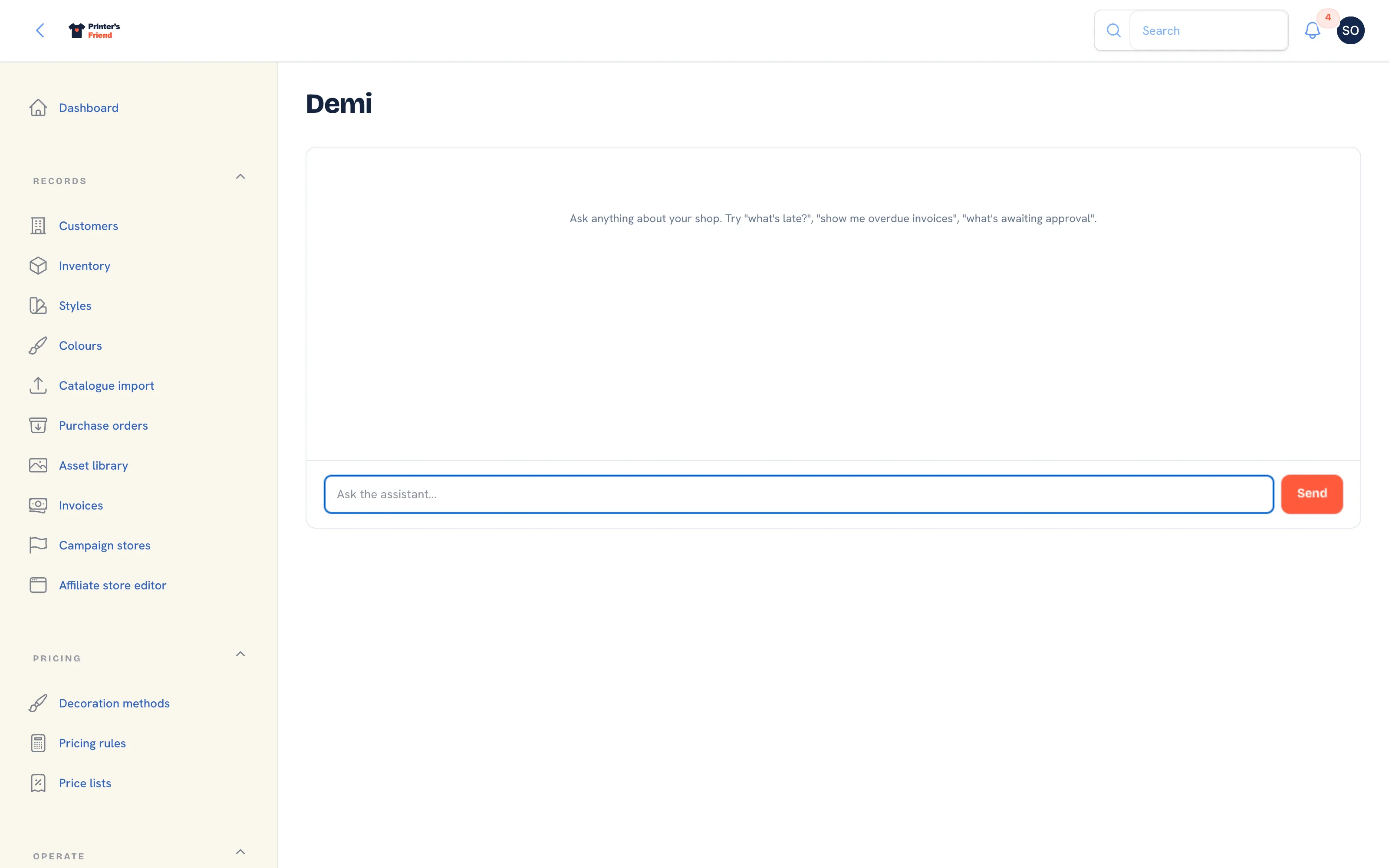 The Demi page.
On the dashboard, type in Ask Demi anything about your shop and click Ask Demi, or click one of the suggested prompts to fill the box. The button reads Thinking... while the answer is fetched. The dashboard panel also hands Demi four counts from the dashboard itself: orders today, orders in production, approvals awaiting the customer and stock alerts.
 Demi on the dashboard.
What Demi Can Look Up
| Lookup | What it returns |
|---|---|
| Late orders | Orders past their due date and not yet dispatched |
| Low stock | Active SKUs at or below their reorder point |
| Order lookup | One order by its number, with its stage, customer and lines |
| Overdue invoices | Invoices past their due date and not yet paid |
| Quote status | One quote by its number |
| Top customers | Customers by invoiced revenue for the current month |
Demi grounds every number, name and status in these lookups and says so when a lookup returns nothing. A question outside them, or one that needs more than five rounds of lookups, gets a plain answer saying so. Demi cannot move an order, send an email or change a record.
Limits and Counting
- Each question counts as one call, however many lookups it needs. Demi AI calls on the Billing page shows the month's count against the cap, and the count resets on the first of the month.
- At the cap, Demi answers "You've hit this month's Demi limit", names the cap and your plan, and resumes next month.
- If the model or a lookup fails, Demi answers "Demi could not answer that just now. The problem has been reported; please try again in a minute." The error goes to Printer's Friend; its text is never shown to you.
- While Demi is not yet enabled on your workspace, Printer's Friend is told once a day that your shop asked a question, so the switch is not forgotten.
How Your Data Is Handled
Every lookup is filtered to your workspace at the database level, so Demi cannot see another shop's orders, customers or invoices. Demi runs on Anthropic's Claude: your question, the earlier turns on the page and the lookup results are sent to Anthropic to produce the answer. Anthropic is listed as a subprocessor in the privacy policy.
Getting Good Answers
- Use numbers. An order or quote number gets an exact lookup.
- Ask for records. "Which orders are late" gets order numbers you can act on.
- Confirm on the screen before acting on a figure. Demi reads the same records you can open.
Related Pages
- Dashboard: the morning view: late jobs, proofs waiting on customers, cash and capacity
- Subscription and Billing: your plan, card, usage and the plan grid
- Plans and Limits: the limits on each plan and what happens at them
- FAQ: Privacy and Data: short answers on data ownership, retention and security