

Appearance
Troubleshooting
Symptoms, most common cause first. Each entry names the screen to check. For questions about behaviour that looks wrong and is intended, see Quick answers; for everything else, Contact support.
Pricing
A quote came out at the wrong price
Open the quote and read the pricing rules panel, which lists every rule that fired and what it did. Then check, in order:
- Is the customer on the right price list?
- Is the rule you expected active, in scope and inside its valid dates?
- Does the line quantity reach the tier? Tiers are matched largest minimum first.
- Are two customer discounts both in scope? They compound: 10% then 5% is 14.5%.
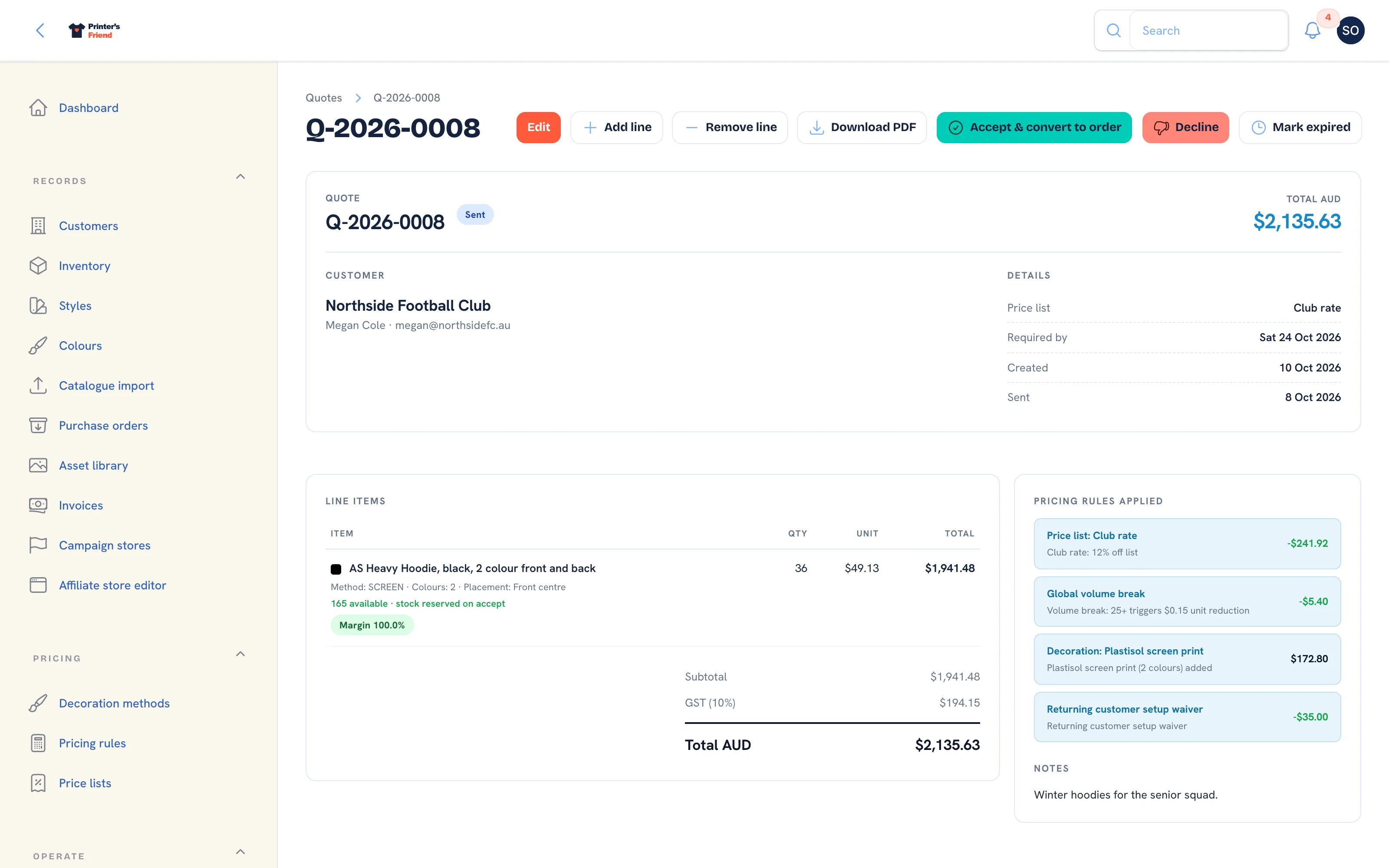 The Pricing rules applied panel on a quote. Read it before changing a rule or a price list.
Decoration adds nothing to a line
The rate matrix on the decoration method has no row covering that quantity and colour count. The engine needs a row where the minimum quantity is at or below the line quantity and the maximum colours is at or above the colour count. Add rows for every colour count you sell, or a catch-all row at your press maximum.
A discount is not applying to decoration
By design. Customer discounts reduce the garment price before decoration is added. Use a quantity break, or a separate decoration method with its own matrix, to discount decoration.
Payments
A customer paid but the invoice shows unpaid
Payment confirmation comes from Stripe's webhook, never from the customer's browser.
- On your own keys: open Insight, then Integrations and read the Your webhook endpoint block on the Stripe card. The endpoint in your Stripe dashboard must match the URL shown, subscribe to the four listed events, and its signing secret must be the one saved on the card. The block says whether a secret is stored.
- On Stripe Connect: the card must say "Charges are enabled". A card that says "awaiting platform setup" cannot record payments yet; paste your own keys instead.
- In your Stripe dashboard, open the event and read its delivery attempts and the response.
Record the payment on the invoice by hand in the meantime so your aging is right. See Stripe.
There is no pay link on an invoice
Stripe is not connected, or on Connect the account's charges are not enabled. The invoice email leaves out the "Pay online" line when there is no link.
An invoice shows a dispute
A customer disputed the card payment. The activity timeline shows the reason and the Stripe deadline. Respond in your Stripe dashboard; the payment is held until Stripe closes the dispute.
The dispatch issued no invoice
The order was already invoiced in full with Issue invoice before dispatch. Dispatch issues the balance when a deposit was taken, and nothing when nothing is owed.
Email and SMS
A customer did not get an email
- Open the quote, invoice or order. A failed send shows a warning on the record and an entry in the activity timeline with the reason, and the document stays unsent.
- Check the template is active under Insight, then Email & SMS templates.
- Check the contact's email on the customer record. Emails go to the order's contact, then the quote's contact, then the organisation's primary contact.
- With your own sender connected, check your provider's suppression list. A bounce or complaint blocks that address until you remove it.
Emails go to spam
With your own sender, set up SPF, DKIM and DMARC for your sending domain at your provider. On the platform mailer, ask the customer to add hello@printersfriend.com to their contacts; the email carries your shop name and replies go to your contact address.
Replies go to the wrong address
The reply address is Contact email under Insight, then Brand & portal, or the owner's login email when that is blank.
A variable printed literally, like
That template does not support the variable. Check the placeholders listed beside the template body under Email & SMS templates.
SMS is not sending
The dispatch row on the order's activity timeline states the reason. Check, in order: the plan includes SMS (Starter and above), the Twilio card is Connected, the SMS template is active, the contact's number has a country code, and the customer has not texted STOP.
Documents
A PDF will not download
The renderer could not produce the file and the download says so. Try again; if it persists, contact support with the document number. The email for a document that could not render leaves out the attachment sentence and the activity timeline records the gap.
The invoice prints the wrong tax or currency
Set Tax label, Tax rate (%) and Currency under Insight, then Brand & portal. Every quote, invoice, work order, packing slip and email follows them. See Tax, currency and invoices.
Dates and clock-in times are a few hours out
Set Shop time zone under Brand & portal. It defaults from your billing region. Storage stays in UTC; the time zone changes what is displayed and where a day starts.
Production and Stock
A stage move was refused
The notification names the reason. Stock that was never reserved, an order that is not in the stage the action expects, or a proof approved on an order that has already moved past artwork all stop the move. Fix the cause and move again.
Stock went negative
Stock is consumed when a job enters production and can go below zero, with a warning event on the order, so a job is never blocked by a count that is slightly out. Manual adjustments still refuse to go below zero. Run a cycle count to correct the shelf figure.
On-hand does not match the shelf
Do not type over the count. A cycle count posts each variance through the ledger and shows where the discrepancy is. Repeated shortfalls on one SKU usually mean misprints are not being written off.
A job stalled and nobody knows why
Usually one of two things: it is in Artwork waiting on a customer approval (the dashboard's approval queue shows it), or it needs stock that is physically here but was never received against its purchase order.
Two people created a quote at once and one failed
That no longer happens: document numbers are issued under a lock. If you see it on an older release, retry the save.
The Floor
The TV shows nothing
The display link was revoked, or a new one was issued, which stops every earlier link on its next refresh. Create a new link on the floor board and paste it into the TV's browser. See FAQ: shop floor hardware.
The kiosk shows "not found"
The kiosk is off under Brand & portal, no PIN has been set, the device has not been unlocked at /workspace/kiosk/unlock, or the kiosk was opened on printersfriend.com, where there is no workspace.
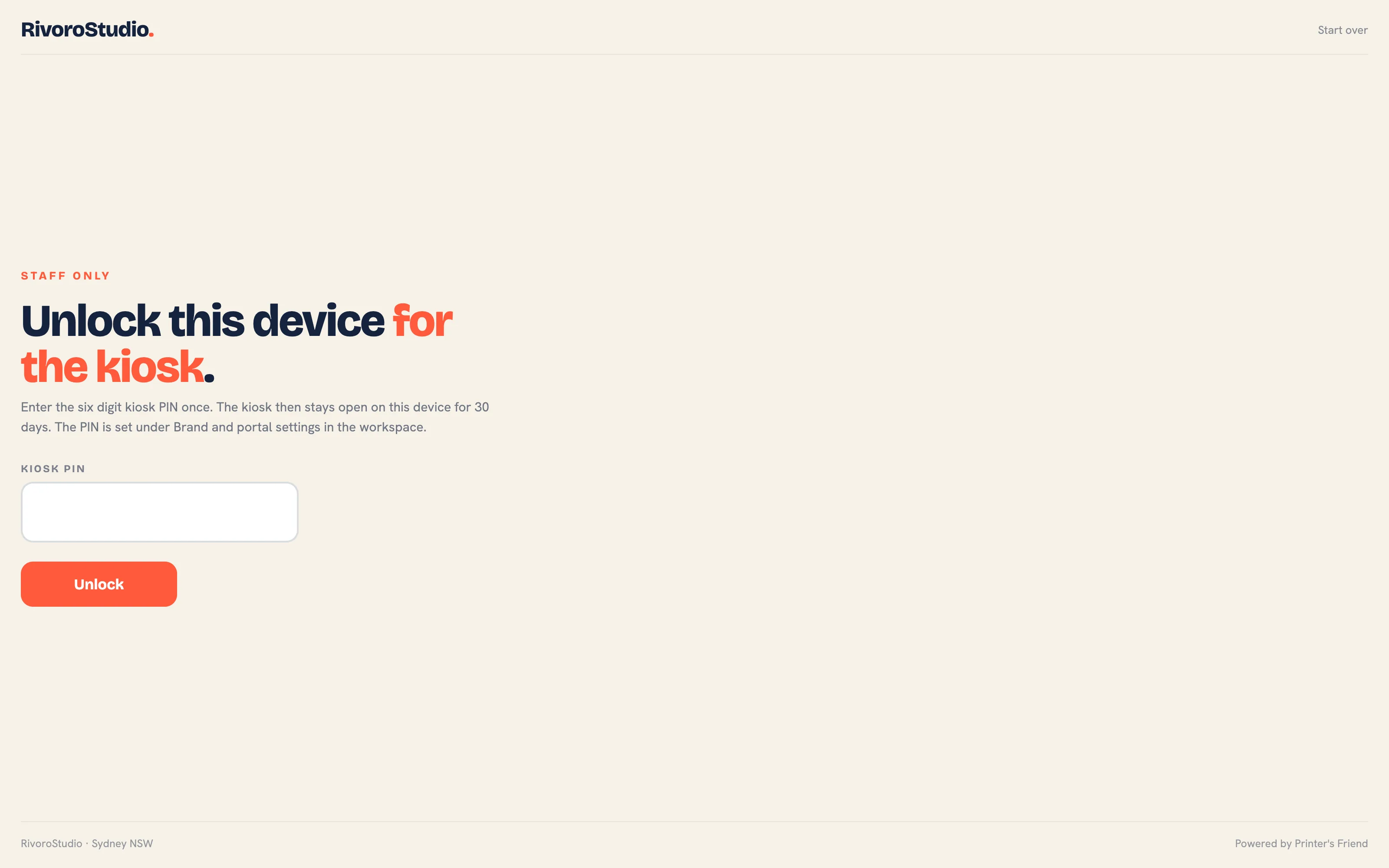 The unlock screen. A device that has not entered the PIN here answers 404 on every other kiosk address.
Jobs due today show as late at the wrong time
Set Shop time zone under Brand & portal. Late means the end of the due day has passed in that time zone.
Access and Accounts
A staff member cannot see a screen
Check their role on the team page. Pricing, billing, team, integrations and the settings pages are owner and manager only.
A staff member cannot log in
Is their account active? Deactivated users are refused everywhere, including their API tokens. Owners and managers also need an authenticator app; a lost phone is recovered with the recovery codes shown at setup.
I cannot remove or demote an owner
Only an owner can grant or remove the owner role, and the last active owner cannot be demoted or deactivated. Make someone else an owner first.
A customer cannot log in to the portal
A portal login is created with Invite to portal on the contact under the customer record. The contact must have an email address, and the login is tied to that organisation. Deactivate on the Portal users tab ends it; Resend link sends the set-password email again.
An action was refused because of a limit
Your plan's cap. The message names the limit, your usage and the plan that lifts it. See Plans and prices.
The welcome link has expired
The link in the welcome email works for 7 days. Use Forgot password on your workspace sign-in page instead.
Integrations
An integration stopped working
Read the red row on its card under Insight, then Integrations, and click Test connection. An expired or revoked token means reconnecting the card.
A supplier sync was refused
The message names what is missing: the token on the AS Colour card, or a plan with live supplier sync. The sync is planned in any case; import a CSV under Records, then Catalogue import.
The accounting card says "not available yet"
The platform has not enabled Xero or QuickBooks. Nothing on your side changes this; see Accounting.
A shipping label was refused
The notification names what to fix: the sender address under Brand & portal, a carton size and weight on the order or a default carton, or a shipping address on the order. See Shipping: Australia Post.
Webhooks stopped arriving
- Is the subscriber active? After 20 consecutive failures it is deactivated.
- Does your plan include webhooks (Premium and above)?
- Open the subscriber and read its deliveries: each stores the status code and the first 1,000 characters of your response.
- If your endpoint rejects the signature, make sure you hash the raw request body. See Webhook events.
Reports
The margin section says nothing is costed
Order lines have no cost snapshots because your SKUs have no supplier costs and your decoration methods have no cost estimates. Snapshots are taken when the order is created, so fixing costs now affects new orders only.
Margin after labour equals gross margin
No labour is being costed. Either staff have no labour rate on their team record, or nobody is clocking on. See Time on jobs.
Still Stuck
Contact support with the screen, what you expected, what happened and the record number. Those four things resolve most tickets on the first reply.
Related Pages
- Quick Answers: behaviour that looks wrong and is intended
- Contact Support: how to reach support and what to include
- FAQ: General: short answers on setup, signing in and the product
- FAQ: Shop Floor Hardware: short answers on the wall TV, stations, the kiosk and phones