

Appearance
Supplier Catalogues
Your blanks supplier's catalogue comes into Printer's Friend through the CSV import under Records, then Catalogue import. One supplier card exists on the Integrations page, AS Colour, and its sync is planned: the adapter has not been verified against a real trade account, so the CSV import is the path for every supplier today.
Plan requirement
A live supplier sync, when it ships, is included on the Starter, Premium and Enterprise plans. The CSV import is on every plan.
Where It Lives
| Page | What it's for |
|---|---|
| Records, then Catalogue import | Upload a CSV of your supplier's range; download the template; remove the sample data |
| Insight, then Integrations, the AS Colour card | Your trade account token, Test connection and Sync now |
| Records, then Styles and Colours | Edit what the import created |
Importing a Catalogue from CSV
- Open Records, then Catalogue import. The page is titled Import your catalogue.
- Click Download the CSV template to get the header row and three example rows. One row is one SKU. The required columns are
brand_code,style_code,colour_codeandsize; the optional ones arebrand,style_name,category,supplier_code,colour,colour_hex,on_hand,reorder_point,reorder_quantityandlist_unit_price. Spelling and capitals in the header do not matter, soBrand Codeandbrand_codeare the same column. - Fill the sheet from your supplier's price list and export it as CSV. Excel exports with a byte order mark, Windows line endings and trailing blank lines import cleanly.
- Choose the file and click Import catalogue. Brands, styles, colourways and sizes are created as they appear, and the notification reports how many SKUs were created and how many matched rows that already existed.
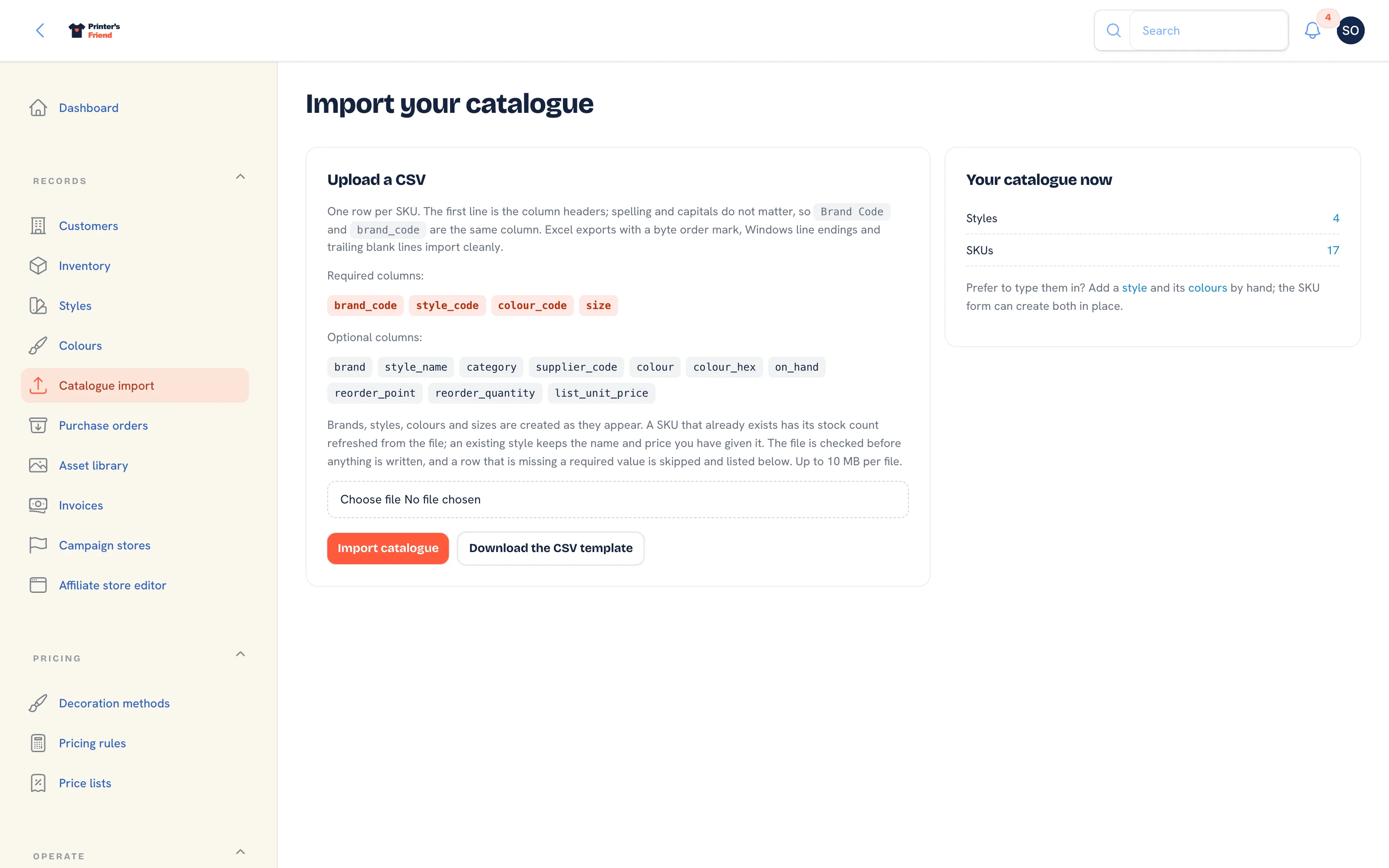 Import your catalogue. The header set is checked before any row is written, so a bad file imports nothing.
Re-importing the same sheet updates the SKUs it finds and creates the rest, so run it again when your supplier changes prices or adds a range. The full catalogue guide is Catalogue and SKUs.
The AS Colour Card
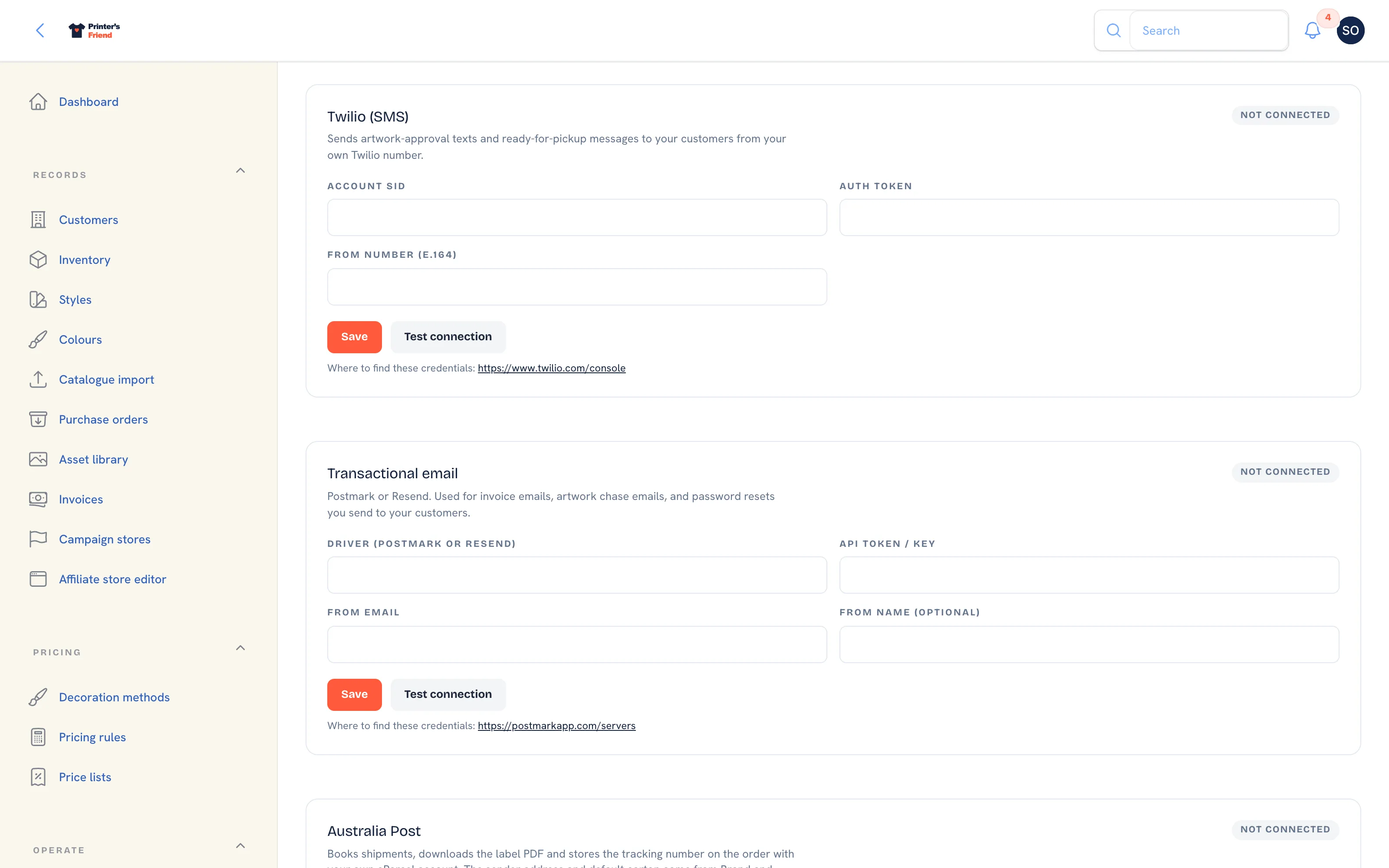 The AS Colour card. The line under the heading says the sync is planned.
The card takes an API token from an AS Colour trade account, with Save, Test connection and Sync now. Sync now queues the same catalogue sync the nightly run uses and reports "AS Colour sync started" when it can run. It is refused with the reason when the plan does not include live supplier sync or when no token is saved. The nightly run skips every shop without a token, and one shop's failed sync never affects another.
Because the adapter is unverified, treat the card as planned. When the sync ships, this page and What's new will say so; until then import the AS Colour range from CSV like any other supplier.
Cards for suppliers without a working adapter were removed until one exists.
Supplier Cost Is the Point
The cost on each SKU is what makes the margin reports real. Without it every job looks fully profitable and the margin section reports that nothing is costed. If the sheet carries your supplier's list prices, enter your real trade cost on the SKUs you sell most.
Keep the catalogue tidy
A full supplier range is thousands of SKUs. Mark the styles you stock or order regularly as active and deactivate the rest, so quoting and your storefront stay navigable. Set reorder points only on SKUs you hold.
Troubleshooting
| Symptom | Check |
|---|---|
| The import says nothing was imported | The header row is missing a required column. Download the template and compare |
| Sync now is refused | The message names what is missing: the token on the card, or a plan with live supplier sync |
| Duplicate styles | Two CSVs for the same range with different style codes. Pick one code per style |
| Prices look wrong | The sheet carries list prices. Enter your trade cost on the SKU |
Related Pages
- Catalogue and SKUs: import brands, styles, colourways and SKUs from a CSV
- Suppliers and Purchasing: supplier ranges, the AS Colour card and purchase orders at setup
- Inventory: stock with a movement ledger, reorder points and shelf labels
- Purchase Orders: order blanks from suppliers and receive deliveries into stock
- Reports: revenue, margin, labour, commission and stock for a period