

Appearance
Invoice Template
The invoice template controls the business identity and the notes printed on every invoice PDF your customers receive. The tax label, rate and currency come from Brand and portal settings; this page is the wording and the look.
Where It Lives
| Page | What it's for |
|---|---|
| Insight, then Invoice template | The fields below and a live preview of the invoice |
| Insight, then Brand & portal, section Tax and currency | The tax label, rate and currency the preview and every PDF use |
| Records, then Invoices, then an invoice, then Download PDF | The real document, to check the result |
The page is available to owners and managers.
Filling It In
- Go to Insight, then Invoice template.
- Under Business identity, type the Business name you invoice under, an optional Tagline, your ABN or other tax registration number, and pick the Accent colour.
- Under Notes, write the Header note (appears above line items), the Payment instructions and the Footer line.
- Watch the Live preview on the right update as you type, then click Save template. An Invoice template saved notice confirms it.
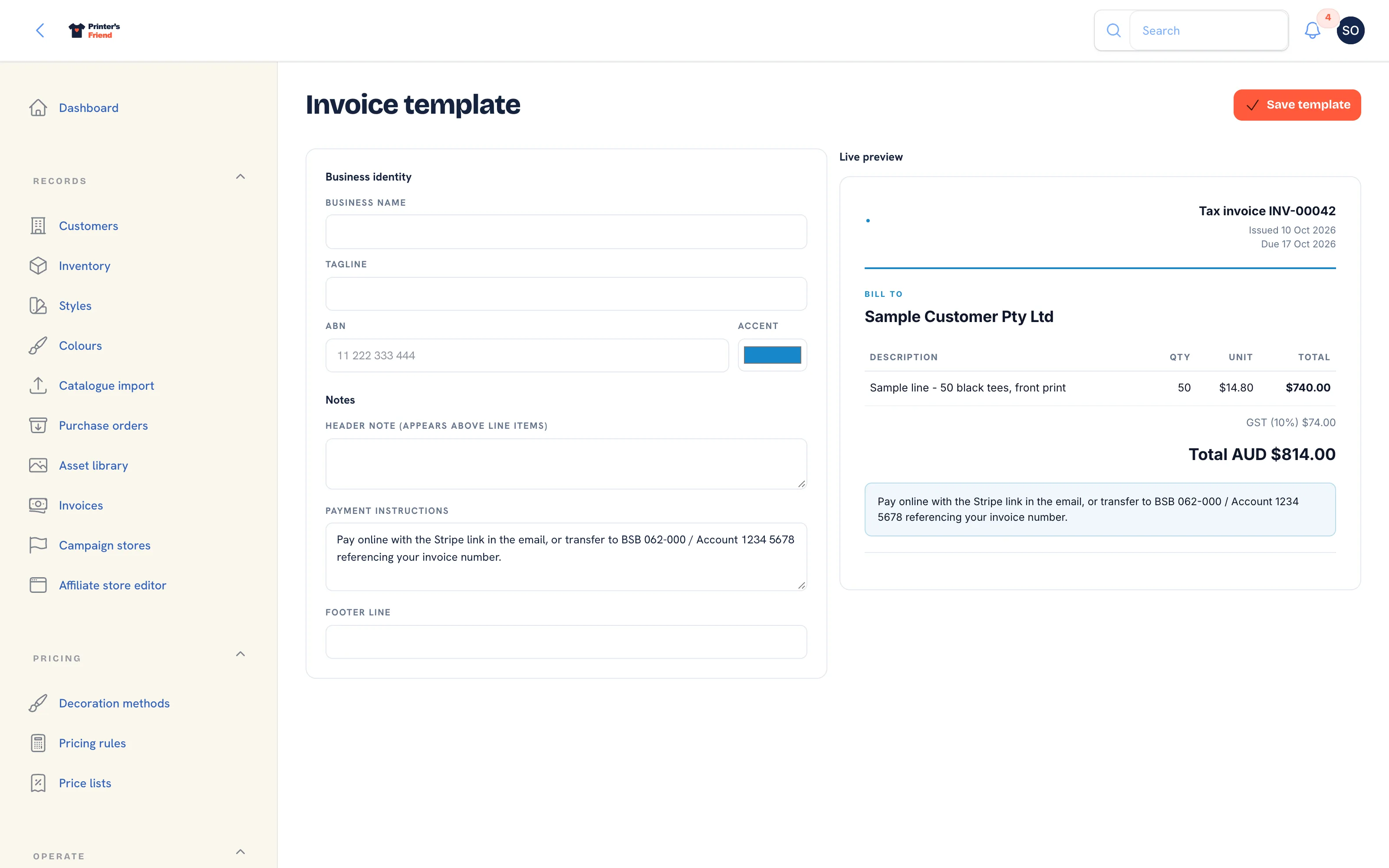 The invoice template page.
| Field | Where it prints |
|---|---|
| Business name | The top left of the invoice, as the issuer |
| Tagline | Under the business name |
| ABN | In the header block under the dates, labelled ABN. Put your VAT number, EIN or equivalent here if you are outside Australia |
| Accent | The document accent colour |
| Header note | A shaded box above the line items, for example a request for a purchase order reference |
| Payment instructions | Under the totals. Bank details, terms, how to pay |
| Footer line | The last line of the document |
The preview shows the invoice title your tax scheme produces (Tax invoice for GST or VAT, Invoice otherwise), a sample line, the tax line when your rate is above zero, and the total in your currency.
Replace the default payment instructions
The field starts with sample bank details. Replace them with your own before you issue an invoice, and write them as instructions: the bank, the account, and that the invoice number is the reference. When the shop's Stripe account is connected, the invoice email also carries a pay online link.
Checking the Result
Download the PDF of a real invoice under Records, then Invoices. Check the business name, the tax number, the tax label and rate, that the totals add up and that the notes read as you meant them. The tax label and rate are not on this page; change them under Brand and portal settings.
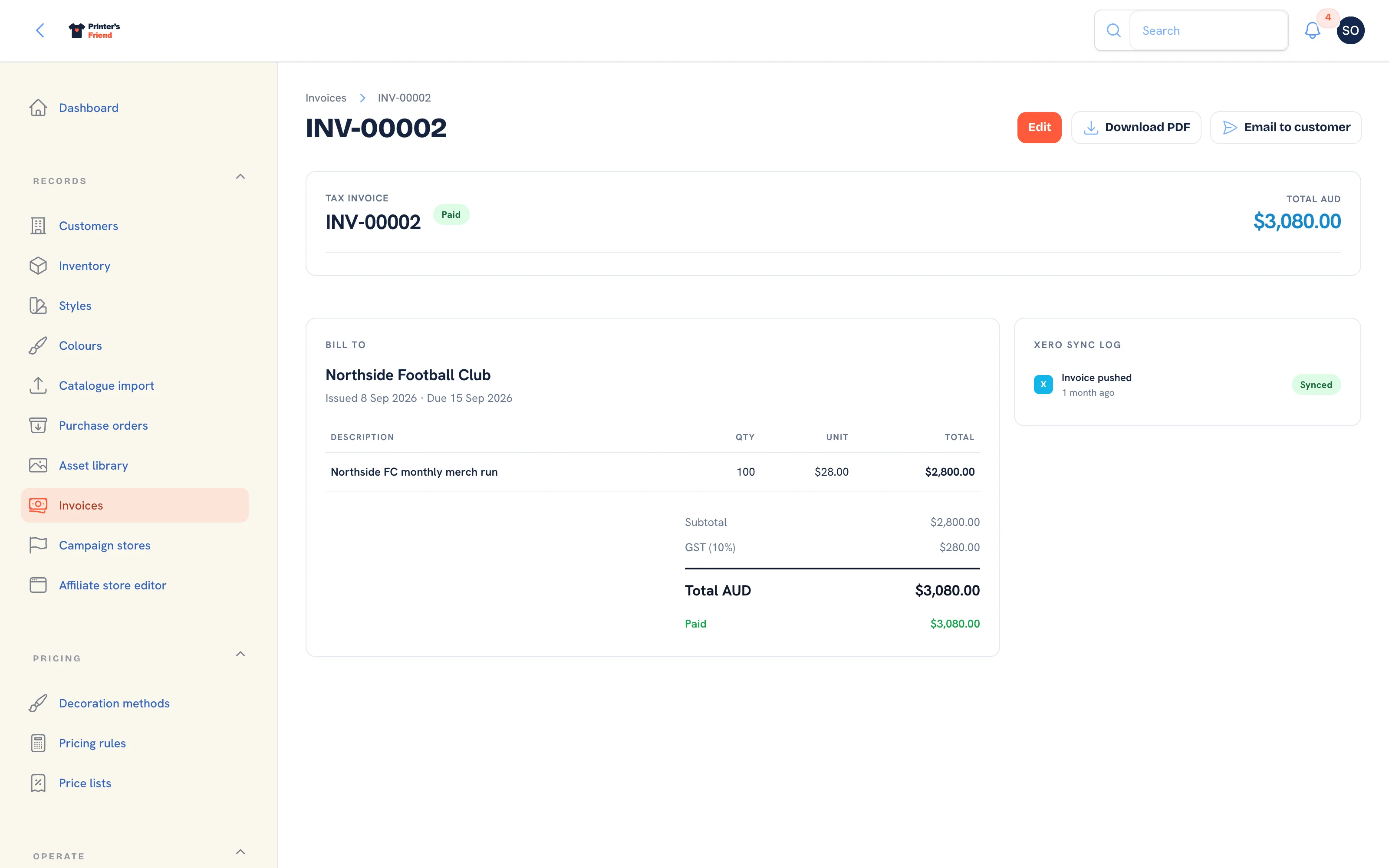 An invoice in the workspace, where the PDF is downloaded from.
Related Pages
- Brand and Portal Settings: shop name, colours, tax and currency, portal copy and the kiosk switch
- Tax, Currency and Invoices: the tax label, rate and currency on every document
- Invoices: invoices, reminders, payments, refunds and credit notes