

Appearance
Webhook Subscribers
A webhook subscriber is an address of yours that receives a signed HTTP POST when something happens in your shop: an order changes stage or dispatches, an invoice is issued or paid, or a customer approves artwork. This page is the how-to for the screen. The protocol, meaning the envelope, the headers, each event's payload, signature verification and the retry rules, is on Webhook events.
Where It Lives
| Page | What it's for |
|---|---|
| Insight, then Webhook subscribers | The list of subscribers with their last delivery and failure count |
| Insight, then Webhook subscribers, then New webhook subscription | Add a subscriber |
| Insight, then Webhook subscribers, then a row | Edit a subscriber and read its secret |
Webhook subscribers are available to owners and managers.
Plan requirement
Outbound webhooks are included on Premium and Enterprise. On Free and Starter a new subscriber is refused with "Webhooks not available" and the plan's message. Subscribers that already exist stay saved and their deliveries stop, with the reason logged; moving back to Premium resumes them.
The Events
A subscriber can receive any of five events, order.stage_changed, order.dispatched, invoice.issued, invoice.paid and artwork.approved, or All events. Reaching Dispatched sends order.dispatched rather than order.stage_changed, so pick both if you want every move. What each event carries is under Events on the reference page.
Adding a Subscriber
- Go to Insight, then Webhook subscribers and click New webhook subscription.
- Type a Name for your reference and the Url to post to, starting with
https://. - Pick an Organisation to receive only that customer's events, or leave it blank for every customer.
- Pick the Events: one or more of the five, or All events.
- Leave Is active on and click Create. The Secret field is filled on save.
- Open the subscriber from the list and copy the Secret. It is the key you verify each delivery with, as the helper text under the field says.
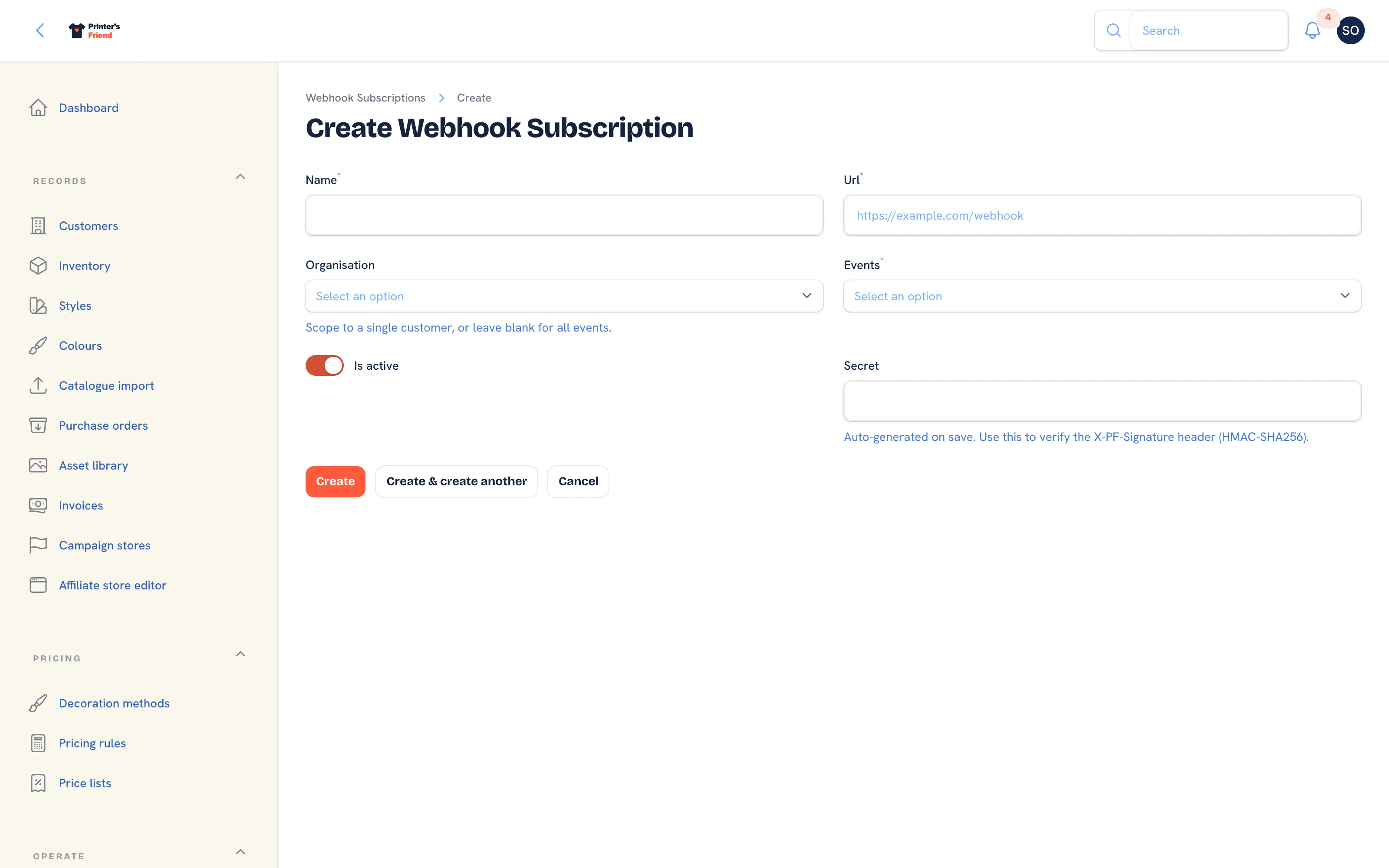 The new subscriber form.
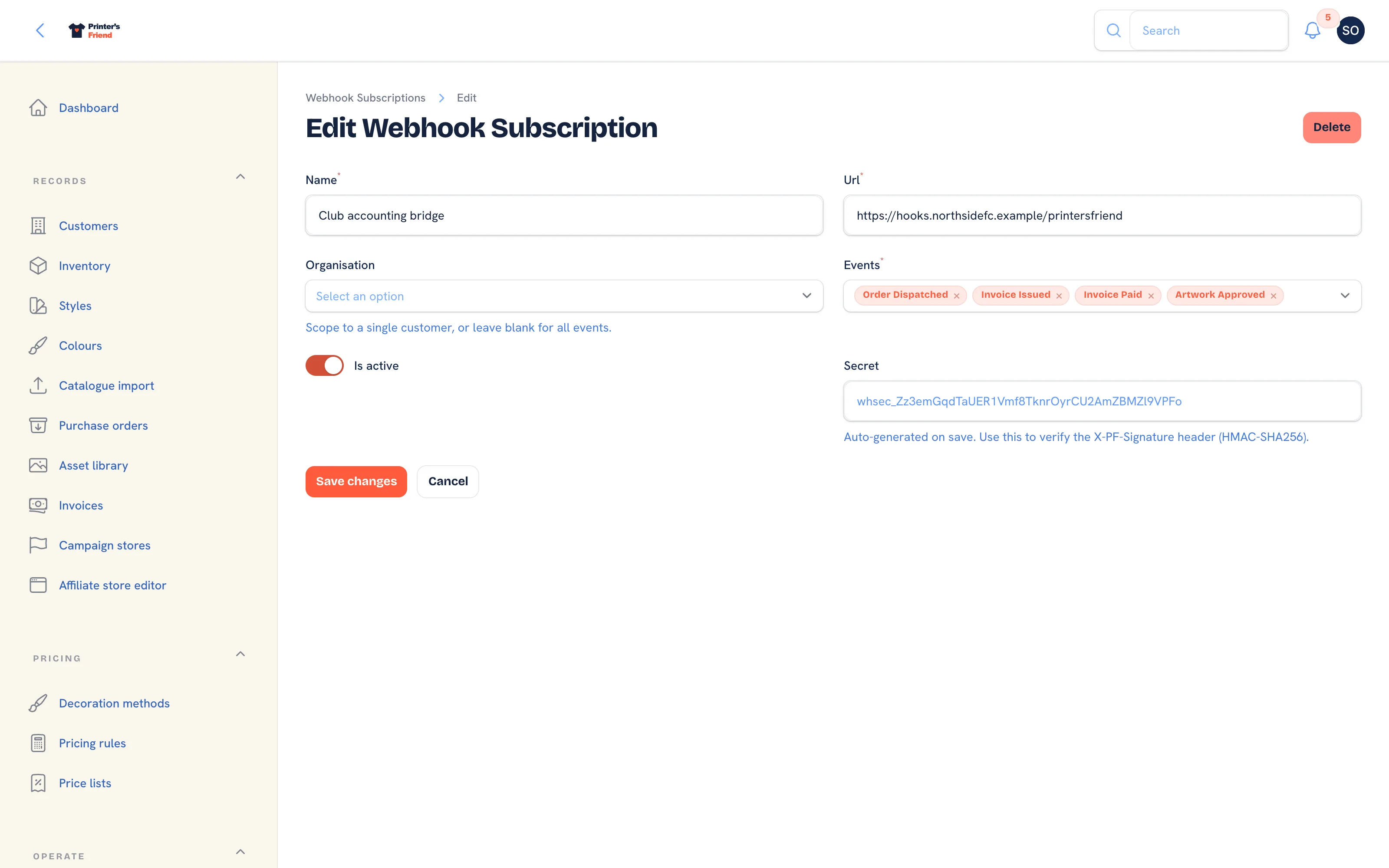 A saved subscriber, with the secret shown.
The List
The list shows Name, Url (click to copy), Scoped to (All customers when blank), Events, Last delivery, Failures and Active.
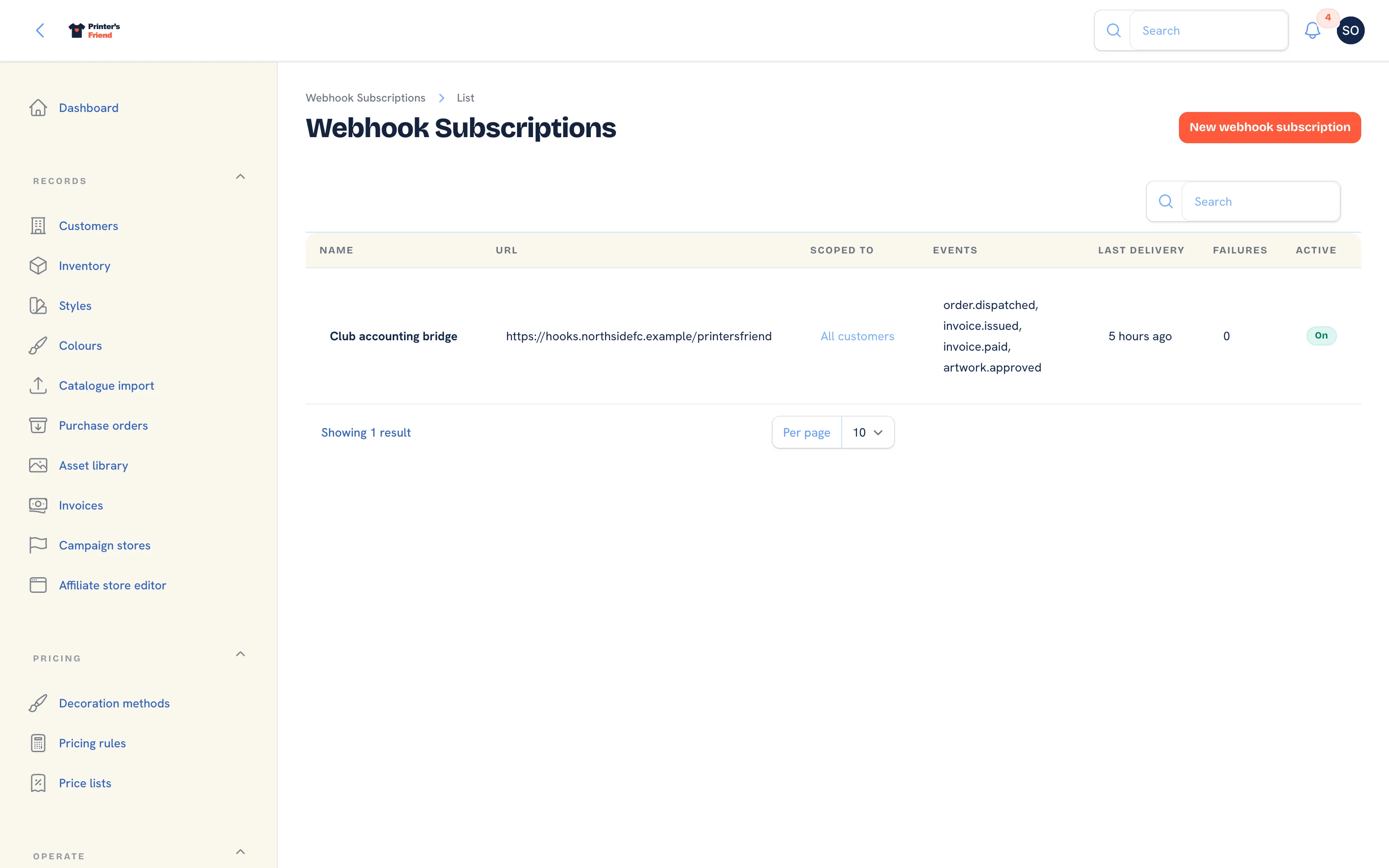 The subscribers list.
What Arrives
Each delivery is a JSON body with event, data and sent_at, signed with the subscriber's secret in the X-PF-Signature header. The headers, the payload of each event and a verification sample in PHP, JavaScript and Python are under Verifying a delivery.
When Deliveries Fail
Failures goes up by one on each failed attempt and back to 0 on the next success. After 20 consecutive failures the subscriber is switched off and Active shows off in the list. Fix the endpoint, open the subscriber and tick Is active again. Every attempt is stored with the status code and the first 1,000 characters of your response, but there is no screen in the workspace to read those deliveries; Last delivery and Failures on the list are what you see. The timeout, the retry schedule and what counts as success are under Retries and failure handling.
Make your endpoint idempotent
The same event can arrive more than once when a retry follows a slow success. Key on the event, the order or invoice number and sent_at, ignore duplicates, and return your 2xx before doing the work so you stay inside the 10 second timeout.
Related Pages
- Webhook events: the envelope, each payload, verification and the retry rules
- REST API: read and create records from your own systems
- API tokens: tokens for the API, on the same plans as webhooks
- Plans and limits: which plans include webhooks