

Appearance
Connected Accounts
Insight, then Integrations opens the page titled Connected accounts. Each shop brings its own accounts: you paste your credentials on a card, test the connection, and the workspace sends real invoices, texts and labels through them. Anything left blank stays disabled and the rest of the workspace keeps working.
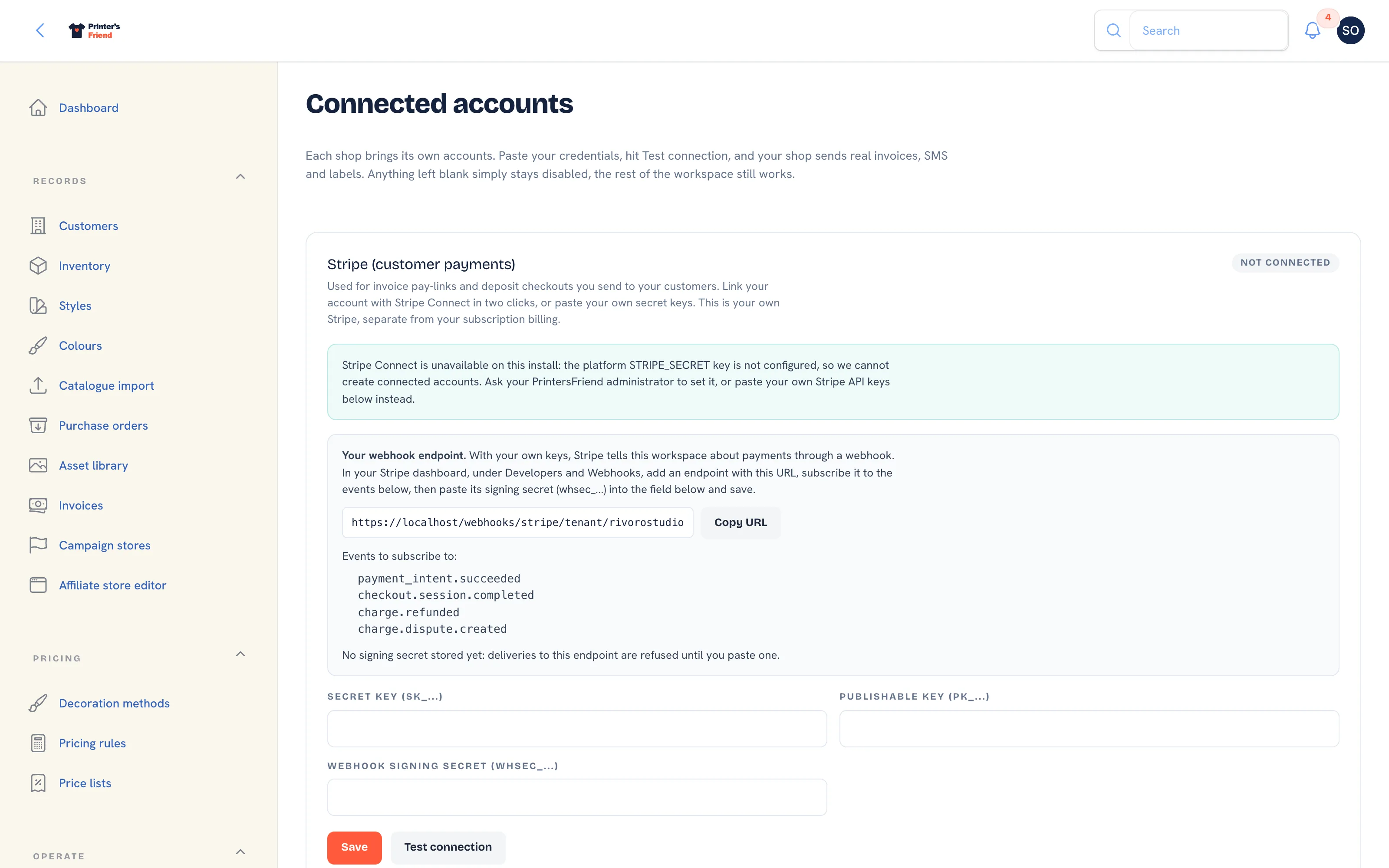 The top of the Integrations page: Stripe, Twilio and transactional email.
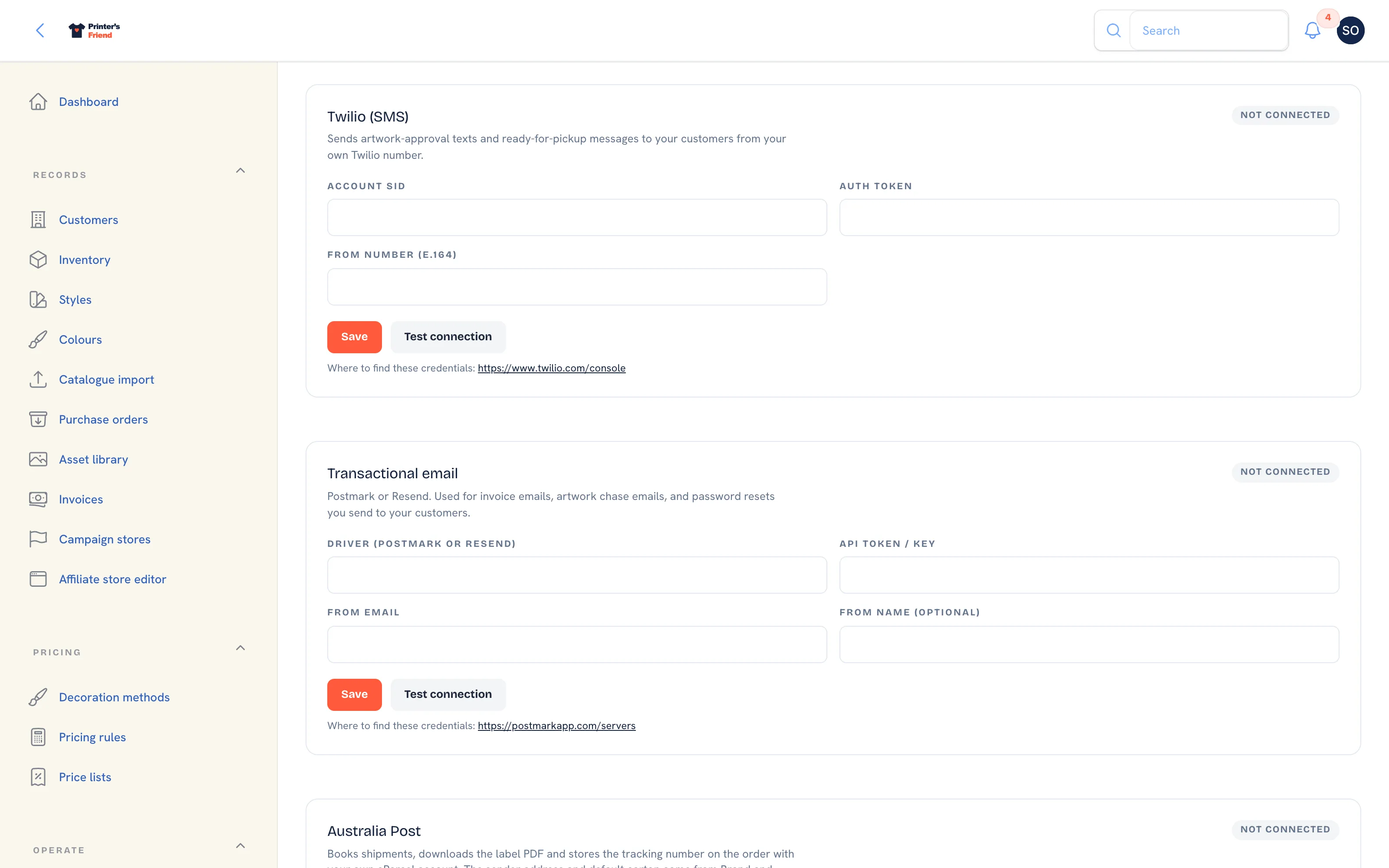 Further down: Australia Post, AS Colour and Accounting.
Where It Lives
| Card | What it's for | Guide |
|---|---|---|
| Stripe (customer payments) | Pay links on invoices, deposit checkouts, card capture on stores and campaigns, refunds and disputes | Stripe |
| Twilio (SMS) | Approval, print queue, dispatch and kiosk confirmation texts, plus SMS broadcasts, from your own number | Twilio SMS |
| Transactional email | Postmark or Resend, so customer email leaves from your own domain | Transactional email |
| Australia Post | Shipments, label PDFs and tracking numbers from your own eParcel account | Shipping: Australia Post |
| AS Colour | A planned catalogue sync from a trade account; the CSV import is the path today | Supplier catalogues |
| Accounting | Xero or QuickBooks Online through OAuth, once the platform enables it | Accounting |
Integrations are visible to owners and managers only, along with Billing, Team and the settings pages.
How a Card Works
- Fill in the fields on the card. Each field names the credential and where to find it, for example Secret key (sk_...) or From number (E.164). A link under the card points at the provider's own console.
- Click Save. The card confirms the save and asks you to test the connection.
- Click Test connection. The pill at the top of the card changes to Connected or Error, and the card shows Last verified with how long ago that was. A failed test prints the provider's reply in a red row on the card, which is the first thing to read when something stops working.
- Disconnect deletes the stored credentials for that card after a confirmation. The account at the provider is untouched.
Stored secrets are shown masked once saved, for example ••••AB12, with the note "Leave blank to keep it". Leaving a field blank on save keeps the existing value, so you can change one field without pasting every secret again.
Test after every change
Saving does not verify anything. The Connected pill only appears after Test connection succeeds, and a card that was connected last month can show Error today if a token was revoked at the provider.
What Happens Without Credentials
Nothing is faked. The action that needs the account is refused with a message naming what is missing.
| Card | Without credentials |
|---|---|
| Stripe | Invoices issue without a pay link; record payments by hand |
| Twilio | SMS templates record a failed send with the reason; email still goes out |
| Transactional email | Email leaves through the platform mailer, from hello@printersfriend.com with your shop's name, replies to your contact email |
| Australia Post | Generate shipping label on the order is refused with "Carrier not connected" |
| AS Colour | Sync now is refused with the reason; import a CSV instead |
| Accounting | The card reads "Accounting sync is not available yet" until the platform enables it |
Which to Connect First
- Stripe, so customers can pay the link on the invoice and the payment is recorded for you.
- Transactional email, so customer email leaves from your own domain and lands reliably.
- Twilio, if your customers answer texts and ignore email.
- Australia Post, if you ship parcels yourself in Australia.
- Accounting, once the platform enables it and your volume makes manual entry a chore.
Supplier catalogues arrive through the CSV import whether or not a supplier card is connected.
Related Pages
- Stripe: connect your Stripe account so invoices carry a pay link
- Twilio SMS: connect Twilio for approval, dispatch and marketing texts
- Transactional Email: send from your own Postmark or Resend account
- Accounting: Xero and QuickBooks: push invoices and contacts to Xero or QuickBooks and pull payments back
- Shipping: Australia Post: book Australia Post labels from the order
- Supplier Catalogues: the CSV catalogue import and the planned AS Colour sync