

Appearance
Setup Overview and Checklist
This is the installation guide. Work through it top to bottom and your workspace will match how your shop operates. The order matters: each step is used by the ones after it.
Set aside two to three hours for a first pass. Decoration methods and pricing rules take real thought, because that is where your shop's commercial logic gets written down. Everything else is data entry or a switch.
Where It Lives
| # | Step | Where in the workspace | Time |
|---|---|---|---|
| 1 | Business details and branding | Insight, then Brand & portal | 15 min |
| 2 | Tax, currency and invoices | Insight, then Brand & portal and Invoice template | 15 min |
| 3 | Decoration methods | Pricing, then Decoration methods | 30 min |
| 4 | Price lists | Pricing, then Price lists | 10 min |
| 5 | Pricing rules | Pricing, then Pricing rules | 30 min |
| 6 | Catalogue and SKUs | Records, then Catalogue import, Styles, Colours and Inventory | 20 min |
| 7 | Suppliers and purchasing | Insight, then Integrations; Records, then Purchase orders | 15 min |
| 8 | Production workflow stages | Insight, then Workflow stages | 5 min |
| 9 | Customers and contacts | Records, then Customers | 20 min |
| 10 | Email and SMS templates | Insight, then Email & SMS templates | 20 min |
| 11 | Payments with Stripe | Insight, then Integrations | 10 min |
| 12 | The customer portal | Insight, then Brand & portal; the customer page | 15 min |
| 13 | Your team and roles | Settings, then Team | 15 min |
| 14 | Shop floor hardware | Operate, then Production; Brand & portal for the kiosk | 30 min |
| 15 | Go-live checklist | Everywhere | 20 min |
Sample data is the optional set the setup wizard offers. Load it to click through the product before step 6, and remove it when your own catalogue is in.
Why This Order
- A quote needs a decoration method and a SKU, and a customer's rate comes from a price list. Those come before you quote anything.
- Pricing rules adjust prices that only exist once decoration methods and price lists do.
- The portal shows prices and invoices, so branding and tax come before you invite a customer.
- Team comes late on purpose: invite people once the workspace is worth signing in to.
Finding Your Way Around
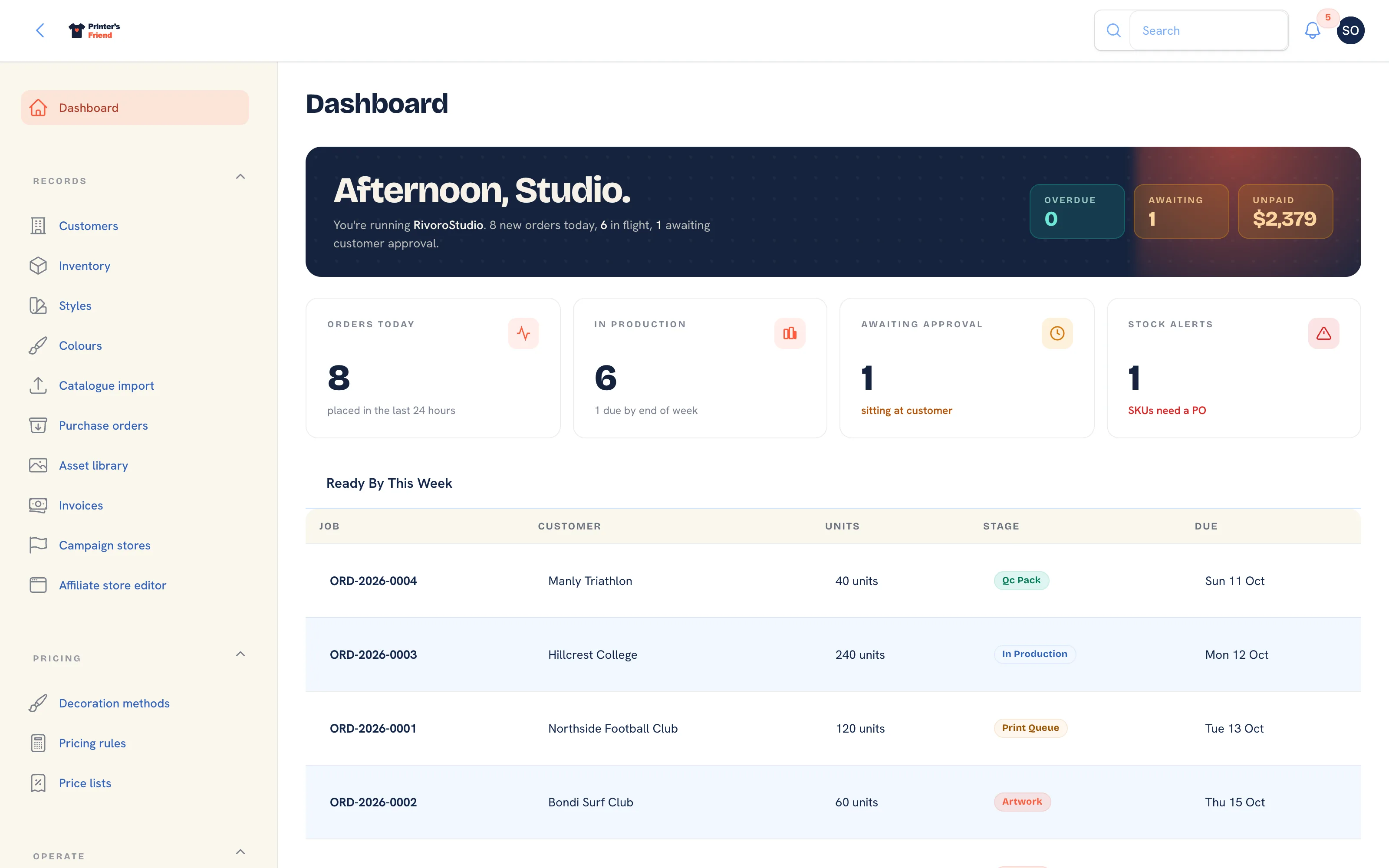 The dashboard, with the grouped sidebar on the left.
| Group | Contains |
|---|---|
| Getting started | The setup wizard, until you finish or skip it, and while sample data is loaded |
| Records | Customers, Inventory, Styles, Colours, Catalogue import, Purchase orders, Asset library, Invoices, Campaign stores, Affiliate store editor |
| Pricing | Decoration methods, Pricing rules, Price lists |
| Operate | Quotes, Orders, Time on jobs, Production, Batch production, Cycle counts, Returns, Messages |
| Insight | Reports, Demi (AI), Coupon codes, Promotions, Email broadcasts, Email & SMS templates, Brand & portal, Invoice template, Integrations, Billing, Audit log, API tokens, Webhook subscribers, Workflow stages |
| Settings | Team |
The global search at the top of the workspace finds a customer, quote, order, SKU or teammate from anywhere.
Do a dry run before you invite anyone
Once steps 1 to 6 are done, create a test customer with your own email, quote a job you have already done, convert it, move it across the board and let dispatch issue the invoice. Compare the numbers with what you charged. Fixing pricing now takes ten minutes; fixing it after your team has quoted twenty jobs on the wrong figures does not.
When You Are Done
Running the shop covers the daily rhythm, and selling online covers storefronts, team stores and campaigns.