

Appearance
Payments, Receipts and Tax
Your Printer's Friend subscription is billed monthly in advance to the card you gave at Checkout, in the currency you signed up in. Every charge produces a receipt by email, and tax invoices are available from Stripe's billing portal at any time. This is the account that pays for Printer's Friend; the Stripe account your customers pay you through is a separate thing, covered under Stripe.
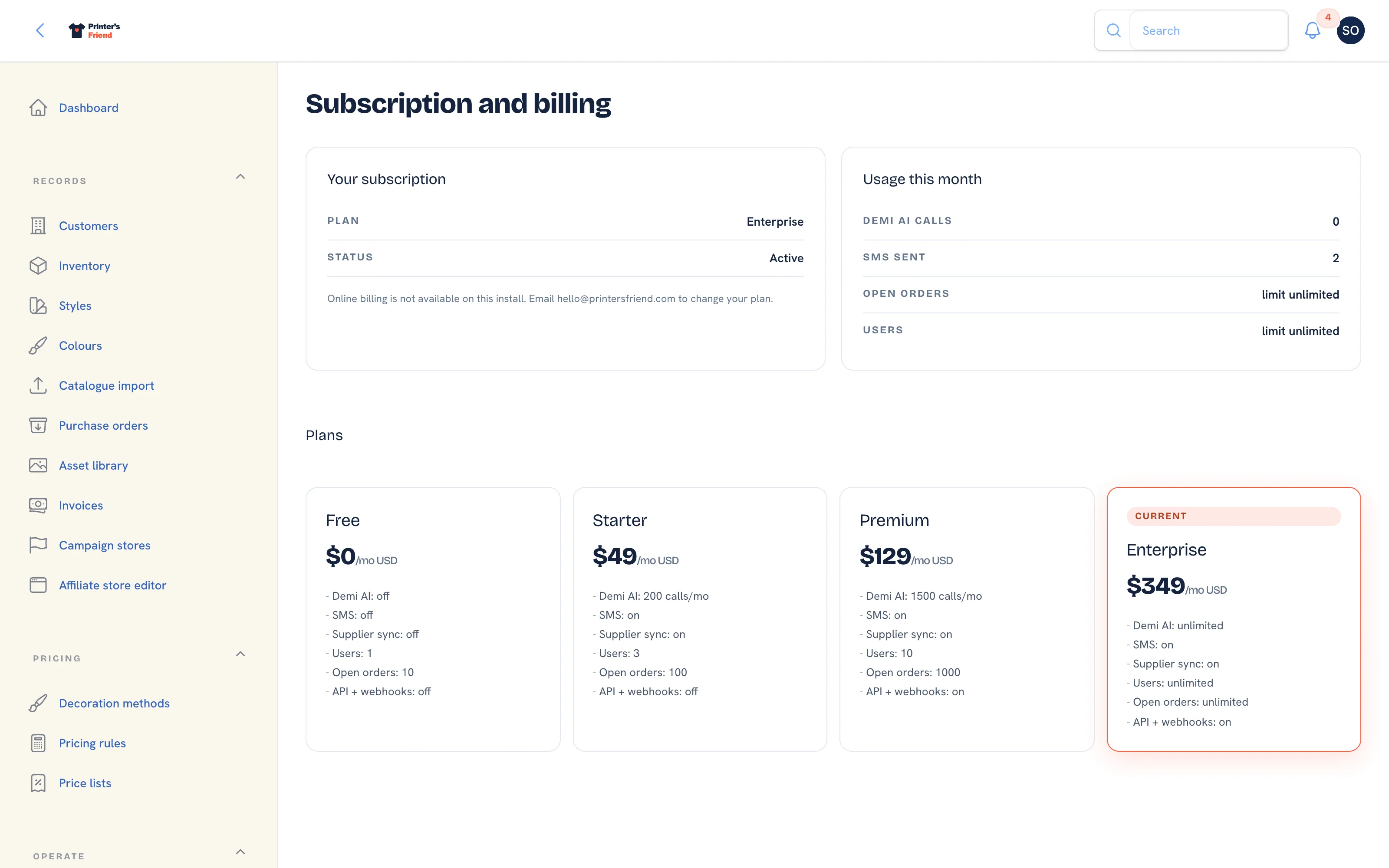 Manage card and invoices opens Stripe's hosted billing portal.
Where It Lives
| Place | What it's for |
|---|---|
| Insight, then Billing, then Manage card and invoices | Change the card, download tax invoices, change plan, cancel |
| Your email | A receipt after every payment, and a notice when a payment fails |
| Links in billing emails | Update your card, Manage billing and View billing open the same portal through a signed link |
Currency
The currency is fixed at signup and cannot change on an existing subscription. The signup form offers USD, AUD, EUR and GBP and picks one from where you are: Australia and New Zealand in AUD, the United Kingdom in GBP, the eurozone in EUR, and the United States, Canada and everywhere else in USD. The same choice sets your tax scheme and the default time zone of the workspace, which you can change later under Brand & portal.
Tax
Tax is added at checkout where Printer's Friend is registered to collect it. Checkout always asks for a billing address, so a tax invoice can be produced whether or not tax applies. Where tax is collected, Checkout also asks for your VAT or GST number so a business purchase is recorded as one.
The pricing page shows the plan price with a note of the tax that may apply in your currency: sales tax where applicable for USD, GST for AUD, VAT for GBP, and VAT with reverse charge for EU businesses in EUR.
Receipts and Tax Invoices
After every successful payment the billing contact receives "Receipt: A$199.00 for Printer's Friend Premium" with the amount, your shop name and the date you are paid up until. The email says a tax invoice is available any time from the billing portal.
To download a tax invoice:
- Open Insight, then Billing and click Manage card and invoices.
- In Stripe's portal, open the invoice history and download the invoice you need. Each one carries the billing address collected at Checkout.
Updating the Card
- Click Manage card and invoices on the Billing page, or Update your card in a payment email.
- In the portal, add the new card and set it as the default. Stripe uses it for the next charge, including a payment it is retrying.
When a Payment Fails
Stripe retries the card over the following days. You receive "Payment failed for Your Shop", the banner shows the date the payment failed with an Update card button, and the Billing page shows Grace ends. You have a 7 day grace period during which nothing changes. If no payment goes through in that time the workspace drops to the Free tier with every record intact, and updating the card restores your plan. See Subscription and plan changes.
Partial months and refunds
Upgrades are prorated by Stripe at the moment of the change. Partial months are not refunded on cancellation unless your local consumer law requires it, as stated in the terms.
Price Changes
Prices change only with 60 days notice by email, and existing customers keep their current price for at least one further billing cycle.
Related Pages
- Subscription and Plan Changes: changing plan, and what a failed payment does
- Subscription and Billing: your plan, card, usage and the plan grid
- FAQ: Billing: short answers on paying, plans and cancelling