

Appearance
Transactional Email
Quote, approval, invoice, dispatch and chase emails leave your workspace in one of two ways: through the platform mailer, which works with no setup, or through your own Postmark or Resend account connected on the Transactional email card under Insight, then Integrations. Either way the customer sees your shop's name and their reply reaches you.
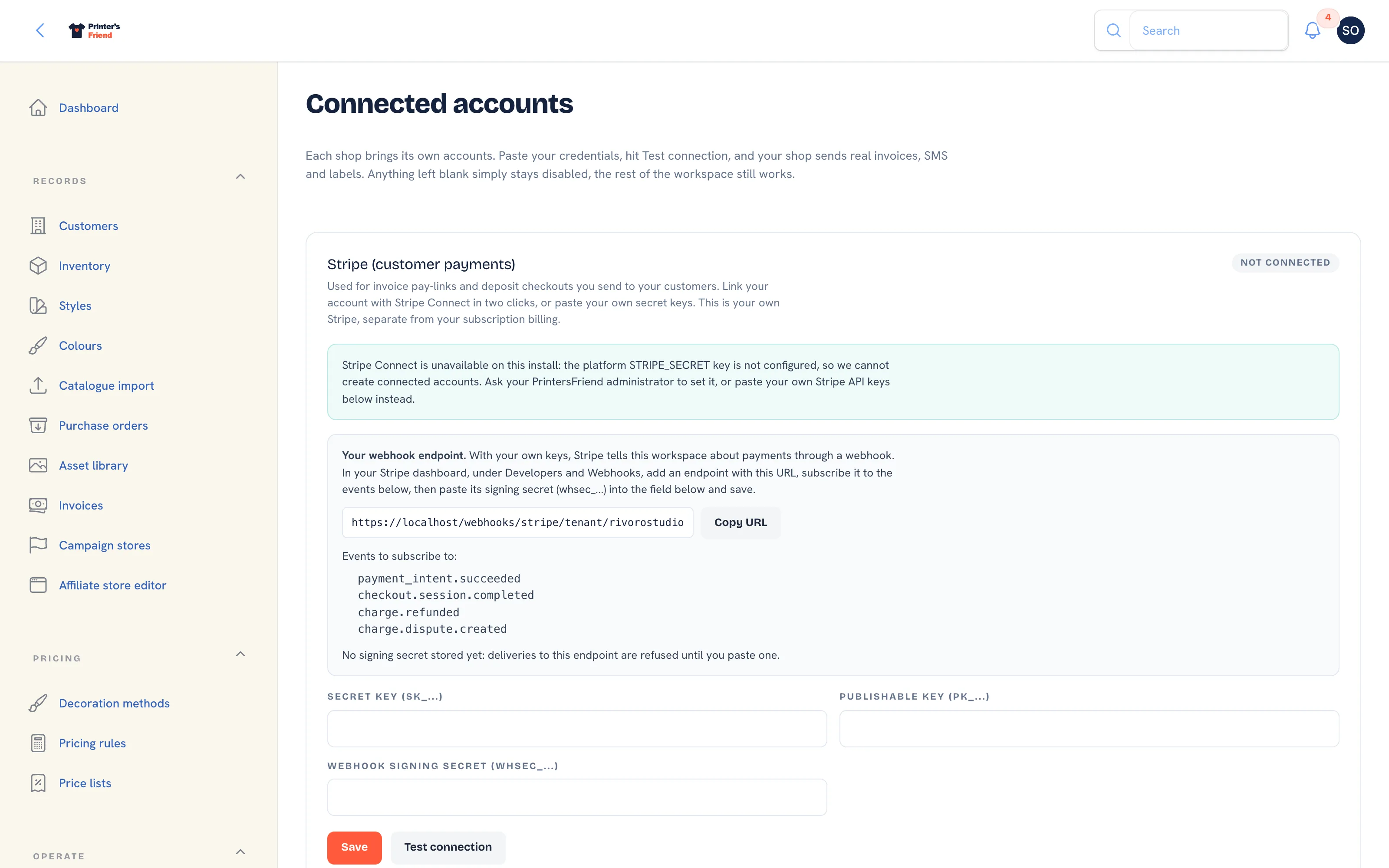 The Transactional email card, third on the Integrations page.
Who Your Emails Come From
| Platform mailer (default) | Your own sender | |
|---|---|---|
| From address | hello@printersfriend.com | Your From email |
| From name | Your shop name from Brand & portal | Your From name, or your shop name when blank |
| Reply-To | Your Contact email from Brand & portal, or the owner's login email when that is blank | The same |
| Header | Your shop name, and your logo when one is uploaded under Brand & portal | The same |
A customer who replies to any message reaches your contact address, never Printer's Friend. Set Contact email under Brand & portal before you send the first quote.
Every templated email also carries a plain text version, turns bare URLs into links, and greets the contact by name through while still gives the organisation.
Connecting Your Own Sender
- Create a server (Postmark) or a domain (Resend) at your provider and authenticate your sending domain there: SPF, DKIM and DMARC records at your DNS host. Both providers show the exact records.
- On the Transactional email card, enter Driver (postmark or resend), the API token / key from your provider, the From email customers will see (for example
hello@yourshop.com) and, optionally, From name. - Click Save, then Test connection. The test asks Postmark or Resend whether the token is valid; the pill changes to Connected.
- Open Insight, then Email & SMS templates, open a template and click Send test. The email arrives at your own login address with the sender identity applied, so you can check the from name, the reply address and how it reads on a phone. Preview renders it without sending.
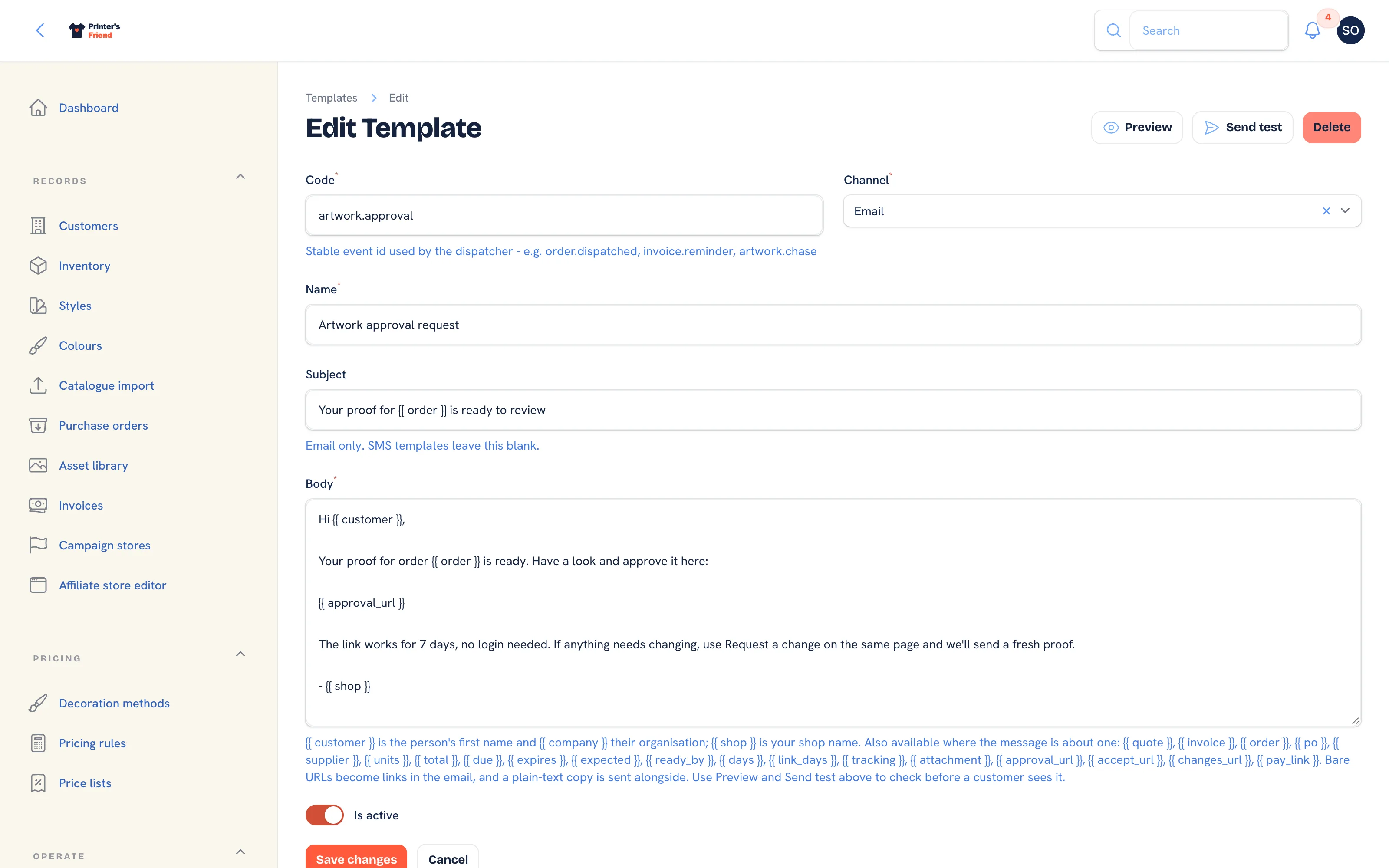 A message template. Preview and Send test sit in the header.
Authenticate the domain first
Without DKIM a meaningful share of invoice emails land in spam, and some receivers reject mail from a domain the sender does not control. The DNS records take fifteen minutes at your DNS host and decide whether customers receive invoices.
When a Send Fails
A quote, invoice or proof whose email could not be sent shows a warning on the record and an entry in its activity timeline, and does not flip to sent. On a self-hosted install with no platform mailer configured and no sender connected, the action is refused with "no email sender is connected for this workspace" and the document stays unsent.
Your provider's suppression list blocks an address after a bounce or a spam complaint. When one customer never receives anything, look there first.
Transactional and Marketing Are Different
| Transactional | Marketing | |
|---|---|---|
| Examples | Invoice, approval request, dispatch notice | Email broadcasts |
| Triggered by | Something the customer did | You deciding to send |
| Who receives it | The order's contact, then the quote's contact, then the organisation's primary contact | Contacts with a recorded marketing consent who have not unsubscribed |
| Unsubscribe | Not applicable | One click link in every message, plus the List-Unsubscribe header |
Broadcasts leave through the same sender identity as transactional mail. Do not send marketing through a transactional template to avoid the unsubscribe link; providers suspend accounts for it.
Troubleshooting
| Symptom | Check |
|---|---|
| No emails at all | The template is active under Email & SMS templates, and the contact has an email address |
| Emails go to spam | SPF, DKIM and DMARC on your sending domain at your provider |
| Replies go to the wrong place | Contact email under Brand & portal is the reply address |
| One customer never receives anything | Your provider's suppression list |
| Test connection fails | The token is wrong or revoked, or Driver is not postmark or resend |
Related Pages
- Email and SMS Templates: the email and SMS templates and their variables
- Brand and Portal Settings: shop name, colours, tax and currency, portal copy and the kiosk switch
- Email Broadcasts: a marketing email or SMS to customers who have agreed to hear from you
- Troubleshooting: symptoms with the usual cause first