

Appearance
Orders
An order is a committed job. It has a stage, a due date, a stage history, addresses, artwork, lines with cost snapshots and, in time, an invoice. Most orders are created by accepting a quote; the walk-in kiosk and the REST API create them directly.
Where It Lives
| Page | What it's for |
|---|---|
| Operate, then Orders | Every order with its stage, due date, total and rep |
| The order page | The whole job on one screen, with every action in the header |
| Edit | Dates, carrier, addresses, rep, carton and notes |
| Production board | The same orders as cards in stage columns |
The Orders List
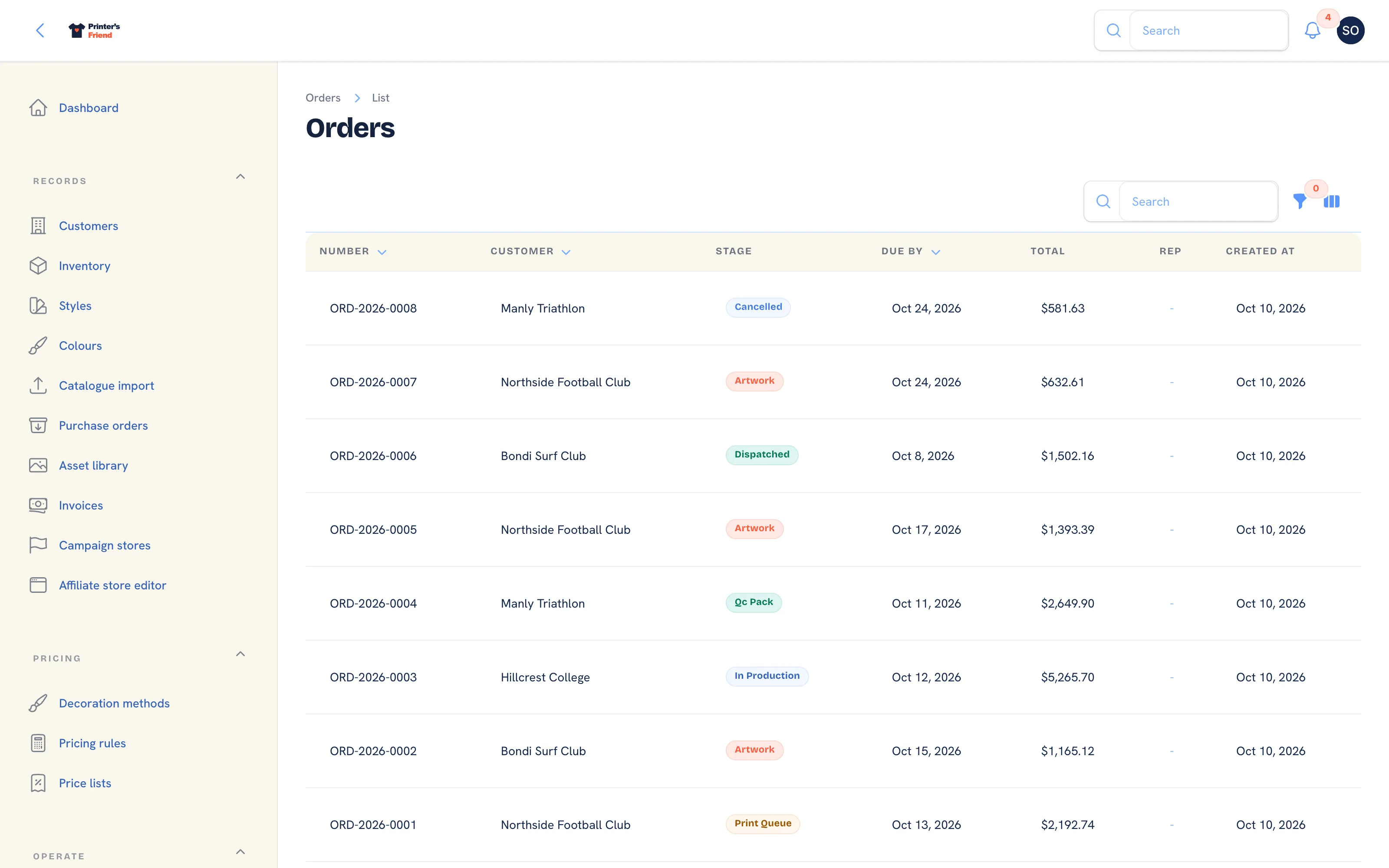 Every order, newest first, filtered by stage or sales rep.
Columns: Number, Customer, Stage, Due by, Total, Rep and Created. Filter by Stage or Sales rep. The global search finds an order by number, tracking number or customer. Order numbers run ORD-2026-0001 and upwards within the year.
The Order Page
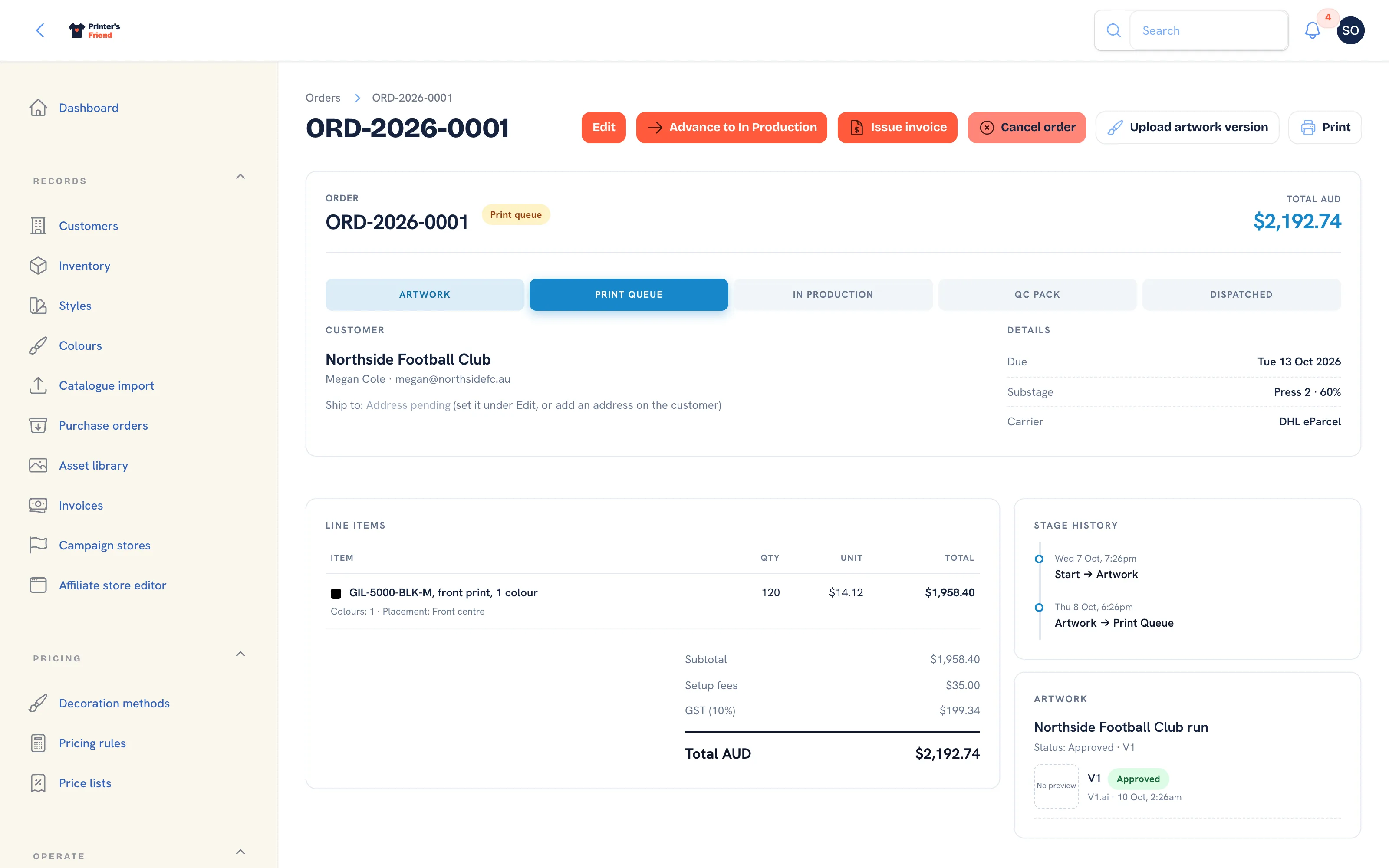 An order in the print queue. The stage strip shows where it is; the header holds every action.
| Panel | What it holds |
|---|---|
| Header | Number, stage pill, a red Late pill once the end of the due date has passed in your timezone, and the total in your currency |
| Stage strip | Artwork, print queue, in production, QC + Pack, dispatched, with the current stage highlighted |
| Customer | The organisation, the contact, Ship to and Bill to. An order with no address reads "Address pending" with a pointer to Edit |
| Details | Due date, substage such as "Press 2, 60%", carrier, tracking, dispatched date, sales rep with commission earned, labour booked |
| Line items | Description, decoration spec, quantity, unit and total, with a margin pill where costs are known, then subtotal, setup fees, the tax line and the total |
| Stage history | Every move with its time, append-only |
| Customer designs | For lines from the online designer: the design with SVG, PNG and PDF export links |
| Artwork | The proof thread: status, each version with its preview, the approved version marked, and a download of the source file |
| Invoices | Every invoice raised for the order |
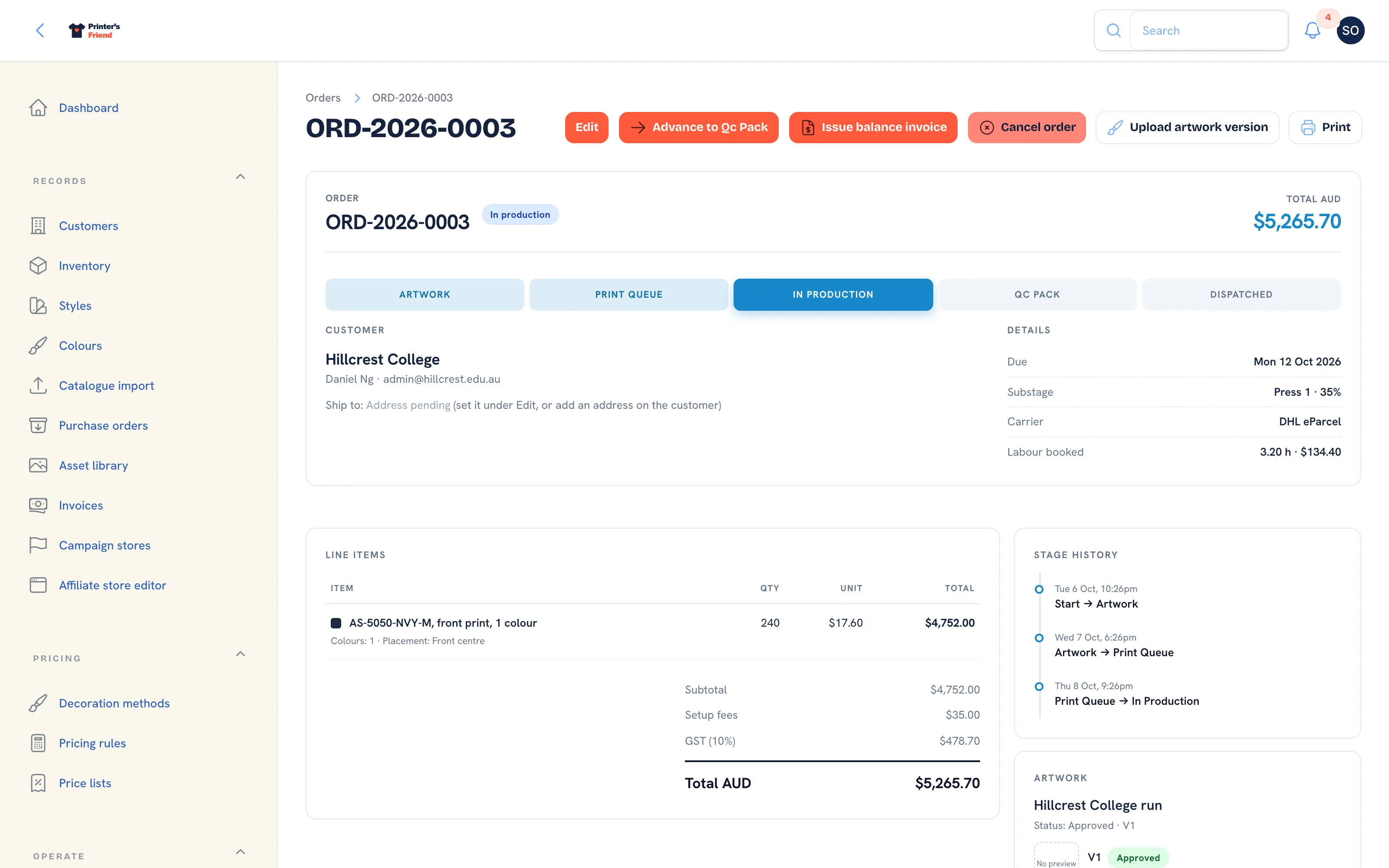 In production. Labour booked and commission appear under Details once there is any.
Header Actions
| Action | What it does |
|---|---|
| Edit | Opens the edit form below |
| Advance to [next stage] | Moves the job one stage on and fires that stage's side effects |
| Issue invoice or Issue balance invoice | Raises the invoice before dispatch, in full or as a deposit. See Payments and deposits |
| Cancel order | Asks for a reason, releases reserved stock and ends production. Not offered once dispatched |
| Upload artwork version | Adds a proof. See Artwork and approvals |
| Send for approval | Emails the customer a signed one-click approval link valid for 7 days |
| Generate shipping label | Books a label through your shipping integration. Offered in QC + Pack and Dispatched while the order has no tracking number |
| Print label | Downloads the stored carrier label PDF |
| A menu of Work Order, Worksheet and Packing Slip |
Read-only roles see the page without the actions that change it.
What a Stage Change Does
Moves are the same whether they come from Advance, a drag on the production board, a tap on Move, or a barcode scan. The side effects below fire on the first entry into a stage only, so moving a job back and forward, or scanning it twice, never consumes stock twice or raises two invoices.
| Move | What happens |
|---|---|
| Any move | A stage history row is written, the substage is cleared, every open board updates within fifteen seconds and webhook subscribers receive order.stage_changed |
| Into Print queue | The customer is texted that the job is approved and queued, where SMS is available |
| Into In production | Stock for the order's SKUs is consumed and written to the movement ledger. A short shelf goes negative and raises a shortfall warning; the job is not blocked |
| Into Dispatched | The dispatch date is set, the invoice for whatever is still owed is issued and emailed, the dispatch email and SMS go out with the tracking number, and subscribers receive order.dispatched |
Because dispatch issues the invoice, dispatching a job you have not finished creates an invoice you then have to credit. Advance when the thing has happened.
Moving back does not undo
A card can be dragged back, and sometimes should be: a QC reject goes back to production. The backwards move is recorded in the stage history, but the customer emails, the stock consumption and the invoice already triggered are not reversed. Correct stock with Adjust stock and money with a credit note.
Two people moving the same order at the same moment are serialised: the second move waits, then sees what the first did.
Editing an Order
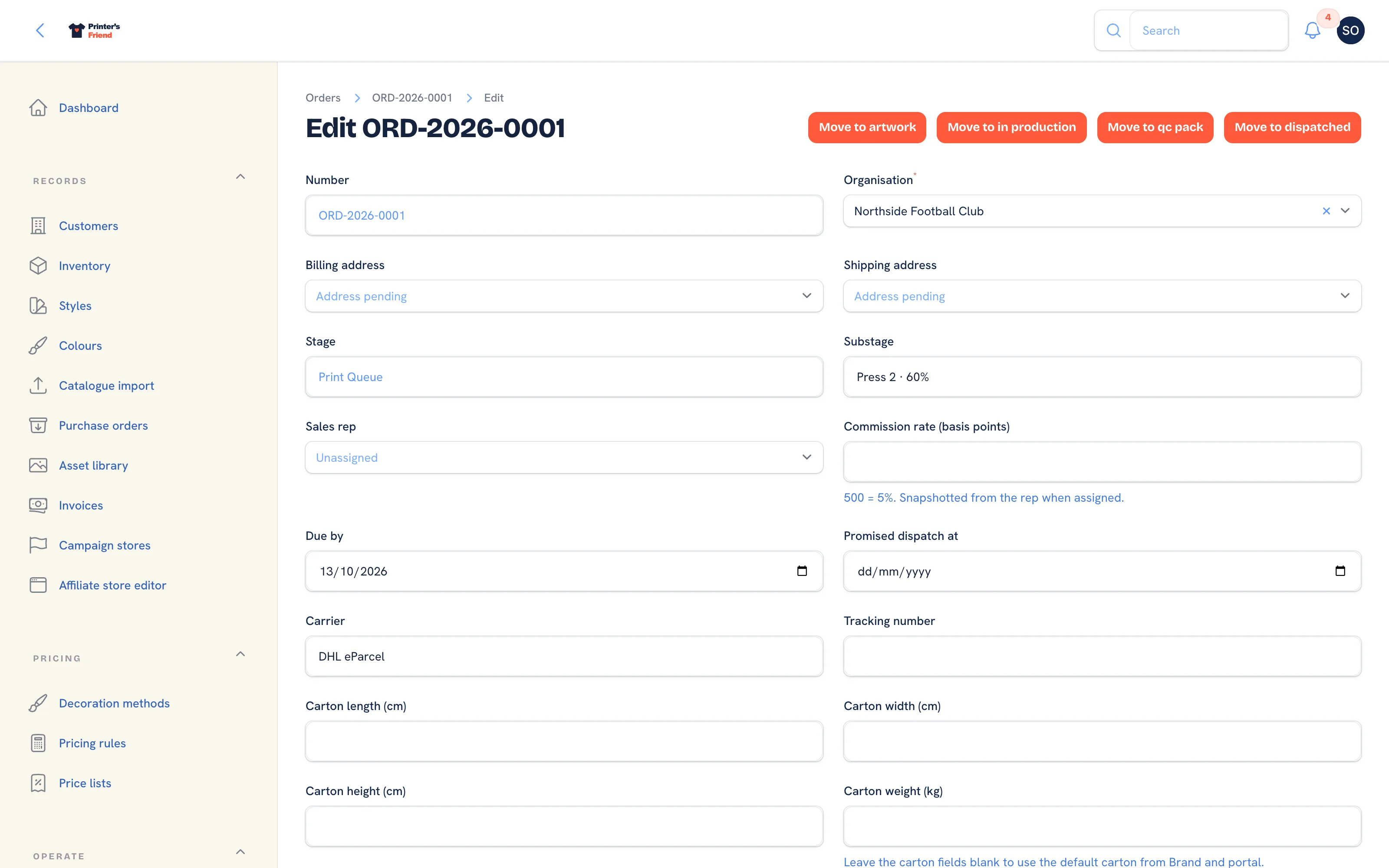 The edit form. Stage is read-only here; stage changes go through the move actions.
- Click Edit on the order page.
- Billing address and Shipping address list the customer's addresses. They are filled from the customer's defaults when the quote is accepted; the placeholder reads "Address pending" when the customer has none. See Addresses and packing slips.
- Stage is shown and cannot be changed here. Use Move to in the header of this page, or Advance on the order page, so the stage history and the side effects fire once.
- Substage is free text shown on the board card, for example "Press 2, 60%".
- Sales rep lists active staff. Choosing one copies their current commission rate into Commission rate (basis points), where 500 means 5%. A rep who has since left stays in the list labelled "(left)" so the order can still be saved.
- Due by drives the late badge and every "due this week" count. Promised dispatch at is the date you told the customer.
- Carrier and Tracking number are filled by the shipping integration when it books a label, or typed by hand.
- The Carton length, width, height and weight are used when a label is booked. Leave them blank to use the default carton from Brand and portal settings.
- Internal notes are never shown to the customer.
- Click Save changes.
Lines are not edited on an order. They carry the cost snapshot from the quote so historical margin stays honest; a changed job is a new quote.
Sales Rep and Commission
An order carries a Sales rep and a Commission rate (basis points). The rate is frozen onto the order when the rep is assigned, so a later rate change never rewrites a job that has shipped. Commission is calculated on the ex-tax order value and earned when the order dispatches; the order page shows the amount under the rep's name and Reports totals it per rep. When a rep leaves, Reassign open work on their team record moves their open orders and quotes to someone else.
Cancelling
- Click Cancel order.
- Type the Reason and confirm. The dialog reads "Releases any reserved stock and ends production for this order. This cannot be undone."
- Whatever the order still held in reserve is released through the stock ledger, a stage history row is written and the order is parked in the cancelled stage. Webhook subscribers receive
order.stage_changed.
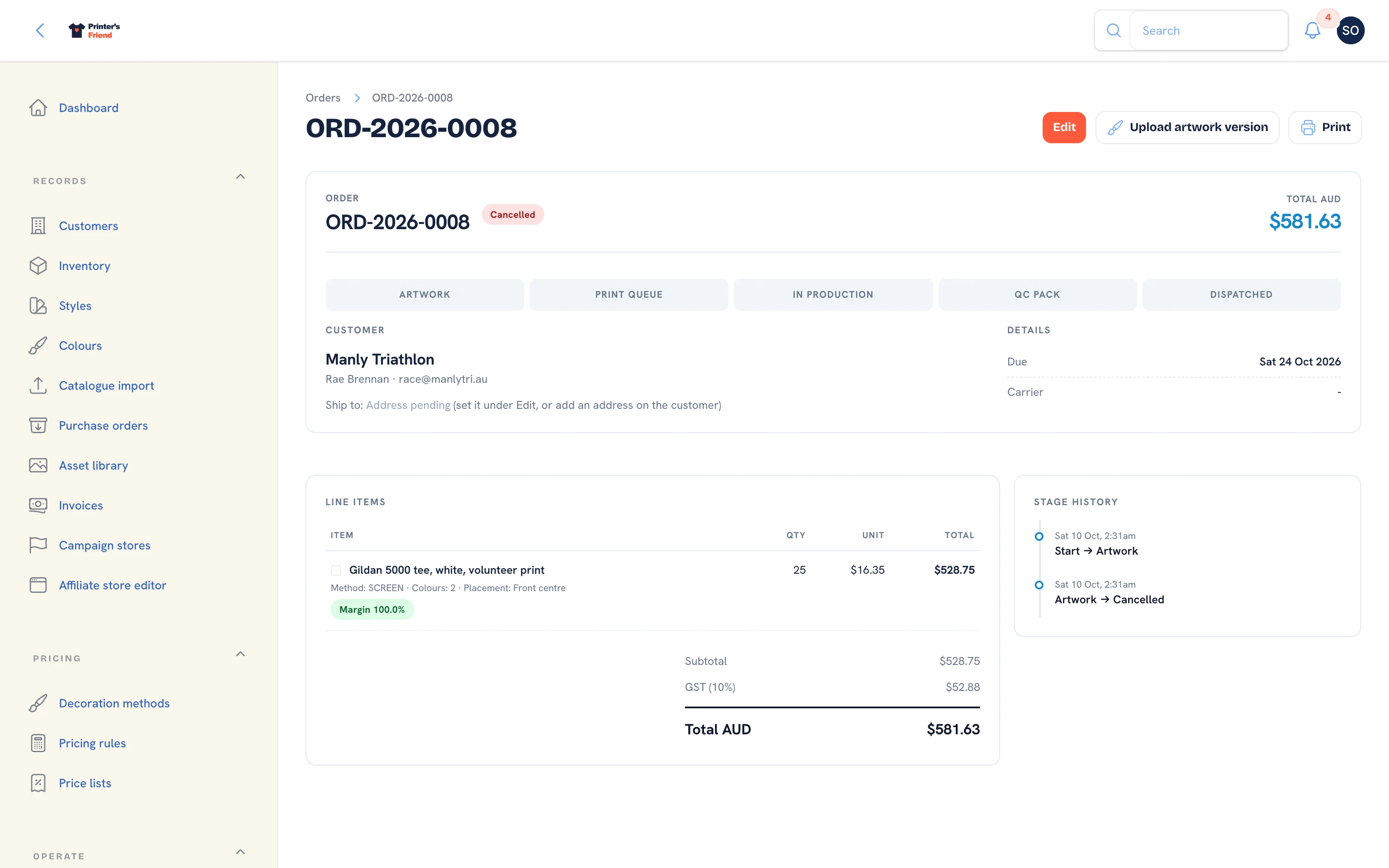 A cancelled order. It cannot change stage again.
Cancelling frees the open order slot against your plan limit. If an invoice has already been issued, credit it through a return; do not delete it.
Documents
Print offers three PDFs:
| Printout | For |
|---|---|
| Work Order | The office copy: customer, dates, lines, notes |
| Worksheet | The floor copy, carrying the barcode used to advance stages by scan |
| Packing Slip | Goes in the box. See Addresses and packing slips |
PDFs are rendered by a headless browser on the server. If rendering fails the notification reads "Document not generated" with the reason, and no file is downloaded.
Dispatched Orders
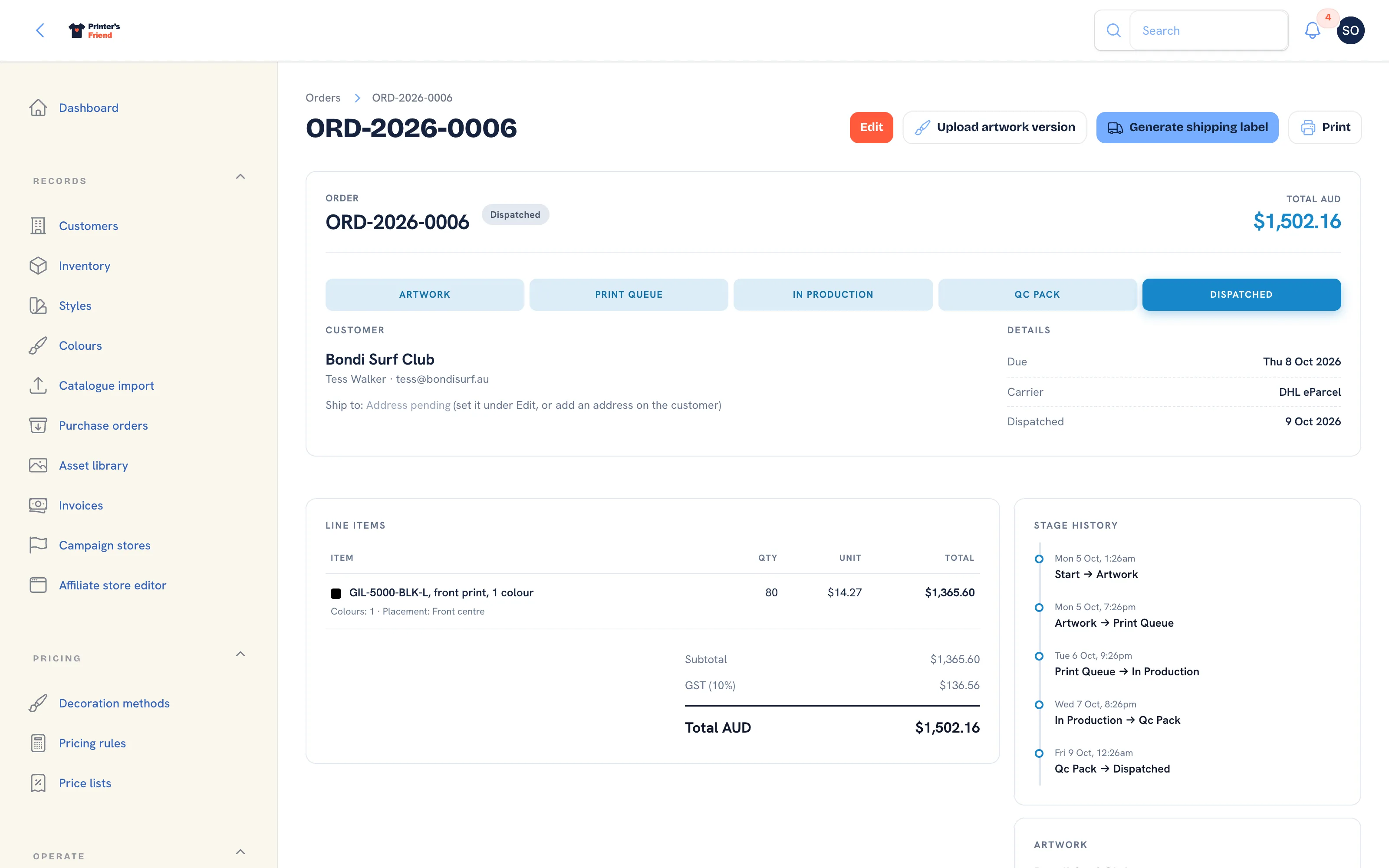 Dispatched. The invoice raised at dispatch appears in the Invoices panel.
A dispatched order is closed. It stays in the Dispatched column of the production board for fourteen days and in the orders list for good. Reorders come through the customer's portal as a new draft quote.
Plan requirement
SMS messages on stage changes need Starter, Premium or Enterprise and your own Twilio account connected under Integrations. Outbound webhooks are included on Premium and Enterprise. See Plans and limits.
Related Pages
- Quotes: build, price, send, chase and convert quotes
- Production Board: move jobs between stages by drag, tap or barcode scan
- Artwork and Approvals: upload proofs, send approval links and handle change requests
- Payments and Deposits: deposits before dispatch, pay links, manual payments and refunds
- Addresses and Packing Slips: billing and shipping addresses, the packing slip and the shipping label
- Returns: goods coming back: receive, refund, credit or reject