

Appearance
Public Shop
The public shop at yourshop.printersfriend.com/shop is your active catalogue, open to anyone, with a product page per style. It is a browsing surface: a visitor who wants to buy is sent to a quote or to the portal sign in, so nothing is ordered without a quote behind it.
Where It Lives
| Page | What it's for |
|---|---|
yourshop.printersfriend.com/shop | The catalogue, with search and brand and category filters |
yourshop.printersfriend.com/shop/{style} | A product page with sizes, reviews and the order buttons |
| Records, then Styles, Records, then Inventory and Records, then Asset library | Where the shop's content comes from |
There is no shop settings page. The shop reflects your catalogue.
Whose Catalogue Shows
| Where the visitor is | Whose catalogue they see |
|---|---|
Your workspace address, yourshop.printersfriend.com/shop | Yours |
printersfriend.com/shop | The showcase shop Printer's Friend has designated, or a 404 when none is set |
Catalogues never mix on one page.
What It Shows
The catalogue lists every style that has at least one SKU, 24 to a page, with a Search box and Any brand and Any category filters. Each card shows the list price, the stock available (on hand less reserved) and the product photo from your asset library, or a colour tile from the primary colourway when there is no photo. The header carries Get a quote, which opens the enquiry form, and Sign in, which opens the portal.
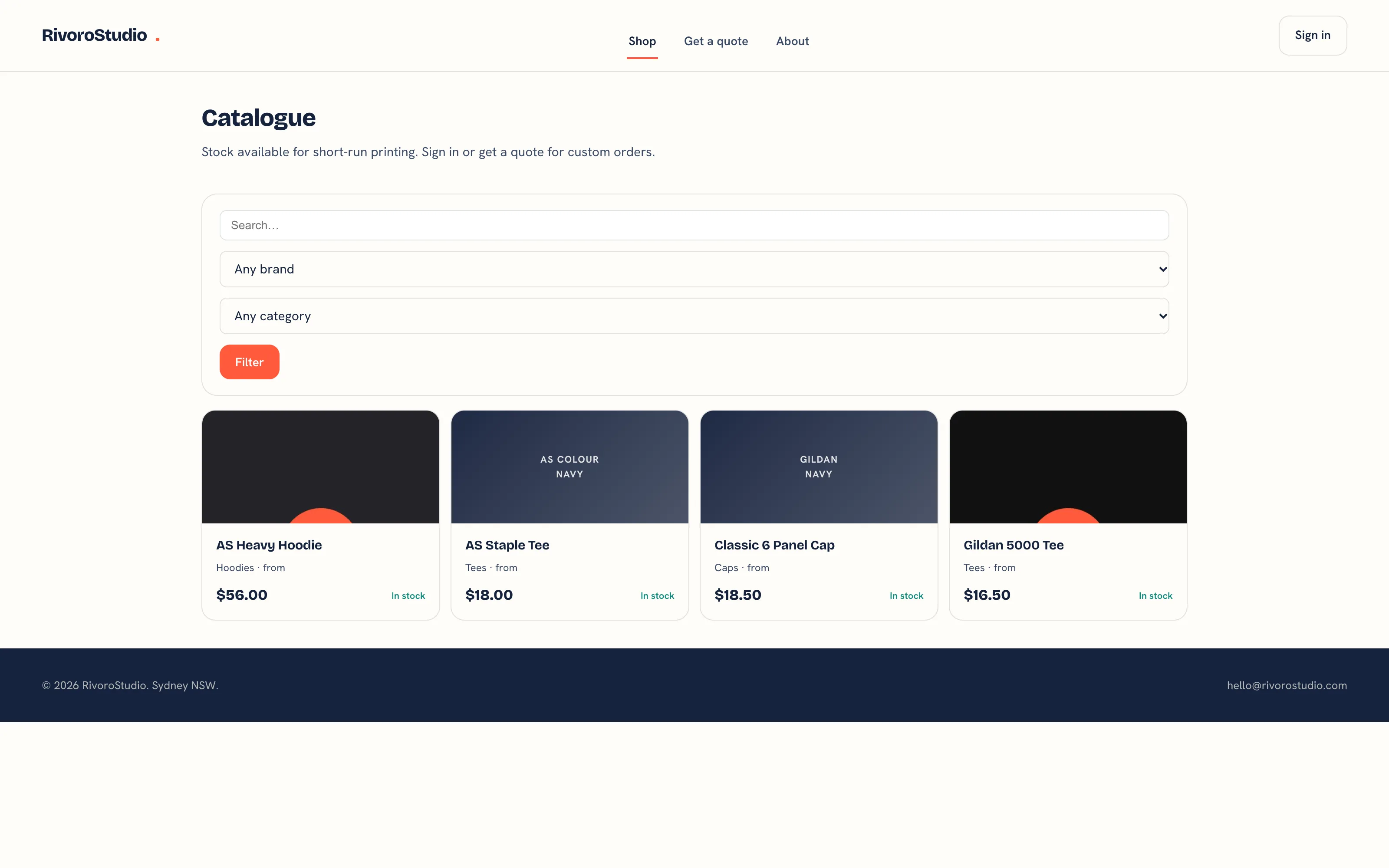 The public shop.
The product page shows the style's description, its sizes, Get a quote and Sign in to order, then the reviews.
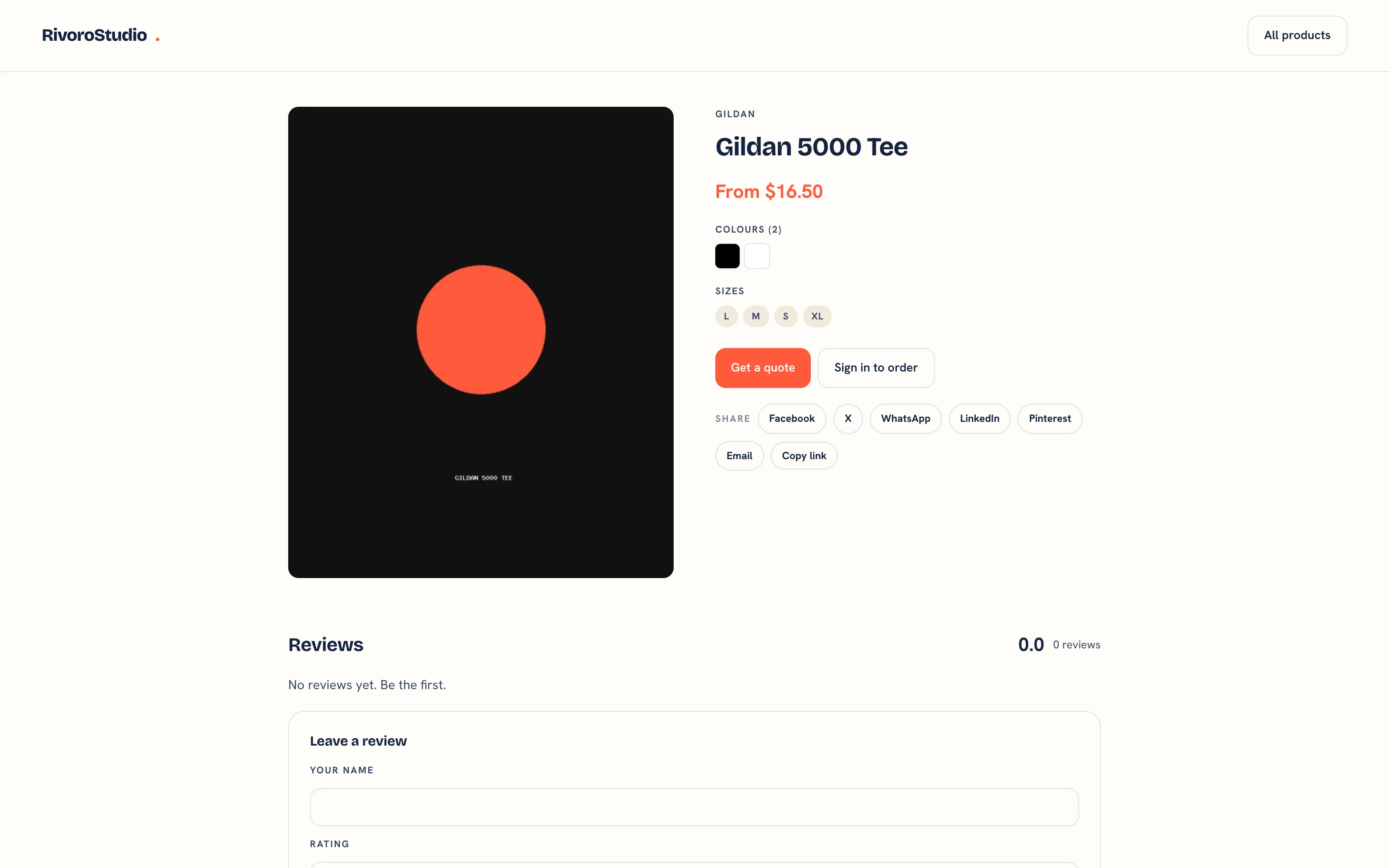 A product page.
Prices on the shop are your list prices. A customer's own price list rate shows once they sign in to the portal, where the portal catalogue prices at their rate.
Setting It Up
- Give each style at least one SKU under Records, then Inventory. Styles with no SKU do not appear.
- Give each style a Category and a Brand, so the filters have something to filter on.
- Set a hex value on each colourway under Records, then Colours. It drives the colour tiles.
- Add product photos to the style through the asset library. The first product photo on a style is the one the shop shows.
See Catalogue and SKUs for the import.
A style with no SKU is invisible
The catalogue lists only styles that have at least one SKU. When a product you expect is missing from the shop, give the style a SKU under Records, then Inventory, then check it has a brand and a category so the filters can find it.
Reviews
Anyone can post a review from a product page: Your name, a Rating from 1 to 5, a Headline, the Review text and Post review. The form is throttled and carries a hidden field that catches bots.
A review from a signed-in portal customer is published at once and badged Verified buyer. A review from an anonymous visitor is saved but held, with the message "Thanks for the review. It will appear once it has been checked." There is currently no screen in the workspace to publish a held review.
Being Found
Shop pages are indexable and carry a canonical URL and a social card. The portal, the workspace, carts and checkouts send a noindex header, so they stay out of search results.
Related Pages
- Catalogue and SKUs: import brands, styles, colourways and SKUs from a CSV
- Asset Library: every logo, proof, vector and product photo your shop holds
- The Customer Portal: configure the portal, invite contacts and manage their logins
- Affiliate Team Stores: a branded store for one club, school or company
- Quotes: build, price, send, chase and convert quotes