

Appearance
Cycle Counts
A cycle count is a counting session. It snapshots what the system expects for a set of SKUs, you count the shelf, and closing the session posts every variance as a stock adjustment with the count as its reason. Closed counts cannot be changed.
Where It Lives
| Page | What it's for |
|---|---|
| Operate, then Cycle counts | Every count with its progress and total variance |
| New cycle count | Choose which SKUs to count, by brand or category |
| The count page | Start counting, enter counts, Close count |
Scan at /workspace/scan | Record counts by scanning shelf labels |
The List
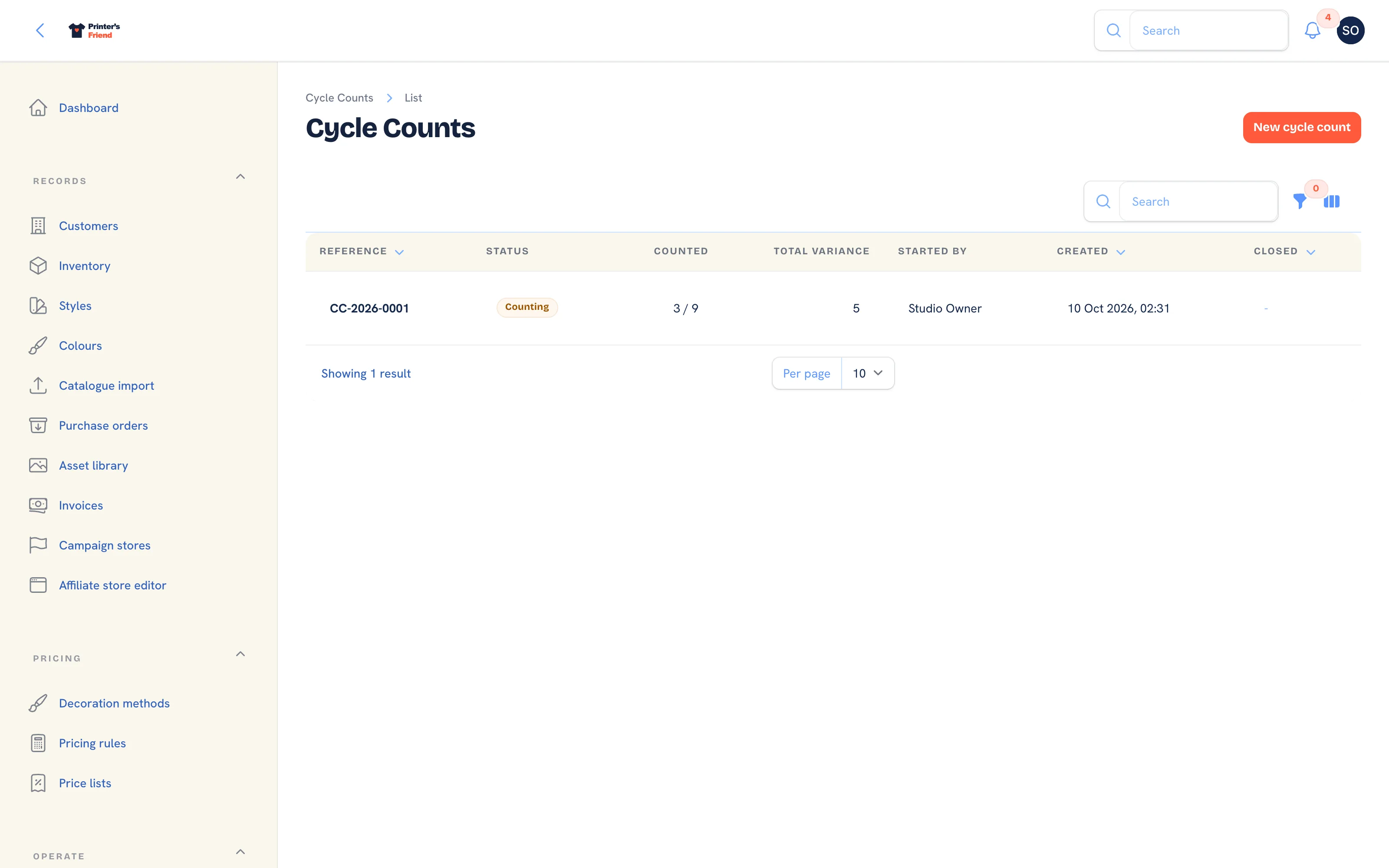 Cycle counts, newest first.
Columns: Reference, Status, Counted (lines counted against lines in the session), Total variance, Started by, Created and Closed. Filter by Status. References run CC-2026-0001 upwards within the year.
Starting a Count
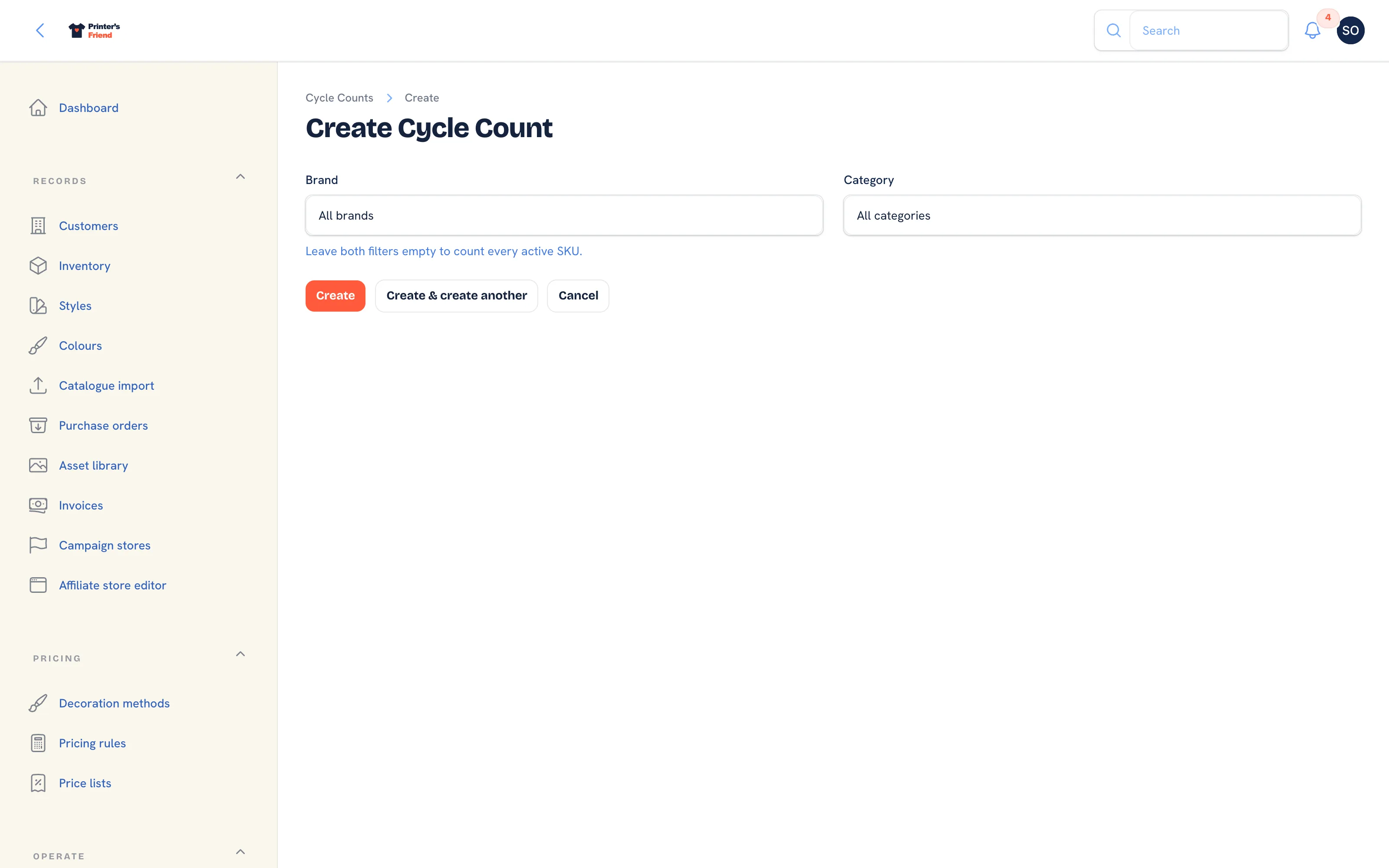 Pick a brand, a category, both or neither.
- Go to Operate, then Cycle counts and click New cycle count.
- Pick a Brand, a Category, or both, to count one part of the racking. Leave both empty to count every active SKU.
- Click Create. One line per matching SKU is created with the expected quantity set to its current on-hand count, and the count opens as a Draft. If nothing matches, the notification asks you to widen the filter.
- Click Start counting. The expected quantities are frozen again at that moment and entry opens. The notification reads "Counting open on CC-2026-0001, expected quantities frozen".
Counting
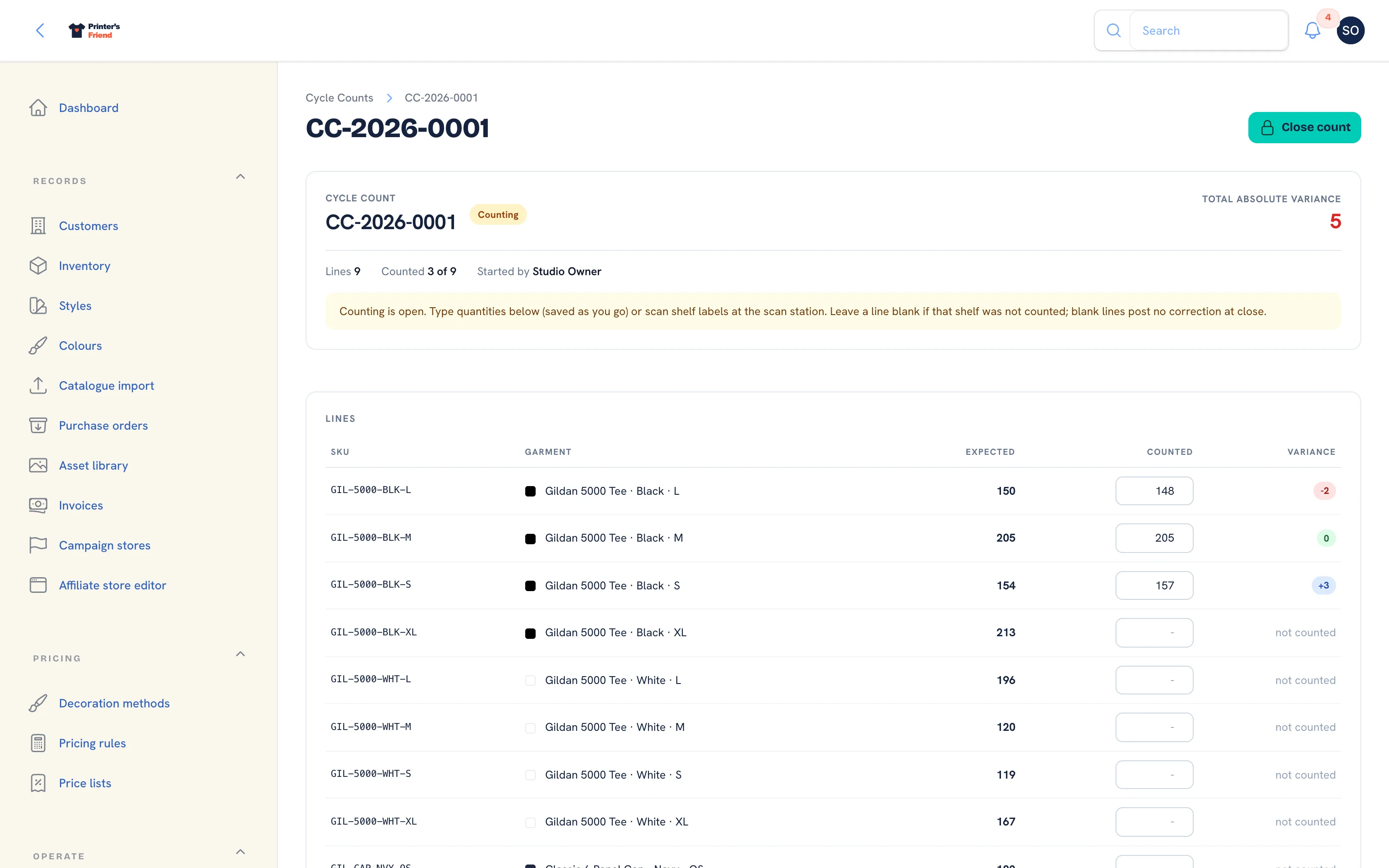 Counting. Each entry saves as you leave the field.
Two ways to enter counts, which can be mixed:
- Type the quantity in the Counted field on each line. It saves when you leave the field, so a half-finished count survives a page reload.
- Scan the SKU's shelf label on the scan page. Each scan records one more unit on that line and the page reads, for example, "GIL-5000-BLK-M counted: 12 so far (expected 14) on CC-2026-0001".
The Variance column shows the difference as you go: green for zero, blue for a surplus, red for a shortfall, and "not counted" for a blank line. The header shows lines counted against lines in total and the total absolute variance.
Leave a line blank if that shelf was not counted. A blank is not a zero: blank lines post nothing at close, and a zero posts a correction that removes everything expected.
Closing the Count
- Click Close count. The dialog reads how many lines were counted, the total absolute variance, and that every variance posts a correction to the ledger while uncounted lines post nothing.
- Confirm the dialog. Each counted variance is posted as an adjustment through the movement ledger, referenced to the count and the line, and the count becomes Closed with the closing time. The notification reads "closed, corrections posted to the ledger".
- The Ledger column on the closed count shows the movement number each line produced.
Closed counts are final
A closed count cannot be edited or deleted. If you closed one in error, run another count for the same SKUs.
A Counting Routine That Works
Counting everything once a year finds year-old problems. Count one rack or your top twenty SKUs weekly, everything that moves fast monthly and the long tail quarterly. Two people, one scanning and one moving stock, count a rack in minutes once the shelves carry labels.
Reading Variances
| Pattern | Usually means |
|---|---|
| Consistently short on one size | Misprints not being written off |
| Short across a whole style | Deliveries received in the system but not checked |
| Long on a SKU | A return restocked twice, or a delivery received twice |
| Random small variances | Normal. Note them and move on |
Who Can Do What
Owners, managers and the production role start, enter and close counts. Other roles can open a count and read it; count entry by a read-only role is refused with a notice. Roles are set in Team and permissions.
Related Pages
- Inventory: stock with a movement ledger, reorder points and shelf labels
- Purchase Orders: order blanks from suppliers and receive deliveries into stock
- Audit Log: who changed what, and when
- Production Board: move jobs between stages by drag, tap or barcode scan