

Appearance
Production Board
The production board is where the shop runs during the day: five columns, one card per job, and a move is a drag, a tap or a scan. Every open board re-reads the database every fifteen seconds, so the wall TV, the sales tablet and your phone agree.
Where It Lives
| Page | What it's for |
|---|---|
| Operate, then Production | The kanban board inside the workspace |
Floor board at /workspace/floor-board | A dark, full-screen board for a wall TV, with a signed display link that needs no login |
Operator stations at /workspace/operator/printer, /packer and /qc | One station's queue on a tablet |
Scan at /workspace/scan | Advance a job by scanning its worksheet barcode |
The floor surfaces are set up in Shop floor hardware. The board's header has Time clock and Floor board buttons that open those pages in a new tab.
Reading the Board
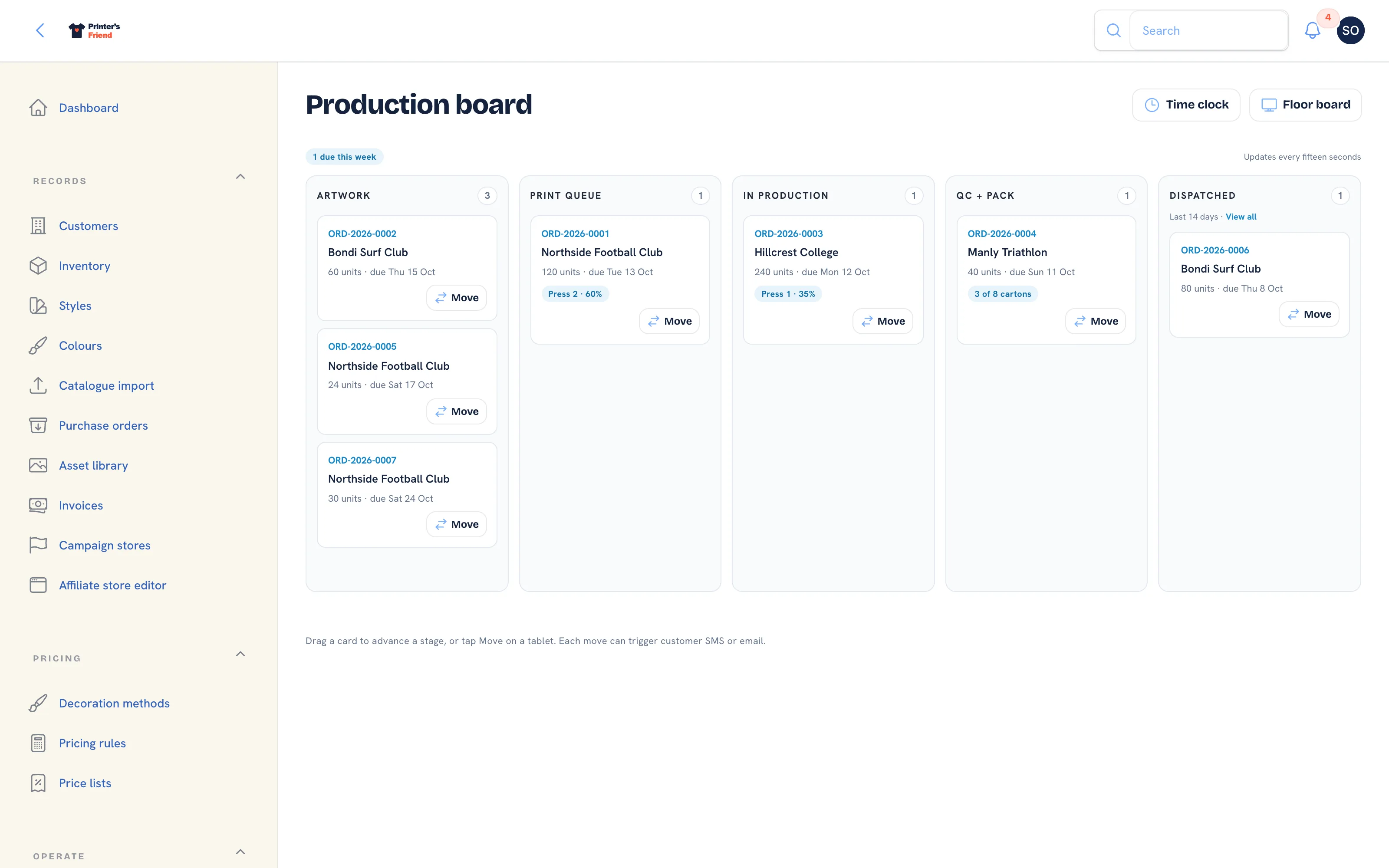 Five columns, a count per column, and the late and due-this-week pills above them.
The columns are Artwork, Print queue, In production, QC + Pack and Dispatched. Each header carries a count. Above the columns a red pill shows how many jobs are late and a blue pill how many are due this week, beside the note "Updates every fifteen seconds".
Each card shows the order number (a link to the order), the customer, the units and the due date, plus a substage pill such as "Press 2, 60%" where one is set. A late job has a red border and a Late pill; a job due today has an amber Today pill. A job is late once the end of its due date has passed in your shop's timezone.
The Dispatched column shows the last fourteen days with a View all link into the orders list, so the board stays about work in flight.
Moving a Job
Three ways, all equivalent:
- Drag the card to another column. Dragging works with a mouse and with a finger on a tablet.
- Tap Move on the card. A small dialog lists the other stages with the next one preselected; pick one and click Move.
- Scan the worksheet barcode on the scan page. The job advances to its next stage.
After a move the notification reads the order number followed by "moved to" and the stage, and the board refreshes. A move that is refused, for example on a cancelled order, reads "was not moved" with the reason, and the board refreshes without the change.
Every move, however it is made, writes a stage history row, fires the customer messages and the stock and invoice side effects for that stage on its first entry, notifies webhook subscribers and shows on every other open board within fifteen seconds. The full list is in What a stage change does.
When a Job Is Short of Stock
Moving a card into In production consumes the stock for the order's SKUs. A job that the shop has already decided to run is never blocked by the count:
- Only the units the job actually reserved come off the reserved count, so an order that never reserved stock, such as a kiosk or API order, still enters production.
- If the shelf does not hold enough, the SKU's on-hand count goes negative. A shortfall row is written to the movement ledger and the activity feed records, for example, "GIL-5000-BLK-M is short by 15 units after stock-out on ORD-2026-0031", with the advice to receive stock or adjust the count.
Clear a negative count before the next cycle count
A negative on-hand count means garments left the shelf that the ledger did not know about. Receive the delivery that brought them in, or use Adjust stock with a reason, so the count is true before the next cycle count. Manual adjustments still refuse to take a count below zero.
Moving a Job Backwards
Dragging a card back is allowed, and sometimes right: a QC reject goes back to production. The backwards move is recorded in the stage history. The side effects that already fired are not reversed, and they do not fire a second time when the job comes forward again.
The Floor Board
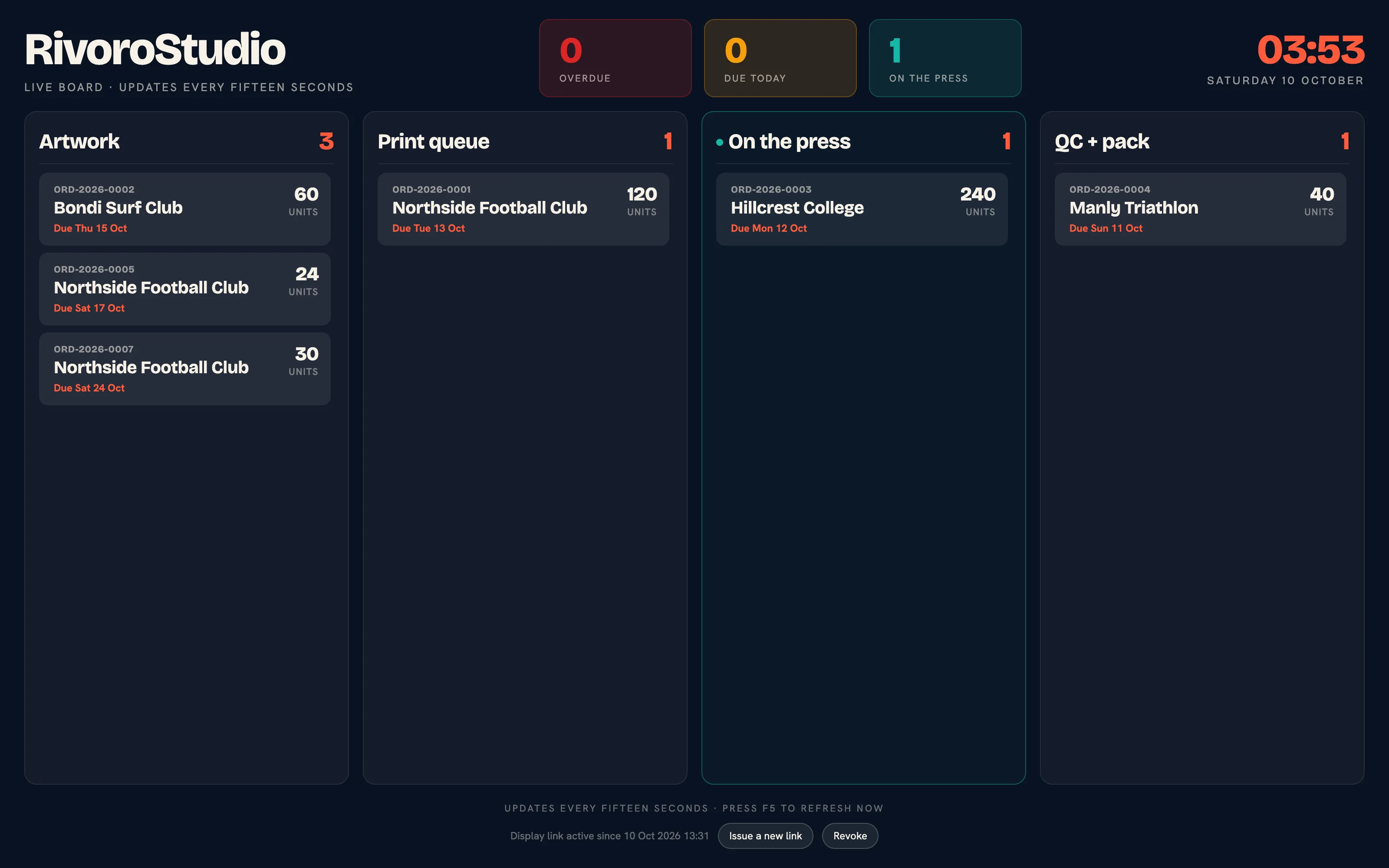 The floor board. Four columns, readable across the room, refreshed every fifteen seconds.
The floor board at /workspace/floor-board shows Artwork, Print queue, On the press and QC + pack with the counts for overdue, due today and on the press above them. It refreshes every fifteen seconds and reloads itself every five minutes.
A wall TV should not land on a login form when a session ends, so the board can be opened through a signed display link:
- Open the floor board while signed in as an owner, a manager or the production role.
- Under Create a display link for a TV, click Issue a new link. The link is shown once; copy it into the TV's browser.
- To stop every screen using it, click Revoke. Issuing a new link also stops the old one.
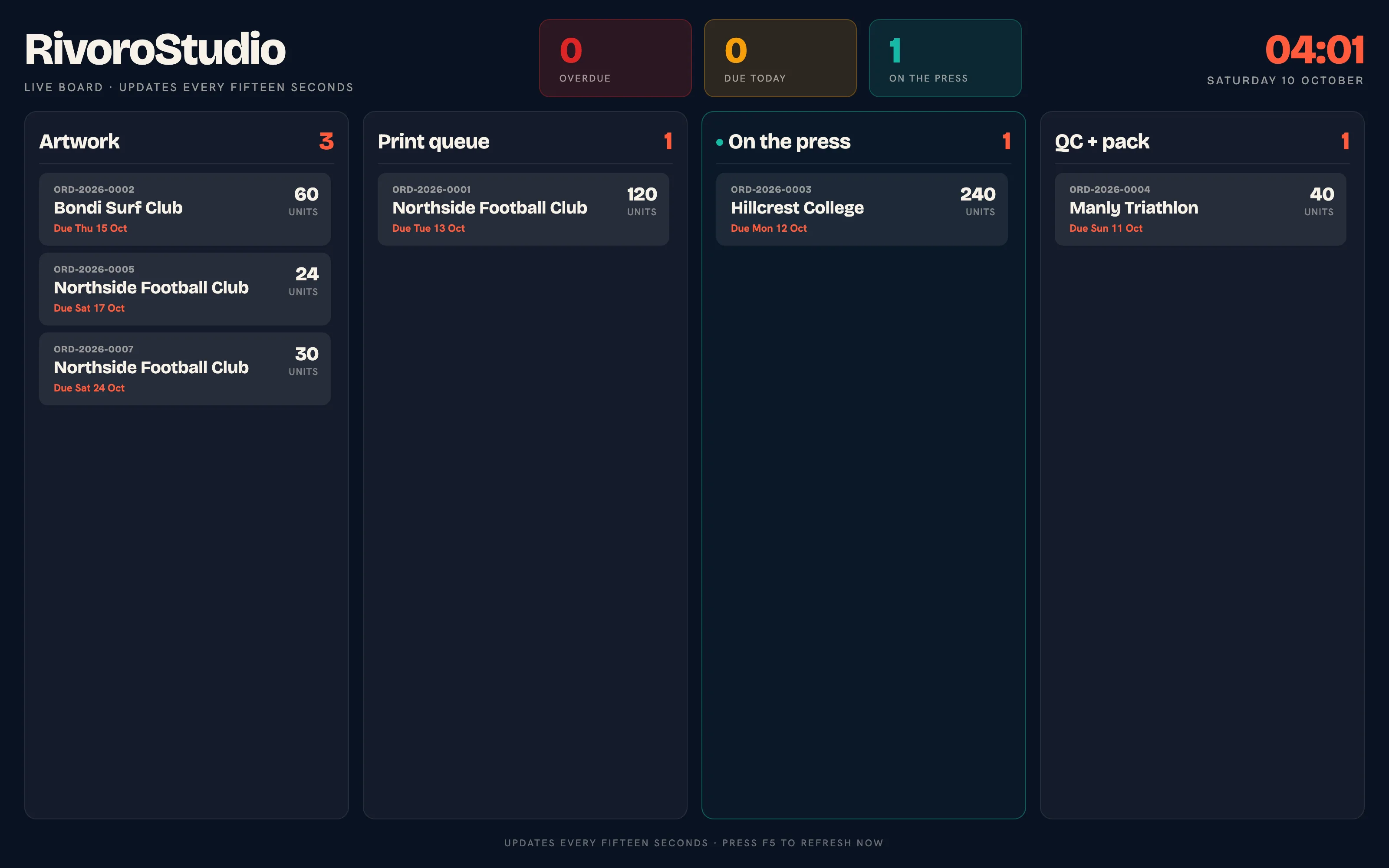 The same board on a display link. Anyone with the link can see it, so keep it private.
The display link also opens each operator station read-only, by adding /printer, /packer or /qc to it.
Operator Stations
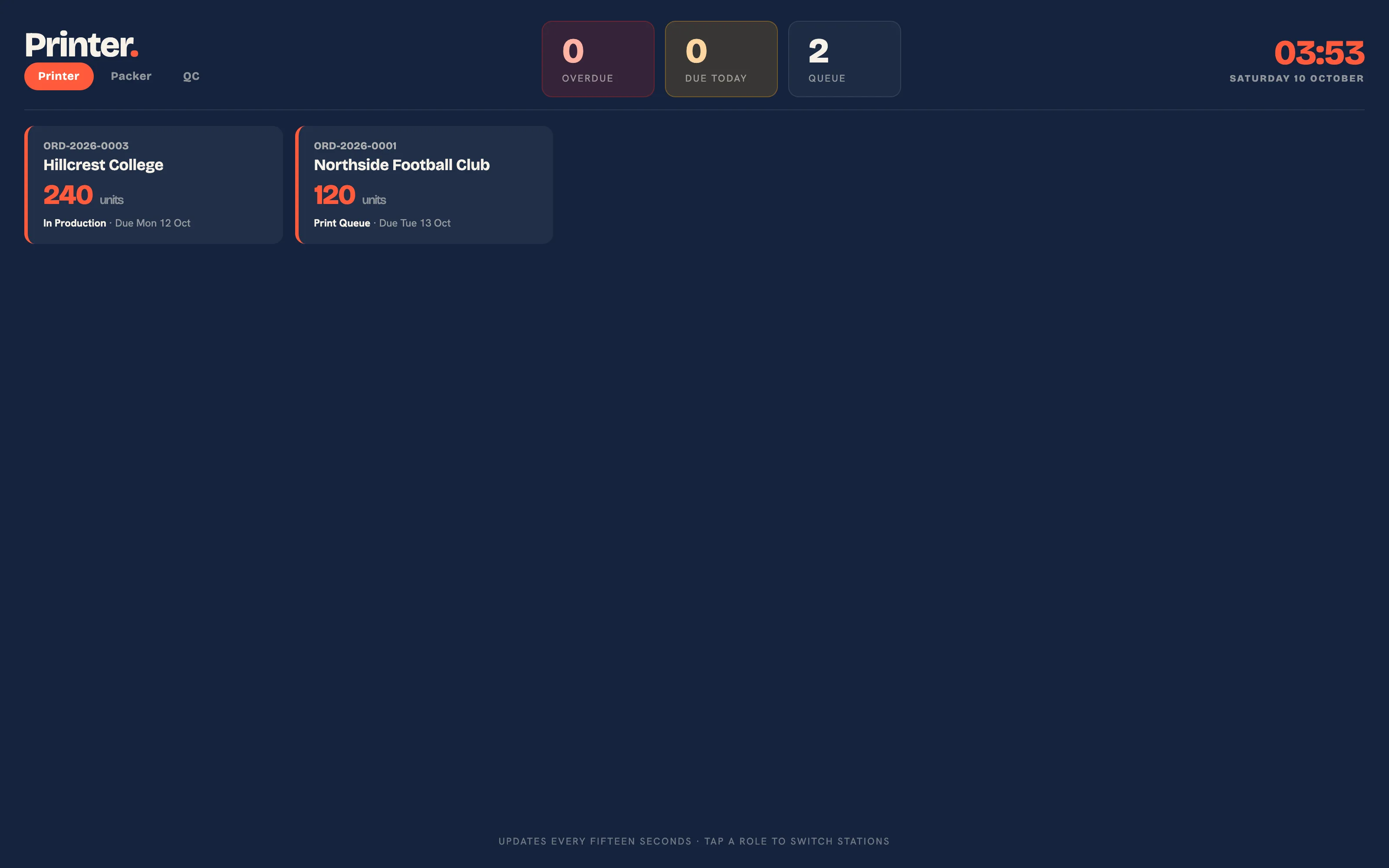 The printer station: jobs in the print queue and on the press.
Each station shows its own work: Printer sees the print queue and in production, Packer sees QC + pack, and QC sees in production and QC + pack. The header counts the station's jobs, how many are due today and how many are late. The stations refresh every fifteen seconds and are for reading; moves are made on the board, the order page or the scan page.
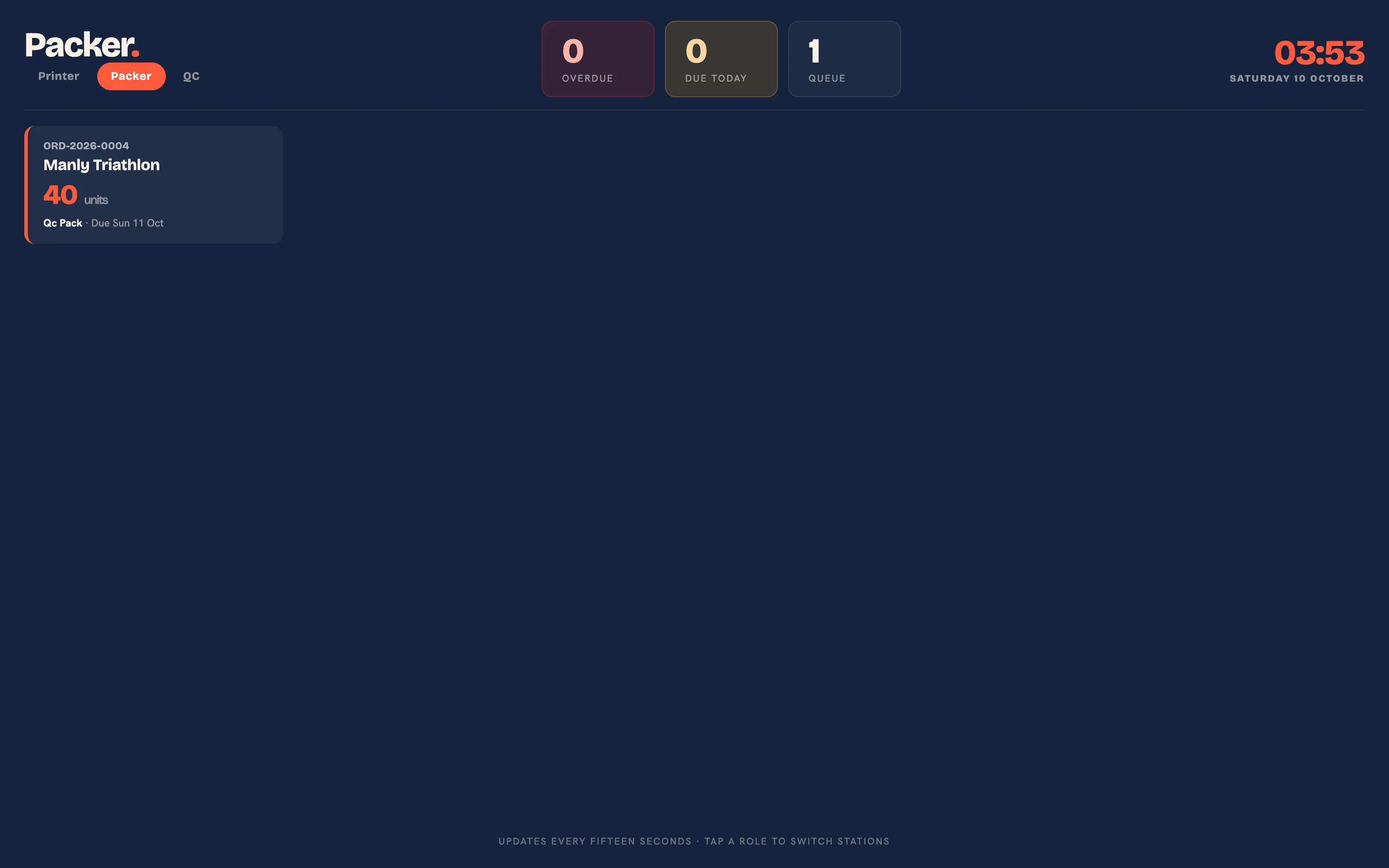 The packer station.
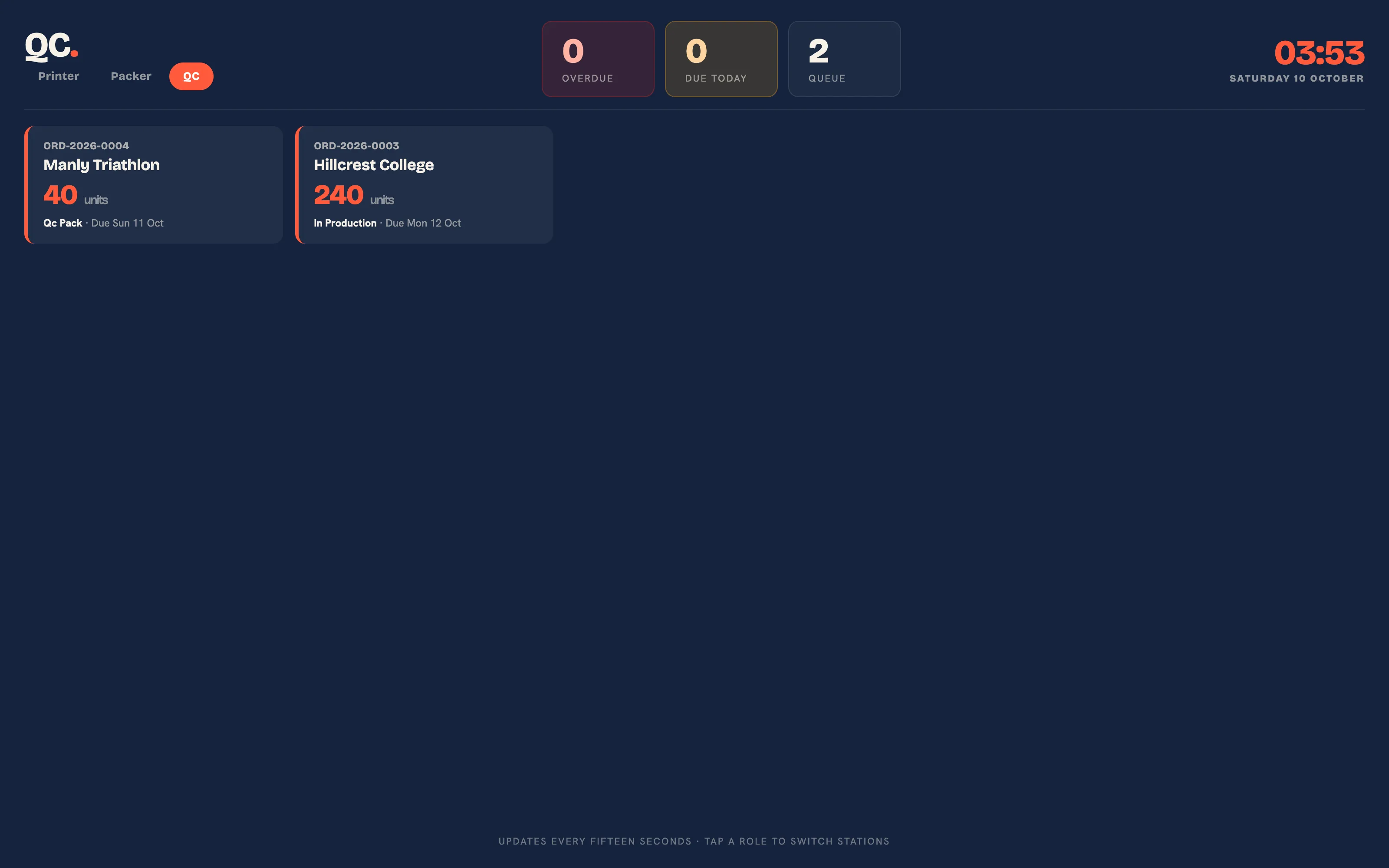 The QC station.
Barcode Scan
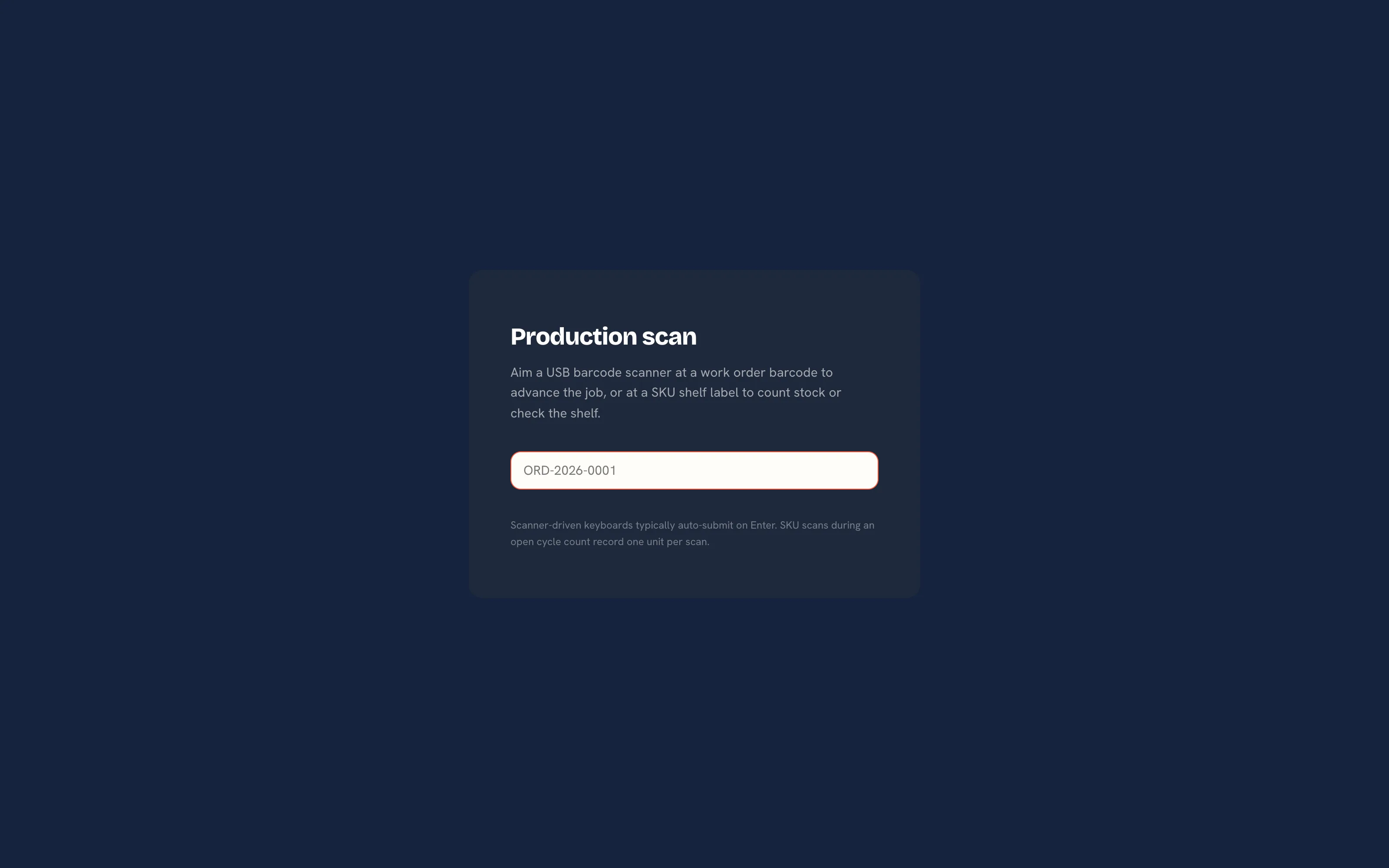 One box, two uses: an order number advances the job, a SKU code records or shows stock.
- Open
/workspace/scanon any device. A USB barcode scanner that types like a keyboard is the only hardware needed, and most auto-submit on Enter. - Scan the barcode on the job's Worksheet, or type the order number. The page reads "Order ORD-2026-0031 advanced to" followed by the new stage. A job at its final stage reads "Order is already at the final stage."
- A code that matches no order is tried as a SKU shelf label. During an open cycle count it records one unit on that count; otherwise it shows the SKU's on-hand, reserved and available counts with a link to open the SKU in the admin.
A refused move on the scan page is a readable message on the page, with the order number and the reason.
Keeping a Busy Board Readable
- Use the operator stations so each bench sees only its queue.
- Use batch production to plan one press run across several orders.
- Use the substage on the order for where a job is within a stage, such as "3 of 8 cartons", so cards stay in the column that is true.
- Watch the Artwork column: anything there is waiting on a customer, and the artwork chaser is already emailing them.
Plan requirement
The production board, the floor board and the stations are included on every plan. SMS on stage changes needs Starter, Premium or Enterprise and your own Twilio account. See Plans and limits.
Related Pages
- Orders: the order page, stage moves and what each one triggers
- Shop Floor Hardware: the wall TV, operator stations, barcode scan and the time clock
- Batch Production: plan a press run that covers several orders
- Time on Jobs: clock staff on and off jobs and cost the hours
- Production Workflow Stages: the five production stages and the chase timings