

Appearance
Invoices
An invoice is raised from an order, carries the order's lines and tax, and is paid through a hosted Stripe link or by a payment you record by hand. Each order is invoiced once in full, whether that is one invoice at dispatch or a deposit followed by a balance.
Where It Lives
| Page | What it's for |
|---|---|
| Records, then Invoices | Every invoice with its total, what has been paid and its status |
| The invoice page | Lines, totals, the pay link, payments and refunds, the accounting sync |
| Edit | Status, issued and due dates |
| Issue invoice on the order | Raise the invoice before dispatch. See Payments and deposits |
| The customer portal, Invoices | Where customers view, download and pay |
The Invoices List
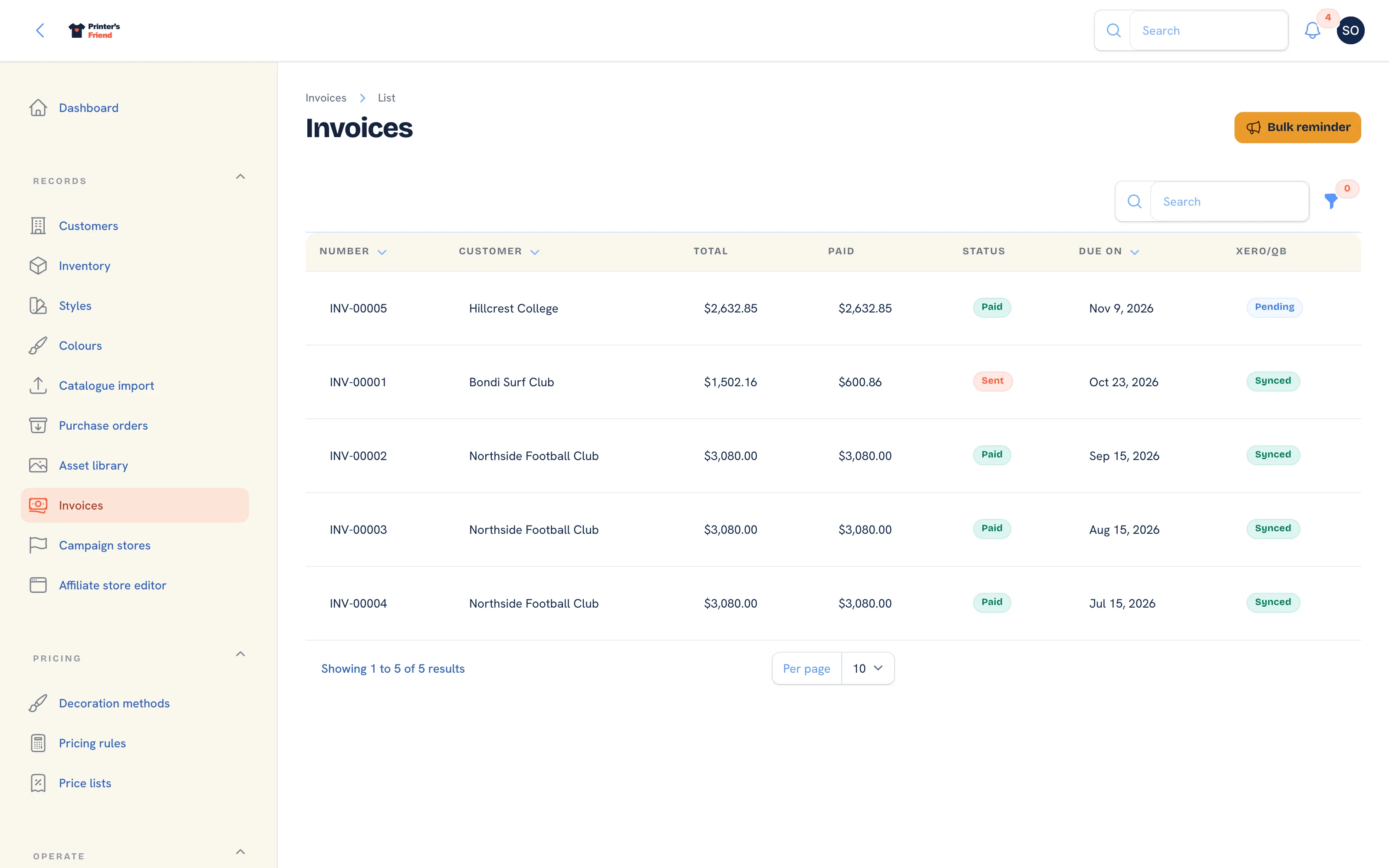 Invoices with status and amount paid. Bulk reminder sits in the header.
Columns: Number, Customer, Total, Paid, Status, Due on and Xero/QB, the accounting sync status. Filter by Status. Invoice numbers run INV-00001 upwards. The global search finds an invoice by number or customer.
How Invoices Are Issued
Invoices are not typed by hand. They are raised from an order in one of two ways:
- At dispatch: moving an order into Dispatched issues the invoice for whatever the order still owes: the whole order when nothing was invoiced before, the balance after a deposit, or nothing when the order is already invoiced in full (a store order paid by card, or an order invoiced in full up front).
- Before dispatch: Issue invoice on the order raises the whole amount now, or a deposit as a percentage of the ex-tax total, with the balance following at dispatch.
Issuing is idempotent per order: dispatching twice, or dispatching an order already invoiced, never raises a second invoice. When an invoice is issued:
- The due date is set from the customer's payment terms: Net 7, Net 14, Net 30, Net 60, End of month or Cash on delivery, chosen on the customer record.
- A Stripe pay link is created where Stripe is connected, before the email is sent, so the email carries it.
- The invoice is pushed to Xero or QuickBooks where one is connected.
- The invoice email goes to the order's contact with the PDF attached and the line "Pay online:" followed by the link. Without Stripe that line is left out. If the PDF could not be rendered the email says it will follow separately and the timeline records why.
- Webhook subscribers receive
invoice.issued.
If the customer has no email address, or your shop has no working sender identity, the invoice is still issued and the timeline records "was not emailed" with the reason.
Statuses and Types
| Status | Meaning |
|---|---|
| Draft | Not with the customer. An unpaid invoice goes back to draft when its email fails to send |
| Sent | With the customer |
| Reminded | A reminder went out before the due date |
| Overdue | Past its due date and unpaid. The page shows how many days |
| Paid | Payments cover the total |
| Void | Cancelled. A void invoice no longer counts towards the order, so a replacement can be issued |
An invoice is also one of four types, shown in the header: a plain Invoice (titled "Tax invoice" for GST and VAT shops), a Deposit invoice with its percentage, a Balance invoice, or a Credit note, which is a negative document raised from a return and is never chased or pay-linked. A Disputed pill appears when Stripe reports a chargeback.
The Invoice Page
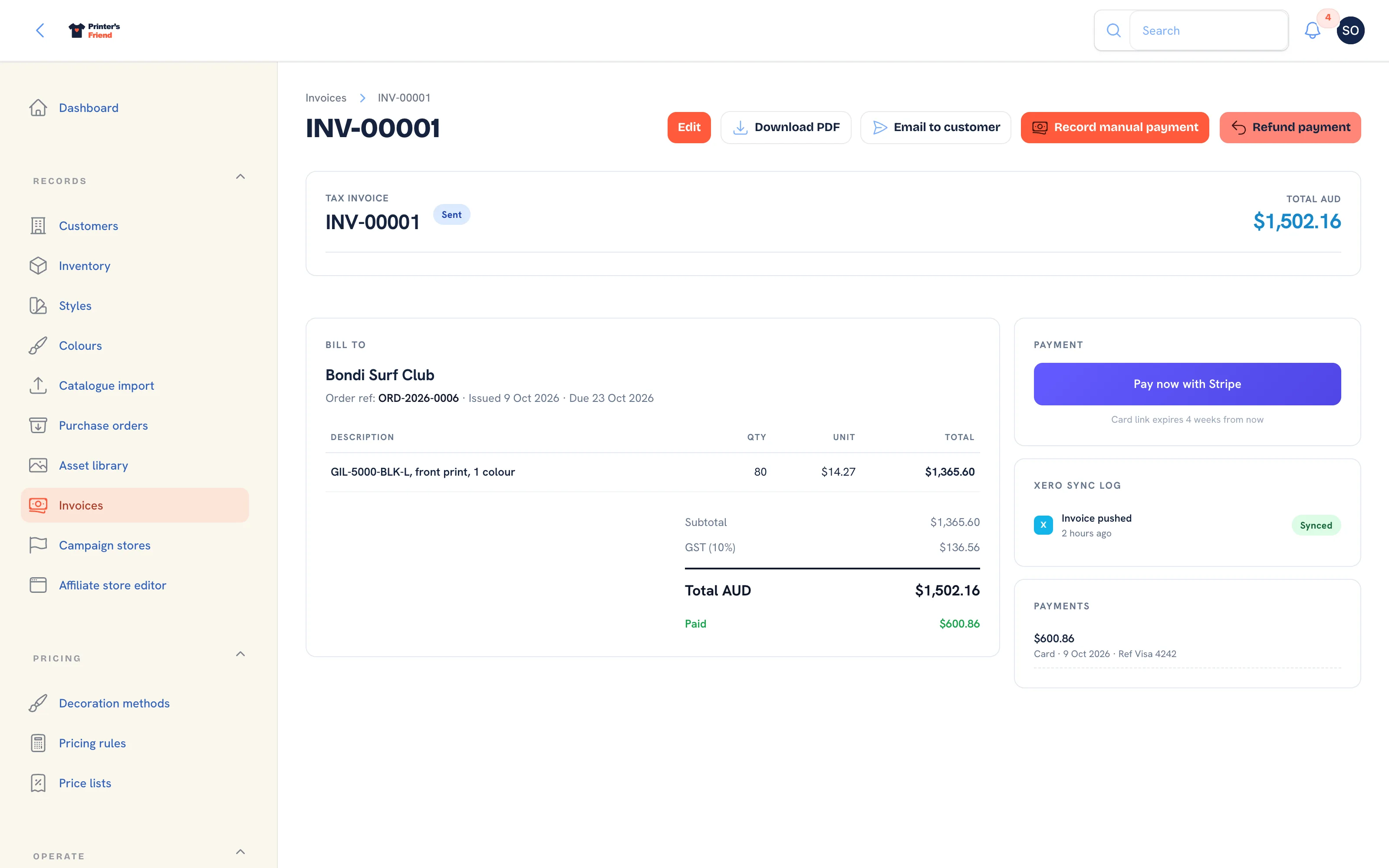 A sent invoice with one payment against it. Paid shows under the total.
| Panel | What it shows |
|---|---|
| Header | The document title, the number, the status pill, the type pill and the total in your currency |
| Bill to | The customer, the order reference, issued and due dates, then the lines |
| Totals | Subtotal, the tax line with your tax label and rate, the total, and Paid once a payment exists |
| Payment | Pay now with Stripe and when the card link expires, while the invoice is unpaid and has a link |
| Xero sync log | Whether the invoice has been pushed and its external ID |
| Payments | Each payment with its method, date and reference; refunds appear as negative rows |
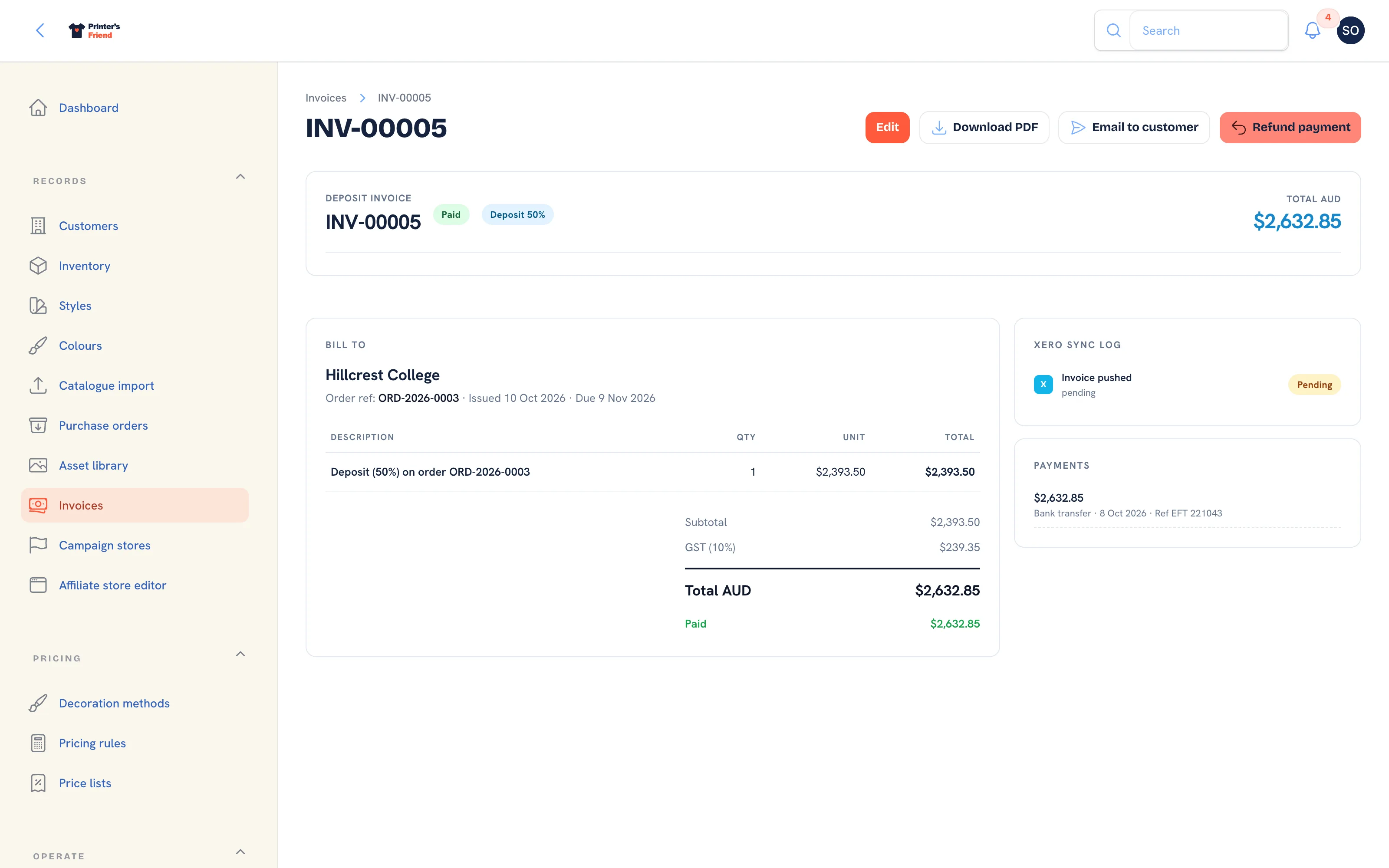 A paid deposit invoice. The balance is raised at dispatch.
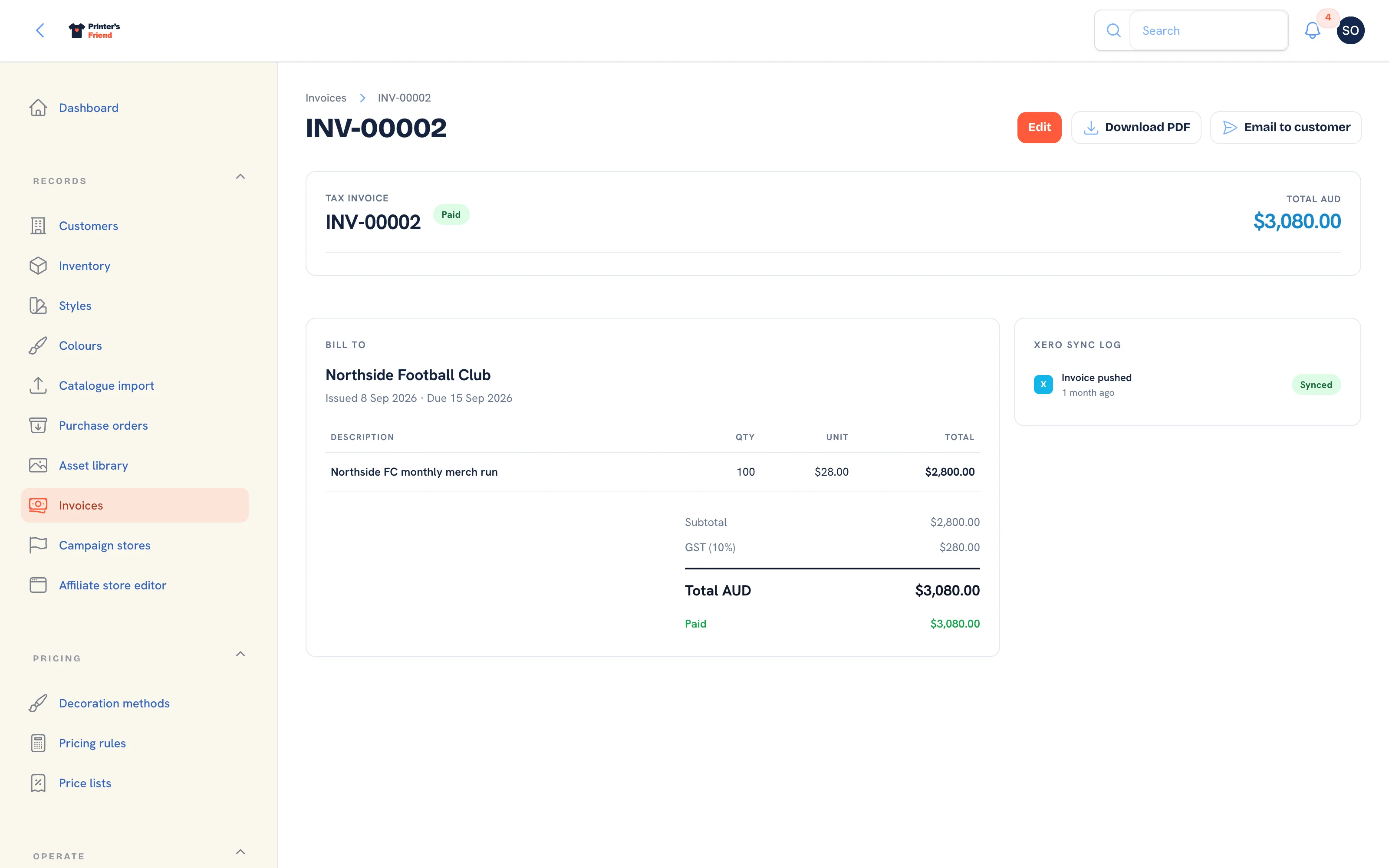 A paid invoice.
Header Actions
| Action | What it does |
|---|---|
| Edit | Change the status, issued date and due date |
| Download PDF | The branded invoice PDF |
| Email to customer | Sends or resends the invoice email to the order's contact |
| Record manual payment | Records money that arrived outside Stripe. See Payments and deposits |
| Refund payment | Refunds a recorded payment in full or part |
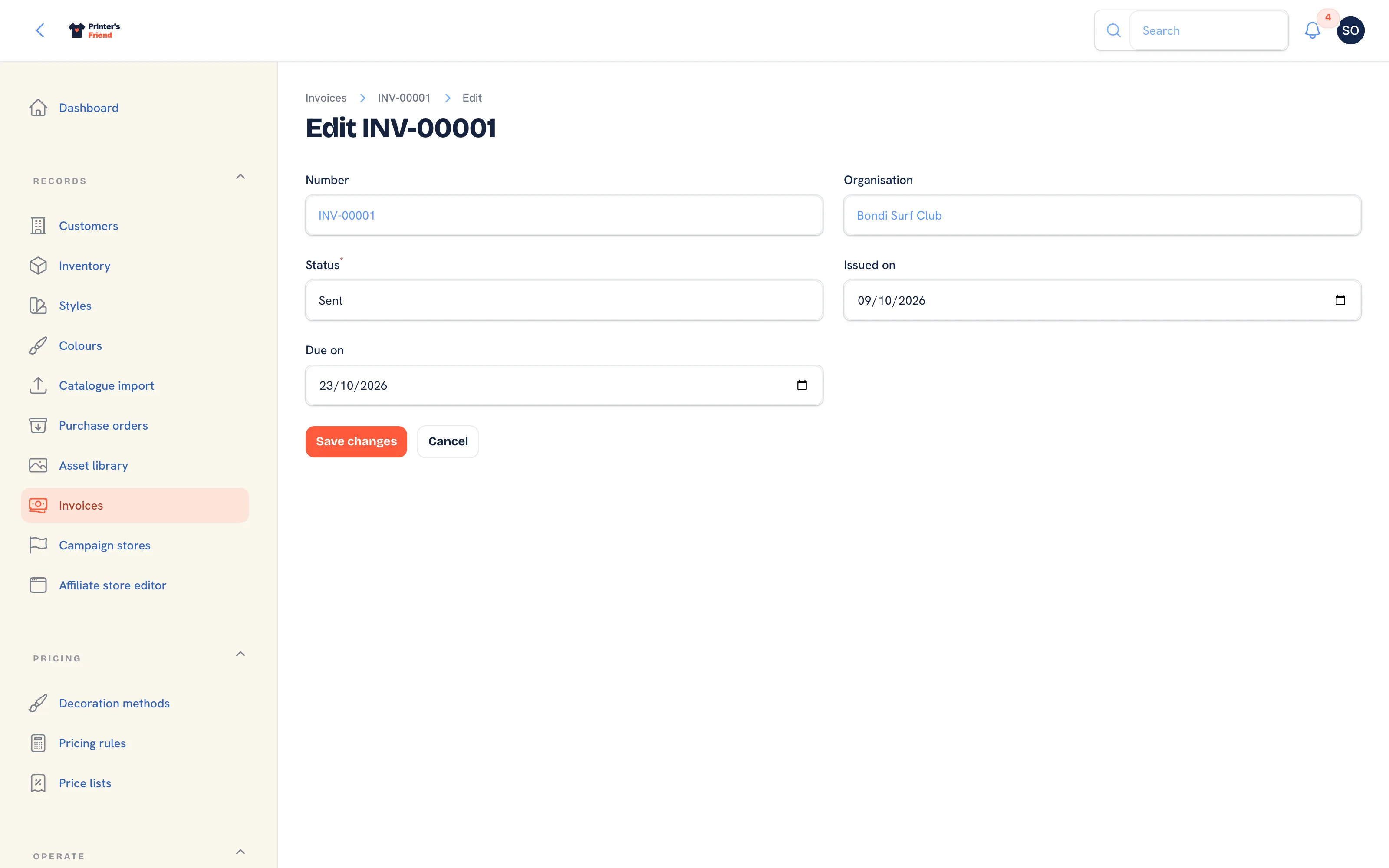 The edit form. Use Void here for an invoice raised in error.
Void, do not delete
An invoice raised in error is set to Void on the edit form. It stays on file with its number, and the order can be invoiced again. Deleting financial records leaves a gap your accountant cannot follow.
Currency and Tax
Every amount on the invoice page, the PDF and the email is in your shop's currency, and the tax line carries your tax label and rate, for example "GST (10%)" or "VAT (20%)". Shops with a zero tax rate show no tax line. GST and VAT shops get the title "Tax invoice"; everywhere else the document is an "Invoice". These come from Tax, currency and invoices.
Reminders
Reminders follow a fixed cadence, keyed on the due date, and run at 9:00 on your shop's clock:
| When | What |
|---|---|
| 3 days before due | First reminder. The status becomes Reminded |
| On the due date | Second reminder |
| 7 days after due | Third reminder. The status becomes Overdue |
| 14 days after due | Last reminder. Nothing is sent after this |
Each step is sent once. If the scheduler misses a day, the next run sends only the latest step that has come due, never the ones in between. An invoice whose payments cover its total is skipped whatever its status says, a partly paid invoice is still chased for its balance, and credit notes are never chased. The reminder goes to the order's contact and carries the pay link when there is one.
Bulk reminder in the list header runs the same job by hand. It follows the same cadence and the same send hour, so it never resends a step and sends nothing outside the 9:00 hour on your shop's clock.
At 60 days late a customer has had every reminder the system sends. The dashboard's cash flow panel lists what is in that bucket.
Recording Payments and Refunds
Card payments through the Stripe link record themselves: Stripe tells your workspace when a payment succeeds, when a refund is made at Stripe and when a customer disputes a charge. Bank transfers, cash and other payments are recorded with Record manual payment. Both paths, and refunds, are covered in Payments and deposits.
When a payment covers the total, the status becomes Paid, webhook subscribers receive invoice.paid and a connected ledger is told. A refund that drops the payments below the total puts the invoice back to Sent.
Accounting
With Xero or QuickBooks connected, invoices are pushed when issued, payments are pushed when recorded and credit notes are pushed as credit notes. The Xero/QB column shows pending, synced or an error. Match your customers' accounting IDs on their customer records so the sync lands on the right contact.
Plan requirement
Xero and QuickBooks sync is included on Premium and Enterprise and appears on the Integrations page once the connection is available. Outbound webhooks are also Premium and Enterprise. Stripe pay links need your own Stripe account connected and are available on every plan. See Plans and limits.
What Customers See
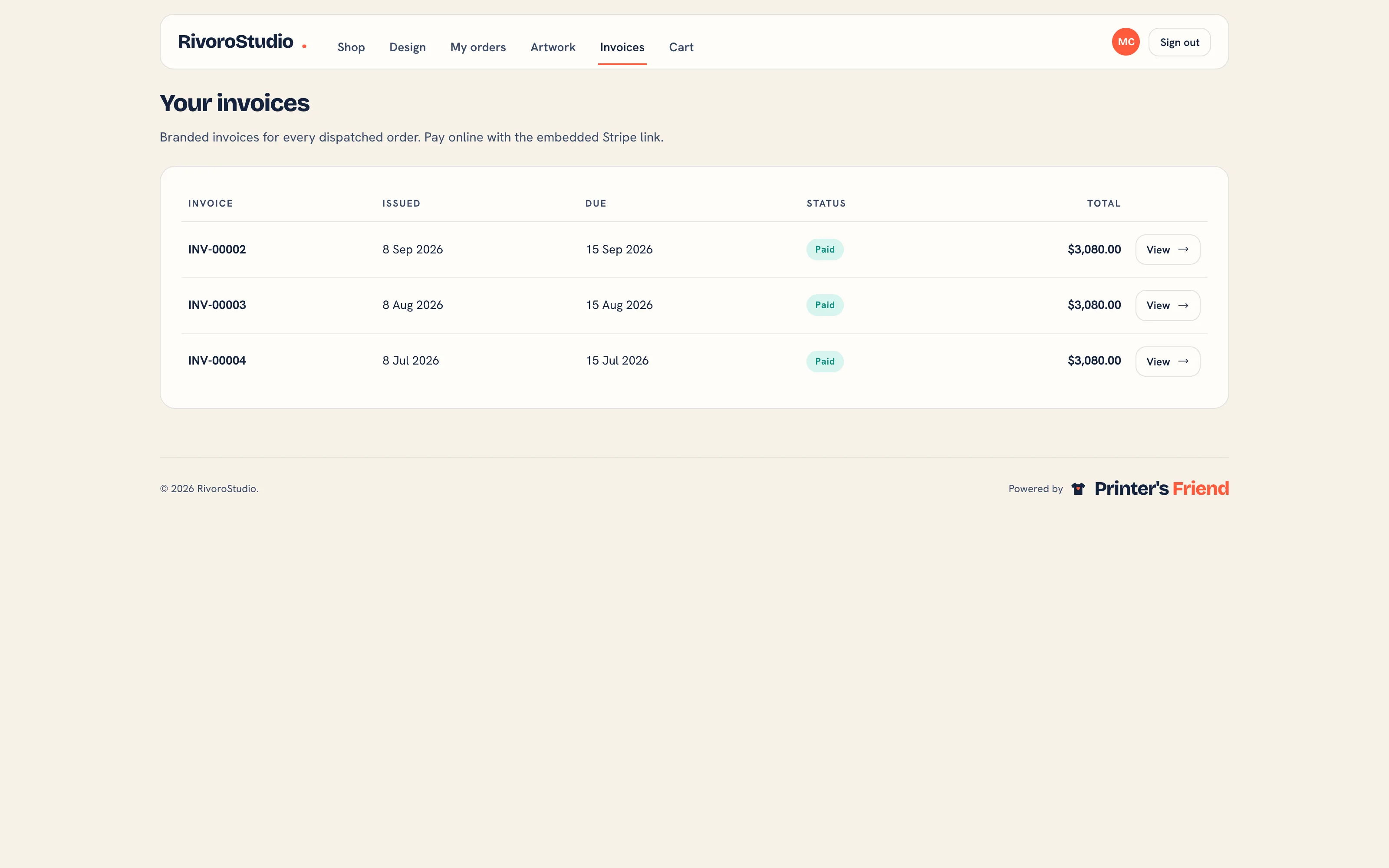 Invoices in the portal. View opens the invoice with its PDF and, while it is unpaid, the pay link.
Portal customers see their own invoices, download the PDF and pay with Pay now with Stripe. How long the link lasts, and when it is renewed, depends on how Stripe is connected; see The Stripe pay link.
Related Pages
- Payments and Deposits: deposits before dispatch, pay links, manual payments and refunds
- Returns: goods coming back: receive, refund, credit or reject
- Invoice Template: the business details and notes printed on every invoice PDF
- Stripe: connect your Stripe account so invoices carry a pay link
- Accounting: Xero and QuickBooks: push invoices and contacts to Xero or QuickBooks and pull payments back
- Tax, Currency and Invoices: the tax label, rate and currency on every document