

Appearance
Time on Jobs
Garments and decoration are the easy half of what a job costs. The other half is hours. Staff clock on and off at the time clock on any shop floor device, and every closed entry is costed at that person's rate and shown on the order it was booked against.
Where It Lives
| Page | What it's for |
|---|---|
Time clock at /workspace/timeclock | Where staff clock on and off |
| Operate, then Time on jobs | Every entry with hours and labour cost, for managers to review and correct |
| Add time | Enter time after the fact for someone who forgot to clock on |
| The order page, Labour booked | Hours and cost on that job |
| Reports | Labour and margin after labour for the period |
The Time Clock
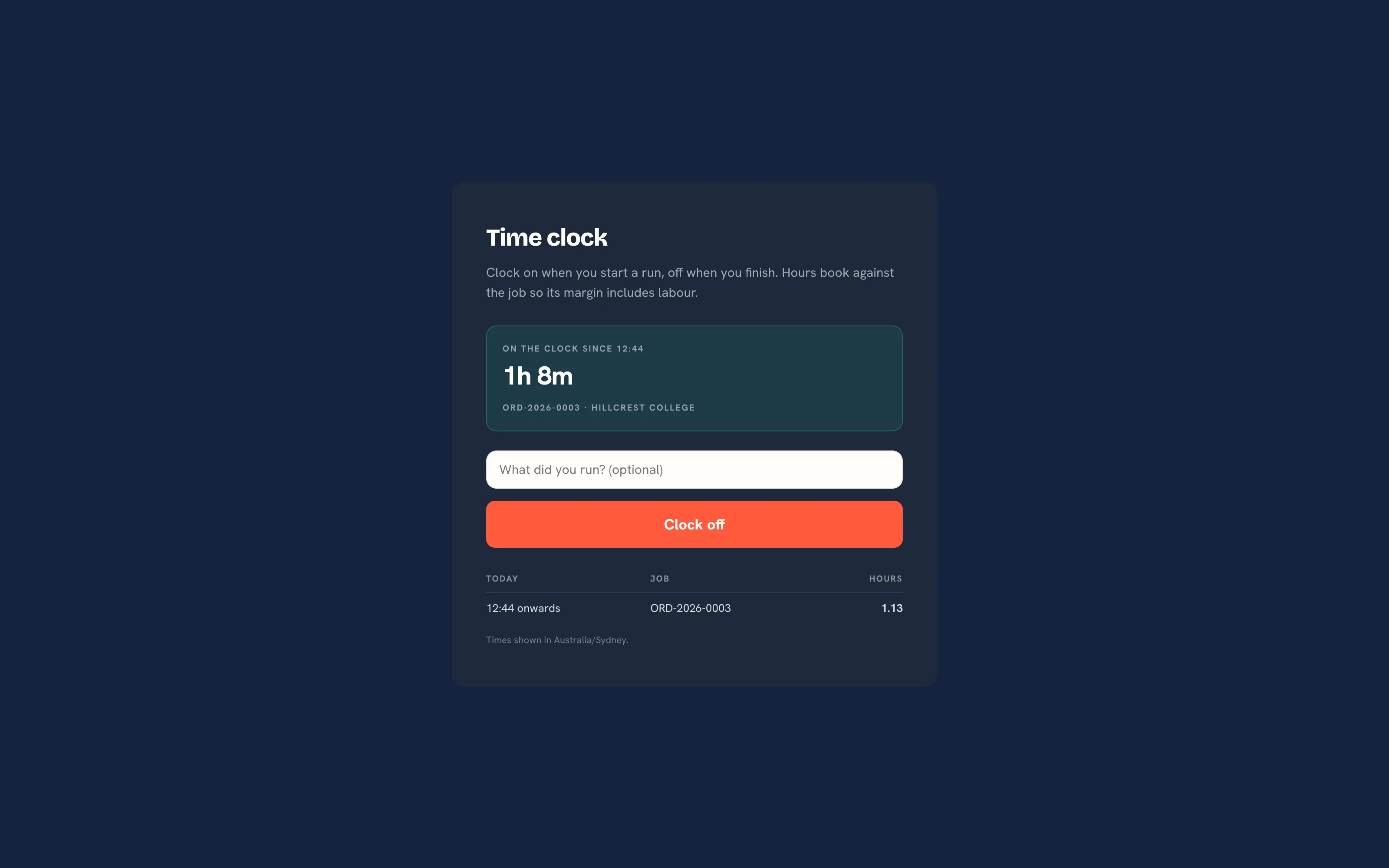 The time clock. One running clock per person, shown in the shop's timezone.
- Open
/workspace/timeclockon the station tablet while signed in as the staff member. The Time clock button on the production board opens it in a new tab. - Type or scan the order number and tap Clock on. The page reads "Clocked on to ORD-2026-0031." An unknown number reads "No order with that number." Leave the number blank to clock on without a job.
- While a clock runs the page shows when it started, how long it has run and the job, with a note field and Clock off.
- Tap Clock off when the run is done. The page reads "Clocked off after 1.75 h." and the entry is costed.
Under the buttons, Today lists the person's entries for the shop's current day with their hours. The foot of the page names the timezone in use.
| Behaviour | Why |
|---|---|
| One running clock per person | Two taps on a shared tablet return the same clock; a second one is never opened |
| The rate is frozen at clock-on | A pay rise next quarter does not reprice a job that shipped last month |
| The stage is recorded | The entry remembers the stage the job was at, so Reports can show where the hours go |
| Hours land on the order | Labour booked on the order page shows closed hours and their cost next to what the job sold for |
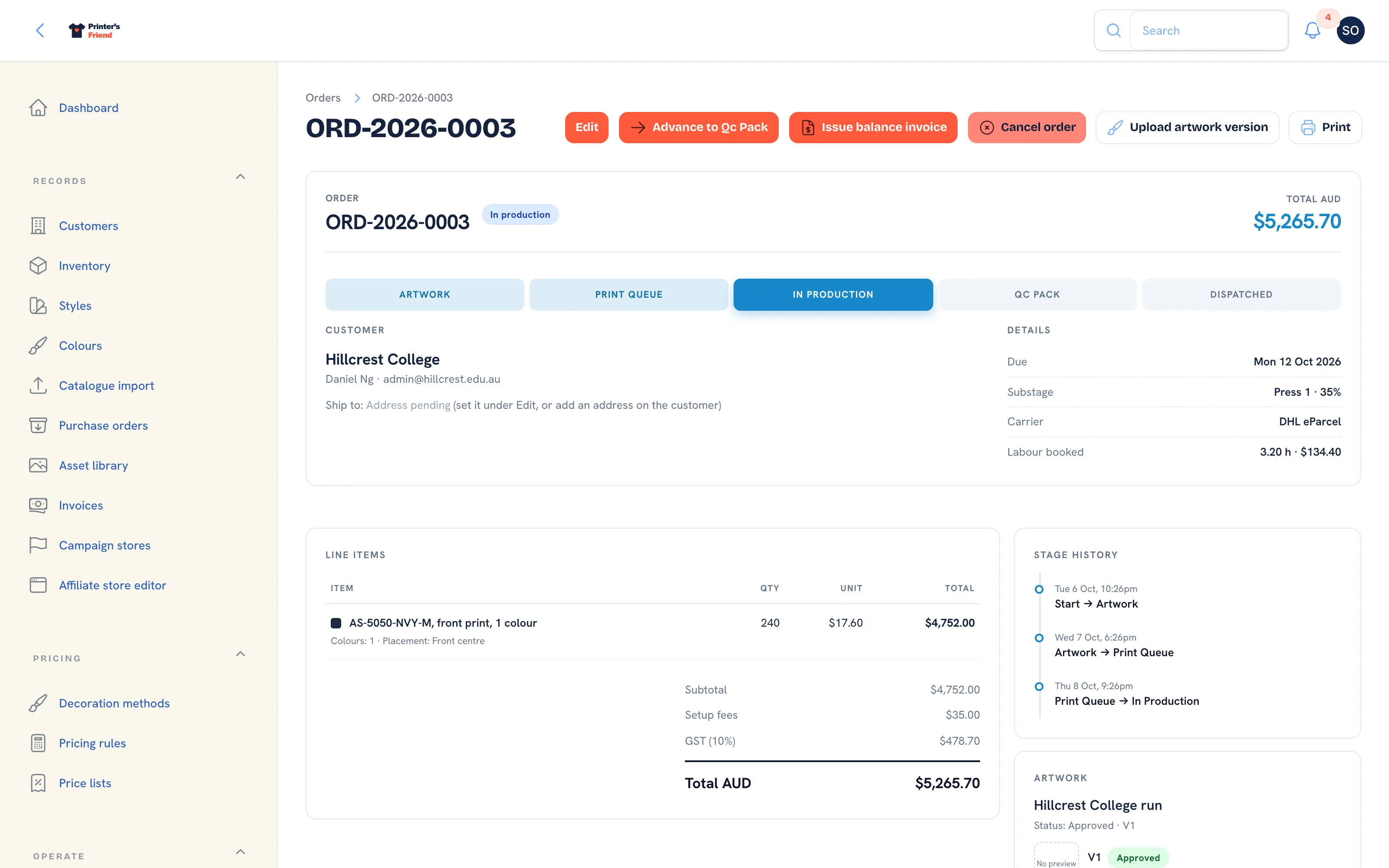 Labour booked on the order. Only closed entries count; a running clock does not move the job's cost.
The rate comes from the Labour rate (cents per hour) on the person's team record. Without one, hours book at zero cost and margin after labour equals gross margin.
The Time Entries List
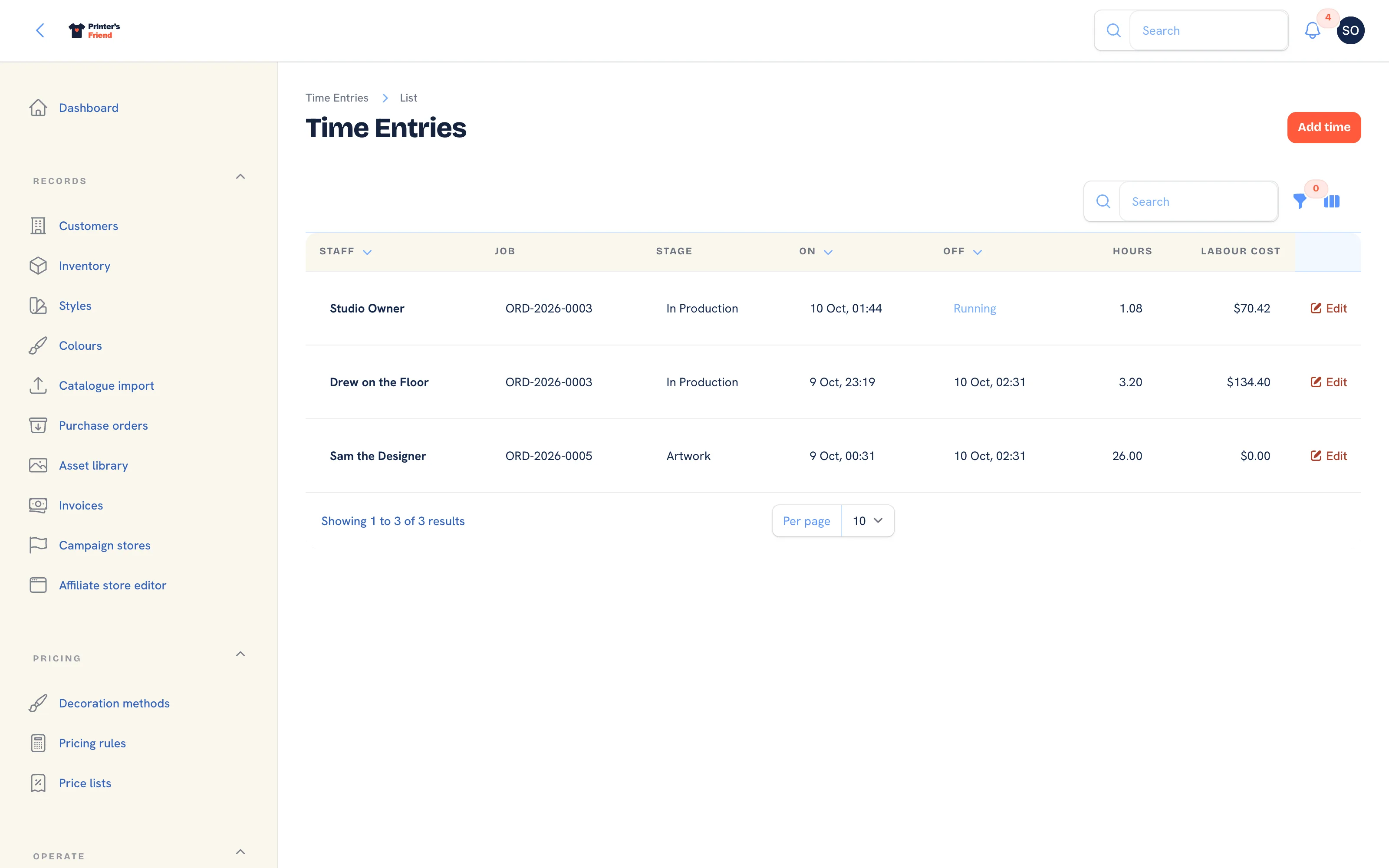 Every entry, newest first. Off reads "Running" while a clock is open.
Columns: Staff, Job, Stage, On, Off, Hours, Labour cost and Note. Times are shown in your shop's timezone. Filter by Staff member, Still on the clock or This week.
Correcting an Entry
Forgotten clock-offs happen daily in every shop with a time clock. Filter to Still on the clock at the end of the day to find them.
- Click Edit on the entry.
- Set Clocked off to the time the person finished. Clocked on, the Job, the Stage and the Note can be corrected the same way.
- Click Save changes. Hours and cost are recomputed from the entry's own Rate (cents per hour), which was snapshotted when the clock started, not from the person's current rate. Clearing Clocked off leaves the clock running.
Clear Still on the clock before you leave
A forgotten clock-off keeps running until someone edits it, and a running clock adds nothing to the job's cost. Filter the list to Still on the clock at the end of each day and set Clocked off on anything left open, or the hours never reach the order or Reports.
Adding Time After the Fact
- Click Add time in the list header.
- Pick the Staff member and the Job, type the Stage, set Clocked on and Clocked off, and enter the Rate (cents per hour). Leave the rate blank for unpaid or unrated time.
- Click Create. The entry is costed from the rate you entered.
Your Shop's Timezone
Clock times, the Today list on the time clock and the This week filter all use the shop's timezone, set in Brand and portal settings. The default follows your billing region: Sydney for Australia, London for the UK, Dublin for the EU and New York for the US. Times are stored in UTC and shown in your zone, so a shop that changes timezone sees its history shift, with nothing lost.
What the Hours Feed
| Where | What it shows |
|---|---|
| The order page | Hours booked and their cost under Details |
| Reports, labour | Hours and labour cost for the period |
| Reports, margin | Margin after labour, as well as gross |
Getting Staff to Use It
Put the station where the work is: a tablet on the press bench gets used, a screen in the office does not. Print the Worksheet for every job so the order number is on the bench to scan instead of remembered. If adoption is patchy, start with one press; costed data on half your jobs beats guesses on all of them.
Who Can Do What
Owners, managers and the production role edit and add entries. Designers and viewers can read the list. Roles are set in Team and permissions.
Related Pages
- Team and Permissions: roles, rates, deactivating leavers and the owner rules
- Reports: revenue, margin, labour, commission and stock for a period
- Brand and Portal Settings: shop name, colours, tax and currency, portal copy and the kiosk switch
- Shop Floor Hardware: the wall TV, operator stations, barcode scan and the time clock