

Appearance
API Tokens
An API token authenticates the REST API for your workspace. Each token belongs to the person who created it, expires a year after it is made, and can be revoked at any time.
Where It Lives
| Page | What it's for |
|---|---|
| Insight, then API tokens | Create a token and see or revoke the tokens you hold |
https://yourshop.printersfriend.com/api/v1 | The API itself. See the REST API reference |
API tokens are available to owners and managers.
Plan requirement
The API is included on Premium and Enterprise. On Free and Starter, Create token is refused with "API access not available" and the plan's message, and every API request is refused as well, so a downgrade stops existing tokens working.
Creating a Token
- Go to Insight, then API tokens.
- Type a name that says where the token will be used, for example "Zapier production", and click Create token.
- The notice "Token created. Copy it now, it will not be shown again." states the expiry date, and the token appears once in a box under Your new token. Copy it there. Once you leave the page it cannot be shown again.
- Pass it on every request as
Authorization: Bearer {token}.
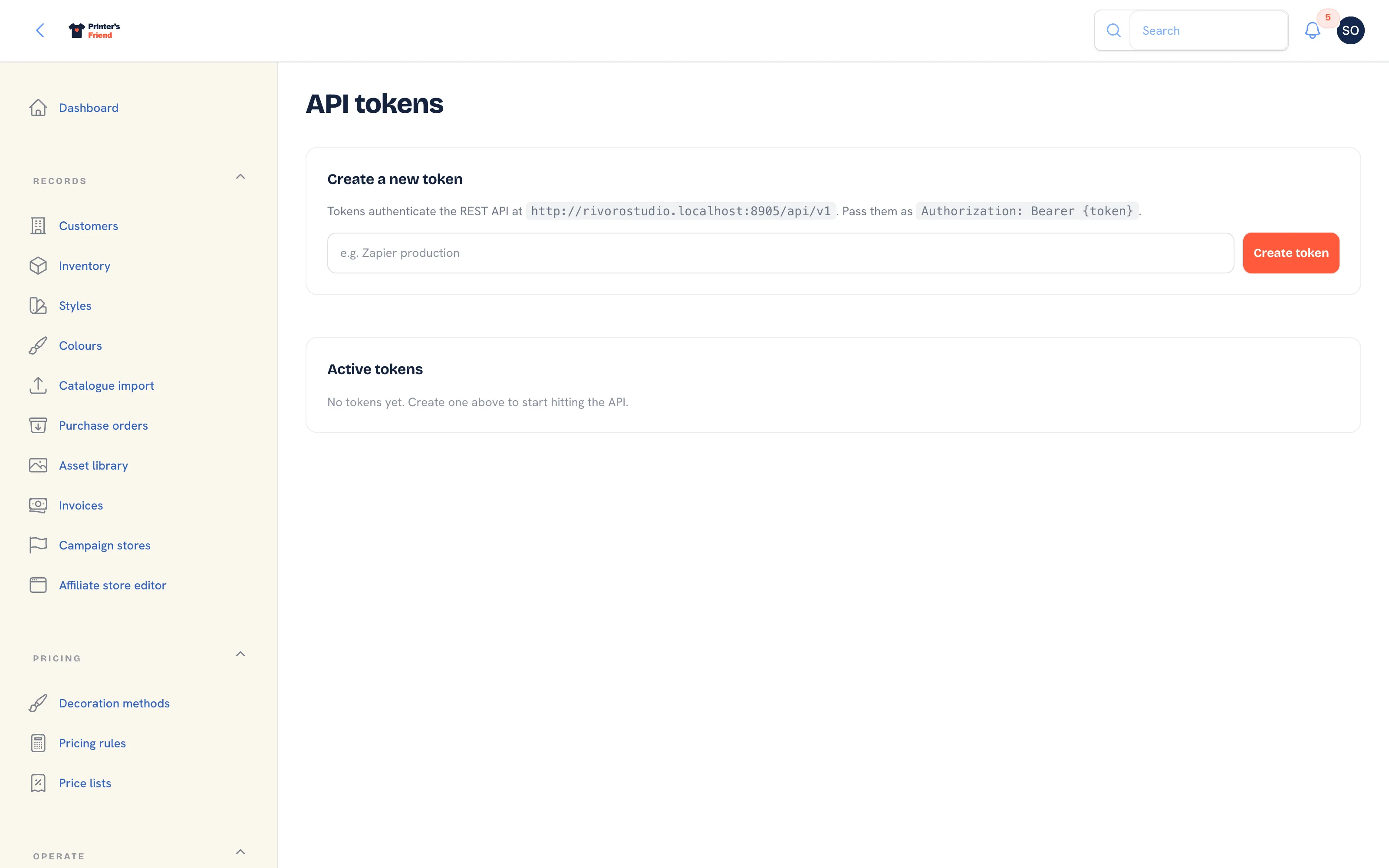 The API tokens page.
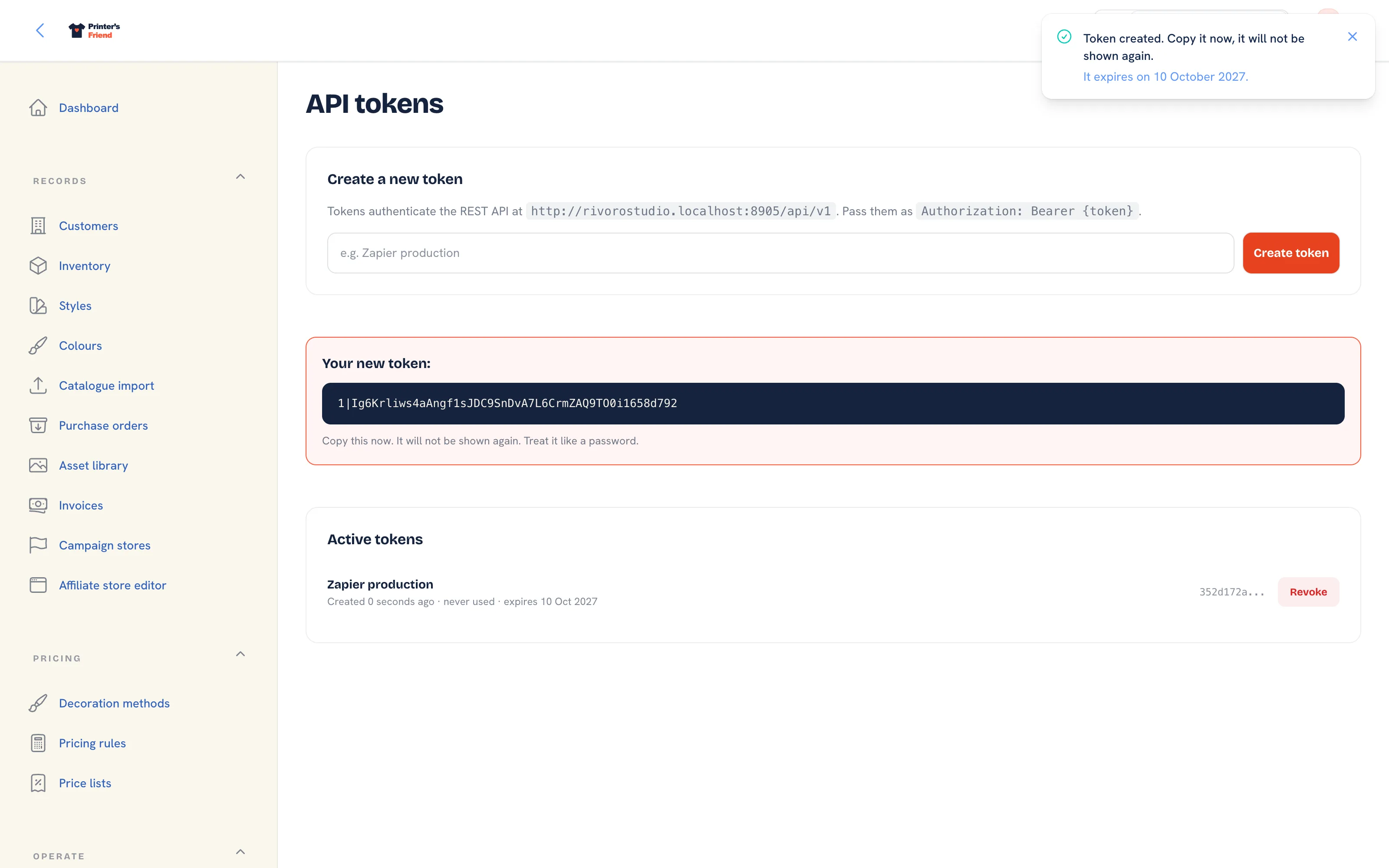 The one-time reveal. The notice names the expiry date and the token appears once under Your new token.
bash
curl -H "Authorization: Bearer {token}" \
     -H "Accept: application/json" \
     https://yourshop.printersfriend.com/api/v1/orders
The Token List
Active tokens lists each token you hold with when it was created, when it was last used (or never used), and when it expires. An expired token shows expired with the date in red. Revoke asks you to confirm and deletes the token at once; any integration using it stops working.
Expiry
Every token expires 365 days after it is created. The expiry is written on the token when it is made and shown in the list, and the API refuses the token after that date. Create a new token before the old one expires and swap it in the integration.
Who a Token Acts As
A token acts as the person who created it, inside your workspace only. When that person is deactivated, their tokens stop working at once. A token cannot read another workspace's data.
Rate Limits
| Requests | Limit |
|---|---|
Reads (GET) | 60 a minute per token |
Writes (POST) | 20 a minute per token |
If you bulk load, pace your side instead of retrying against the limit.
One token per integration
Give each integration its own token so you can revoke one without breaking the others. Never put a token in a shared document or a code repository; it carries your shop's data behind it.
Related Pages
- REST API: read customers, orders and stock, and create orders, with a bearer token
- Webhook Events: the five signed events, their payloads and the retry rules
- Webhook Subscribers: add a subscriber and pick the events it receives
- Plans and Limits: the limits on each plan and what happens at them