

Appearance
Data, Privacy and GDPR
Your workspace holds personal data about your customers and you are the controller of it. This page covers the mechanics the product gives you: what a customer can do from the portal, how you answer a deletion request, how marketing consent is recorded and what you can export. The platform side, who hosts what and for how long, is in the privacy policy and the data processing addendum.
Where It Lives
| Page | What it's for |
|---|---|
| The portal's privacy page | The customer's own export and deletion request |
| Records, then Customers, then a customer | Export activity (CSV), Record marketing consent and Anonymise portal user |
| Records, then Customers, then a customer, then Contacts | The Marketing consent, Consent note and Opted out of marketing fields on each contact |
| Insight, then Audit log | The Privacy filter, listing deletion requests and anonymisations |
What a Customer Can Do Themselves
The portal's privacy page has two cards.
- Download JSON archive streams a file of their own data at once: their contact details, the quotes they placed, the orders and invoices tied to them, and the messages they wrote. Other people at the same organisation are not included.
- Request deletion asks for confirmation, then shows "Deletion request received. The shop has been notified and will confirm the date of erasure within 30 days."
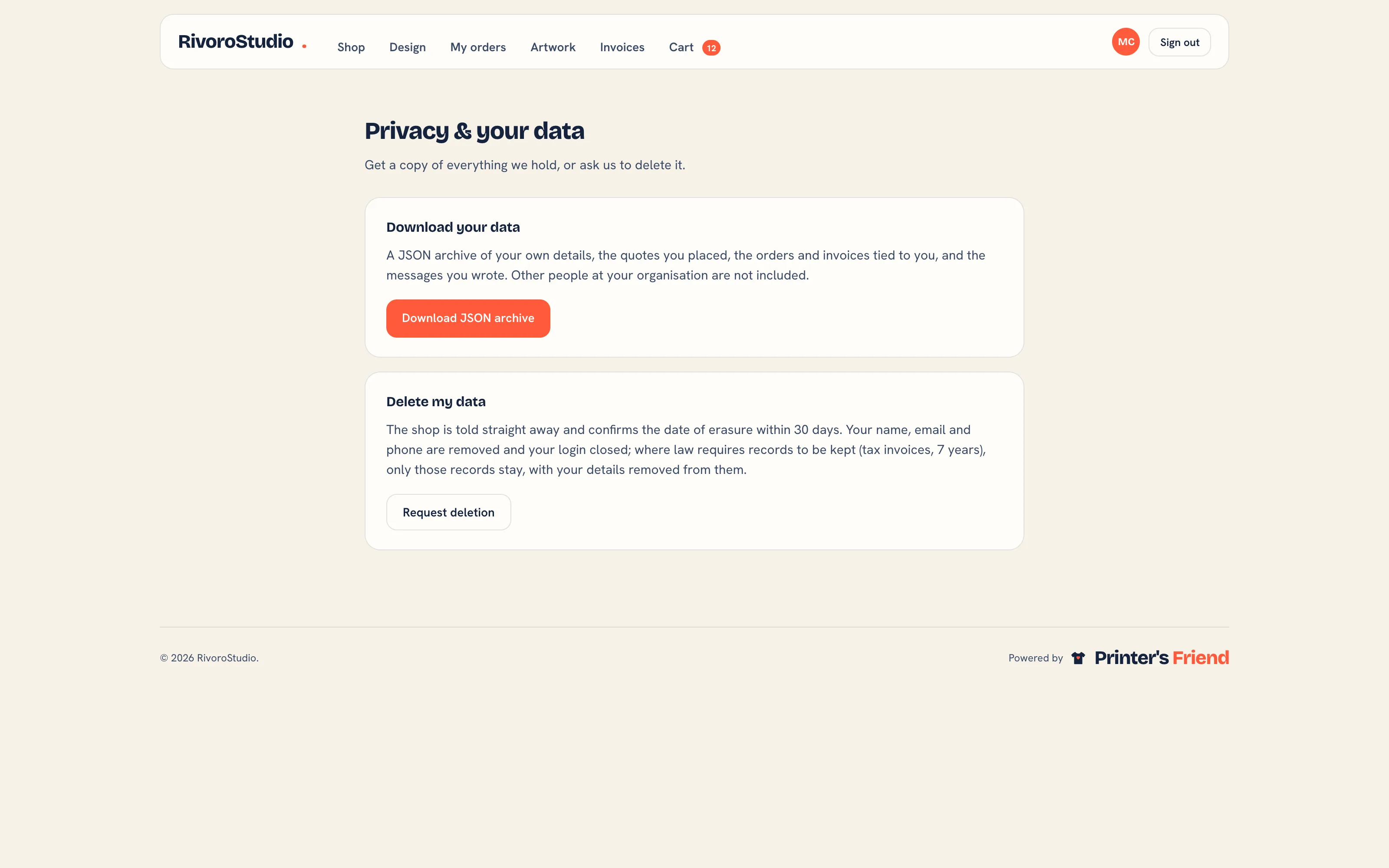 The portal privacy page.
A deletion request does three things in your workspace: it emails your billing contact, it emails the Printer's Friend privacy inbox so the processor has a record, and it opens a task on the customer record due in 14 days that names the person and points at the anonymise action.
Answering a Deletion Request
- Open the customer under Records, then Customers.
- Click Anonymise portal user in the header. It shows only while the customer has an active portal user.
- Pick the Portal user and read the warning: their name, email and phone are replaced with placeholders, their login is deactivated and their uploaded files are removed; orders and invoices stay with the identifiers scrubbed; it cannot be undone.
- Click Anonymise. The notice "Portal user anonymised" confirms it and the deletion request task on the record is closed.
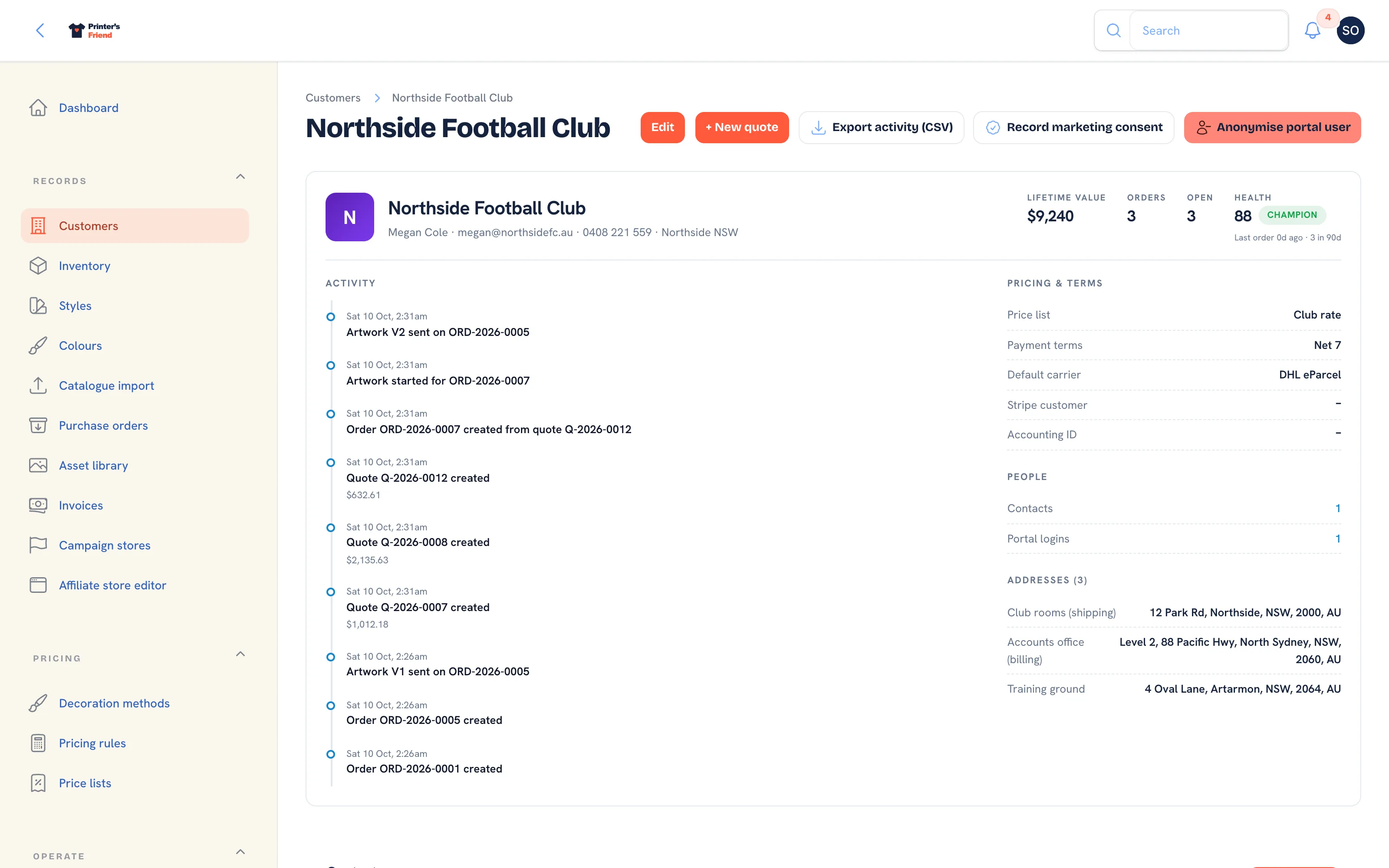 The customer record, where the privacy actions live.
Anonymise cannot be undone
The name, email and phone are overwritten and the uploaded files are deleted at once; there is no restore. Check you have the right portal user before you click Anonymise. The orders and invoices stay on the ledger because the law requires them to be kept.
Deletion is anonymisation, not a hard delete:
| Data | Treatment |
|---|---|
| Name, email, phone | Replaced with placeholders such as deleted-123@anon.invalid, on the portal user and on their contact |
| Password and sessions | Reset and cleared, so the login no longer works |
| The organisation's uploaded assets | Removed from disk, including previews. Your own product and store imagery is untouched |
| Orders, invoices, payments | Kept, with the personal identifiers scrubbed |
| The action itself | Written to the audit log as a privacy event |
Financial records have statutory retention periods (seven years in Australia; most jurisdictions have a comparable rule), so a customer cannot delete an invoice you are required to keep. Anonymisation satisfies the erasure request without breaching that duty, and it is what to tell a customer who asks.
Marketing Consent
A contact is not marketable until a consent source is recorded. Broadcasts reach only contacts with a recorded source who have not since opted out. Messages about a job (proofs, invoices, dispatch) are not marketing and always send.
| Source | How it is recorded |
|---|---|
| Ticked the box in the portal | The customer ticks the marketing checkbox on their portal account page. Unticking it withdraws consent |
| Marketing consent column on an import | A marketing_consent column on the customer import |
| Given to staff | Record marketing consent on the customer record: pick the Contact, How consent was given and a Note saying where and when they agreed. The same fields sit on each contact under the Contacts tab |
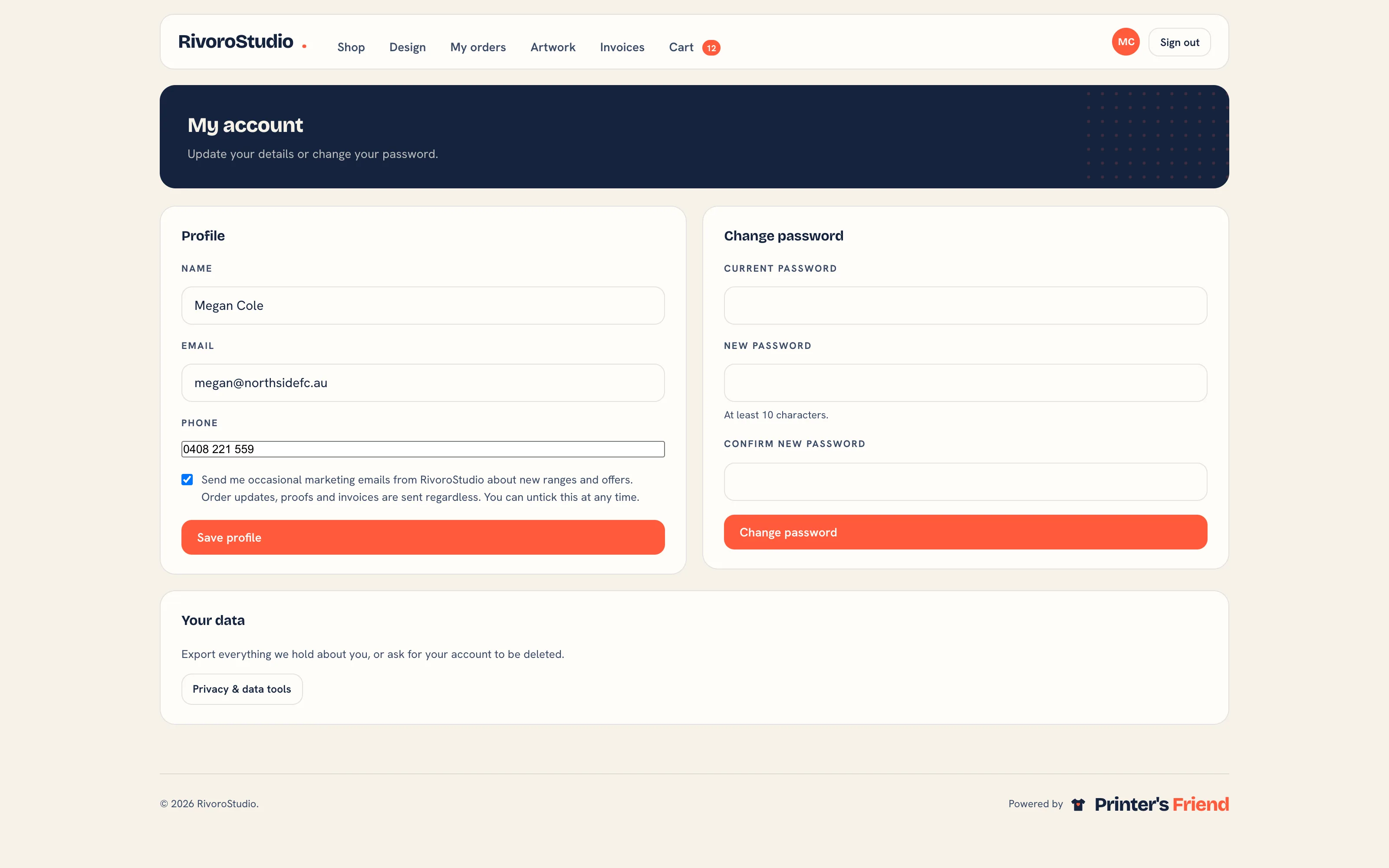 The portal account page. The checkbox under the profile fields records consent to marketing email; unticking it withdraws consent.
| Channel | Opting out |
|---|---|
A signed one-click unsubscribe link in every marketing email, plus List-Unsubscribe headers for the mail app's own button. An unsubscribed contact is marked Opted out of marketing and excluded from later broadcasts | |
| SMS | STOP and START replies are handled on your Twilio number. A contact who replied STOP is excluded |
Your Own Exports
| You want | Do this |
|---|---|
| One customer's history | Export activity (CSV) on their customer record |
| Invoices | Download the PDF from each invoice under Invoices and payments |
| Everything, programmatically | The REST API on Premium and above |
| Everything, as files | Ask support |
Isolation Between Shops
Every record belongs to one workspace and the scoping is enforced in the data layer, not by hiding buttons. A request for another workspace's record returns a 404, and a request that reaches the workspace with no shop resolved returns nothing at all. Demi is scoped the same way. A portal user belongs to one organisation and sees only that organisation's orders, artwork, invoices, designs and messages.
Search Engines
The portal, the workspace, carts and checkouts send a noindex header so they stay out of search results. This is a header, not a robots.txt rule, on purpose: a disallowed address is never fetched, so a crawler would never see the header.
When a Workspace Closes
A failed payment never deletes anything: the workspace drops to the free tier with every record intact. Only a cancellation, or an owner closing a workspace with no subscription, starts the clock. The workspace is then read-only for 30 days so you can export, and after that every record is permanently deleted apart from those the law requires to be kept. See Subscription and billing.
What to Have Written Down
If you handle personal data from the EU, the UK, Australia or California, you should be able to state what you collect, why, how long you keep it, who you share it with and how someone exercises their rights. The product gives you the mechanics; the policy is yours. The data processing addendum covers Printer's Friend as your processor and lists the subprocessors behind the platform.
Related Pages
- Customers: the customer record, contacts, portal logins and addresses
- The Customer Portal: configure the portal, invite contacts and manage their logins
- Audit Log: who changed what, and when
- Email Broadcasts: a marketing email or SMS to customers who have agreed to hear from you
- Cancelling and the 30 Day Window: cancelling, the 30 day read-only window and deletion
- FAQ: Privacy and Data: short answers on data ownership, retention and security