

Appearance
11. Payments with Stripe
Insight, then Integrations, then the Stripe (customer payments) card. This is the account your customers pay you through. It is a different Stripe account from the one that bills your subscription, and the two never touch.
With Stripe connected, every invoice is emailed with a hosted pay link and a card payment is recorded on the invoice by Stripe's webhook, so an invoice flips to Paid without anyone marking it. Without Stripe, invoices and PDFs still work and payments are recorded by hand.
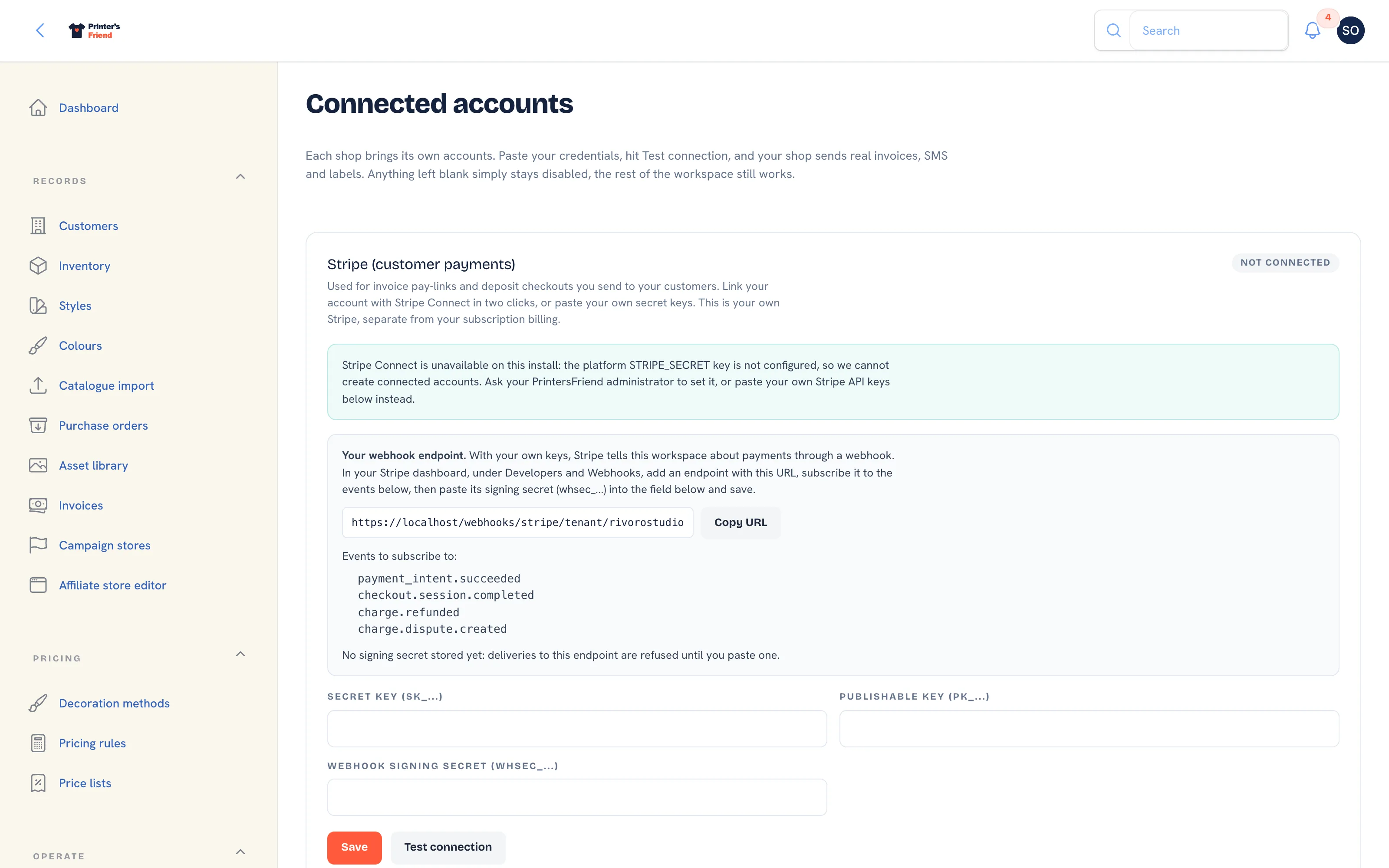 The Integrations page. The Stripe card is first.
Where It Lives
| Page | What it's for |
|---|---|
| Insight, then Integrations, the Stripe (customer payments) card | Keys, the webhook endpoint, Connect, test and disconnect |
| Stripe dashboard, Developers, API keys | Where your keys come from |
| Stripe dashboard, Developers, Webhooks | Where you register the endpoint the card shows |
Two Ways to Connect
Your Own API Keys
This works on every install today.
- In your Stripe dashboard, under Developers, then API keys, copy the secret key and the publishable key.
- On the Stripe card, paste them into Secret key (sk_...) and Publishable key (pk_...), and press Save.
- Press Test connection. The card reads Connected when Stripe accepts the key, and shows the error otherwise.
- Register the webhook endpoint, below. Until its signing secret is saved, the card says deliveries to the endpoint are refused and no payment is recorded.
Stored secrets are shown masked, with their last four characters. Leave a field blank on a later save to keep what is stored. Disconnect deletes the stored credentials.
Live keys mean live money
Test keys let you click through the whole flow without charging anyone, and that is the right way to check your setup. When you switch to live keys, make one small real payment to yourself and confirm the invoice flips to Paid before a customer is sent an invoice.
Stripe Connect
Connect with Stripe links your Stripe account in two clicks, with no keys to paste; you complete Stripe's own onboarding and come back to the workspace. The card then shows the account id and whether charges are enabled. Pay links are only created once Stripe has enabled charges on the account.
Connect is offered only when the platform has registered its Connect webhook. Until then the card reads "Stripe Connect is awaiting platform setup" and asks you to paste your own keys instead, because payments through a connected account could not be recorded on invoices. Pasted keys always take precedence over a Connect link; disconnect them first if you would rather use Connect. Disconnect Stripe Connect removes only the link to this workspace, never your Stripe account.
The Webhook Endpoint
Payments are confirmed by a webhook from Stripe, not by the customer's browser returning to the site. With your own keys, your workspace has its own endpoint, shown on the card under Your webhook endpoint.
- Press Copy URL. The address has the form
https://printersfriend.com/webhooks/stripe/tenant/yourshop. - In your Stripe dashboard, under Developers, then Webhooks, add an endpoint with that URL.
- Subscribe it to the four events the card lists:
payment_intent.succeeded,checkout.session.completed,charge.refundedandcharge.dispute.created. - Copy the endpoint's signing secret and paste it into Webhook signing secret (whsec_...) on the card, then press Save. The card changes to Signing secret stored: deliveries to this endpoint are verified and recorded on your invoices.
Each event is recorded once, however many times Stripe redelivers it. A refund made in Stripe is recorded against the invoice, and a dispute flags it.
What the Connection Enables
| Feature | Needs Stripe |
|---|---|
| Pay link in the invoice email and the Pay button in the portal | Yes |
| Payment recorded on the invoice automatically | Yes |
| Deposit invoices with a pay link | Yes |
| Card capture after a guest checkout on a team store or campaign | Yes |
| Invoicing, PDFs and manual payments | No |
A shop that only takes bank transfer can skip this step. Put your bank details in the invoice template's payment instructions and record each payment with Record manual payment on the invoice. The invoice email leaves out the pay line when there is no link.
Verify It Works
- Create a test customer with your own email.
- Quote, accept and dispatch, so an invoice is issued and emailed.
- Pay through the link in the email, in test mode.
- Open the invoice under Records, then Invoices. It should show the payment and the status Paid without anyone recording it.
Step 4 is the one that matters. If the payment succeeded in Stripe but the invoice is still unpaid, the webhook is not arriving: check the endpoint URL, the four events and the signing secret. See Troubleshooting.