

Appearance
Affiliate Team Stores
An affiliate store is a branded storefront for one customer, a club, school or company, at yourshop.printersfriend.com/store/{slug}. It sells the styles you choose at that customer's price list rate, members check out as guests, and each checkout lands as a draft quote in your workspace.
Where It Lives
| Page | What it's for |
|---|---|
| Records, then Affiliate store editor | Build, publish and restyle the store for each customer |
yourshop.printersfriend.com/store/{slug} | The public store, with its cart at /store/{slug}/cart and checkout at /store/{slug}/checkout |
| Operate, then Quotes | Where each checkout arrives, as a draft quote with the source store |
The editor is available to owners and managers. Stores live at your workspace address; there is no custom domain per store.
Building a Store
- Go to Records, then Affiliate store editor. Pick the customer in Editing affiliate store for. The editor loads that customer's store, or default values if they have none yet.
- Set the Store URL slug. The line under the field shows the address the store will be live at.
- Pick the Brand colour. It colours the hero, the buttons and the accents on the page.
- Write the Hero title and Hero blurb, the headline and the one line under it that members read first.
- Choose a Theme template: Classic (brand coloured hero, centred type), Bold (full bleed dark hero, oversized accent type) or Minimal (white hero with one brand stroke under the title).
- Under Products this store sells, tick the styles on offer. Leave every box unticked to sell your whole catalogue.
- Under Page widgets, add sections with + Feature trio, + Testimonials, + Gallery or + Call to action, then edit the text of each one. The arrows reorder a widget and Remove deletes it.
- Leave Custom CSS (advanced) empty unless the customer's brand rules demand it.
- Tick Publish this store at /store/{slug} when the store is ready. Until then the address returns a 404.
- Click Save store. A Store saved notice confirms it.
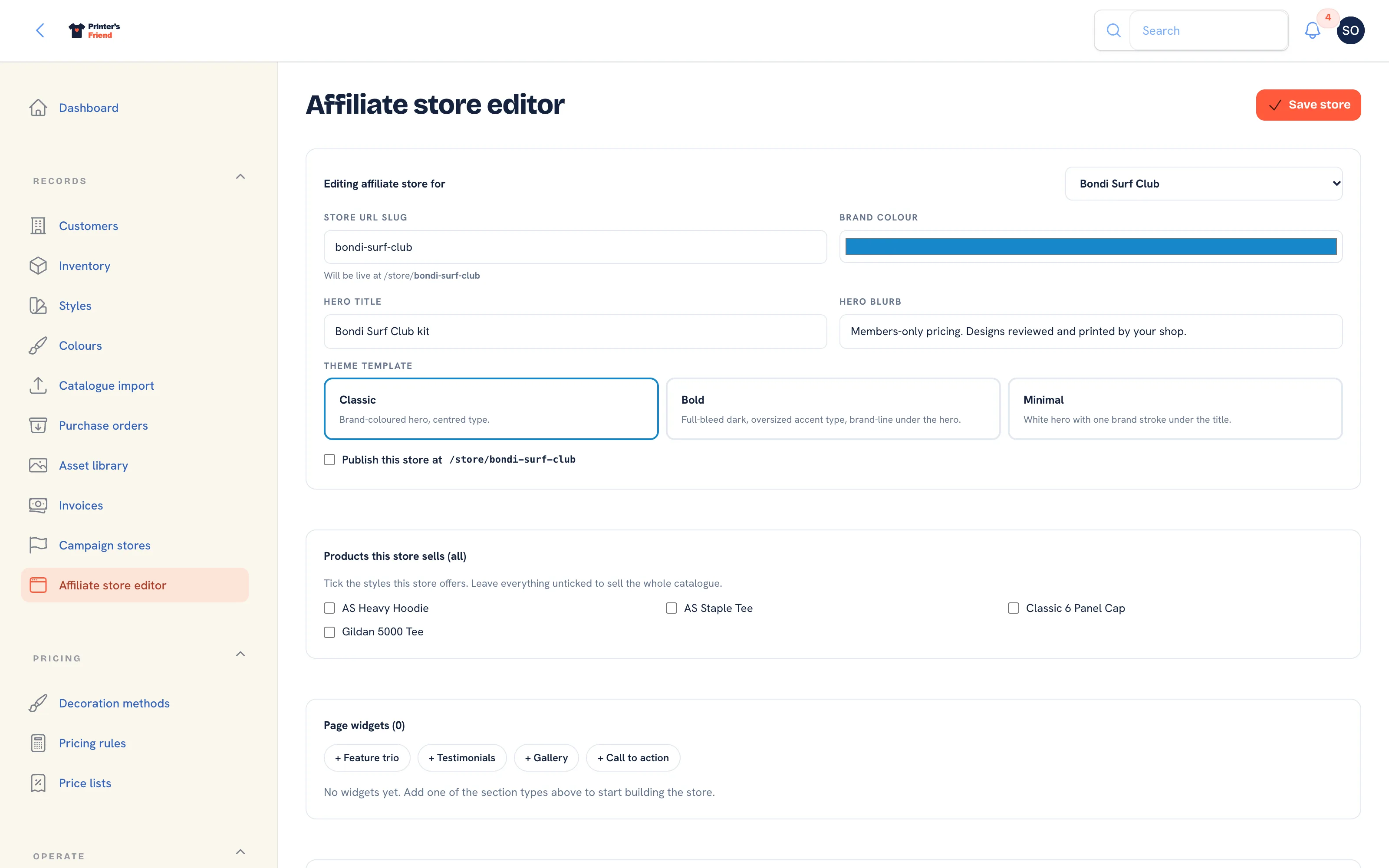 The affiliate store editor.
The editor refuses to save without a customer (Add a customer opens the customer form) or without any garments in the catalogue (Import your catalogue opens the import).
Tick the styles that are the customer's kit
A store with four garments is easier for a member to use than one with your whole range. Leave the picker empty only when the store is meant to sell everything.
Custom CSS is filtered
Custom CSS is rebuilt through an allow-list when you save and again when the page renders: known properties only, url() only to files on your own storage path, @media as the only at-rule, and a 20,000 character cap. Anything else is dropped without an error, so check the live page after saving.
What Members See
The store page shows the customer's name, the hero, a Cart link with its item count, a Sign in link to the portal, and This season's drops, a grid of the styles you ticked. Each card shows the price at the customer's price list rate, an availability badge (Available, Low or Out), a colour and size select, a quantity and an Add button. Your widgets follow the grid.
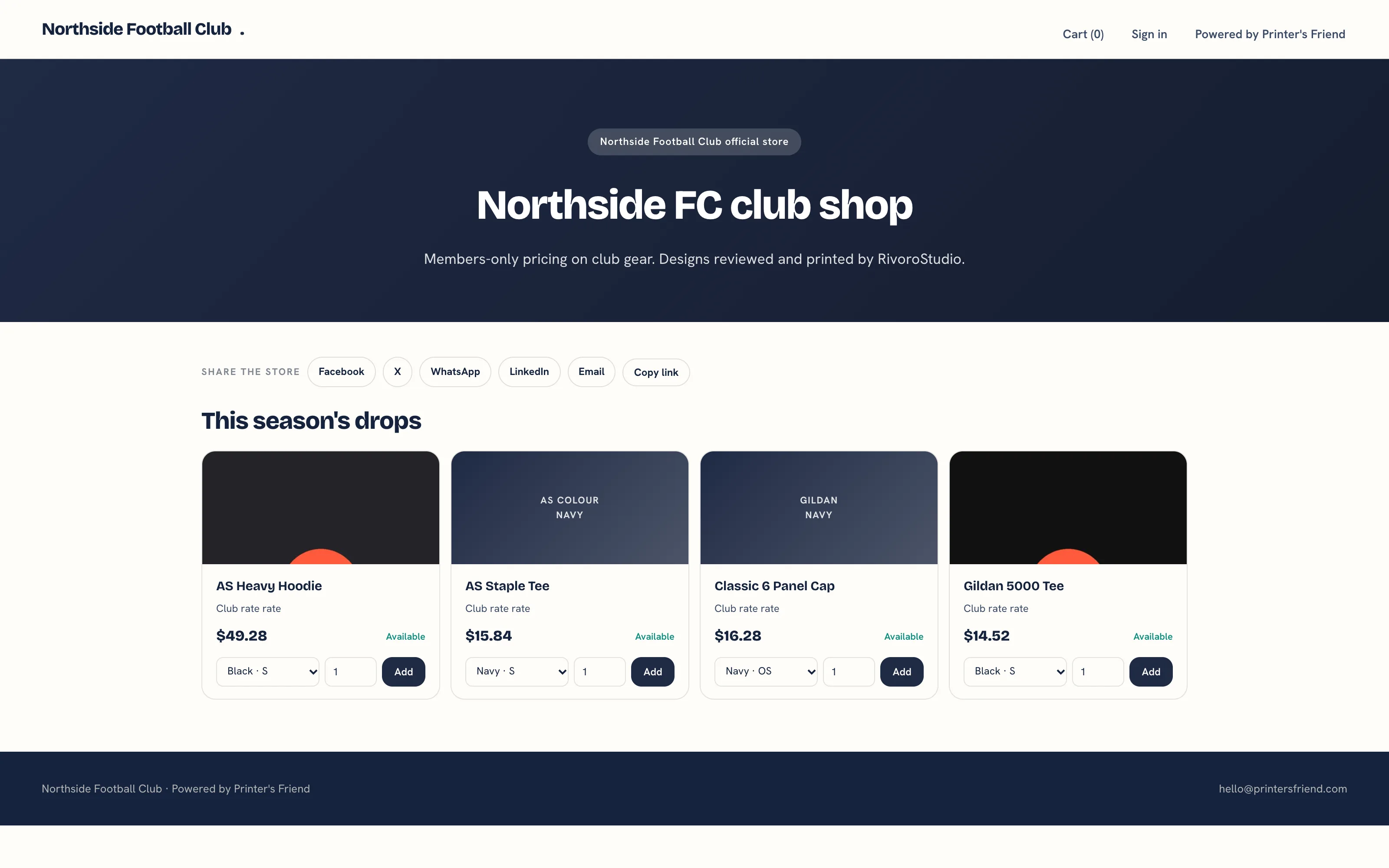 A published store.
The cart lists each line with the quantity, unit price and line total, then Subtotal, Tax and Total in your currency, with Remove on each line and a Checkout button.
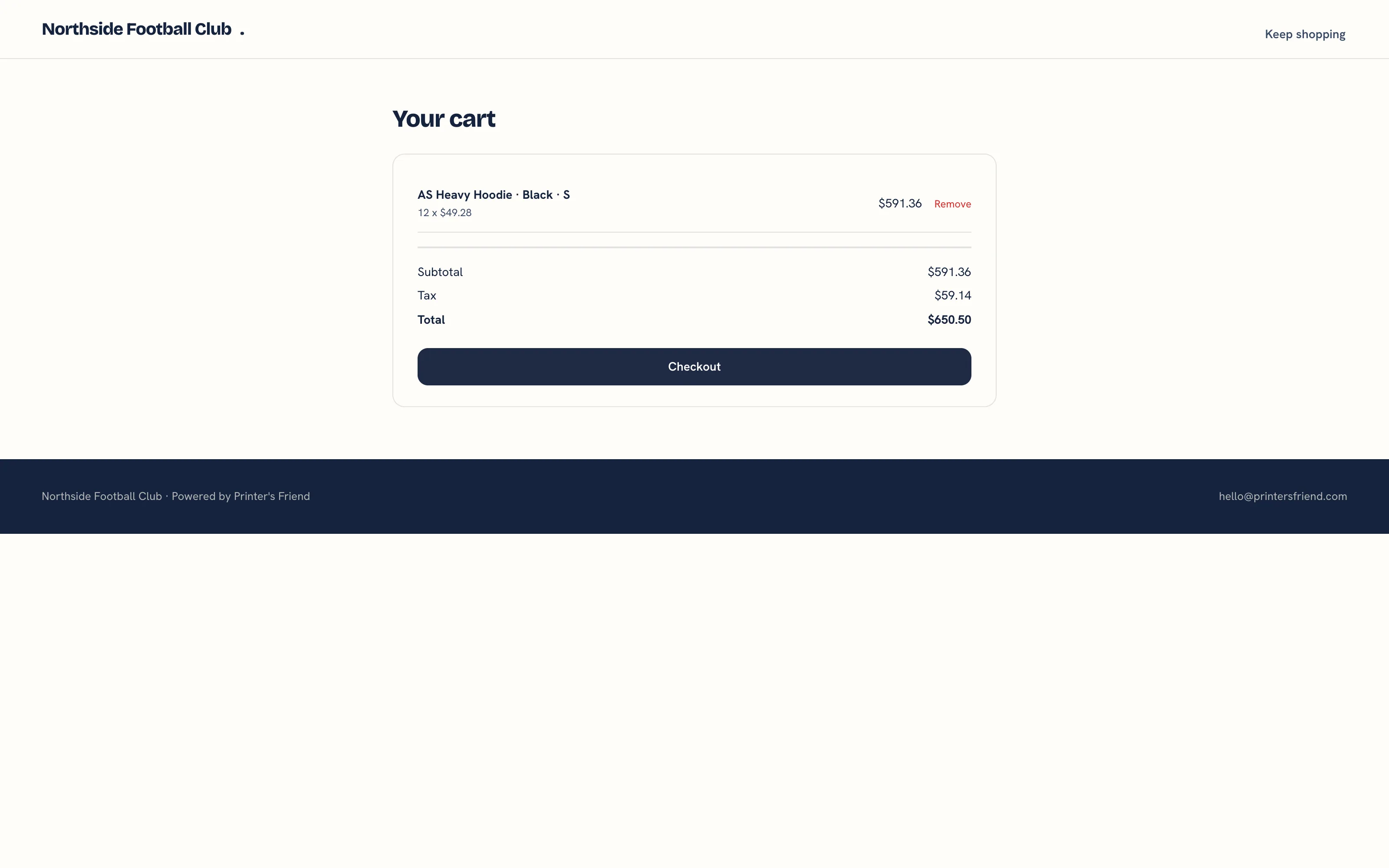 The store cart.
Checkout asks for Your name, Email and Notes for the shop (optional), then Place order. The page says that no payment is taken now and that your shop reviews every order and sends an invoice by email.
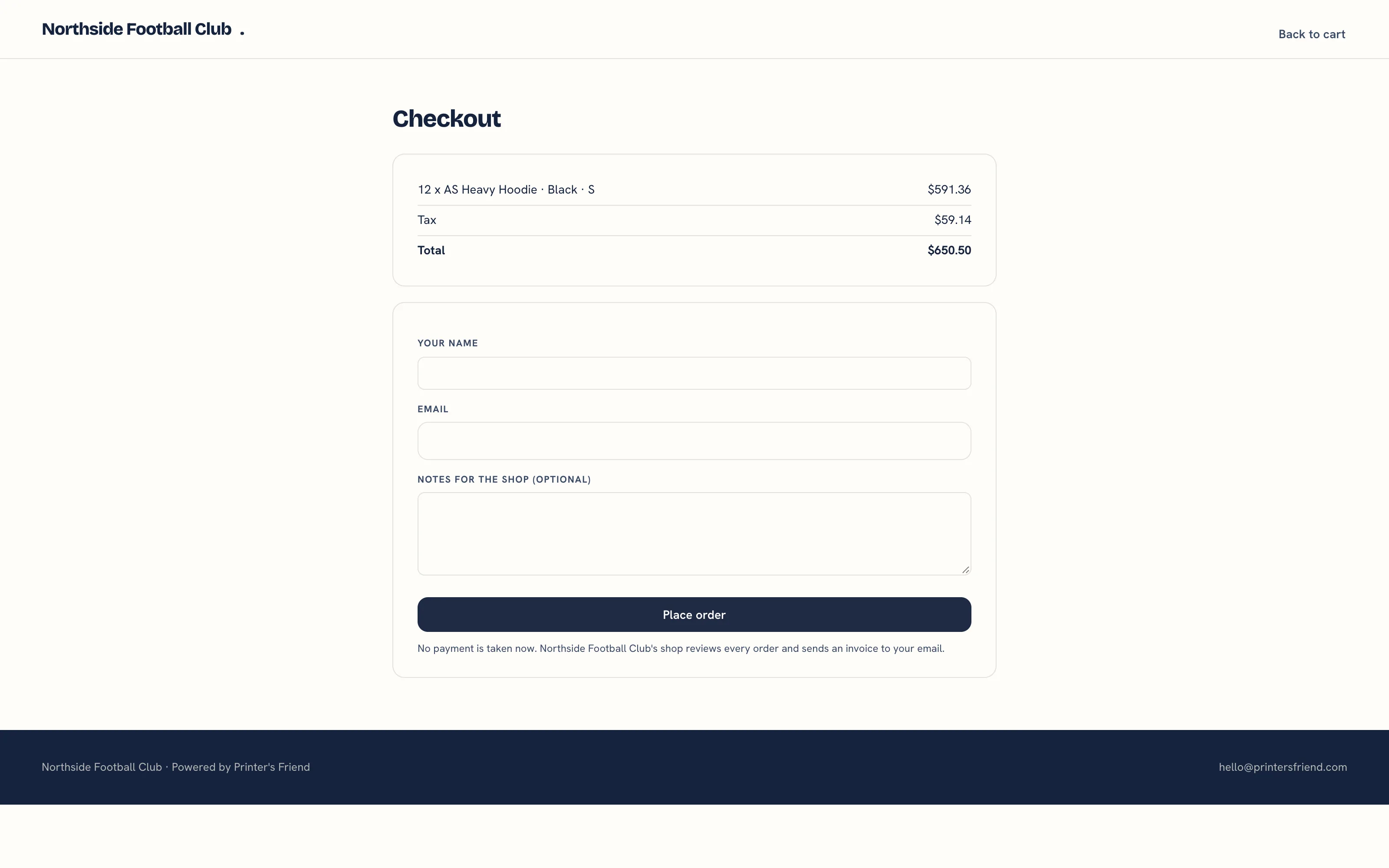 The store checkout.
After Place order the member sees Thanks, your order is in with the quote number as a reference and the email address the invoice will go to. When your Stripe account is connected, the page also offers Pay now by card, which converts the quote to an order and an invoice and opens Stripe's hosted payment page for the total. That button is a signed link that works for 24 hours.
What Happens in Your Workspace
- A draft quote is created under the customer's organisation with the source store, priced by the pricing engine with the customer's price list, your pricing rules and your tax scheme. The buyer's name and email are in the quote notes.
- The buyer is added as a contact of that organisation, or matched to their existing contact if they have ordered before.
- The buyer receives a confirmation email addressed to them, sent under your shop name with your contact email as the reply address.
- Staff with access to quotes are notified in the panel and by email.
- You review the quote, adjust it if needed and accept it like any other. See Quotes. Orders from several members of the same club can be ganged into one press run with Batch production.
Sharing the Store
The store page carries a social card and a Share the store row, so a link posted in the club's group unfurls with the store name and blurb. Give the organiser the link once the store is published.
Related Pages
- Campaign Stores: a group buy page with a target and a close date
- Quotes: build, price, send, chase and convert quotes
- Price Lists: the named rates customers sit on
- Coupon Codes: codes a customer types in the portal cart
- Brand and Portal Settings: shop name, colours, tax and currency, portal copy and the kiosk switch