

Appearance
13. Your Team and Roles
Settings, then Team. Invite the people who need a login, give each the narrowest role that lets them work, and set a labour rate if you want job costing to include labour.
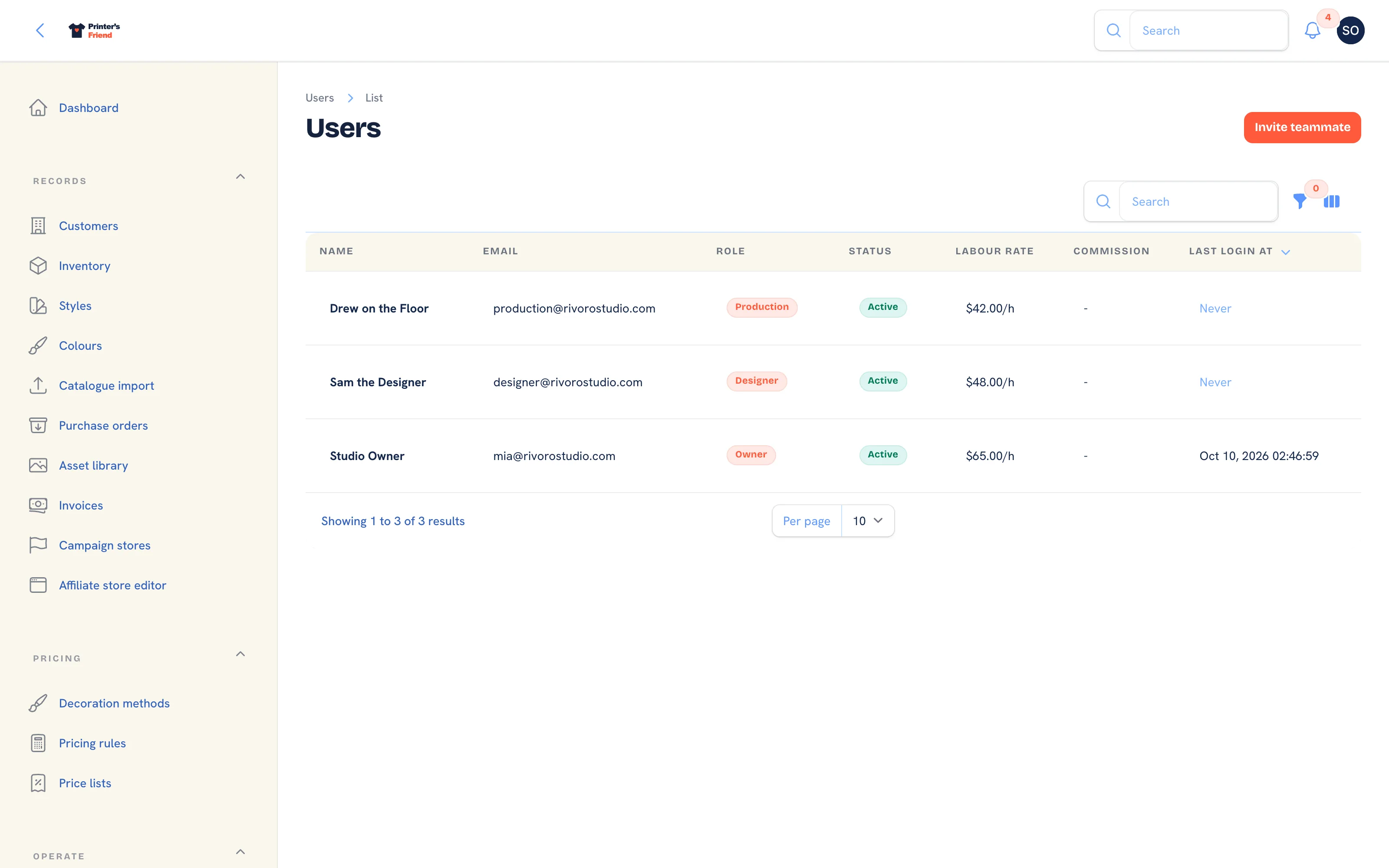 The team list. Last sign-in is recorded on every login.
Where It Lives
| Page | What it's for |
|---|---|
| Settings, then Team | Everyone with a login, their role, rates and last sign-in |
| Invite teammate | Create a login and send the invite |
| Edit on a teammate | Role, rates, active switch, and the owner and billing actions |
| Your profile, from your name at the top | Your own name, password and authenticator app |
Inviting Someone
- Press Invite teammate.
- Type Name, Email and Phone.
- Pick the Role. The matrix is below. Only an owner can hand out the owner role.
- Set Labour rate (cents per hour):
3200is 32.00 an hour. It costs this person's clocked time on jobs. - Set Commission rate (basis points) for reps who earn commission:
500is 5% of the ex-tax order value, earned on dispatch. - Leave Active on and press Create.
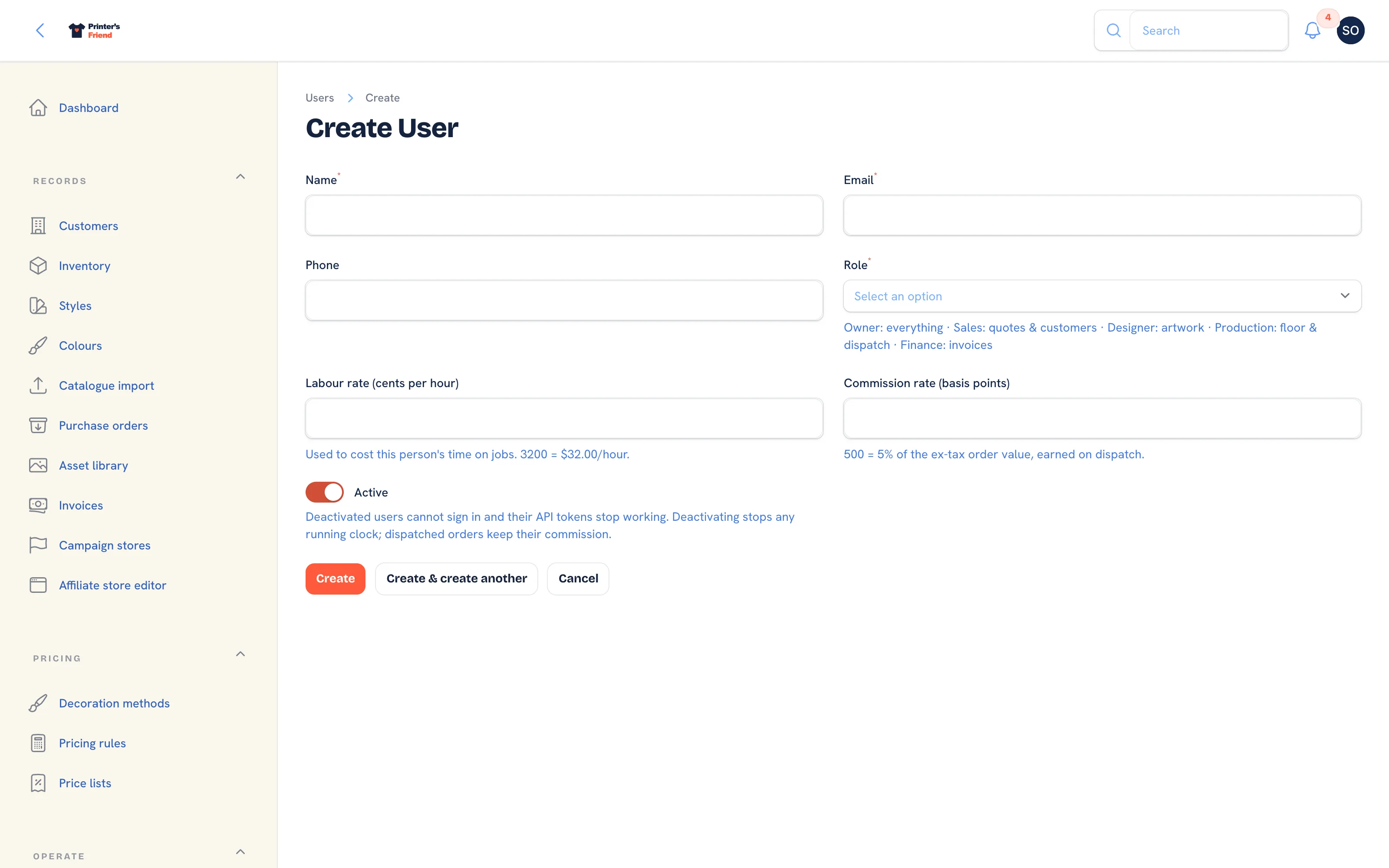 Inviting a teammate. The invite link works for 7 days.
The person receives an email with a Set your password button. The link works for 7 days, and completing it verifies their email. After that they ask for a new invite, with Re-send invite on their edit page, or use Forgot password on the sign-in page. Owners and managers must set up an authenticator app on their first sign-in; other roles may set one up from their profile.
Both rates are frozen when they are used: the labour rate when a clock starts, the commission rate when the rep is assigned to an order. Changing them affects work from then on, never jobs already costed.
Plan requirement
Staff seats are 1 on Free, 3 on Starter, 10 on Premium and unlimited on Enterprise. An invite past the cap is refused with a message naming the plan that lifts it. Reactivating a deactivated teammate takes a seat and runs the same check. Deactivating frees a seat.
The Roles
| Role | Gets |
|---|---|
| Owner | Everything, plus the owner-only actions below |
| Manager | Everything except assigning or removing the owner role |
| Sales | Quotes, orders, customers, messages, marketing, assets and reports. Read-only on inventory and invoices |
| Production | Orders, production, purchasing and inventory. Read-only on assets |
| Designer | Orders, assets and messages. Read-only on customers, inventory and production |
| Finance | Invoices and reports. Read-only on orders and customers |
| Viewer | Reads every non-admin surface and can never change anything |
Five surfaces are owner and manager only, and no other role sees them, read-only or not: Billing, Team, Integrations, the settings pages (Brand and portal, Invoice template, Workflow stages) and everything under Pricing. The dashboard, the production board, the floor screens, Demi and the setup wizard are open to every active staff member.
A read-only grant shows the page without its buttons. A deactivated user is denied everything immediately, including their API tokens.
Editing a Teammate
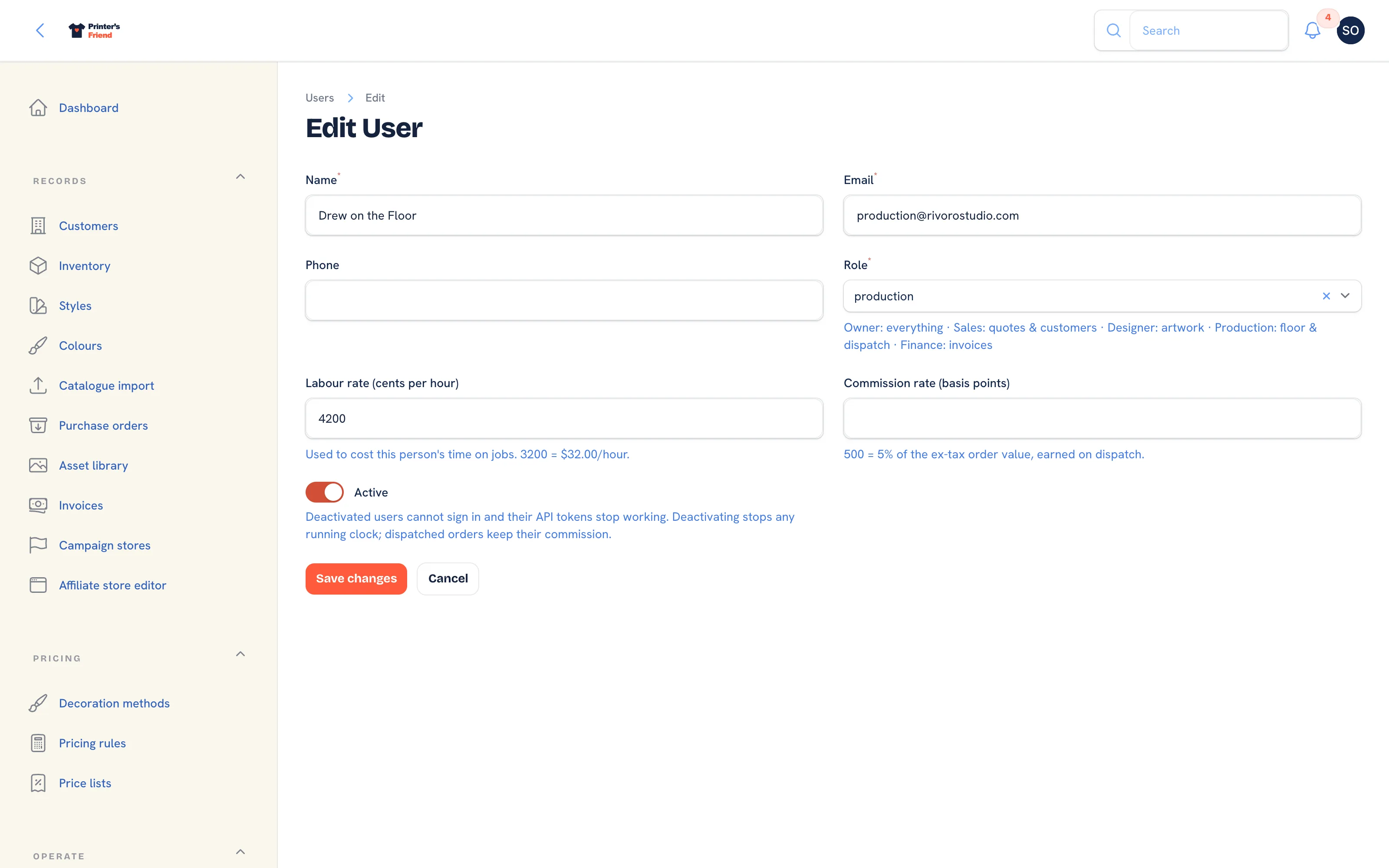 Editing a teammate. The header holds the lifecycle actions.
| Action | What it does |
|---|---|
| Re-send invite | Emails a fresh 7 day link to someone who has not set a password yet |
| Reassign open work | Moves this person's open orders and draft or sent quotes to a teammate you pick. Dispatched orders are not touched |
| Deactivate my account | Signs you out and leaves the shop with another owner; it asks you to confirm and where your open work goes |
| Make billing contact | Owner only. Billing email, Stripe receipts and payment failure notices go to this owner from now on |
Switching Active off on someone else offers Reassign open work to when they still hold open orders or quotes. Leave it blank and the work stays on their name, shown as (left) on each order. Deactivation stops any clock they have running; commission on dispatched orders stays with them.
Changing someone's email address leaves it unverified until its owner confirms it at their next sign-in. Changing an owner's email also updates the Stripe billing customer.
Owner Rules
- Only an owner can assign or remove the owner role. Managers see the option greyed out.
- The last active owner cannot be demoted or deactivated.
- Deactivating yourself goes through Deactivate my account, which checks that another owner remains.
Choosing Roles for a Real Shop
| Person | Role |
|---|---|
| You | Owner |
| The manager who covers for you | Manager |
| Counter and phone sales | Sales |
| Press operators and packers | Production |
| Art department | Designer |
| Bookkeeper | Finance |
| An accountant who only looks | Viewer |
Deactivate leavers
A deactivated person keeps their name on the stage history, time entries and orders they touched, which is what you want when you look at a job from six months ago. The seat is freed either way.