

Appearance
Dashboard
The dashboard is the morning view for the shop. Every active staff member sees it, whatever their role. Read it top to bottom and you know what today looks like.
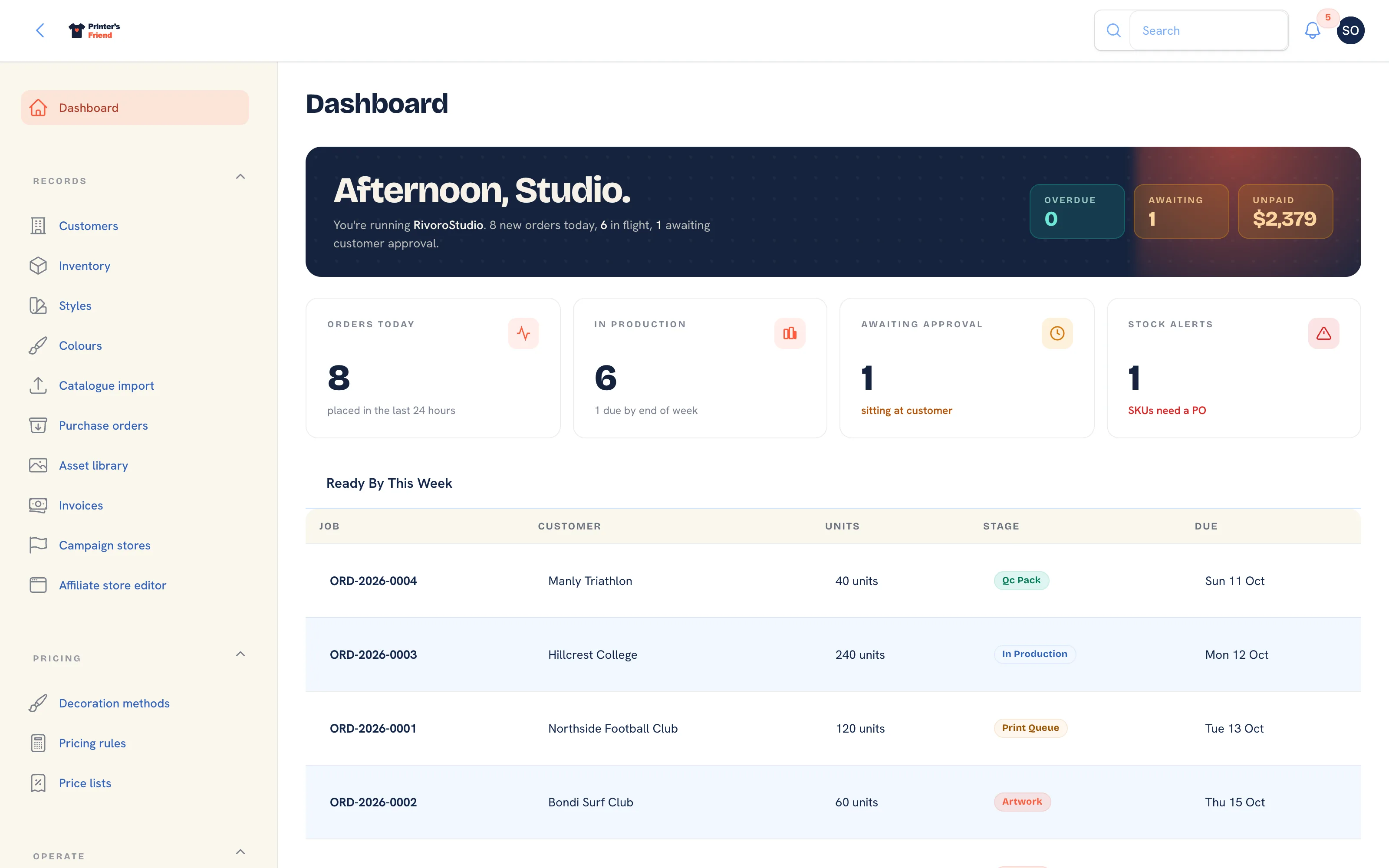 The top of the dashboard: greeting, headline numbers and today on the press.
Where It Lives
The dashboard is the Dashboard entry at the top of the sidebar. Its panels read the same orders, proofs, invoices and stock as the rest of the workspace, so nothing on it needs setting up.
The Greeting Banner
The banner greets you by first name with your shop name and the day's headline figures: how many jobs are in flight and how many are awaiting customer approval. On the right, three chips: Overdue (open orders past their due date), Awaiting (proofs sitting with customers) and Unpaid (the total of invoices that are sent, reminded or overdue). The headline figures are refreshed every five minutes.
KPI Tiles
| Tile | What it counts |
|---|---|
| Orders today | Orders created today on your shop's clock |
| In production | Open orders: anything not yet dispatched or cancelled, with how many are due by the end of this week |
| Awaiting approval | Proofs in the awaiting client state. Each one is a job that cannot start |
| Stock alerts | Active SKUs whose available count is at or under their reorder point |
Awaiting approval is the number to act on first. A proof sitting with a customer is the most common reason a job goes late, and the artwork chaser emails twice before it hands the job to you.
Today on the Press
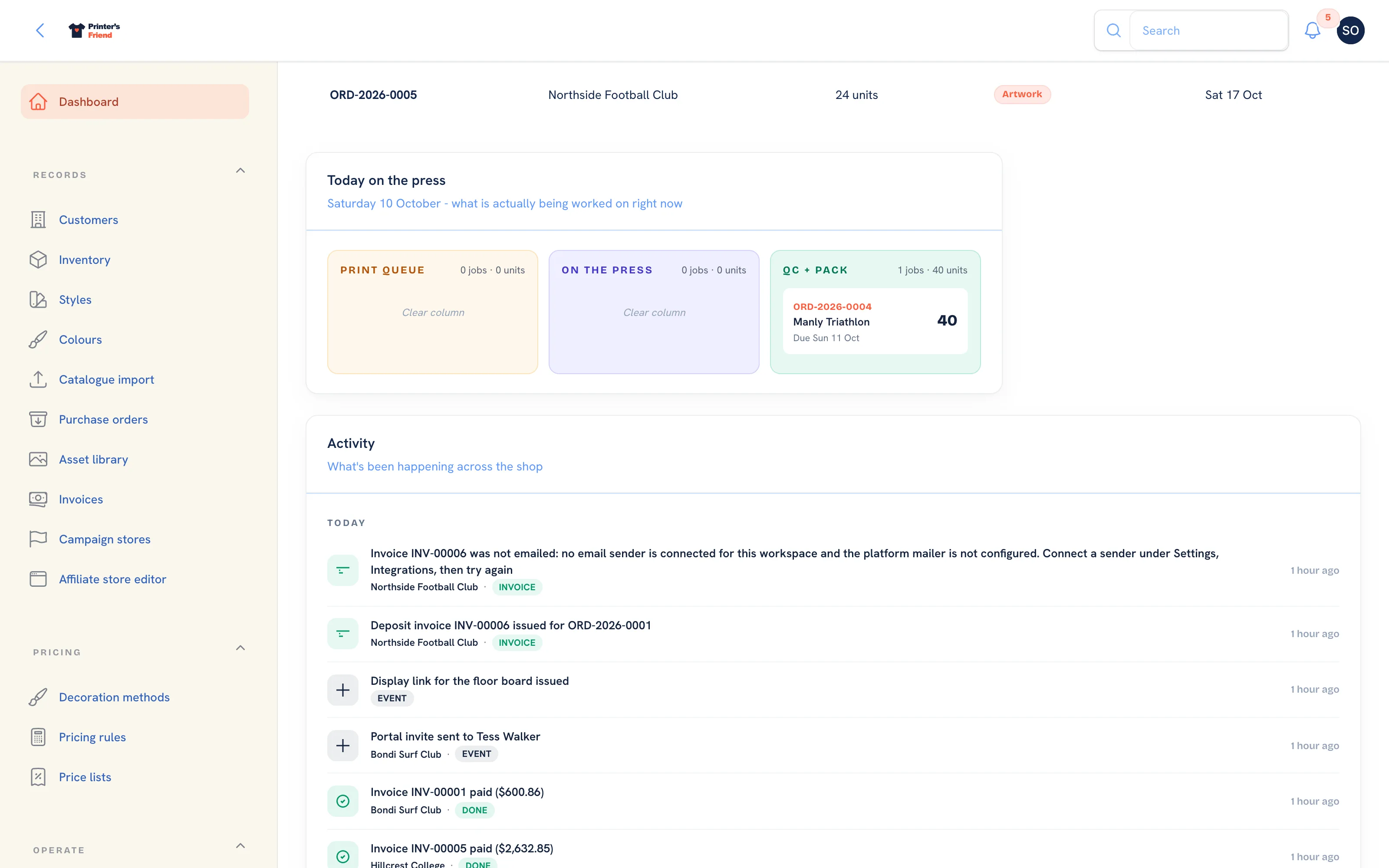 Today on the press, grouped by stage, with the revenue trend beside it.
Jobs in the Print queue, On the press and QC + pack columns that are due by the end of this week or have no due date, up to fifteen of them, with the customer, the units and the due date. Each column header shows its unit total.
Ready by, Next 7 Days
A table of every open order due in the next seven days: job, customer, units, stage and due date. Everything here has been promised to a customer.
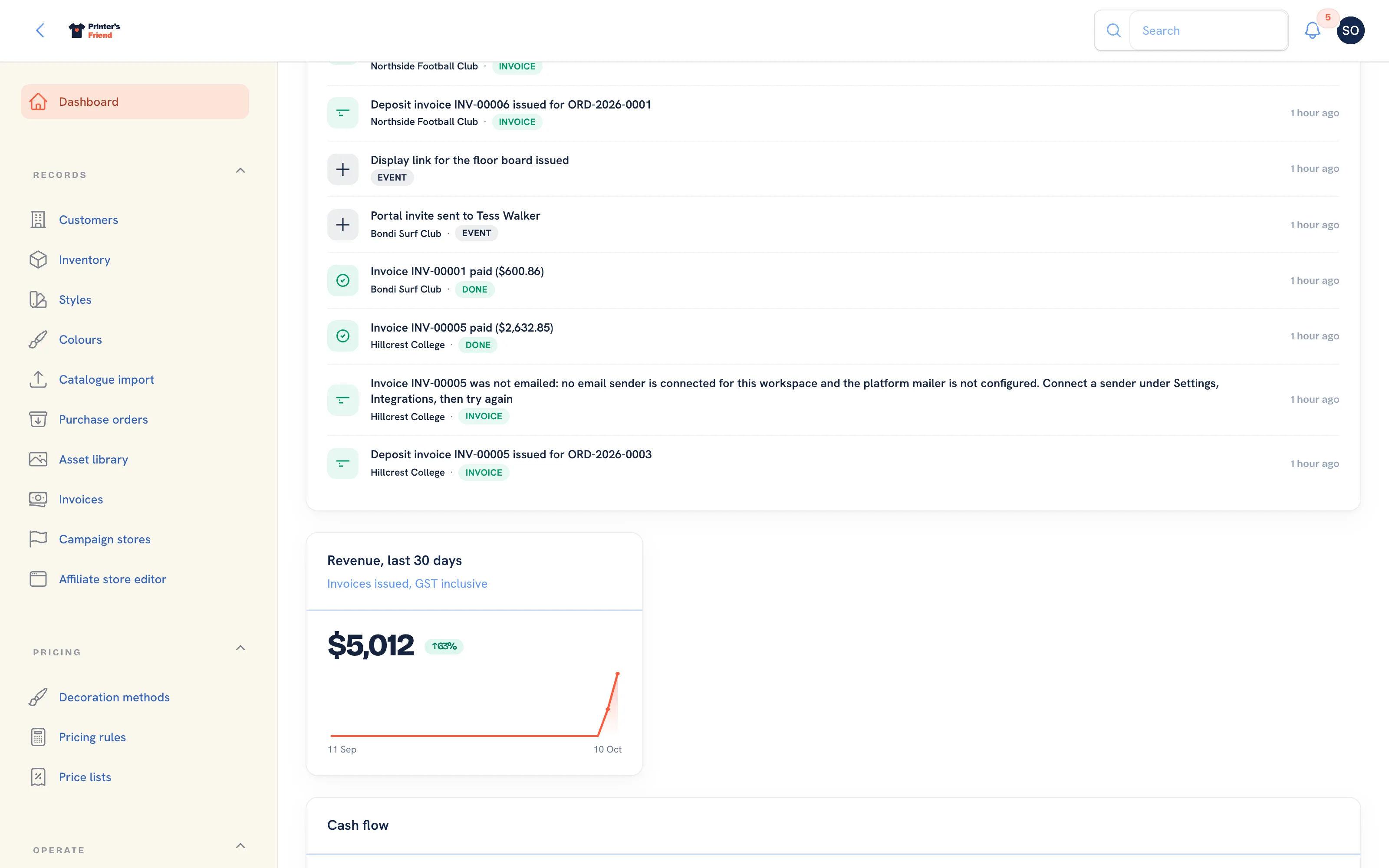
Revenue, Last 30 Days
Invoiced totals by day for the last thirty days, with the change against the thirty days before. The figure is the invoice total, so it includes tax.
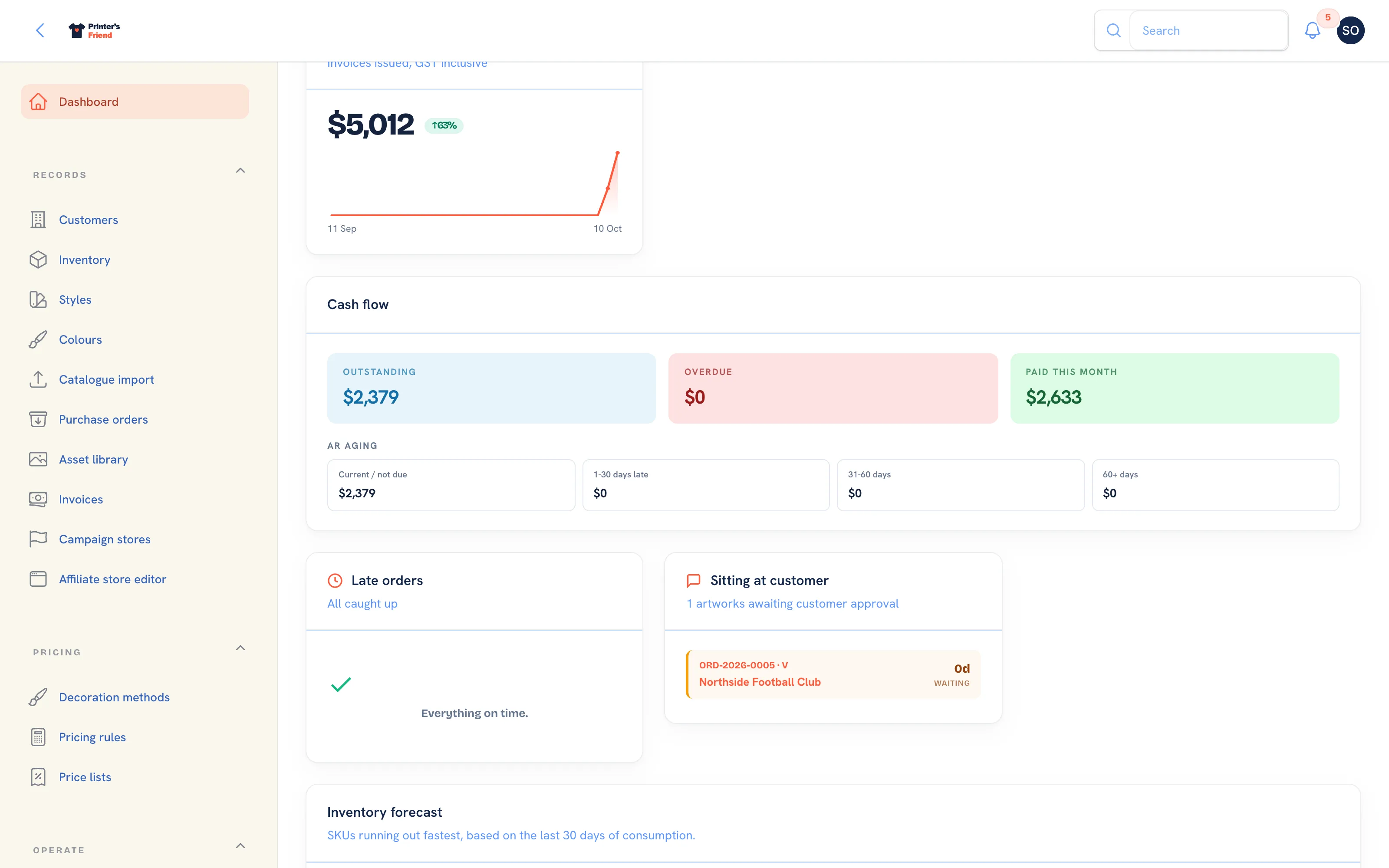 Revenue, cash flow and the two queues below them.
Late Orders and the Approval Queue
Two panels side by side.
- Late orders lists up to six open orders whose due date has passed, oldest first. When there are none it reads "Everything on time."
- Sitting at customer, the approval queue, lists up to six proofs waiting on a customer, the longest wait first. When there are none it reads "Inbox zero."
A job is late once the end of its due date has passed in your shop's timezone, so a job due today is never badged late in the morning.
Cash Flow
Outstanding, overdue and paid this month, then the receivables aged in four buckets: current or not yet due, 1 to 30 days late, 31 to 60 days and 60 plus. An invoice in the last bucket has already had every reminder the system sends, so the next step is a phone call.
Inventory Forecast
The SKUs running out fastest, based on the last thirty days of consumption from the stock ledger. Each row shows the SKU, what is available, how many days are left at the current rate and a suggested purchase quantity. Only SKUs with thirty days or less of stock appear, up to seven of them, and the panel is recalculated every ten minutes. It catches a SKU that is about to run out before it crosses its reorder point.
Production Load, Next 14 Days
A heatmap of units due per day across every open order, with the total committed in the window and the peak day. Check it before you promise a date on a new quote.
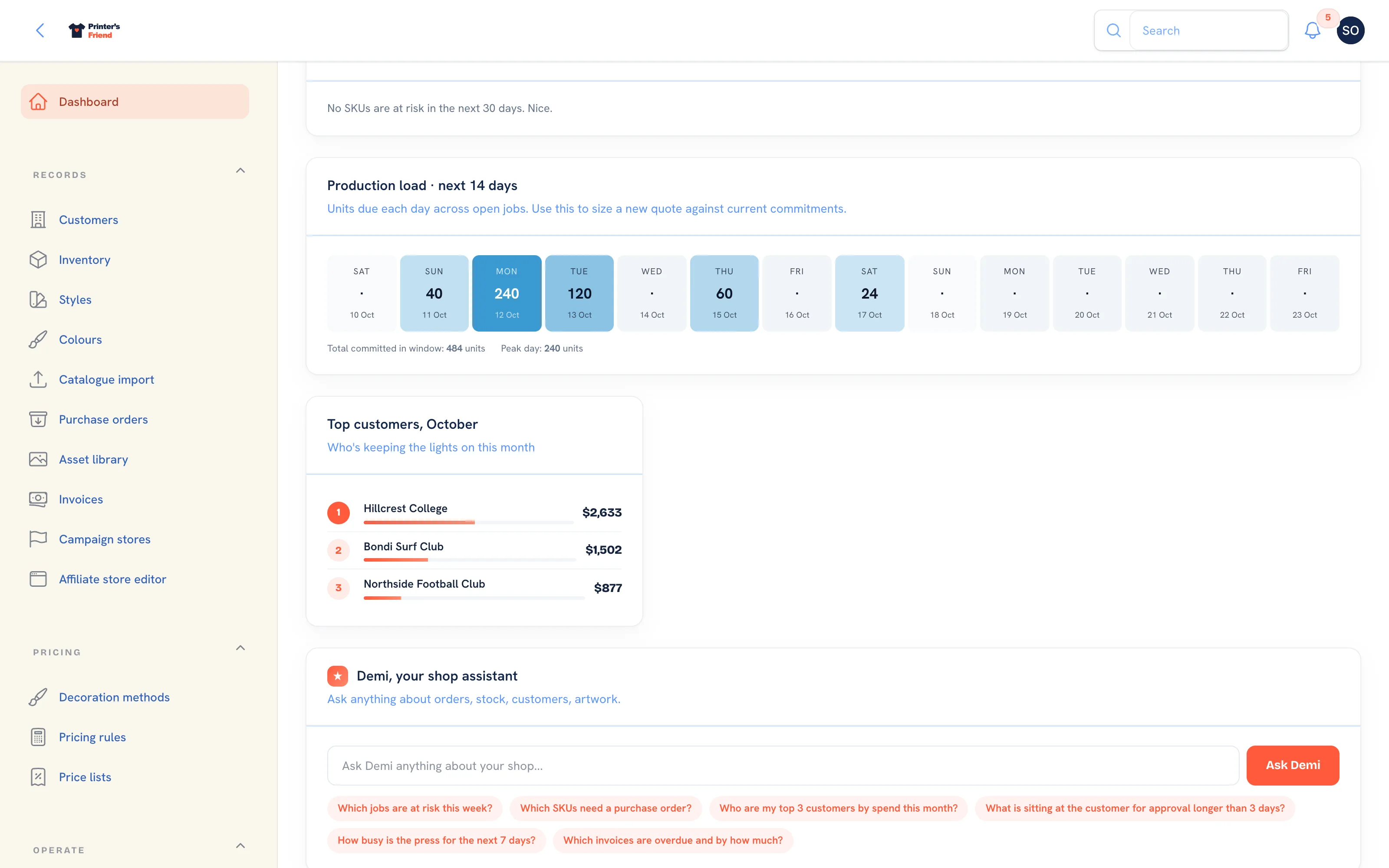 The production load for the next fourteen days, with top customers and Demi at the foot of the page.
Activity
 Demi and the activity feed at the foot of the dashboard.
The last eight things that happened across the shop, newest first: quotes created, proofs sent, stages advanced, invoices issued, payments recorded. It is the quickest way to catch up after a day off, and the quickest way to check whether anyone has told the customer.
Top Customers
Your five biggest accounts by invoiced total this month.
Demi
A prompt box for Demi, the assistant that answers questions from six live lookups: late orders, low stock, order lookup, overdue invoices, quote status and top customers. Suggested prompts cover the usual questions. Until Demi is enabled on your workspace, the reply says so. Full detail in Demi.
Plan requirement
Demi is included on Starter (200 questions a month), Premium (1,500) and Enterprise (unlimited). It is not on the Free plan. See Plans and limits.
A Ninety-Second Morning Routine
- Late orders. Deal with anything listed before anything else.
- Approval queue. Ring anyone whose proof has sat for more than a few days; the chaser has already emailed them twice by day six.
- Stock alerts and the Inventory forecast. If a job this week needs a SKU that is short, raise the purchase order now.
- Production load. Check the days you are about to promise.
- Cash flow, 60 plus bucket. One phone call.
Every screen uses the same late rule
The dashboard, the production board, the floor board and the order page all use the same late rule and the same timezone, so a job is either late everywhere or nowhere. If a count looks stale, the headline figures are cached for five minutes and the inventory forecast for ten.
Related Pages
- Production Board: move jobs between stages by drag, tap or barcode scan
- Artwork and Approvals: upload proofs, send approval links and handle change requests
- Invoices: invoices, reminders, payments, refunds and credit notes
- Demi, the Assistant: the assistant that answers questions from six live lookups
- Reports: revenue, margin, labour, commission and stock for a period