

Appearance
Plans and Limits
Every plan includes the whole product: quoting, production, artwork approvals, the customer portal, stores and campaigns, the kiosk, time tracking, job costing and commission. Plans differ on capacity (staff seats and open orders) and on five capabilities: Demi, SMS, live supplier sync, the REST API and outbound webhooks.
Where It Lives
| Page | What it's for |
|---|---|
| printersfriend.com/pricing | Compare plans before you sign up |
| Insight, then Billing | Your plan, trial or renewal date, usage this month and the plan cards |
| Stripe's hosted portal, from Manage card and invoices | Card changes, downgrade, cancellation and receipts |
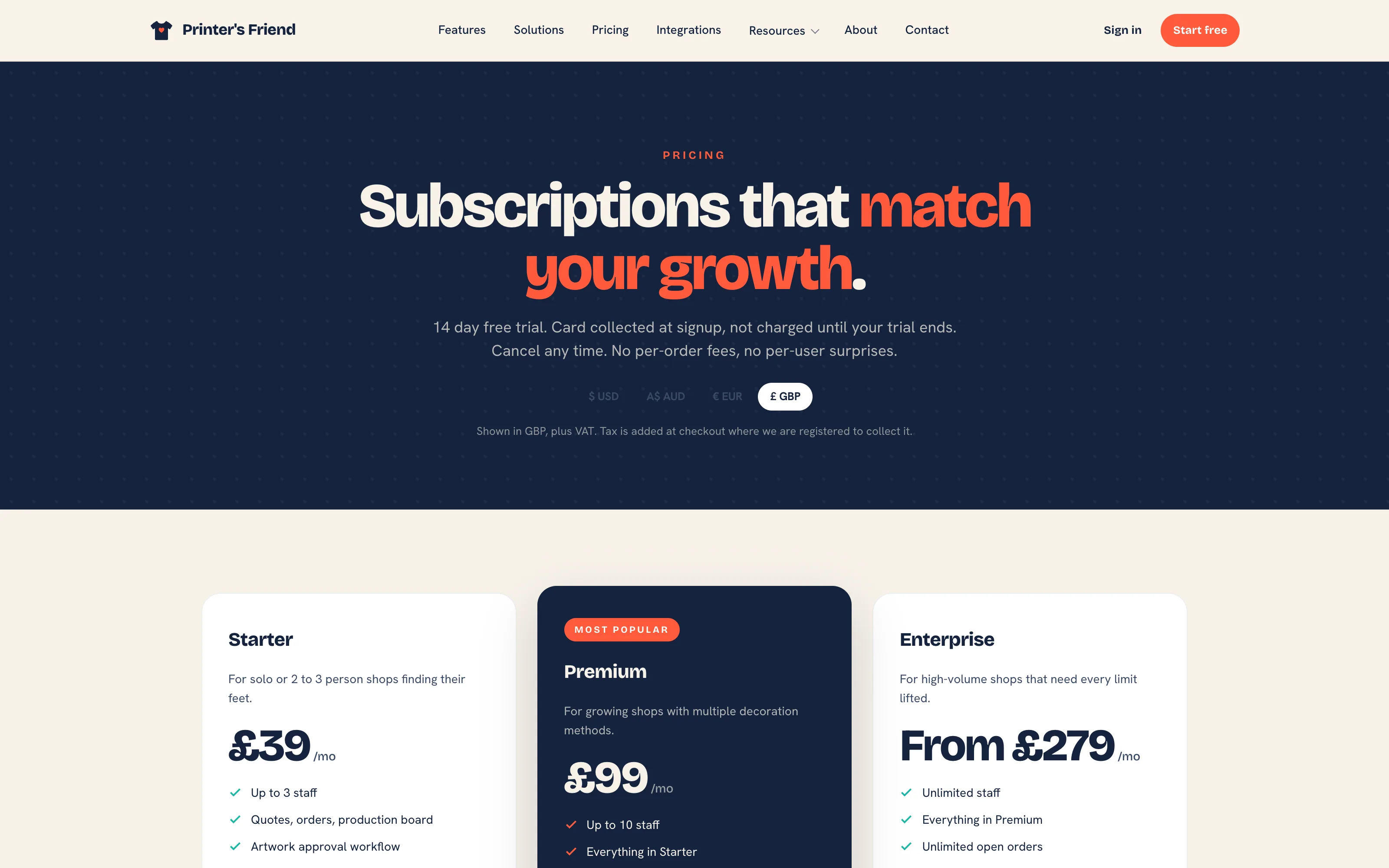 The public pricing page. Prices follow the currency selector.
Monthly Price
| Plan | USD | AUD | EUR | GBP |
|---|---|---|---|---|
| Free | 0 | 0 | 0 | 0 |
| Starter | 49 | 79 | 45 | 39 |
| Premium | 129 | 199 | 119 | 99 |
| Enterprise | 349 | 529 | 319 | 279 |
Prices are per month, in the billing currency chosen at signup. Tax is added at checkout where Printer's Friend is registered to collect it. Free is not sold; it is where a workspace lands when a subscription lapses.
What Each Plan Allows
| Free | Starter | Premium | Enterprise | |
|---|---|---|---|---|
| Staff seats | 1 | 3 | 10 | Unlimited |
| Open orders | 10 | 100 | 1,000 | Unlimited |
| Demi, the assistant | No | 200 questions a month | 1,500 questions a month | Unlimited |
| SMS to customers | No | Yes | Yes | Yes |
| Live supplier catalogue sync (planned) | No | Yes | Yes | Yes |
| REST API | No | No | Yes | Yes |
| Outbound webhooks | No | No | Yes | Yes |
An open order is one that has not reached Dispatched or Cancelled. Finished work never counts, so a shop with a 100 order cap can hold thousands of jobs in its history.
Included, Gated and Planned
The plan table is not the whole story. Some capabilities need something beyond the plan before they work, and two are not built yet.
| Capability | Status | What it needs |
|---|---|---|
| Stripe payment links on invoices | Included on every plan | Your own Stripe account, connected under Integrations. See Payments with Stripe |
| SMS notifications | Starter and above | Your own Twilio account under Integrations |
| Australia Post shipments and labels | Included on every plan | Your own eParcel account under Integrations |
| Demi | Starter and above | The platform's AI key. Until it is in place Demi answers that it is not enabled on this workspace yet |
| Xero and QuickBooks Online sync | Premium and above | The platform's developer apps. Until they exist the Accounting card says the sync is not available yet |
| Live AS Colour catalogue sync | Starter and above | Planned. The adapter has not been verified against a real trade account; every supplier's range comes in through the CSV import today |
| Historical order import | Planned | Customers and the catalogue import from CSV today; past orders stay in the old system for reference |
How the Limits Behave
Limits are checked at the moment of the action, and every refusal names the plan that lifts it.
- Inviting a teammate past the seat cap is refused on save. Reactivating a deactivated teammate takes a seat and runs the same check.
- Accepting a quote, a kiosk order or an order through the API past the open order cap is refused.
- On a plan without SMS, texts are not sent and the dispatch records why.
- On a plan without API access, no token can be issued. On a plan without webhooks, no subscriber can be created, and after a downgrade existing subscribers stay saved while deliveries stop.
- On a plan without live supplier sync, the sync is skipped with the reason in the log.
Trials
A new signup gets 14 days on the plan it chose, with a card held and not charged. The Billing page shows the trial end date and the days left. The first payment is taken when the trial ends; cancel before then and you pay nothing.
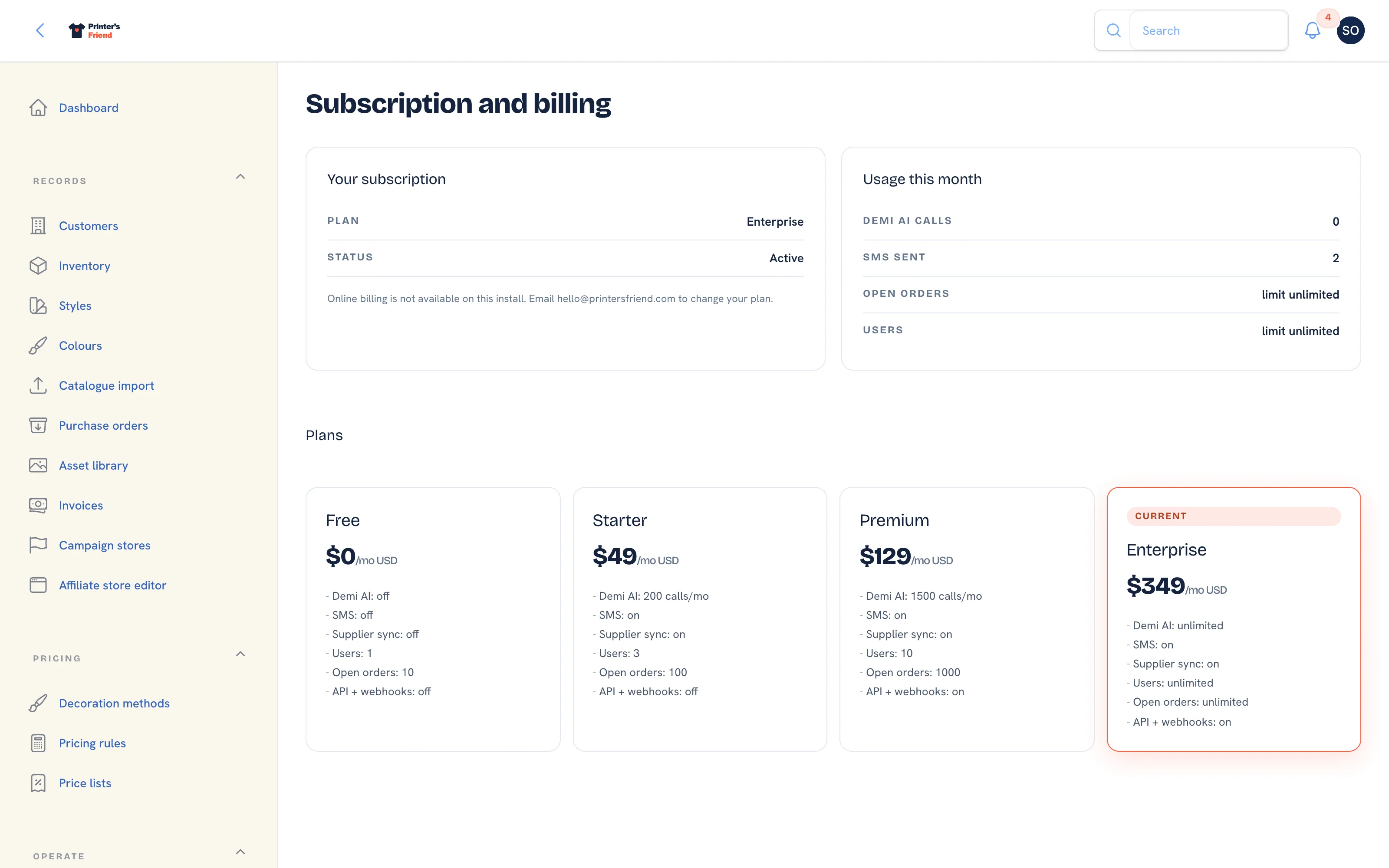 Billing. The plan, its status and the usage this month.
Failed Payments
A failed payment starts a 7 day grace period. A banner across the workspace says the payment failed and asks you to update your card, with a link to the Stripe portal. Fix the card inside the grace period and nothing changes.
If the grace period runs out, the workspace drops to Free with every record intact: customers, orders, invoices, artwork and history all stay. One email tells you. Billing then shows Start subscription, which runs a Stripe Checkout against your existing customer record, with no second trial, and restores the plan you were on. A failed payment never deletes anything.
Cancelling and the Deletion Window
Only an explicit cancellation starts the deletion clock: you cancel in the Stripe portal from Billing, or an owner presses Close this workspace on a workspace with no running subscription and types the workspace address to confirm. From then the workspace is read-only for 30 days so you can export your data or restart from Billing, and after those 30 days every record is permanently deleted, apart from records the law requires to be kept. The terms and the privacy policy state the same rule.
Changing Plan
Insight, then Billing. With a running subscription, Manage card and invoices opens Stripe's hosted portal, and each plan card offers Switch to that plan through the same portal. Without one, each card offers Start on that plan.
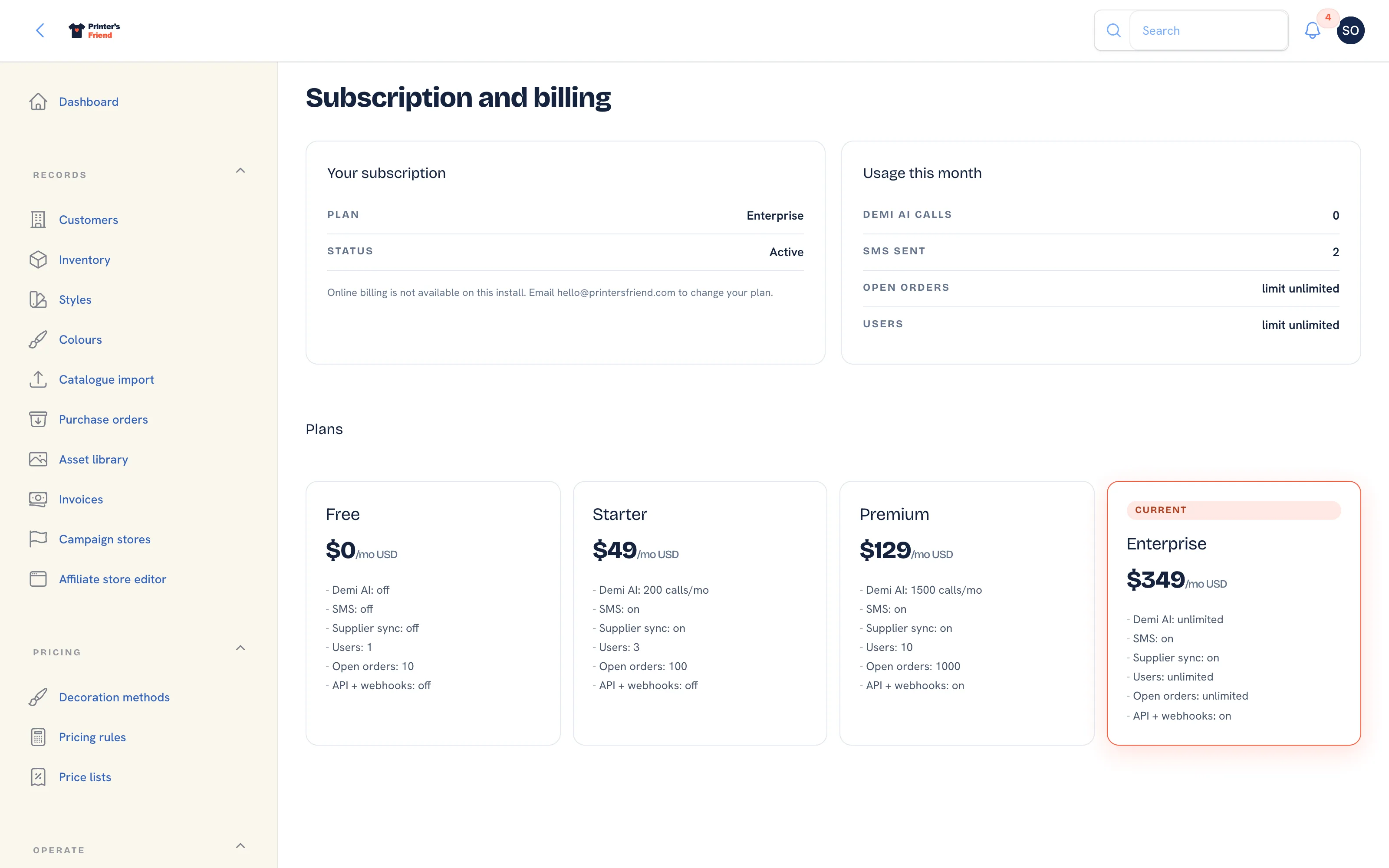 The plan cards on Billing, in your billing currency.
Pick on seats first, then on the API
Most shops sit on Starter or Premium, and the deciding factor is usually how many people need a login. If you need to push orders into another system or receive webhooks, you need Premium or above.
Related Pages
- Plans and Prices: what each plan costs and includes
- Subscription and Plan Changes: changing plan, and what a failed payment does
- Subscription and Billing: your plan, card, usage and the plan grid
- Team and Permissions: roles, rates, deactivating leavers and the owner rules