

Appearance
3. Decoration Methods
Pricing, then Decoration methods. A decoration method holds what a decoration costs the customer at each quantity break and colour count, plus its setup fee. Every quote line that carries decoration prices itself from these numbers, and the kiosk offers only the methods you keep active.
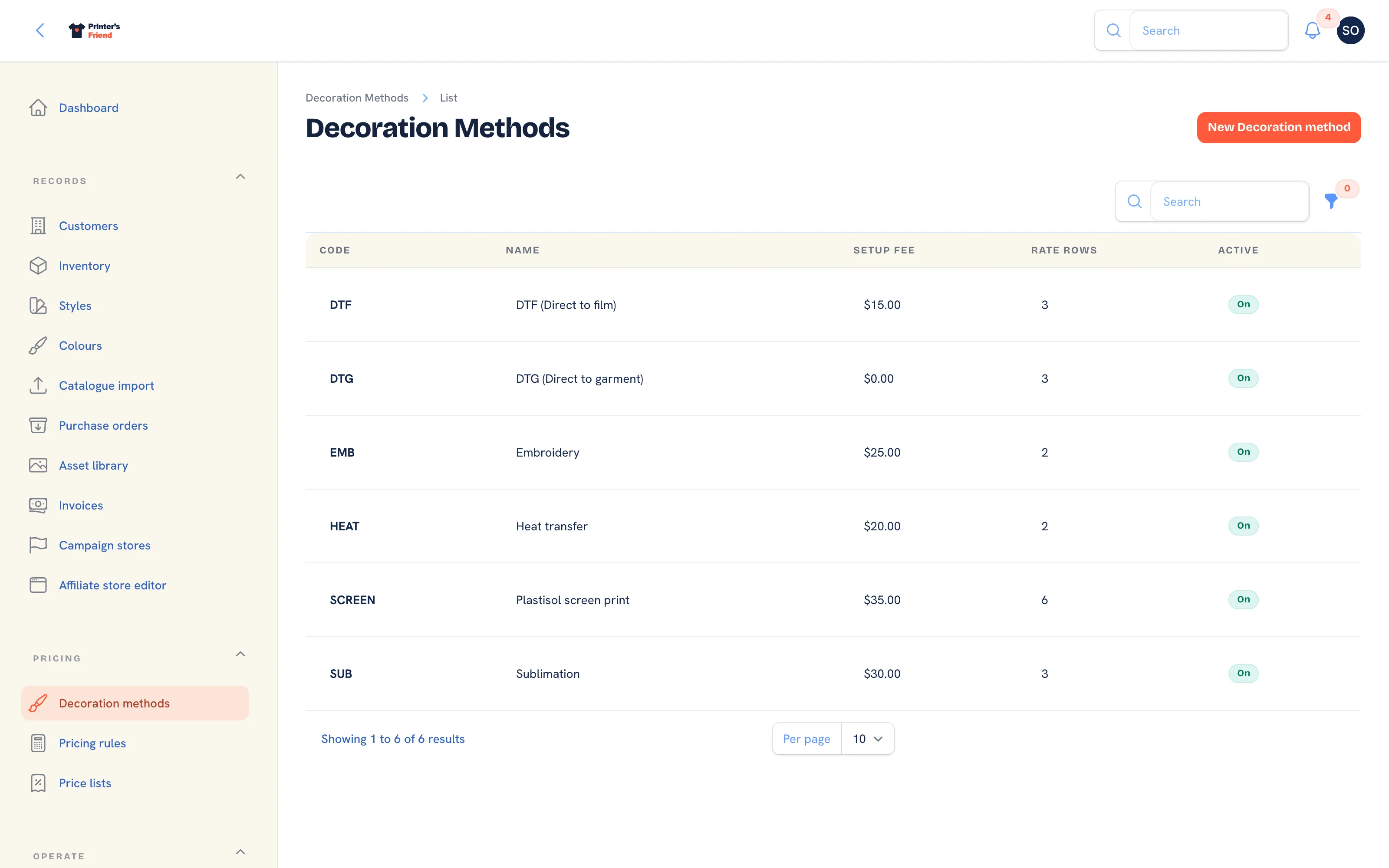 The decoration methods list. Six starter methods are seeded for every new workspace.
Where It Lives
| Page | What it's for |
|---|---|
| Pricing, then Decoration methods | The list, with a filter on active methods |
| New decoration method | Add a method and its rate matrix |
| Edit on a row | Change rates, the setup fee or the active switch |
What Ships by Default
A new workspace starts with six methods so you have something to edit. The numbers are placeholders, not your prices.
| Method | Code | Setup fee | Matrix |
|---|---|---|---|
| Plastisol screen print | SCREEN | 35.00 | 1 and 2 colours, breaks at 1, 50 and 100 |
| Embroidery | EMB | 25.00 | Up to 8 colours, breaks at 1 and 50 |
| DTG (Direct to garment) | DTG | 0.00 | Full colour, breaks at 1, 25 and 50 |
| DTF (Direct to film) | DTF | 15.00 | Full colour, breaks at 1, 25 and 100 |
| Heat transfer | HEAT | 20.00 | Up to 3 colours, breaks at 1 and 50 |
| Sublimation | SUB | 30.00 | Full colour, breaks at 1, 25 and 100 |
Adding or Editing a Method
- Press New decoration method, or Edit on a row.
- Type the Name staff and customers see, for example
Plastisol screen print. - Type the Code, up to 16 characters, for example
SCREEN. It is written onto quote and order lines and used in reports, and it is locked after creation. - Set the Base setup fee in your currency. It is charged once per decorated line; a setup fee waiver rule can remove it.
- Leave Is active on. Off hides the method from new quotes and the kiosk without touching history.
- Under Rate matrix, press Add rate row for each row: Min quantity, Max colours and Unit price (cents).
- Press Create or Save changes.
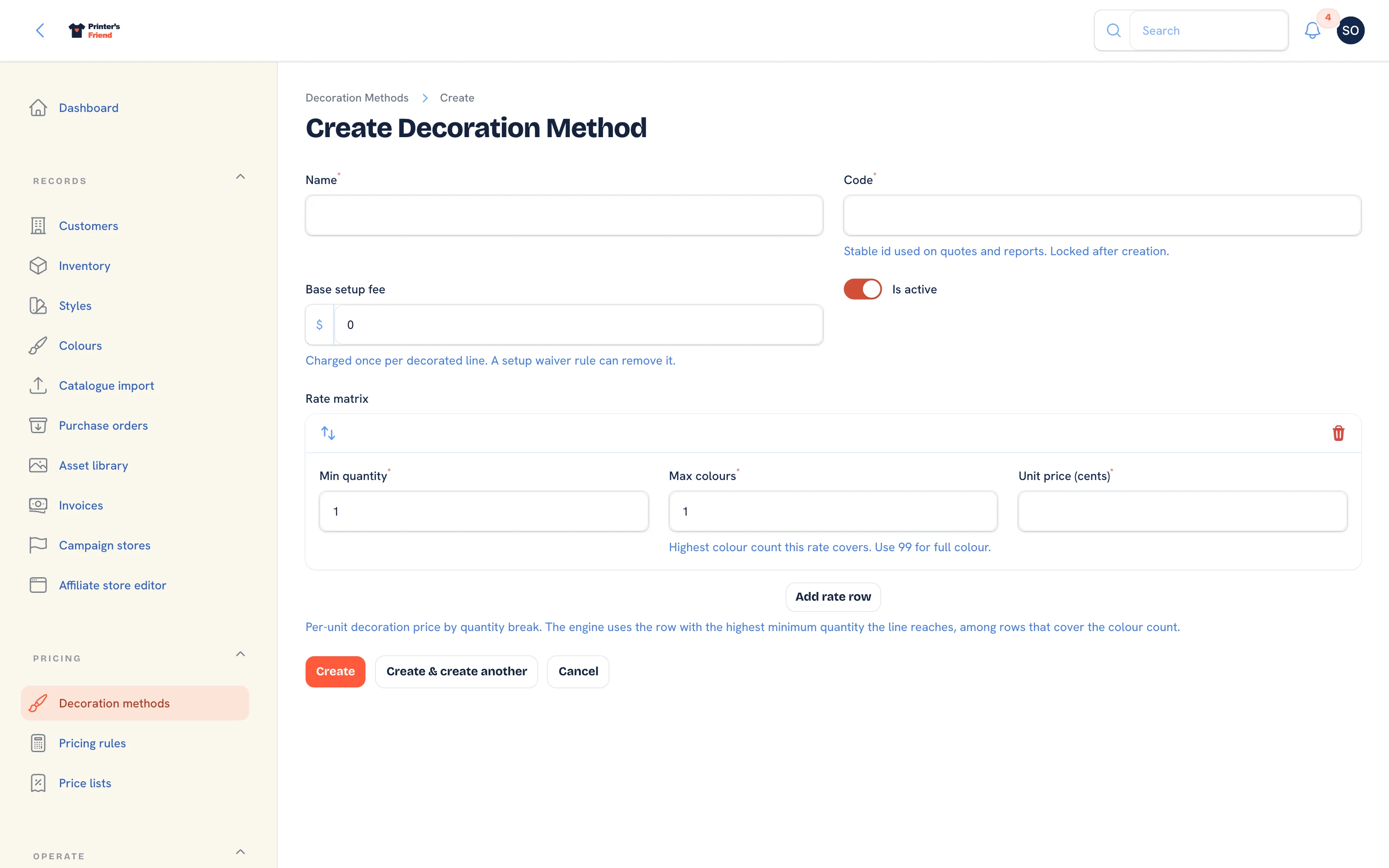 Adding a method. Unit prices are in cents.
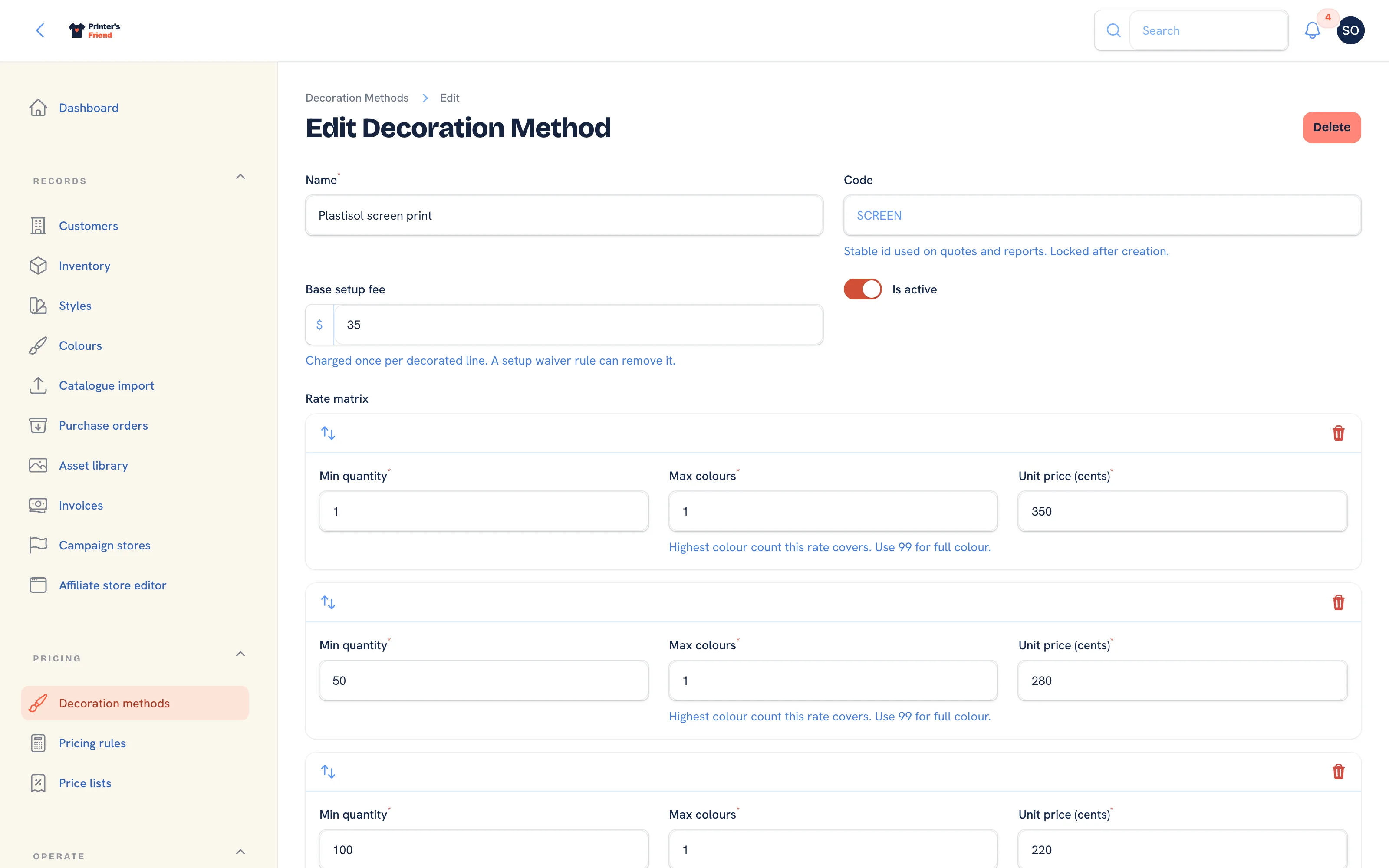 Editing the seeded screen print matrix.
The code cannot be changed later
The code is locked once the method exists because quote and order lines and reports carry it. If you get it wrong, create a replacement method with the right code and switch the old one off.
The Rate Matrix
| Column | Meaning |
|---|---|
| Min quantity | The lowest line quantity this row applies to |
| Max colours | The highest colour count this row covers. Use 99 for full colour processes |
| Unit price (cents) | The per-unit decoration price in cents. 350 means 3.50 |
For a line of quantity Q with C colours, the engine takes every row where the minimum quantity is at or below Q and the maximum colours is at or above C, and uses the one with the highest minimum quantity. If no row qualifies, decoration adds nothing to the line.
Worked example with the seeded screen print matrix:
| Row | Min quantity | Max colours | Unit cents |
|---|---|---|---|
| A | 1 | 1 | 350 |
| B | 50 | 1 | 280 |
| C | 100 | 1 | 220 |
| D | 1 | 2 | 480 |
| E | 50 | 2 | 400 |
| F | 100 | 2 | 320 |
- 60 shirts, 1 colour: rows A and B qualify, B wins on the higher minimum. 2.80 each.
- 60 shirts, 2 colours: rows D and E qualify. E wins. 4.00 each.
- 250 shirts, 2 colours: F wins. 3.20 each.
- 60 shirts, 4 colours: nothing covers 4 colours, so decoration is priced at zero.
Cover every colour count you sell
An uncovered colour count prices at zero without a warning on the quote. Either add a row set per colour count up to your press maximum, or add a catch-all set at your highest colour count. For full colour processes use 99 and never think about it again.
Building Your Matrix
- Write down your sell price per unit at the quantities you run: 12, 25, 50, 100, 250. Three or four breaks is plenty.
- Do it per colour count for spot colour processes.
- Enter the rows in any order. The engine picks by minimum quantity, not by position, though low to high is easier to read later.
- Set the setup fee to what you charge to make screens or digitise, per position.
Price the decoration, not the garment
The garment price is the style's list unit price, less the customer's price list discount. The matrix is the decoration on top. If you have always quoted one all-in number per shirt, split it into garment plus decoration. That split is what lets a quote reprice when a blank price changes, and what makes the margin reports meaningful.
Positions and Multiple Decorations
A front print and a back print are two lines, each with its own method and colour count, so each gets its own setup fee and its own rate, which is how the cost behaves in the shop.
Retiring a Method
Switch Is active off to retire a method. Every historical quote, order and report keeps it, and it stops appearing on new lines and on the kiosk.