

Appearance
Customers
A customer is an organisation: the club, school or company you quote and invoice. It holds the price list, payment terms, contacts, portal logins and addresses, and every quote, order and invoice points back to it.
Where It Lives
| Page | What it's for |
|---|---|
| Records, then Customers | Every customer with their price list and order count |
| New customer | Name, price list, payment terms, carrier and notes |
| The customer page | Lifetime value, health, activity, contacts, portal users, addresses, designs and tasks |
| Edit | The same fields as creation, plus the Addresses table |
Getting a list of customers in from a CSV is covered in 9. Customers and contacts.
The Customers List
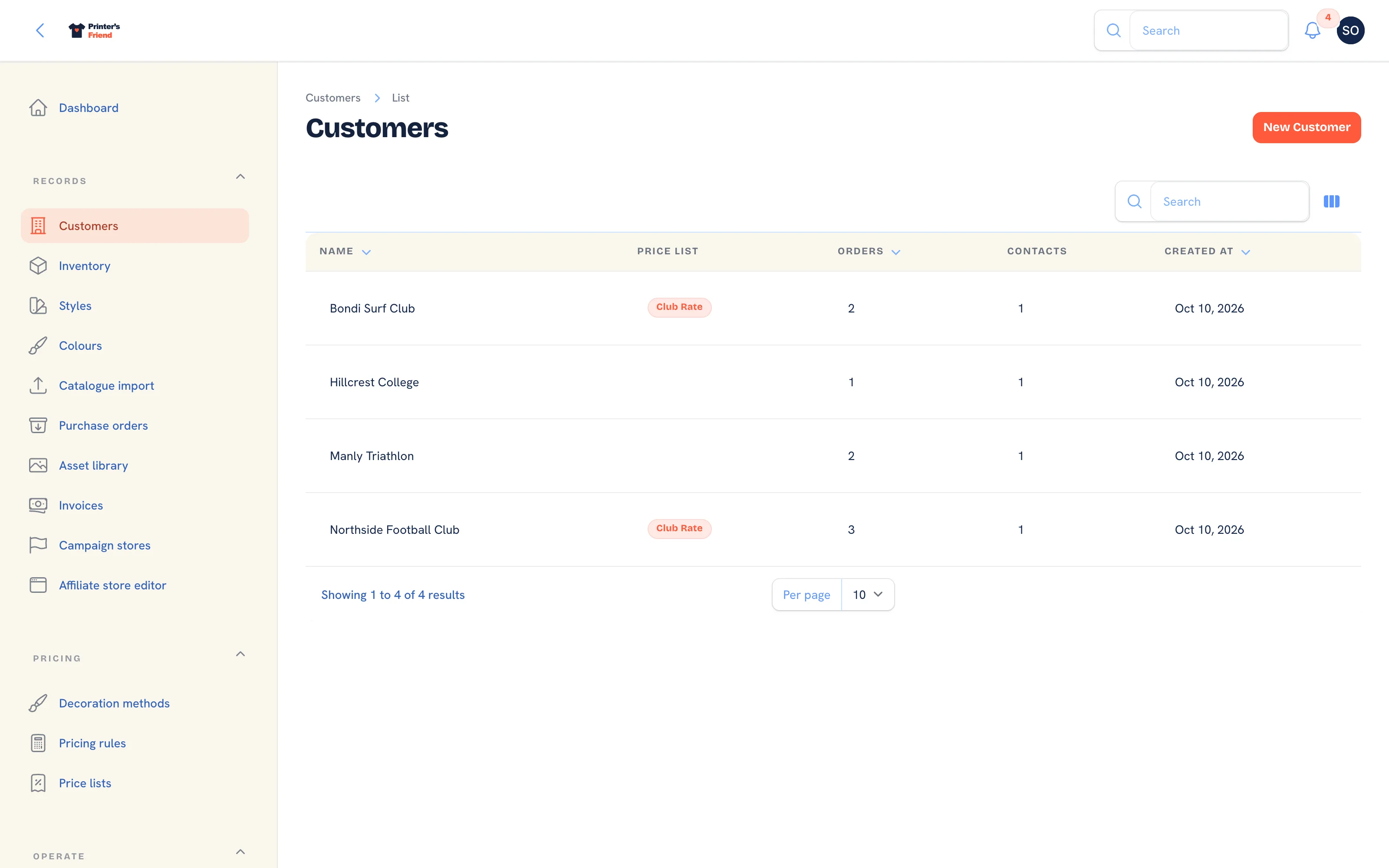 Customers, sorted by name.
Columns: Name, Price list, Orders, Contacts and Created. The global search finds a customer by name.
Creating a Customer
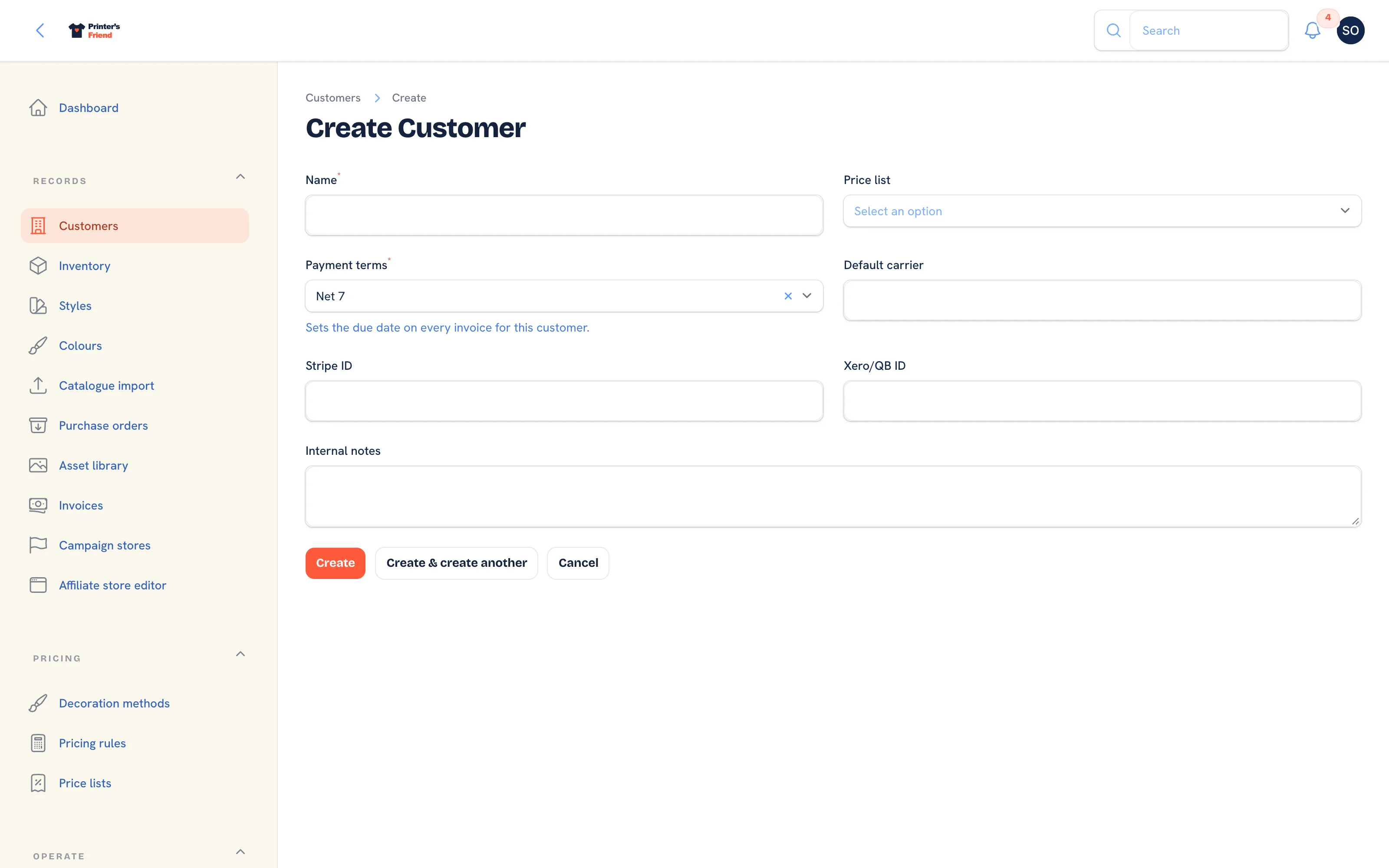 Adding a customer organisation.
- Go to Records, then Customers and click New customer.
- Type the Name.
- Pick the Price list the customer is quoted at. See Price lists.
- Pick the Payment terms: Net 7, Net 14, Net 30, Net 60, End of month or Cash on delivery. Every invoice for the customer takes its due date from this.
- Fill Default carrier and Internal notes if useful. Stripe ID and Xero/QB ID are filled by the integrations and cannot be typed.
- Click Create, then add at least one contact with an email address on the customer page. Quotes, proofs and invoices cannot be sent without one.
The Customer Page
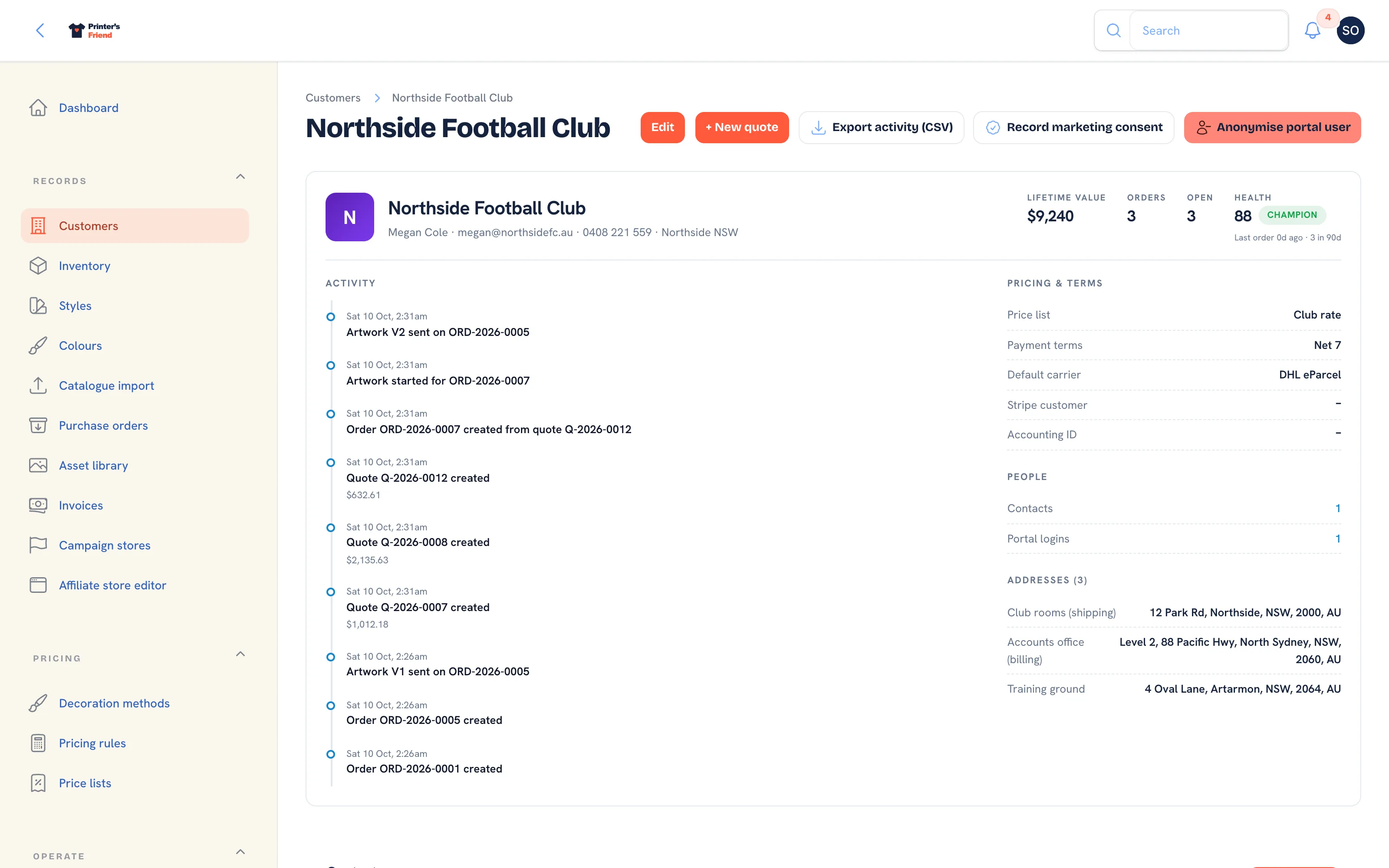 The customer page: the screen to have open when the customer rings.
| Panel | What it shows |
|---|---|
| Header | The primary contact, the first address, Lifetime value (paid invoices), Orders, Open orders and the Health score with its tier |
| Activity | The last twenty events on the customer: quotes, orders, proofs, invoices, payments, messages |
| Pricing & terms | Price list, payment terms, default carrier, Stripe customer and accounting ID |
| People | Counts of contacts and active portal logins, linking to the tables below |
| Addresses | Each address with its billing and shipping flags. See Addresses and packing slips |
| Contacts | The people at the customer, with Add contact, Invite to portal and Make primary |
| Portal users | Every portal login with its last sign-in, and Resend link, Deactivate and Reactivate |
| Designs library | The twelve most recent artwork versions on file for the customer |
| Open tasks | Tasks on the customer, including the follow-up the artwork chaser raises |
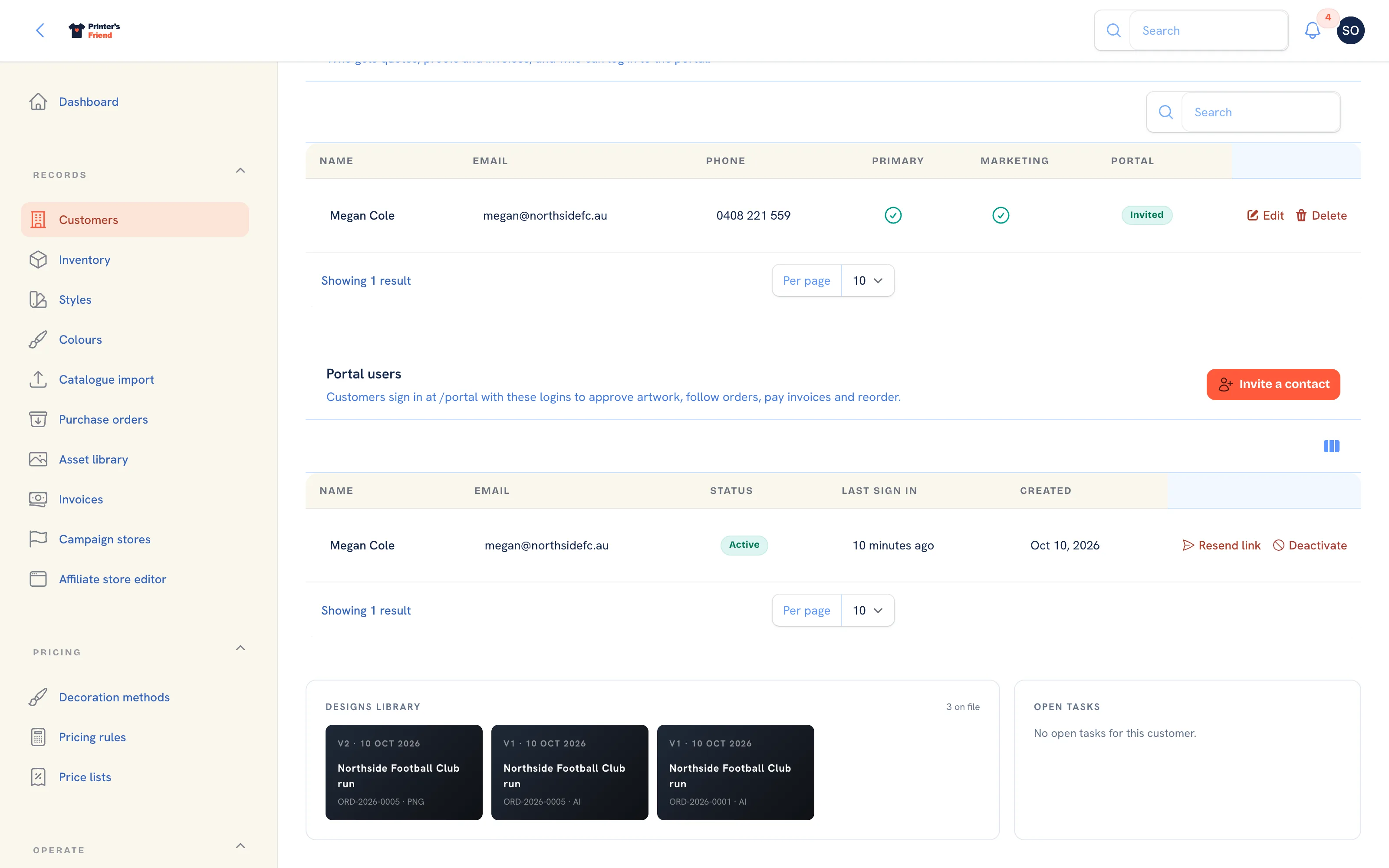 Contacts and portal users sit under the header panels.
The Health Score
A score from 0 to 100 built from how recently the customer last ordered, how many orders they placed in the last ninety days and whether they have overdue invoices, with a tier: Champion at 80 and above, Healthy from 60, At risk from 40 and Cold below that. The inputs show under the score. Champions are the accounts to ring when there is spare press capacity; a falling score on a formerly good account is the signal to call before they have gone elsewhere.
Header Actions
| Action | What it does |
|---|---|
| Edit | Opens the edit form and the Addresses table |
| + New quote | Starts a quote with this customer already chosen |
| Export activity (CSV) | Downloads the customer's whole activity history as a CSV: when, event, title, body and details |
| Record marketing consent | Records that a contact agreed to marketing email, with the source and a note. A contact with no consent recorded is left out of broadcasts |
| Anonymise portal user | Answers a portal deletion request: name, email and phone are replaced, the login deactivated and uploads removed, while orders and invoices stay on the ledger. It cannot be undone |
Contacts
Contacts are the people at the customer. Documents are emailed to the contact named on the quote or order, and to the primary contact when none is named.
- On the customer page, in Contacts, click Add contact.
- Fill Name, Email and Phone. The email is where quotes, proofs and invoices go and is needed for a portal login; the phone is used for SMS where SMS is available.
- Turn on Primary contact for the person who should receive documents by default. A customer has one primary; marking another clears the first.
- Leave Marketing consent blank unless the person has agreed to marketing email. Job emails are not marketing and always send.
- Click Create.
The Portal column shows No email, Not invited, Invited or Deactivated for each contact.
Inviting a Contact to the Portal
- On the contact's row, click Invite to portal. It is offered for a contact with an email address and no active login.
- Confirm the dialog. A portal login is created for the email and the person receives a link to set their password, valid for 60 minutes.
- The contact's Portal column reads Invited and the login appears in Portal users, where Resend link sends a fresh set-password link, Deactivate stops sign-in and Reactivate restores it.
Invite a contact in the Portal users header does the same from a list of contacts with an email and no active login. Logins are only created from contacts, so every login is a real person on the record. What customers can do once signed in is in The customer portal.
Editing a Customer
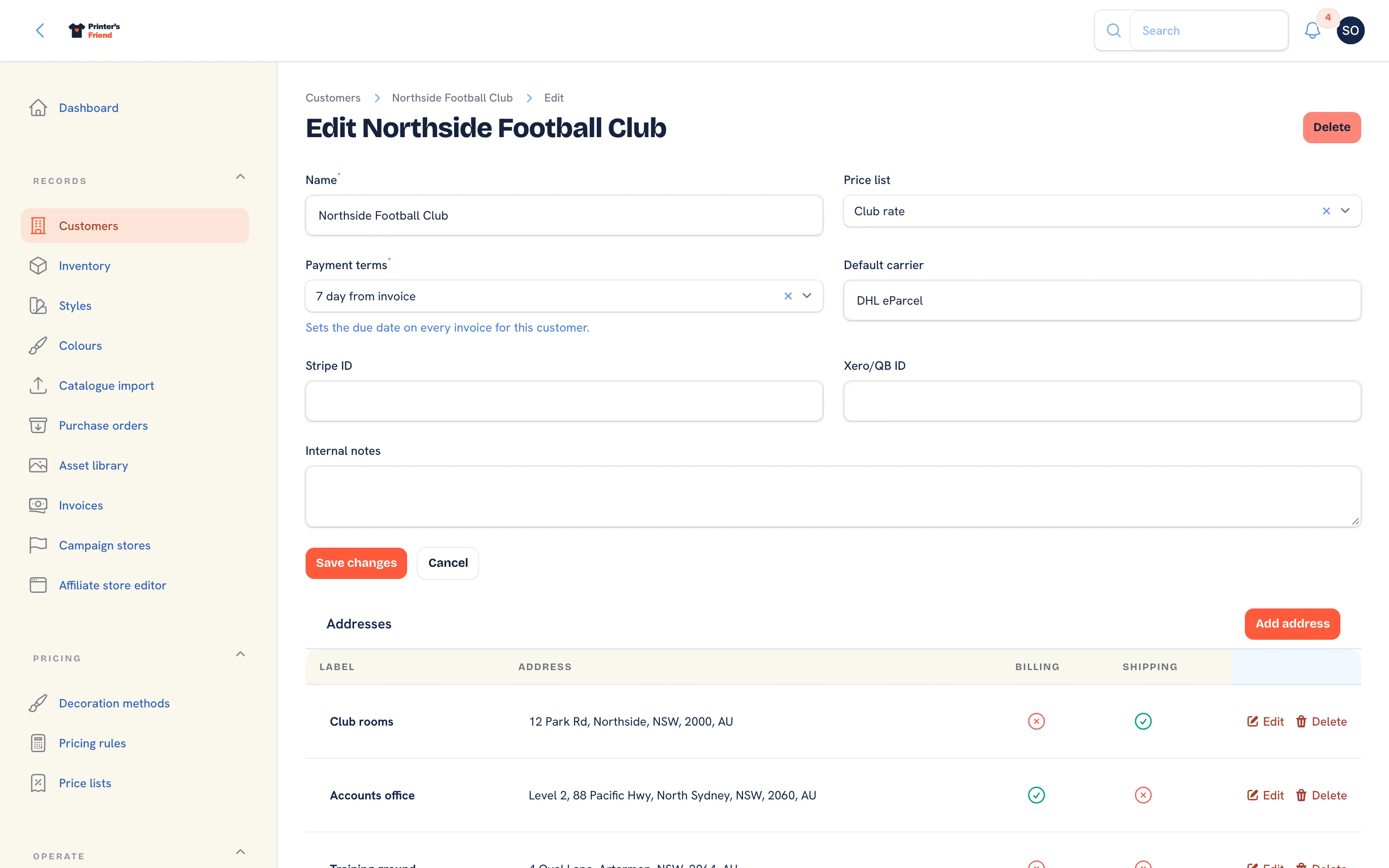 The edit form, with the Addresses table beneath it.
Edit changes the name, price list, payment terms, carrier and notes, and manages addresses. Two things to know:
- Changing the Price list changes what the customer is quoted next time. Existing quotes and orders keep their prices.
- Changing the Payment terms changes the due date on the next invoice. Existing invoices keep theirs.
Delete on the edit page removes the customer. Use it only for a record created in error; a customer with history should stay.
Delete only a record created in error
Delete removes the organisation that every quote, order and invoice on it points to. A customer with history stays on file; to stop a customer using the portal, deactivate their logins under Portal users instead, and keep the record for the documents that name it.
Reorders
A customer with a portal login can reorder a past order from My orders in the portal. The reorder arrives in your workspace as a draft quote priced at the customer's current price list, with the original order number in its notes, for you to review and accept.
Who Can Do What
Owners, managers and the sales role create and edit customers and contacts. Designers, finance and viewers can read them. Roles are set in Team and permissions.
Related Pages
- Customers and Contacts: import customers and contacts
- The Customer Portal: configure the portal, invite contacts and manage their logins
- Price Lists: the named rates customers sit on
- Addresses and Packing Slips: billing and shipping addresses, the packing slip and the shipping label
- Data, Privacy and GDPR: deletion requests, anonymisation, marketing consent and exports
- Quotes: build, price, send, chase and convert quotes