

Appearance
Audit Log
The audit log is the searchable stream of events your workspace records: quotes created, sent and accepted, orders moving stage, artwork sent and approved, invoices issued and paid, store and campaign checkouts, kiosk walk-ins, team changes and privacy actions. Each row names the event, the customer it concerns and the staff member or portal user who did it.
Where It Lives
| Page | What it's for |
|---|---|
| Insight, then Audit log | The full stream, with search and filters |
| An order, quote or invoice | The same events for that one record, on its activity timeline |
| Dashboard, the activity feed | The most recent events across the shop |
The audit log is available to owners and managers only.
Reading It
- Go to Insight, then Audit log. The newest events are at the top, 50 to a page.
- Type in the search box to match an event's title, body or event name, for example an order number or
invoice.paid. - Click Orders, Artwork, Invoices, Tenant or Privacy to show one family of events, or All to clear the filter.
Each row shows the event title, the event name in code form such as order.stage_changed, the customer, who did it (a staff name, or a portal user marked (portal)) and how long ago. Hover over the time for the exact timestamp. Rows for payments and approvals are marked green, change requests amber, cancellations and deletion requests red.
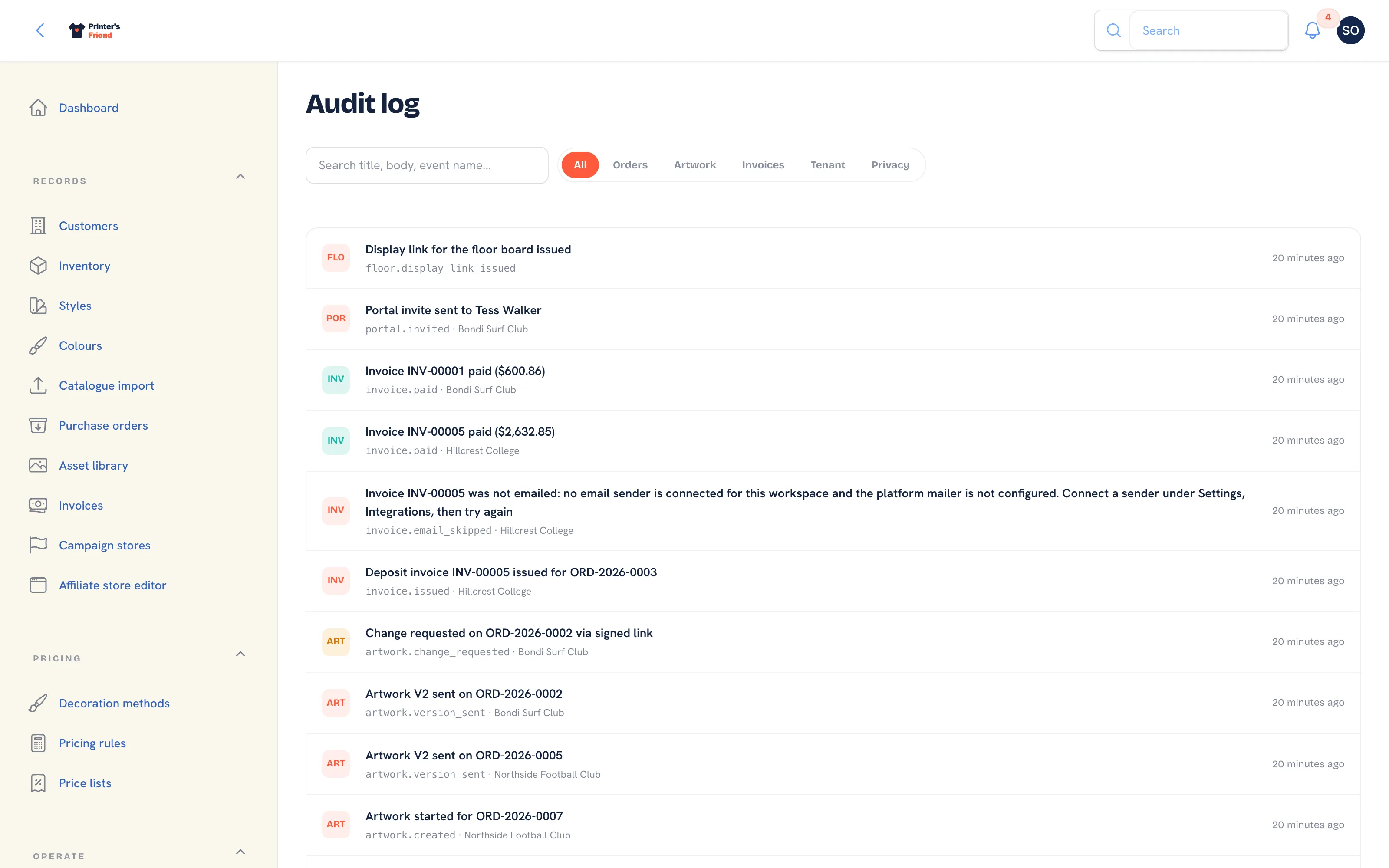 The audit log.
What Is Recorded
| Family | Events |
|---|---|
| Quotes | Created, lines updated, sent, accepted by the customer, change requested, declined, expired, created from a portal cart, a portal reorder or a store checkout, a send that failed |
| Orders | Created, stage changed, dispatched, cancelled, a kiosk walk-in |
| Artwork | Created, approval link sent, approved, change requested, chase exhausted, a send that failed |
| Invoices | Issued, sent, paid, refunded, disputed, a credit note issued, an invoice email skipped, a send or PDF that failed |
| Returns | Received, refunded, credited, rejected |
| Stock | A shortfall when a job enters production |
| Campaigns | A campaign order |
| Team | A member deactivated, open work reassigned |
| Floor | A display link issued or revoked |
| Portal | A contact invited, an invite resent, a portal user deactivated or reactivated |
| Privacy | A deletion request, a portal user anonymised |
| Tenant | Signup, a subscription restarted, the billing contact changed |
What Is Recorded Elsewhere
Some history belongs to the record and is read there:
| History | Where |
|---|---|
| Stage moves on an order, with who and when | The order's stage history |
| Stock movements | The stock movement ledger under Inventory |
| Artwork versions, comments and approvals | The artwork record under Artwork and approvals |
| Payments and refunds | The invoice |
| Sign-ins, kiosk unlocks, billing portal opens and integration connections | A separate security log that is kept but has no screen in the workspace |
Using It Well
- Keep roles honest. A log where everyone is a manager says far less than one where the sales team hold the sales role.
- Check the log before assuming a fault. A changed price is often a colleague changing a price.
- Deactivate leavers instead of deleting them, so old entries still name a person.
Related Pages
- Team and Permissions: roles, rates, deactivating leavers and the owner rules
- Data, Privacy and GDPR: deletion requests, anonymisation, marketing consent and exports
- Inventory: stock with a movement ledger, reorder points and shelf labels
- Subscription and Billing: your plan, card, usage and the plan grid